The Deals Dashboard is part of the built-in CRM in FuseBase. It helps teams manage sales opportunities, track deal progress, and organize revenue-related workflows in one place.
With the Deals Dashboard, you can structure your pipeline inside FuseBase and manage deals alongside related clients, companies, and portals. This makes it easier to keep account information connected and gives your team a clearer view of active opportunities across the customer lifecycle.
The Deals Dashboard helps turn FuseBase into a more complete CRM experience by giving teams a dedicated place to manage opportunities, connect deal records to other business data, and keep pipeline activity organized inside the platform.
Each deal record can include:
- a deal name
- a deal stage
- a deal value
- a deal description
- a deal files
- associated clients
- an associated company
- an associated portal
The deals dashboard is available in the Organization section.
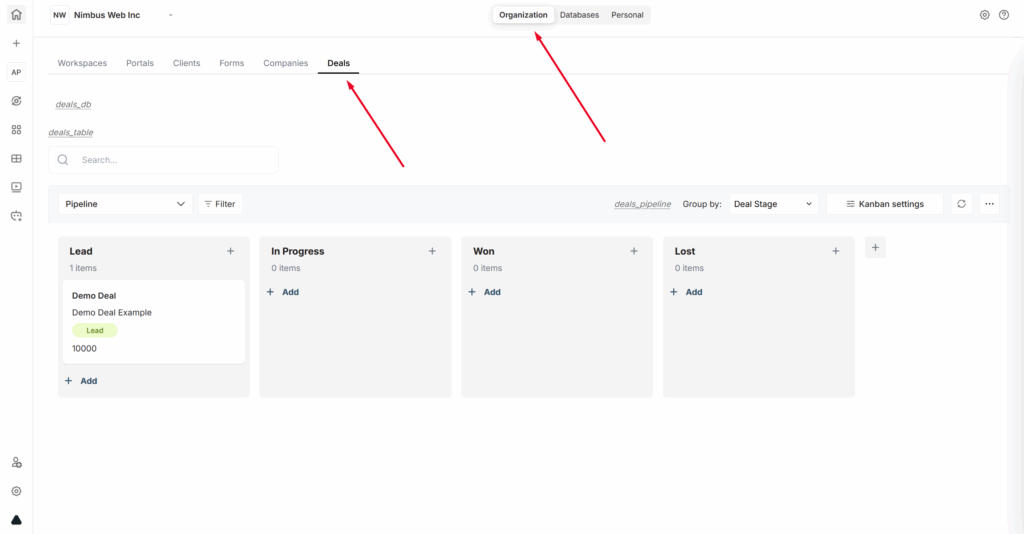
The Deals Dashboard includes two main views:
- Pipeline, which is the default view
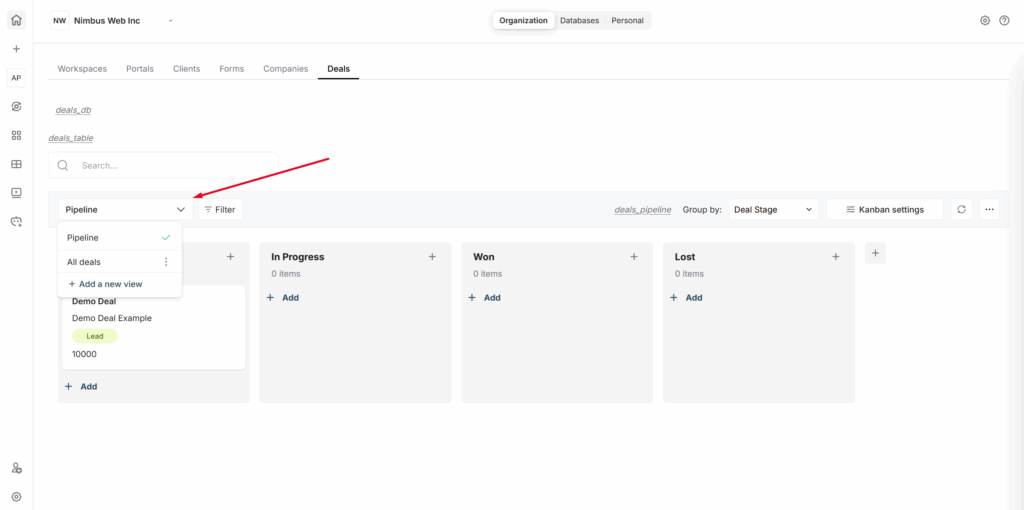
- All Deals, which displays deals in a table format
The default Pipeline view uses a Kanban layout and groups deals by Deal Stage. This gives teams a simple way to track progress from new opportunities to closed outcomes. You can switch between the pipeline and All deals from the views list.
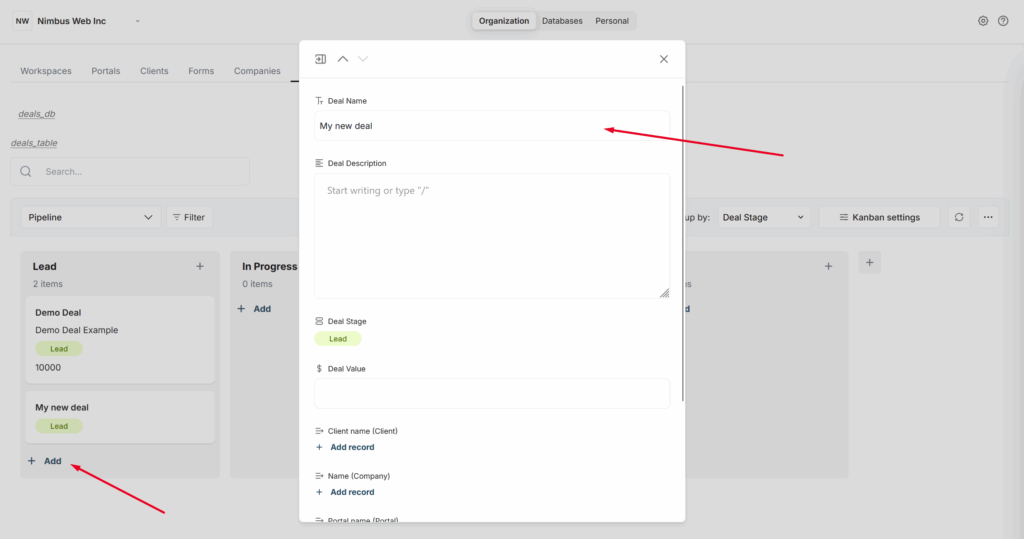
To create a new deal, click Add in the desired pipeline stage (for example, Lead) and enter the deal name, its value, description, and other details. You can also immediately link the deal to companies, clients, and so on.
If you want to move a deal through the pipeline, simply drag it to the desired stage.