FuseBase Basics
Workspace management | Transfer content between workspaces
You can transfer your pages/folders to another workspace/account. Here is what to do.
Guide details
- Published
- August 28, 2022
- Read time
- 1 min read
- Category
- FuseBase Basics
You can transfer your pages/folders to another workspace/organizarion. Here is what to do.
How to move a page to another workspace?
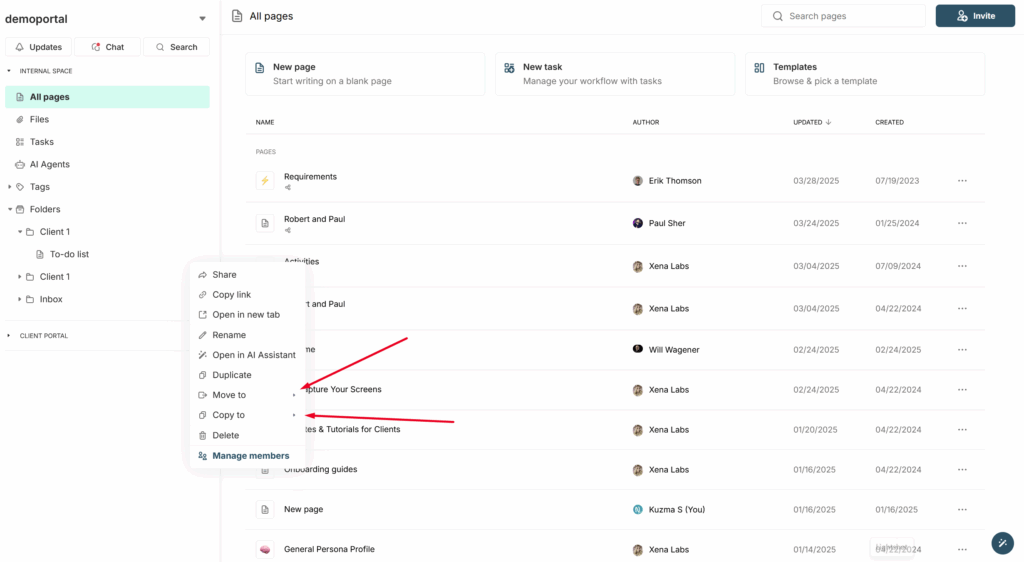
To move or copy a page to another workspace, click on the page menu and select the appropriate action (copy or move). Then, choose the desired organization and workspace from the list, and the page will be transferred to the selected workspace in the default folder.