✓
Pilot setupWorkspace and team ready
Complete ◷
Regional rolloutNext phase in progress
In progress ○
Client sign-offWaiting for your review
Review We use required cookies to keep this site working and, with your consent, optional cookies to measure visits and support advertising and referrals. We use required cookies and optional cookies for analytics, advertising and referrals. Select Decline to turn off optional tracking. Privacy Policy


Connect and extend your expertise by building client-facing apps. Unlock new revenue streams, increase stickiness, and achieve operational excellence.





Trusted by 3000+ businesses across the world

Need more revenue?
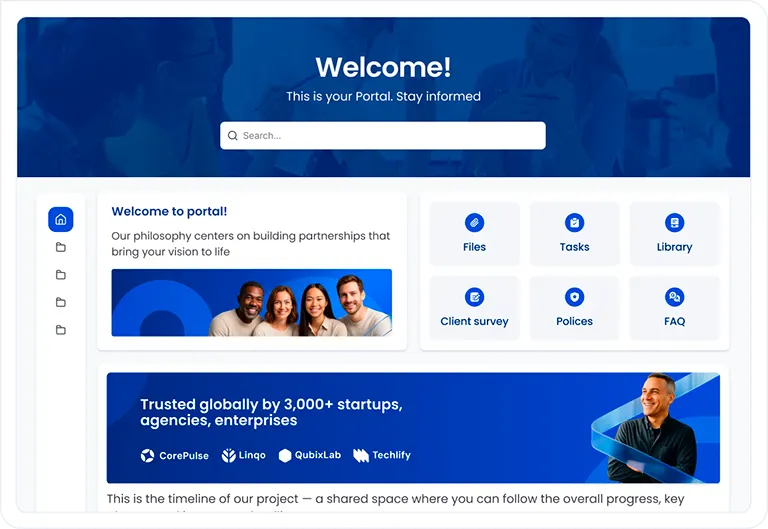
Keep work, results, files, and next steps together in your branded portal.
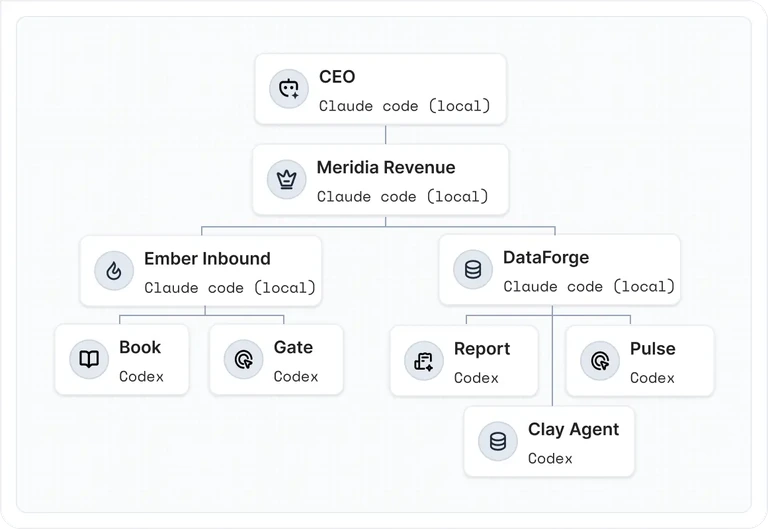
AI coworkers move client work forward. Your people stay in charge.
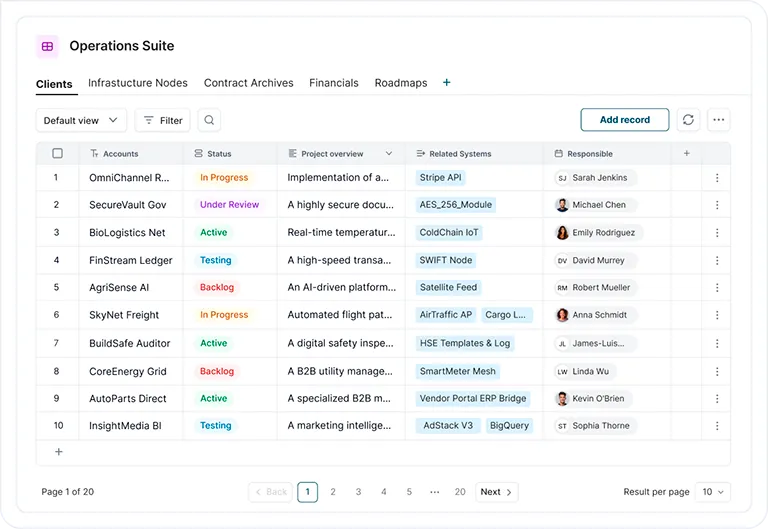
Bring data from your tools into one place for clients.
Need to streamline operations?
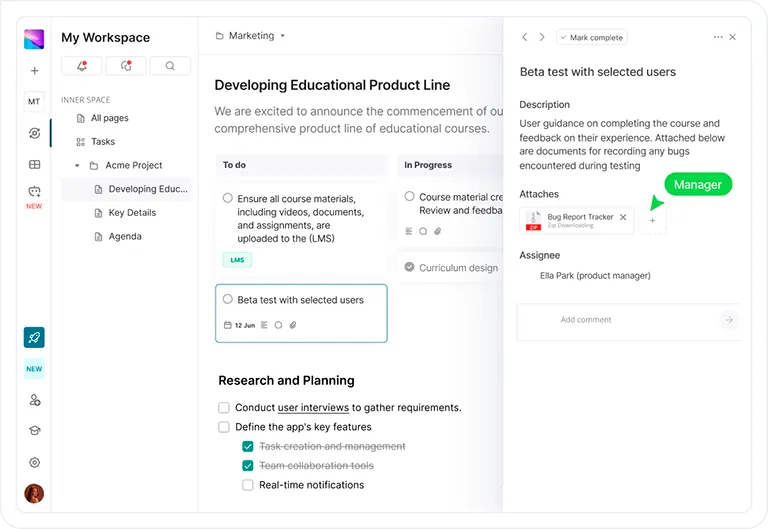
Bring projects, team knowledge, and everyday collaboration into one workspace.
Plan the work, share the context, and keep every handoff moving.
Validate product data before release.
Schema map · 2 filesCheck location pages and coverage.
Audit checklistResearch and draft the next guide.
Research pack · 4 filesConfirm events and attribution.
Event map.xlsxReview the findings with the team.
Baseline report.pdfChecks complete and documented.
QA evidence.pdfWeekly reporting cadence is live.
Measurement planConnect intake, planning, and handoffs with n8n workflows.
AI coworkers handle the coordination. Your team makes the decisions.
Recognized with numerous awards















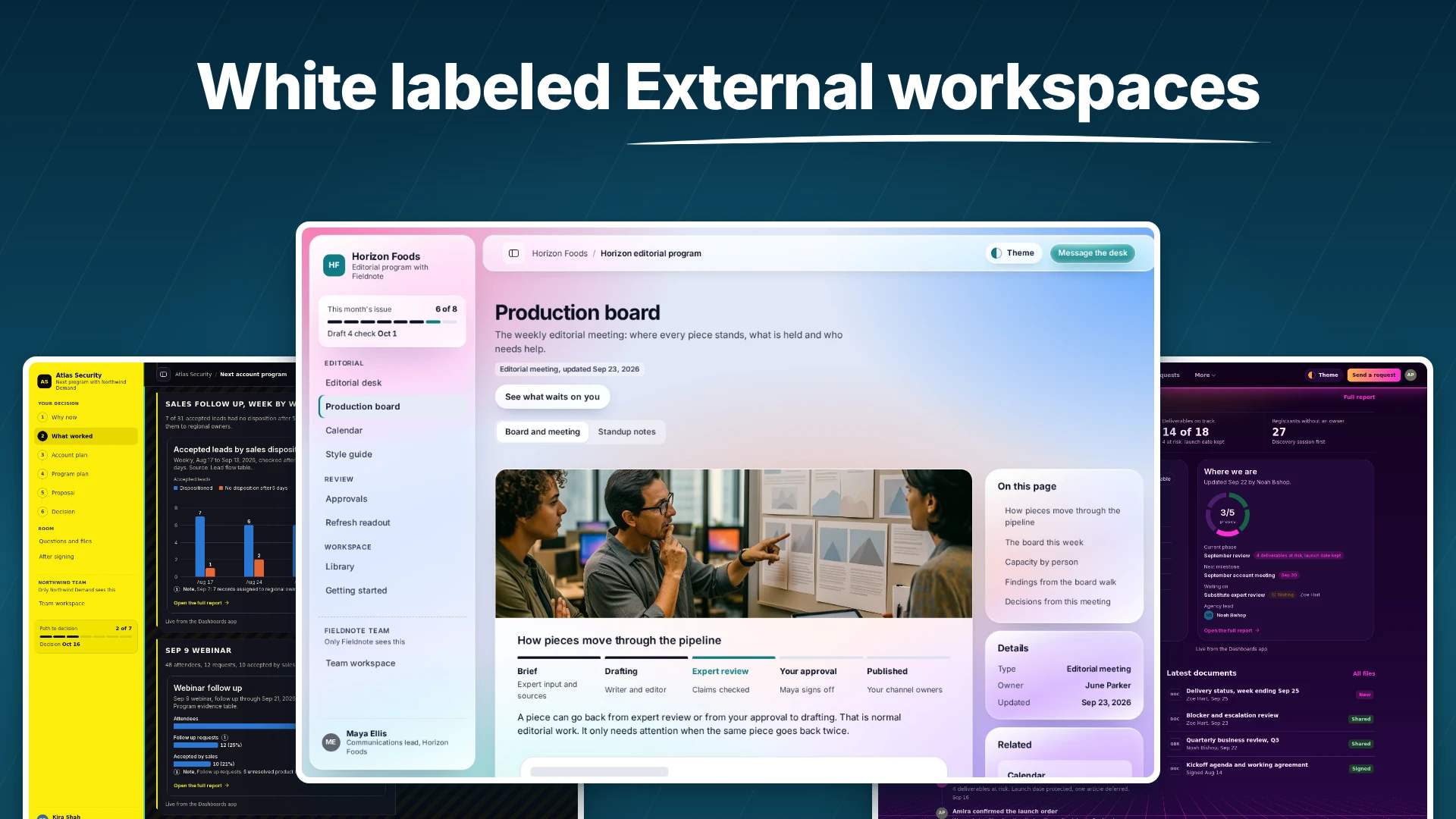
A Client Portal is the space where you meet your clients and partners in one place. A great client portal doesn't require any learning curve from your clients. If a client portal looks like a Project Management tool → your clients won't use it. From years of experience, the best engaging client portal must look and feel like a secure microsite because all people know is how to navigate websites. That's exactly how we built FuseBase Portals - a one-stop shop for all your client collaboration with no learning curve and matches your brand identity!
FuseBase provides internal and external workspaces. External workspace = client portal. These are special areas that have the look and feel of a microsite with protected access. Your clients and partners don't need to learn how to use them. Every client portal has all the necessary tools for your client collaboration. Additionally, FuseBase lets you build apps that you can connect to and use to extend your services. Unlike old-fashioned portals, FuseBase is focused on transforming your client portal experience into an AI-Native client portal experience, which unlocks all modern ways to collaborate and deliver services.
Project management tools are built for tech-savvy users, and they DO require onboarding and training. You don't want to overwhelm your clients; that's why you need a special area with zero learning curve for your clients and partners. PM tools look and feel heavy, unlike client portals, which are specifically designed for service delivery and external collaboration. The last thing you want is to force your clients and partners to learn yet another tool. FuseBase client portals solve this problem by providing a client-friendly area that looks modern, has no learning curve, and can be matched to your brand identity.
Client collaboration software is specifically designed to enable your internal team to collaborate with external team members, such as clients/partners/vendors, in a way where they don't need to learn how to use it. Client collaboration software has workspace areas with all advanced tools, including CRM, Project Management, Billing, Invoicing, etc., and external workspaces - client portals. These areas are built into one system to keep all data and collaboration in one place, but the usability is completely different. Client Portals are optimized for simplicity and efficiency of collaboration, whereas internal workspaces are built to fully cover all business operation needs.
These tools are primarily built for internal collaboration, and these are great tools! However, we believe that they are not fully optimized for client collaboration, e.g., lack of advanced client permissions, branding and customization, and client portal areas that are specifically designed for external users such as clients/partners/vendors. FuseBase brings both worlds: internal collaboration and external collaboration in one place. These areas are completely different; you can't have two inside one workspace. Internal workspace has to be optimized for internal team collaboration and client portal for client collaboration under one organization.
Yes, FuseBase provides multiple options. You can fully white-label your FuseBase organization by connecting it to your subdomain. Additionally, you can customize every portal to look completely different. Besides that, FuseBase allows you to build your custom apps and connect them to different domains or subdomains. The main benefit of white-labeled portals is to provide a unified and professional experience to your clients, where your business looks professional not only at the engagement stage but at all levels, including final delivery to your clients and partners.
Yes, in fact, you can do both: internal apps and client-facing apps. FuseBase provides you with all necessary infrastructure. Client-facing apps require more stuff out of the box compared to internal apps. Instead of reinventing the wheel and using general-purpose app builders, FuseBase closes the gap in one place. Additionally, you can connect FuseBase apps to your domains and make them fully white-labeled. Finally, FuseBase doesn't charge you for API tokens; you can use your Claude Code, ChatGPT, Gemini, etc., subscriptions to create apps, which is significantly less expensive than using solutions that charge you for token usage. You can read more here: https://ai-dev.thefusebase.com/
Yes, FuseBase is built for client-facing teams and businesses. That's why FuseBase provides internal and external workspaces. For agencies and consulting firms, it is a must to have internal project management and a collaborative workspace and an external area, which is a client portal. Client Portals are designed to be simple and beautiful, so your clients don't need to learn how to use them. At the same time, FuseBase provides all necessary tools to operate as an AI-Native agency.
SSO, 2FA, and encryption keep your data protected, always.
Connect instantly to CRM, Slack, Teams, email, and your full tech stack.
Track access, stay audit-ready, and manage permissions at scale.

Cut through complexity, accelerate task completion, and empower your team to focus on what truly matters. Get started today