FuseBase Basics
Hint object
In Nimbus Note, we have a Hint object in the editor. The object is ideal if you need to specifically highlight text, such as a notification, warning, or hint.
Guide details
- Published
- August 28, 2022
- Read time
- 1 min read
- Category
- FuseBase Basics
You can use a Hint object in the editor. The object is ideal if you need to specifically highlight text, such as a notification, warning, or hint. Besides the text, you can also paste an icon that can add emotion to the message. Add a hint on the object menu.
How to add a hint?
- Click on the object menu and select Hint or use the hotkey cmd/ctrl + ⌥/alt + u.
.png)
How to change the hint icon?
- Click on the icon.
- Select another icon.
.png)
How to add a border?
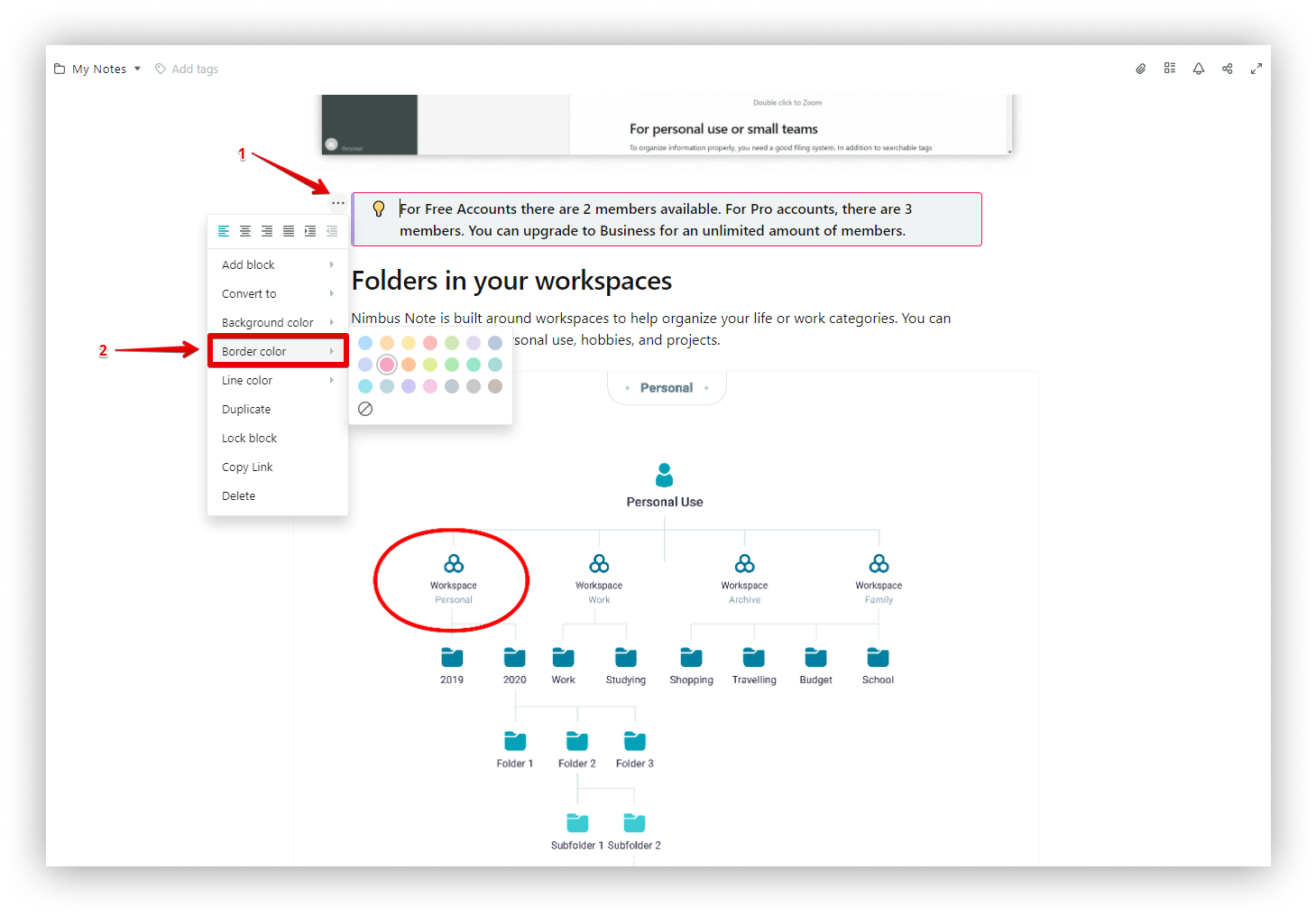
- Click on the menu.
- Select Border Color.
How to add a colored line?
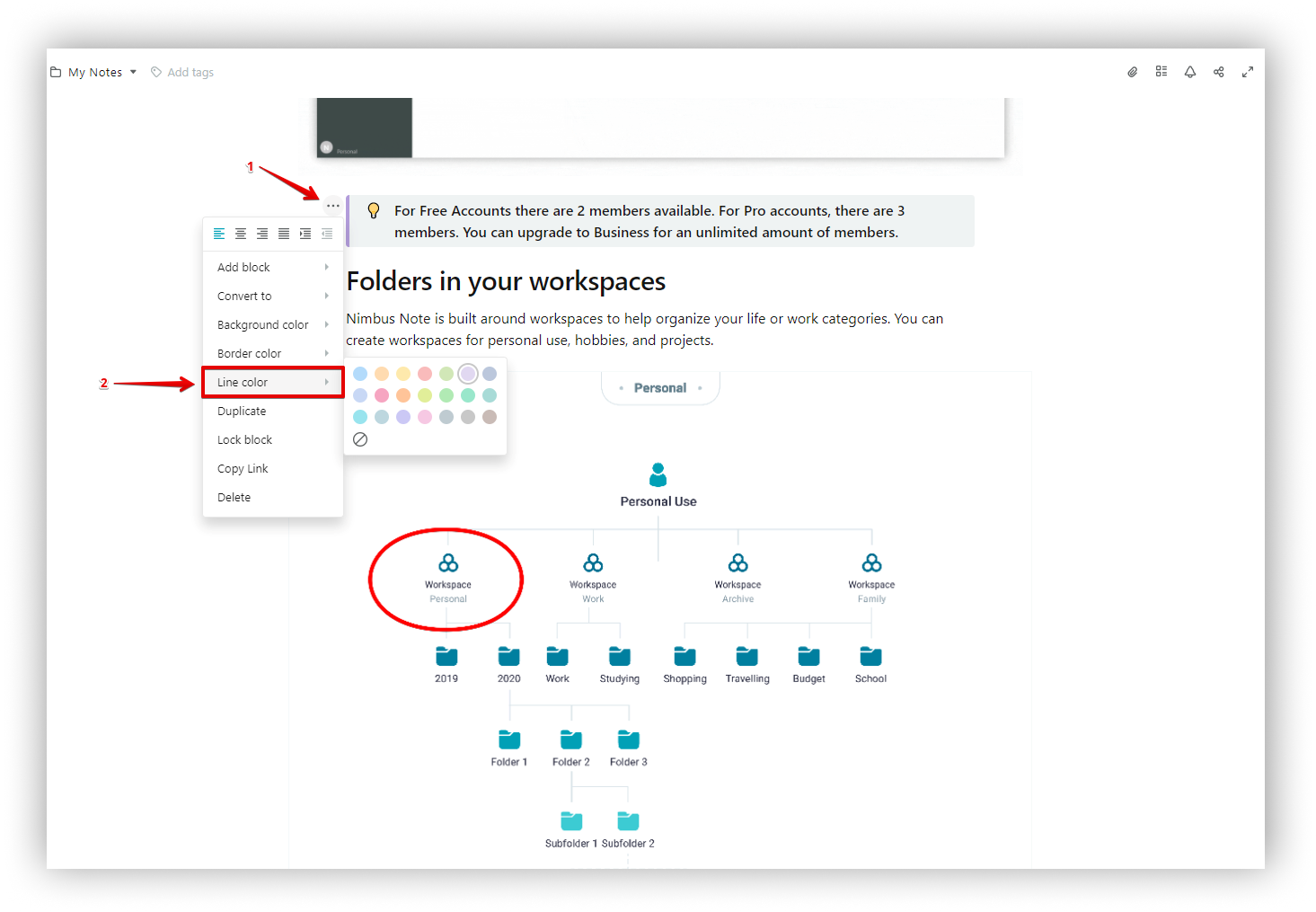
- Click on the menu.
- Select Line color.