Import to FuseBase
Import documents from Confluence
Export the desired documents to an HTML file. You can find detailed instructions here.
Guide details
- Published
- August 19, 2022
- Read time
- 1 min read
- Category
- Import to FuseBase
Export pages from Confluence
- Export the desired documents to an HTML file. You can find detailed instructions here – https://support.atlassian.com/confluence-cloud/docs/export-content-to-word-pdf-html-and-xml/
- Save the exported file.
Import pages to Nimbus
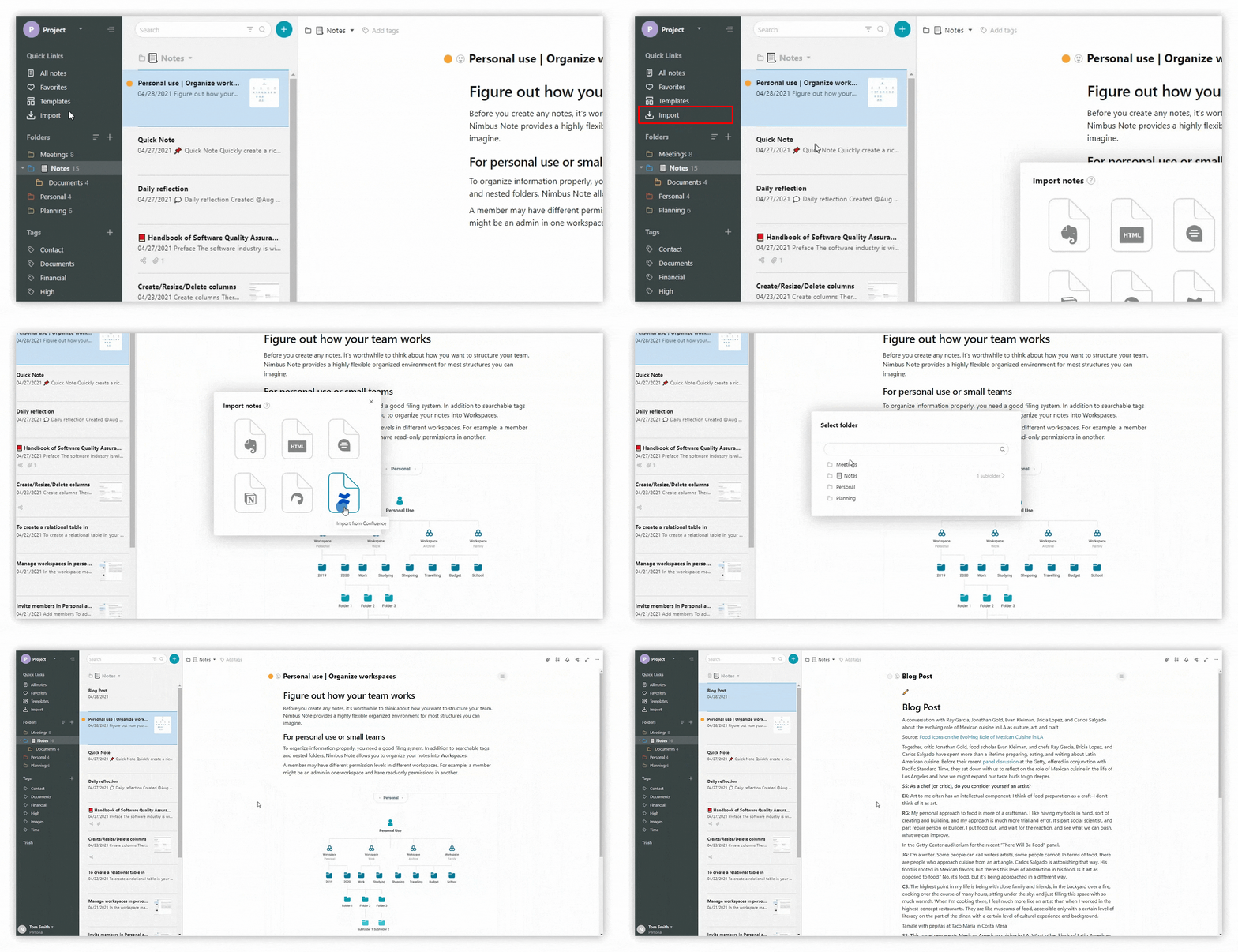
- Open Nimbus Note.
- In the import menu, click on Import from Confluence.
.png)
.png)
- Select the exported HTML file.
- Wait for the import to finish.