Your organization
Business/Teams account | Getting started
FuseBase Business/Teams, unlike Personal accounts, have a higher level of management, which can be accessed in the Organization Console.
Guide details
- Published
- August 30, 2022
- Read time
- 3 min read
- Category
- Your organization
FuseBase Business/Teams, unlike Personal accounts, have a higher level of management, which can be accessed in the Organization Settings. We recommend using it if you need more workspaces or team members, or if you just need better control over your organizations in one place.
Choose your structure
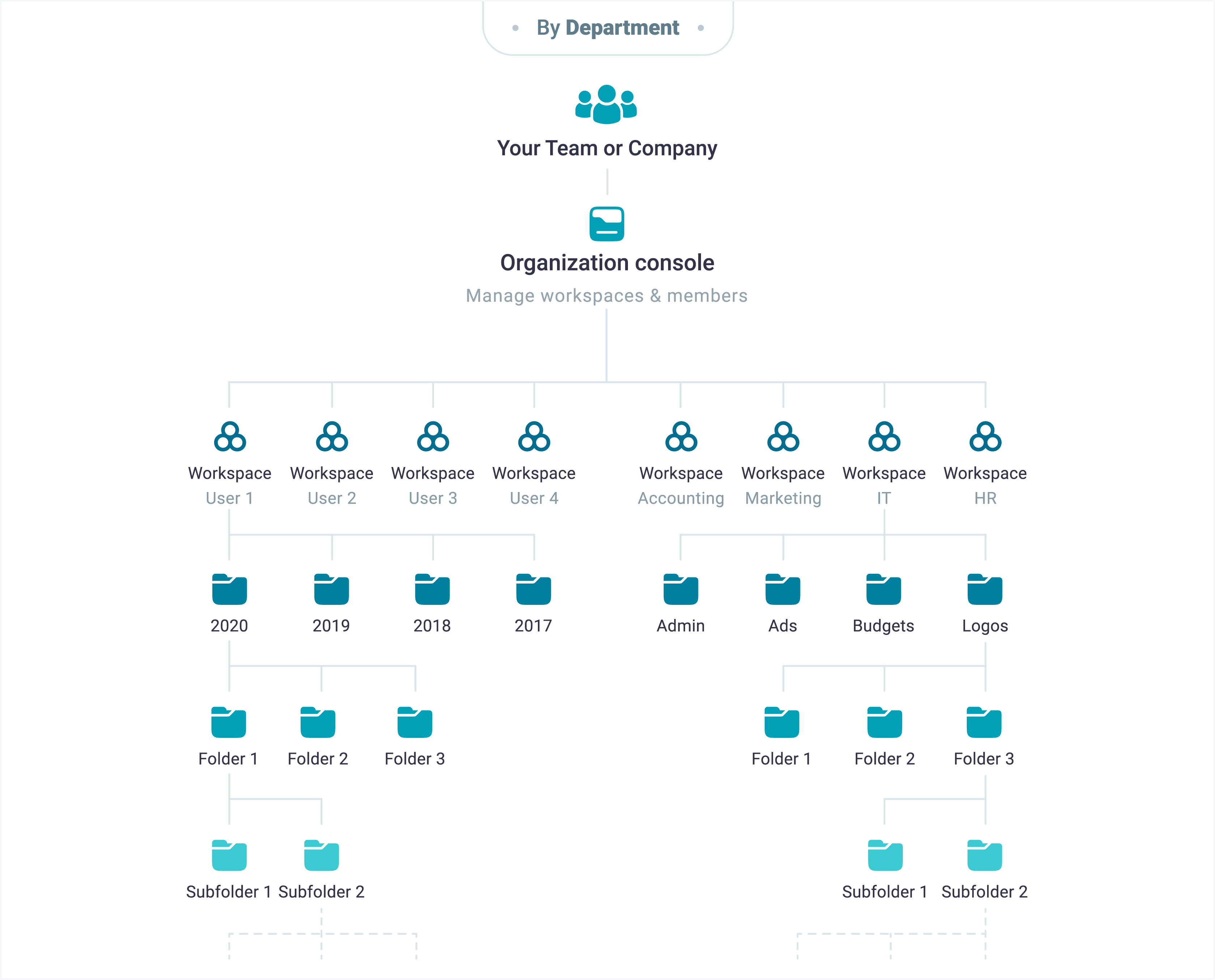
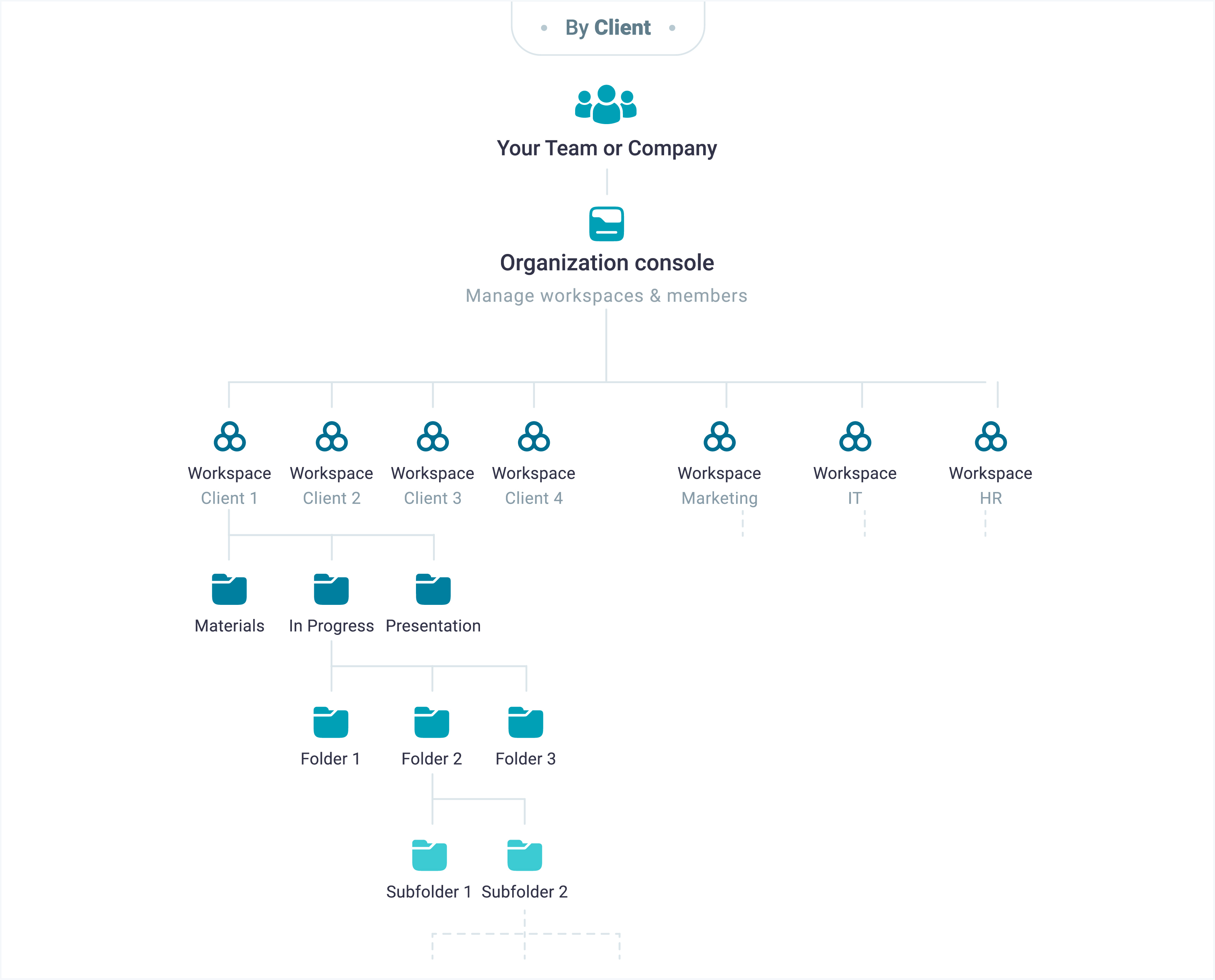
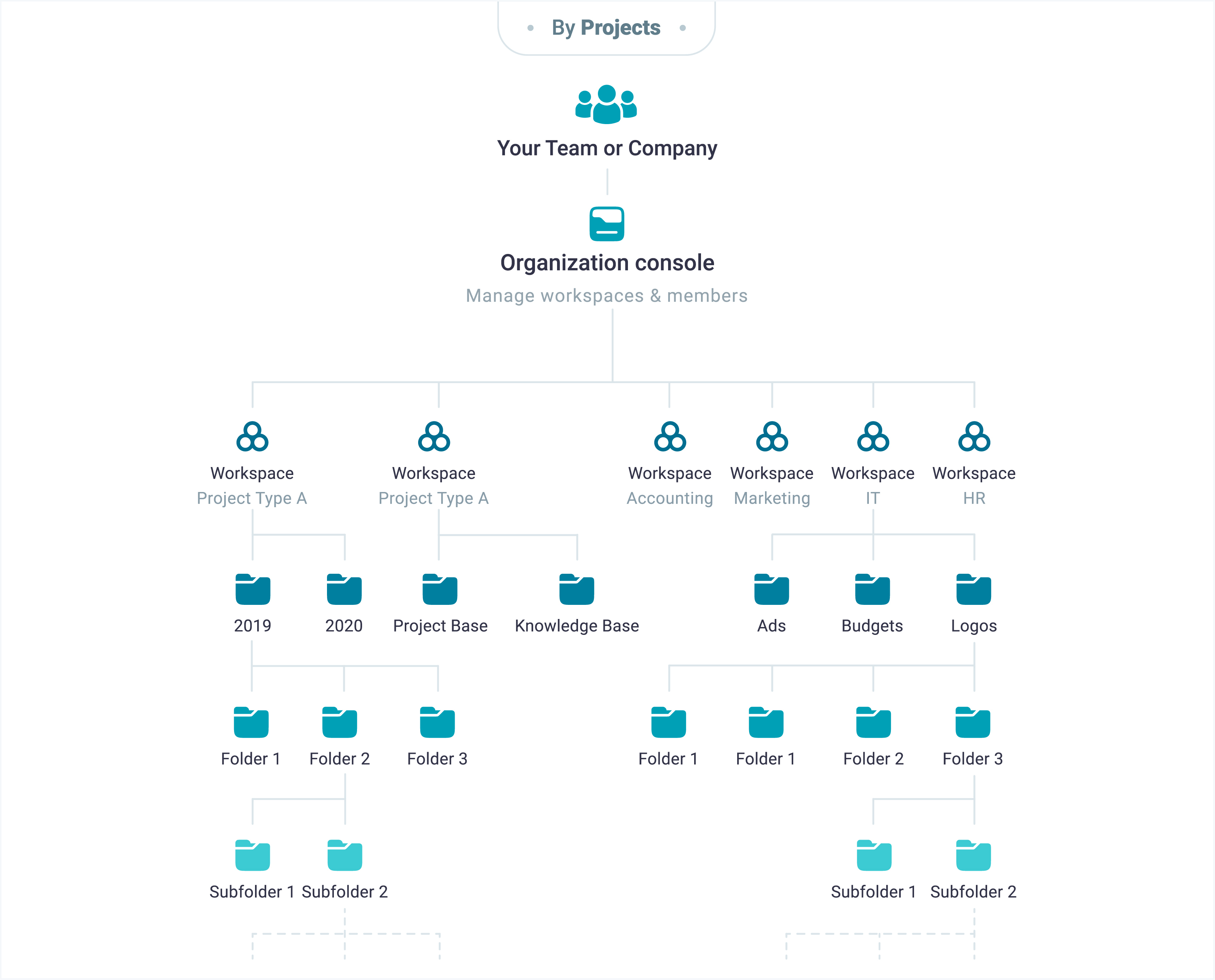
Before you create any pages, it’s worthwhile to think about how you want to structure your team, organization, or personal goals. FuseBase provides a highly flexible organized environment for most structures you can imagine.
Account Owner -> Organization Console -> Workspaces -> Nested Folders and Tags
-
Account Owner can create multiple organizations. Each organization is entirely independent from other workspaces.
-
Workspaces have custom access permissions.
-
Folder-level access (coming soon).
Set access permissions
After you decide which structure you need, think about access permissions. Set dedicated permissions to all members and don’t worry about unauthorized access.
Step 1: invite users to the Organization and set their Role.
Step 2: choose what workspace access every team member has.
Organization Roles
Choose Managers to manage organization and members. If you need to invite people just for collaboration, then choose Members or Guests/Clients.
-
Account Owner – has full access.
-
Managers – can manage organization:
-
Can’t manage billing
-
Can’t delete organization
-
Can’t remove Account Owner
-
Can access all workspaces.
-
-
Members – can’t manage organization. Have access to selected workspaces only.
- Do not have access to Organization Console.
-
Guests/Clients – can’t manage organization. Have access only to One workspace. Payment is not required for such members but they have more limitations.
Workspace Access
These permissions are applied only at the workspace level. Account Owner and Managers can set any permission to themselves. Members and Guests/Clients can’t change permissions assigned by Managers.
-
Admin – users can edit pages, add new pages, share your pages through public pages.
-
Can create and edit – users will be able to do full-fledged work on pages – read, edit, and even delete pages. Folders and tags management will also be available.
-
Read only – user’s pages will be available only for reading.
Set branding & white label
Personalize your FuseBase, so your team members and your clients have better connection with you and your brand.
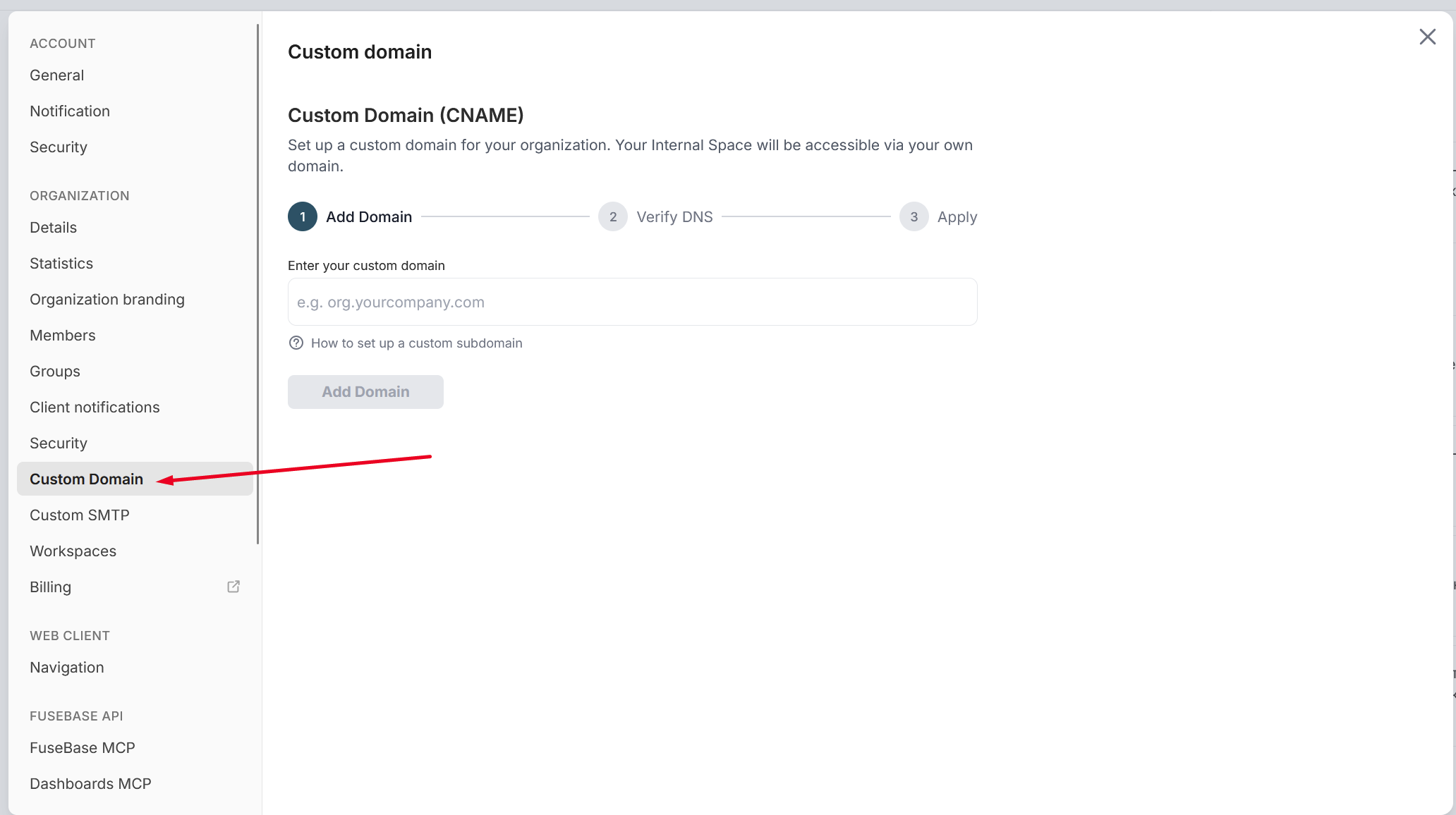
CNAME (Custom Domain)
By default you get your personal subdomain at nimbusweb.me in the format NAME.thefusebase.com.me.
If needed, you can link to your own website. For example, if you own example.com you can link to pages.example.com – so next time all your members will access workspaces through pages.example.com/client
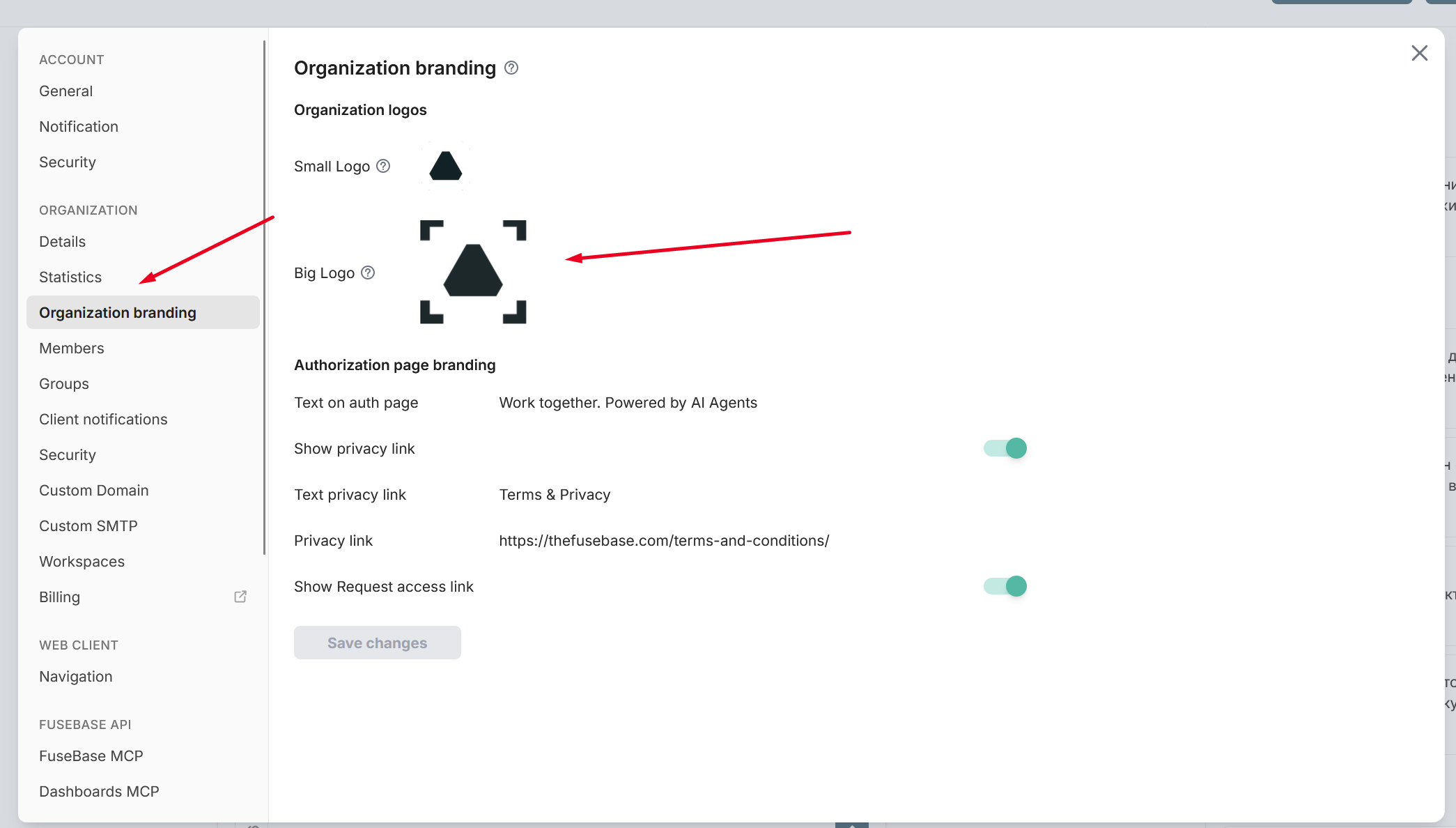
Organization logo
Select which logo users will see on the sign-in page and other places where your Organization is mentioned.
Workspace branding
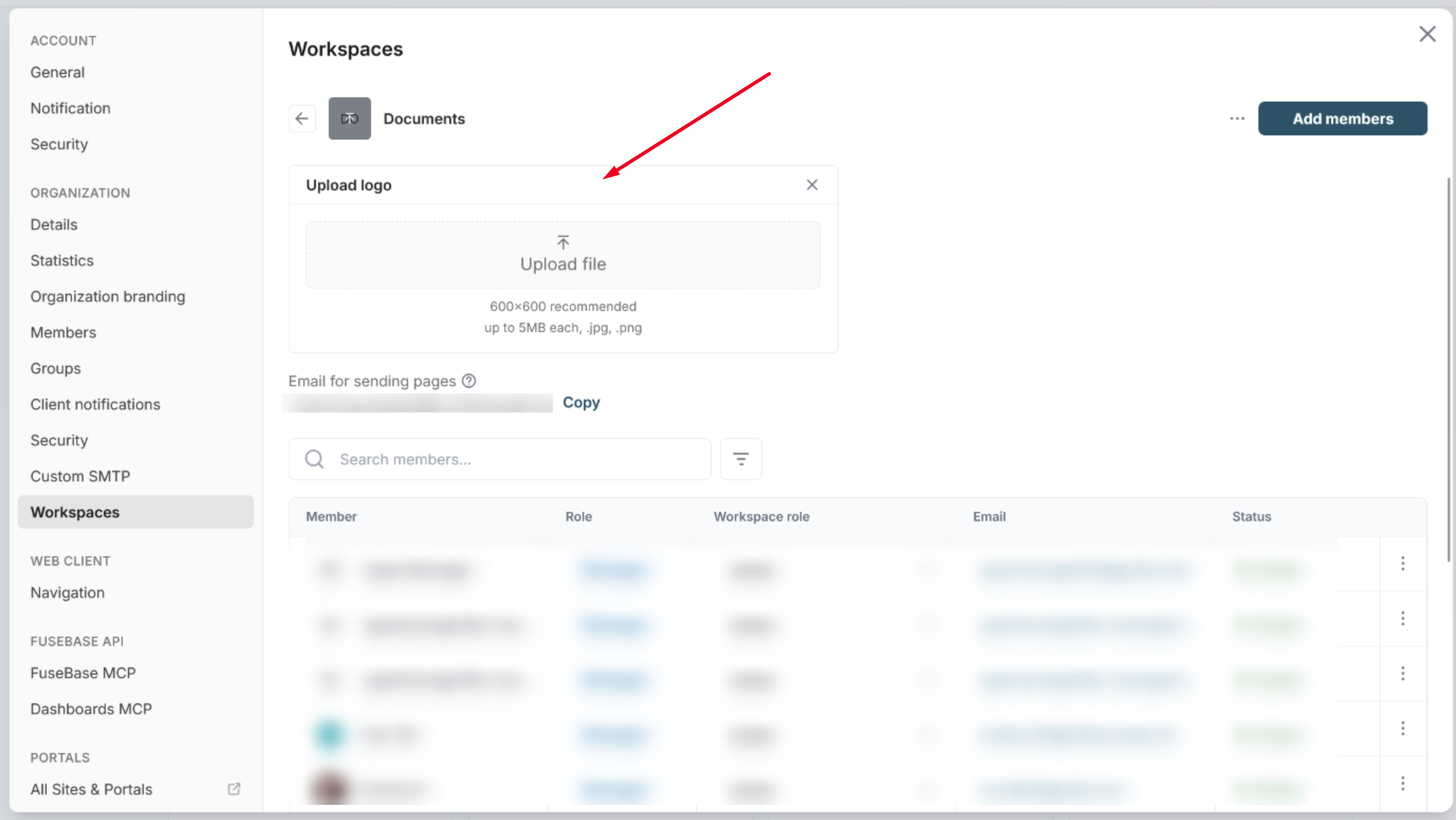
You can personalize every workspace. You can set workspace logo