FuseBase Basics
Progress Bar Object
In FuseBase, you can add a progress bar not only as a separate type of column in the table, but also as a separate object. For example, you can use it to track the progress of...
Guide details
- Published
- March 10, 2023
- Read time
- 1 min read
- Category
- FuseBase Basics
In FuseBase, you can add a progress bar not only as a separate type of column in the table, but also as a separate object. For example, you can use it to track the progress of some tasks or actions.
How to Add a Progress Bar
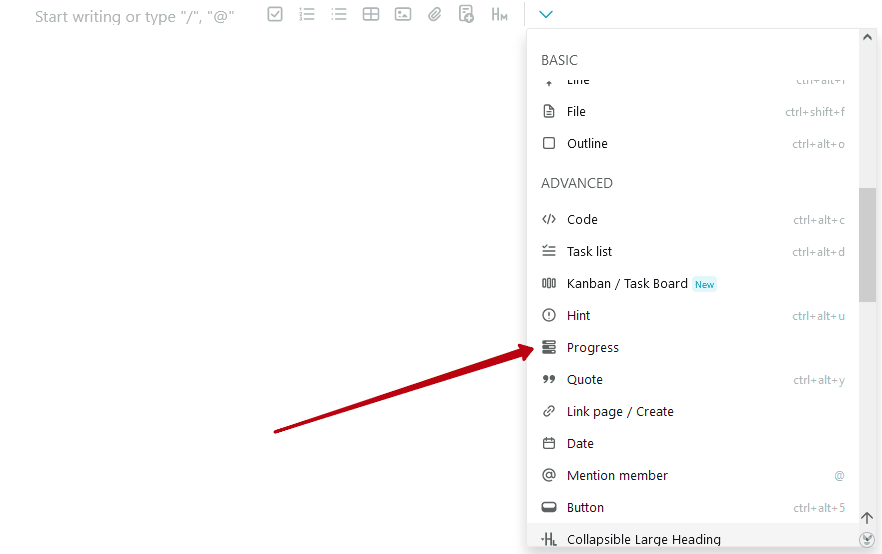
You can add a progress bar through the menu of objects. You can add an object to the beginning of the line or inside the text.
By default, the progress bar is at zero.

But you can move the value of progress in one direction or another.

How to Remove the Progress Bar
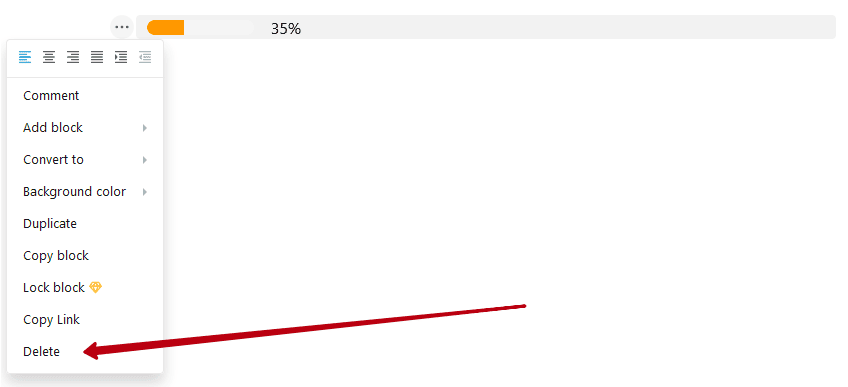
You can delete progress the same way as any other object – through the block menu.