Branding/White Label
White label for organization
In FuseBase you can set a logo for your organization. This will later be displayed in the client and in embeds. You can also set a logo for the login page.
Guide details
- Published
- August 31, 2022
- Read time
- 1 min read
- Category
- Branding/White Label
In Fusebase you can set a logo for your organization. This will later be displayed in the client and in embeds. You can also set a logo for the login page.
Organization branding
Organization logo
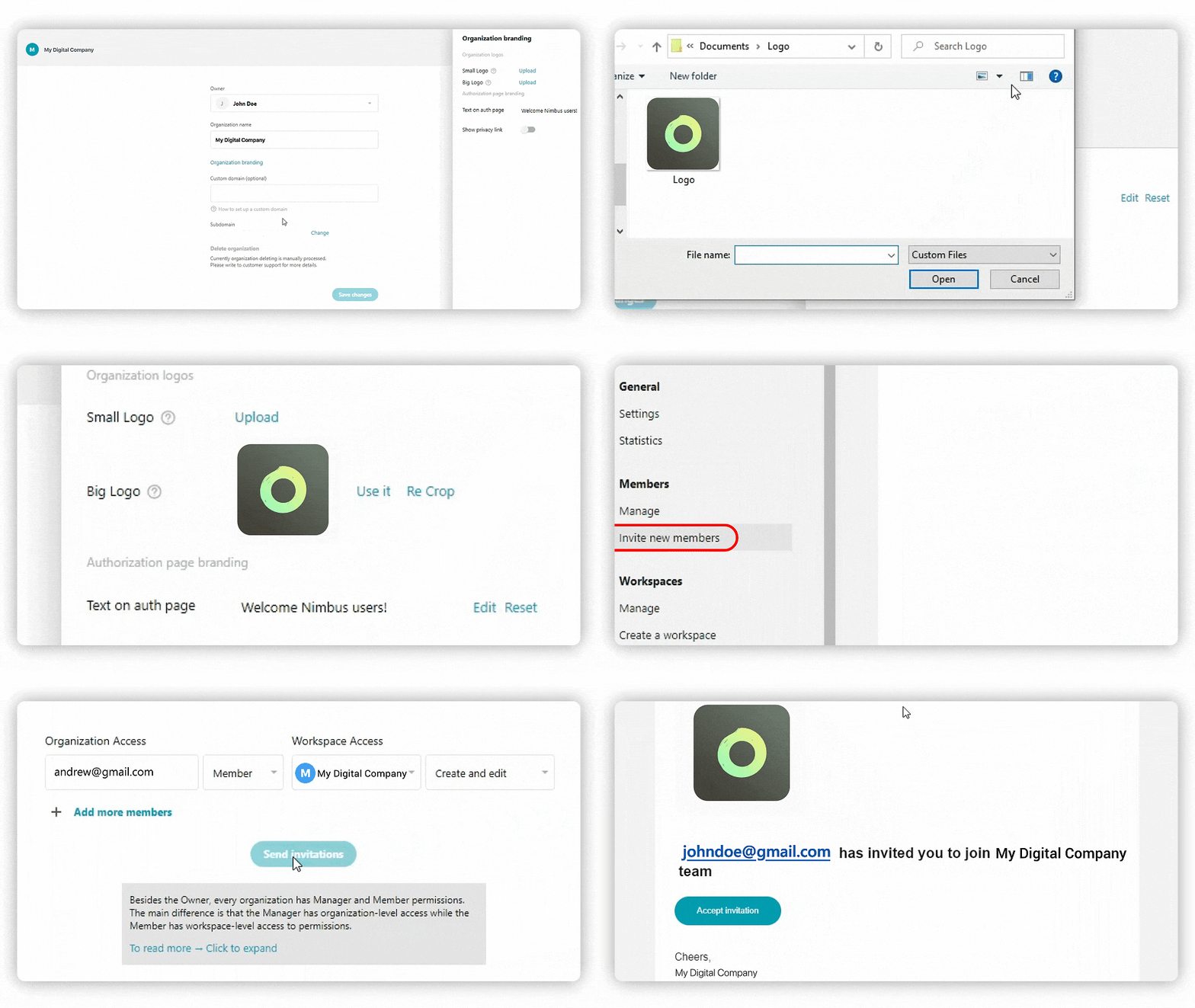
To set an organization logo you need to:
- Open the business organization dashboard at https://teams.nimbusweb.me.
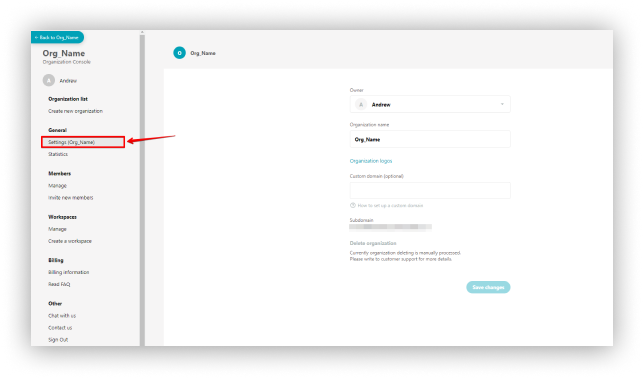
- Select Settings.
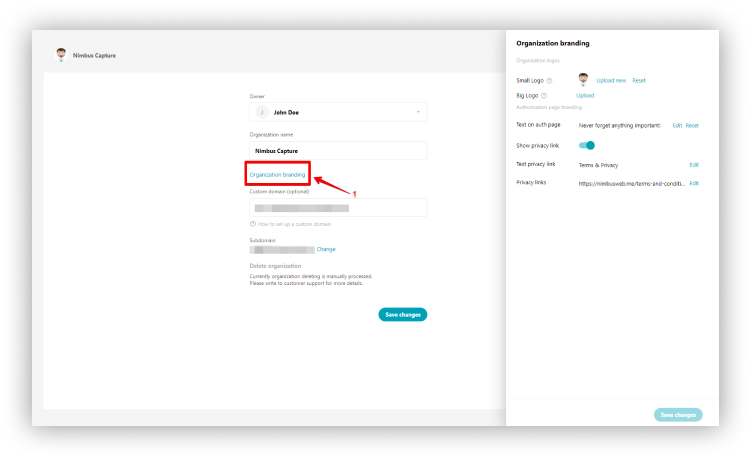
- Click on Organization branding.
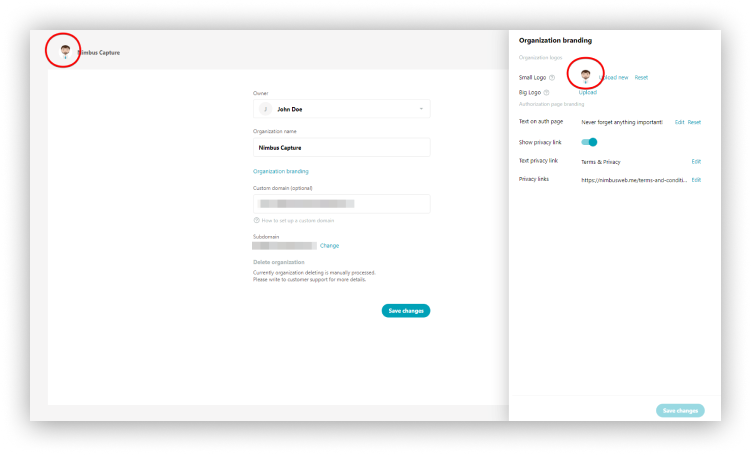
- Upload small logo to display the logo in the organization settings, embedded objects, etc.
- Upload big logo to display on the sign-in page, error pages, etc.
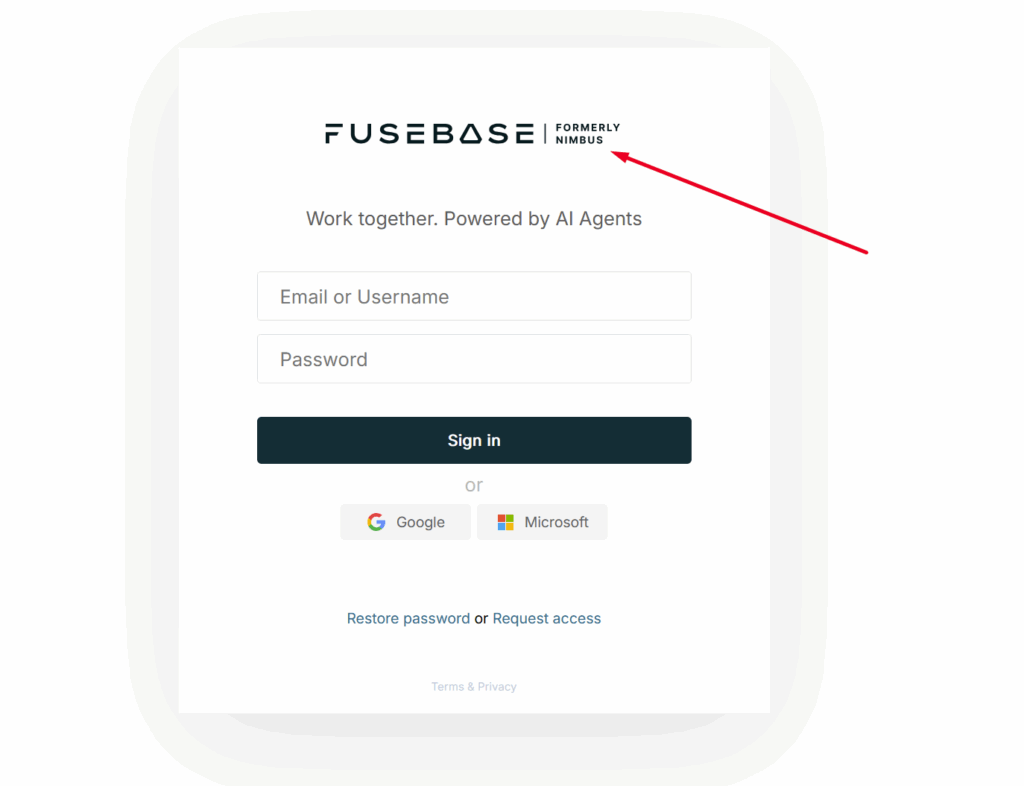
☝ Note: If you have added a big logo of the organization and indicated its name, then this data will be used in emails sent to members of the organization – for instance, when you invite members or mention them in pages.
Authorization page branding
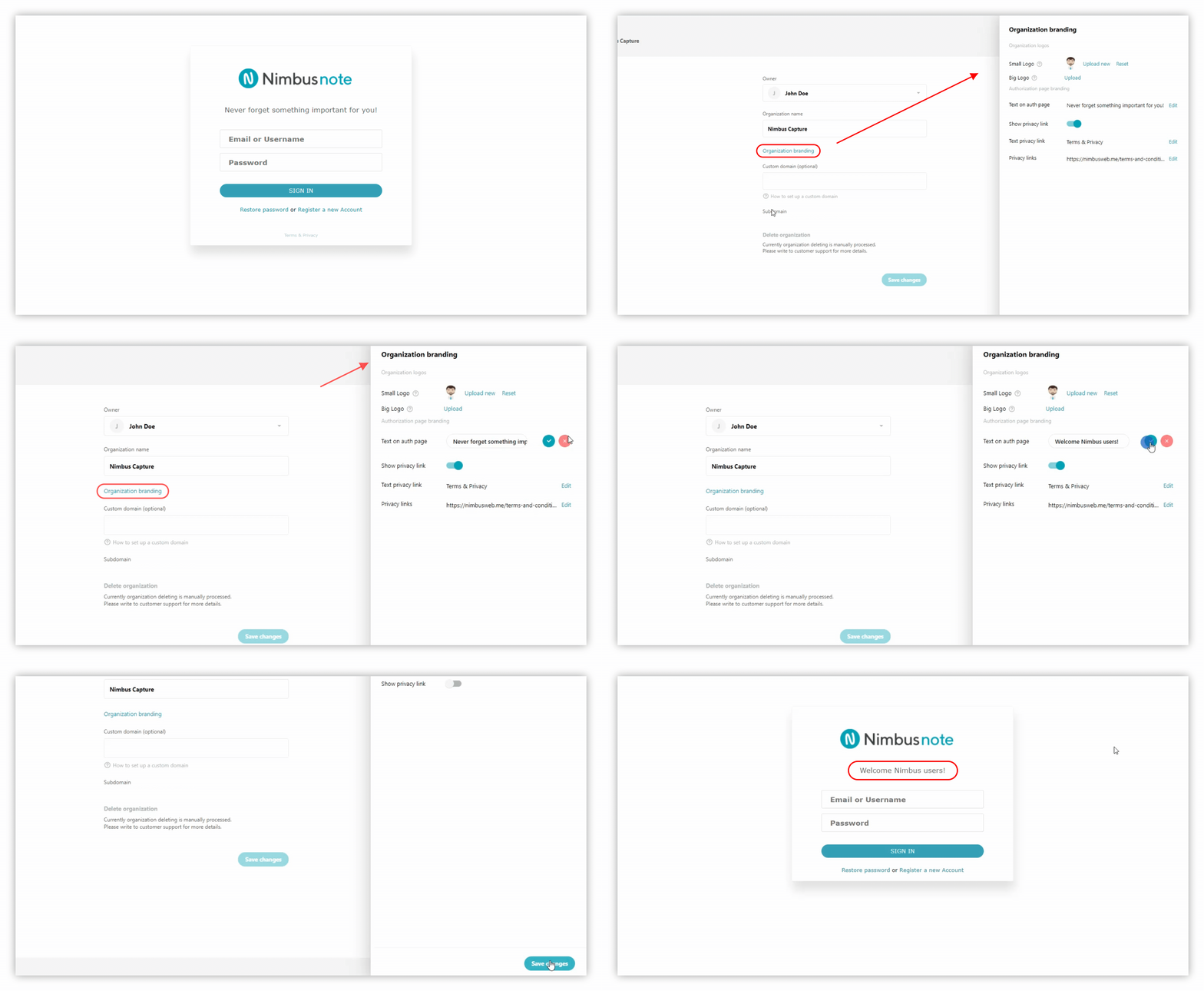
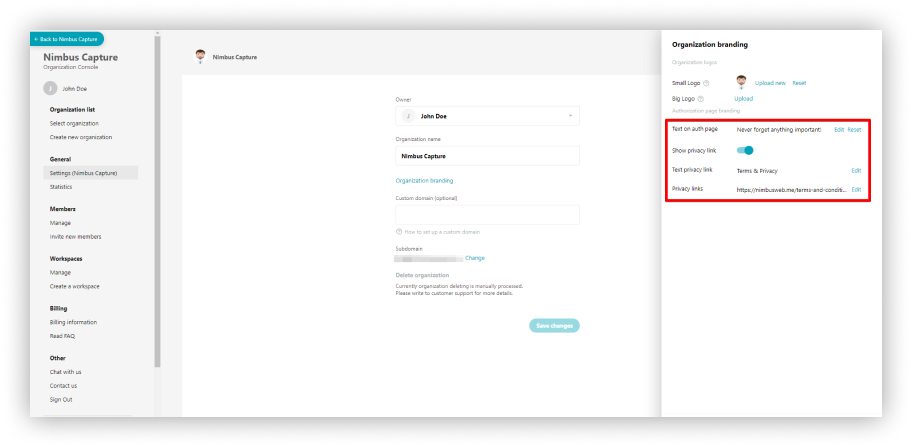
- Write a welcome text for members of the organization (instead of the default standard welcome).
- Provide your link for the Privacy Policy (or remove it).