Branding/White Label
How can I hide specific sections in the web client?
You can disable the features in the web client that you do not need. For example, if you do not use automation or portals, you can hide them so they do not distract you. This can...
Guide details
- Published
- August 24, 2026
- Read time
- 1 min read
- Category
- Branding/White Label
You can disable the features in the web client that you do not need. For example, if you do not use automation or portals, you can hide them so they do not distract you.
This can be done via Organization settings -> Navigation.
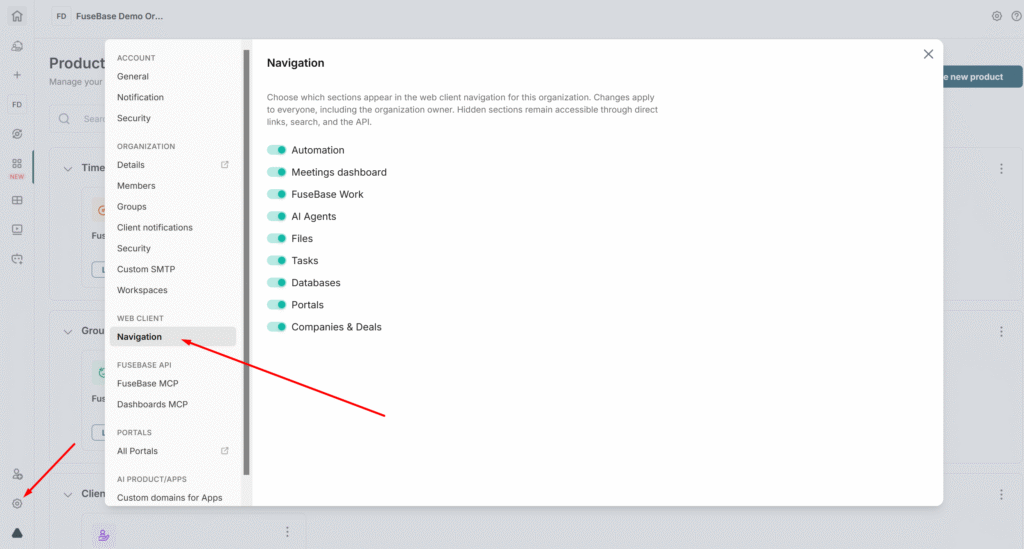
Next, simply disable the features you don’t need, and they will be hidden from the web client.
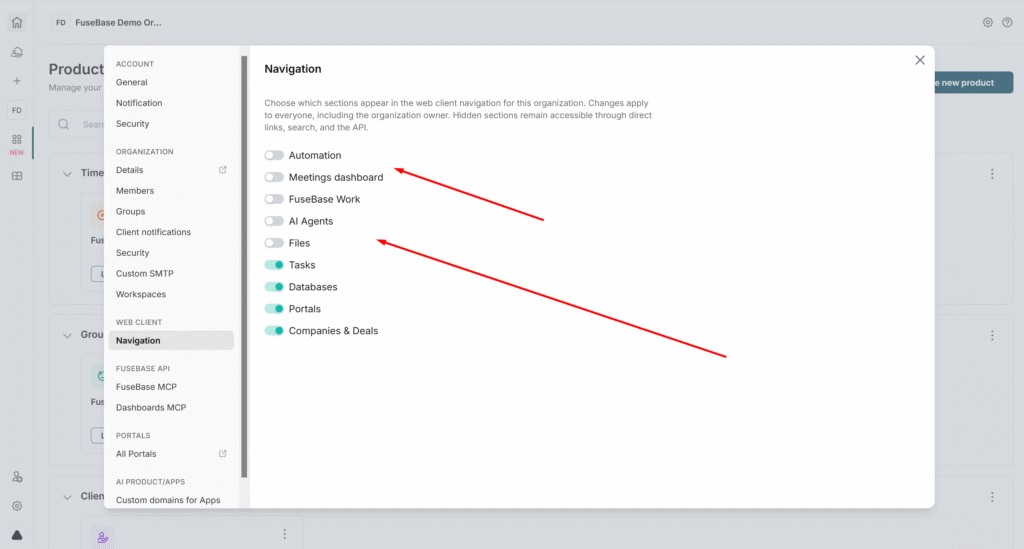
It’s important to note that this operates at the organization level – meaning if you disable Automation, that section will be hidden for all members of the organization.
Also keep in mind that these settings only hide items in the web client and do not affect their functionality. For example, if you already had automation flows, they will not be deleted if you hide Automation in the settings.