Account Management & Settings
How do I change the account email?
How do I change the account email? Open the web client. Go to Settings. Next to the account email, click Change. Specify the new email and confirm it.
Guide details
- Published
- August 29, 2022
- Read time
- 1 min read
- Category
- Account Management & Settings
1) Open the web client.
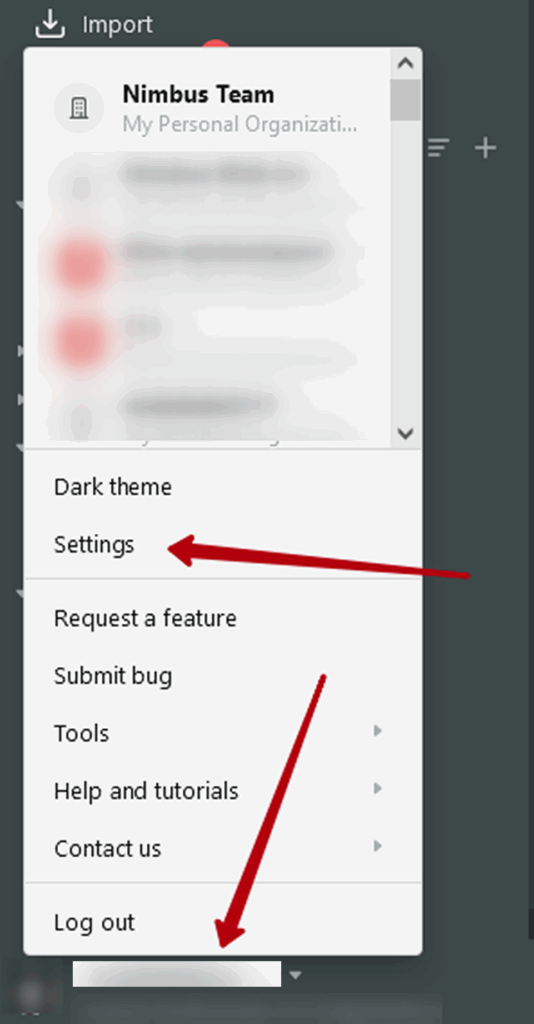
2) Go to Settings –
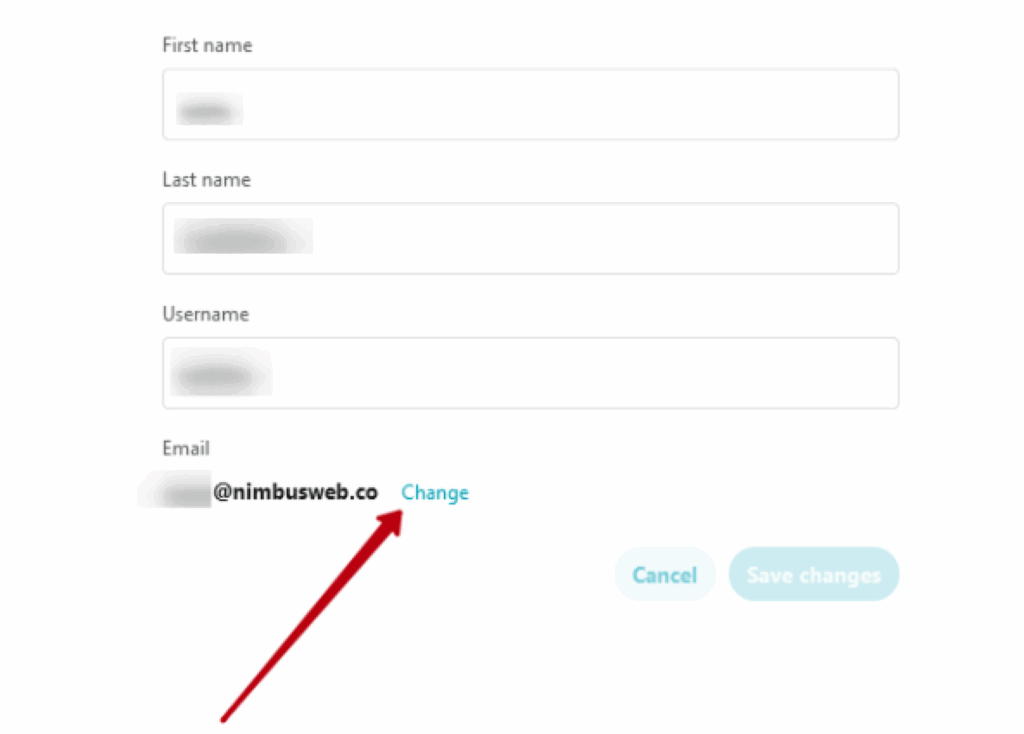
3) Next to the account email, click Change –
4) Specify the new email and confirm it.