Account Management & Settings
How to Export Notes to HTML or PDF?
What types of notes export are in FuseBase? How to export notes? Read now!
Guide details
- Published
- October 15, 2022
- Read time
- 1 min read
- Category
- Account Management & Settings
What Types of Pages Export Are in FuseBase?
You can export pages in HTML and PDF formats.
How to Export Pages?
1) Open the desired page.
2) From the page menu, choose Download:
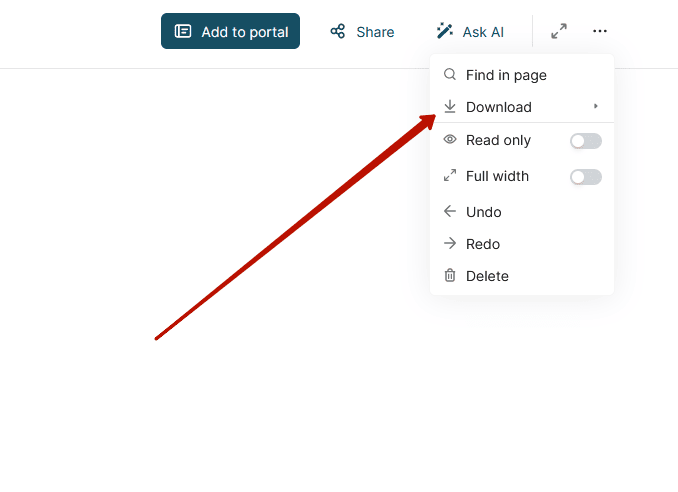
3) Click on the desired format. If you pick PDF, it will conserve text + pictures. If you choose HTML, the archive will be saved, where in addition to the HTML file, you will also find note designs, images and files (if they remain in the note).
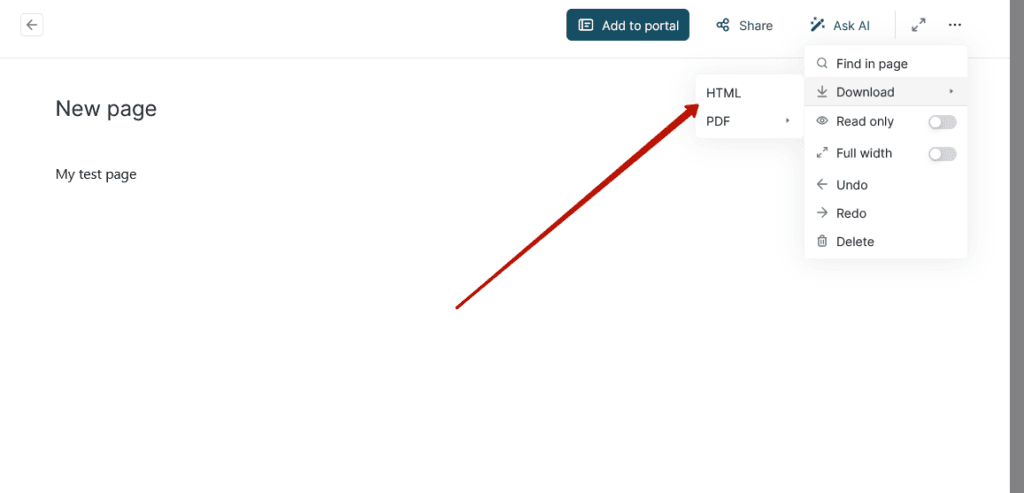
4) Save the file!
Important! If the page file is large or there is a big export queue, it might take some time to process the note.