Account Management & Settings
Subscription actions – Upgrade and Downgrade
In this guide, we will explain the main actions you can perform with your subscription. I want to upgrade my plan to a higher one. How can I do that? If you have an Free,...
Guide details
- Published
- December 29, 2024
- Read time
- 1 min read
- Category
- Account Management & Settings
In this guide, we will explain the main actions you can perform with your subscription.
I want to upgrade my plan to a higher one. How can I do that?
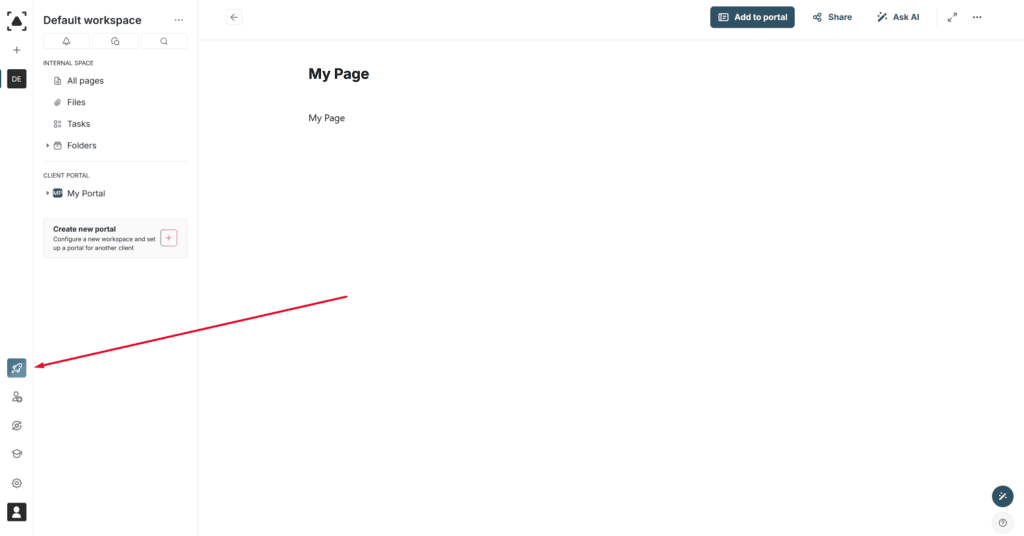
If you have an Free, Essential or Plus plan, you can upgrade to a higher plan. To do this, click on the corresponding icon in the navbar and select the desired plan.
I want to update my payment details. How can I do that?
Go to the billing management page – https://thefusebase.com/user-billing/edit-billinginfo. Then, enter the required information and save it.
I started a trial but want to cancel its auto-activation. Can I do that?
Yes, to do this, go to the business console at https://teams.nimbusweb.me/ and open the Billing Information tab, where you can disable the automatic activation of the trial.
I want to downgrade my subscription to a lower plan. How can I do that?
To downgrade to a lower plan or switch to a free plan, you need to contact support. You can do this through the form at https://thefusebase.com/support/. Please indicate that you want to downgrade the subscription and provide a reason for the downgrade (optional).