Account Management & Settings
Switching between the old and new client
How to switch from an old version to a new one: useful tips
Guide details
- Published
- November 8, 2023
- Read time
- 1 min read
- Category
- Account Management & Settings
You can use both the old FuseBase client (which has a number of features that are temporarily unavailable in the new client) and the new client (which is faster and more convenient than the old one). You can switch between clients from the Account menu.
Switching from the old client to the new client
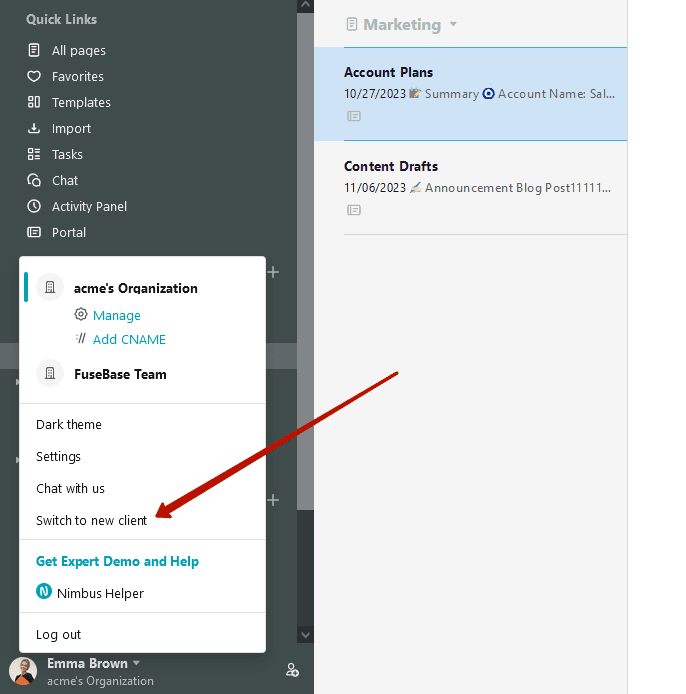
- Open the Account menu.
- Click Switch to New Client.
Switching from a new client to an old client
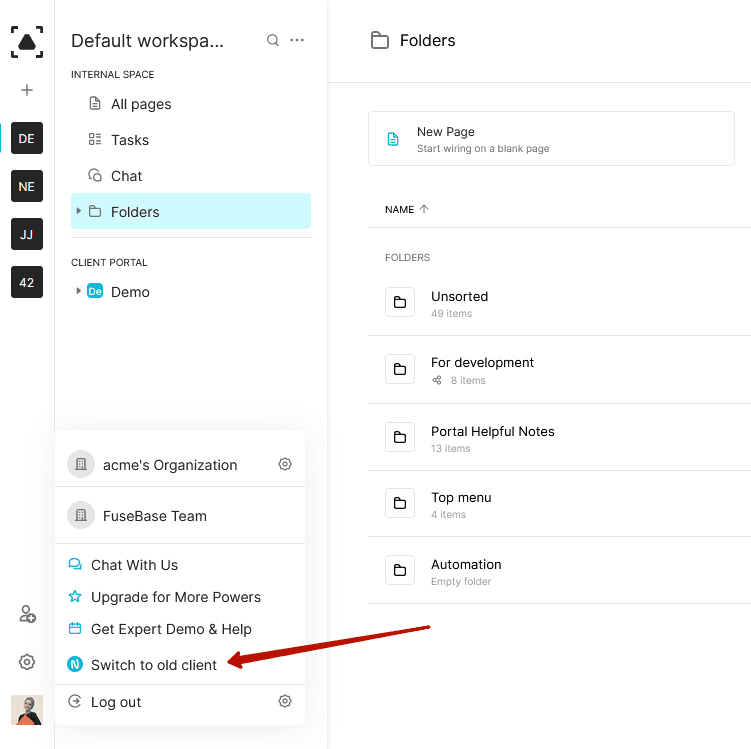
- Open the Account menu.
- Click Switch to Old Client: