Embedding & Sharing
How to add chart from Org chart into a page in FuseBase
How to copy the sharable link in Org Chart. How to add chart from Org chart into a page in FuseBase.
Guide details
- Published
- September 1, 2022
- Read time
- 1 min read
- Category
- Embedding & Sharing
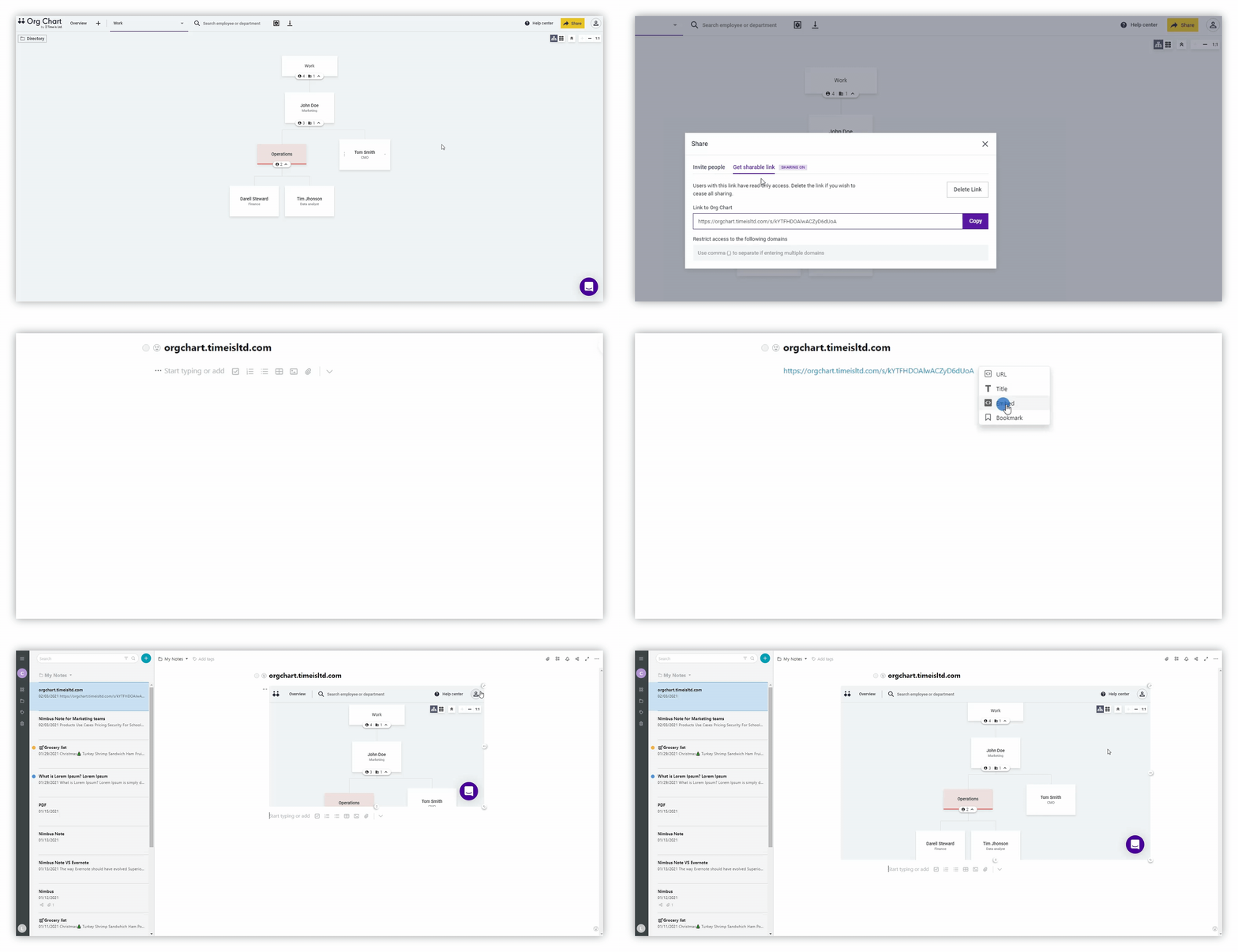
How to copy the sharable link in Org Chart
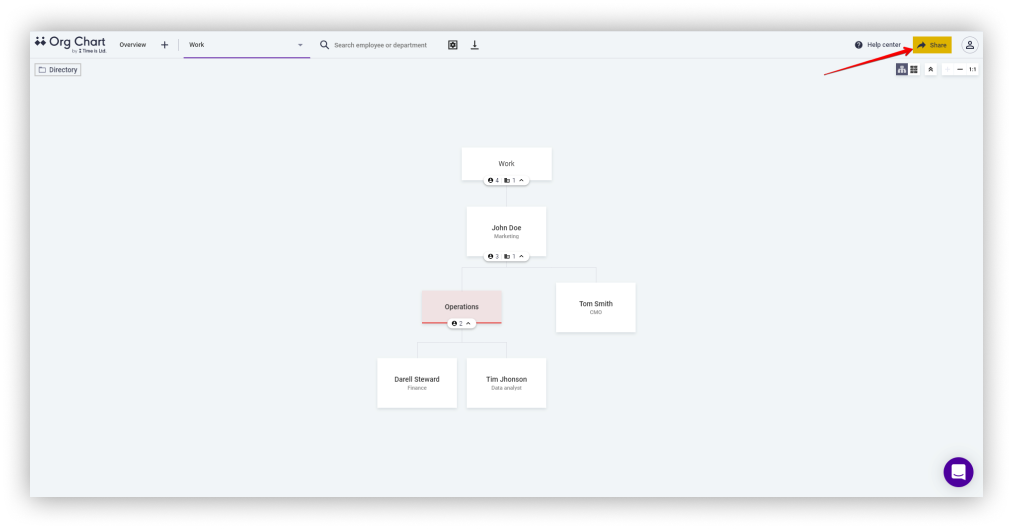
- Open https://orgchart.timeisltd.com/charts.
- Click on Share.
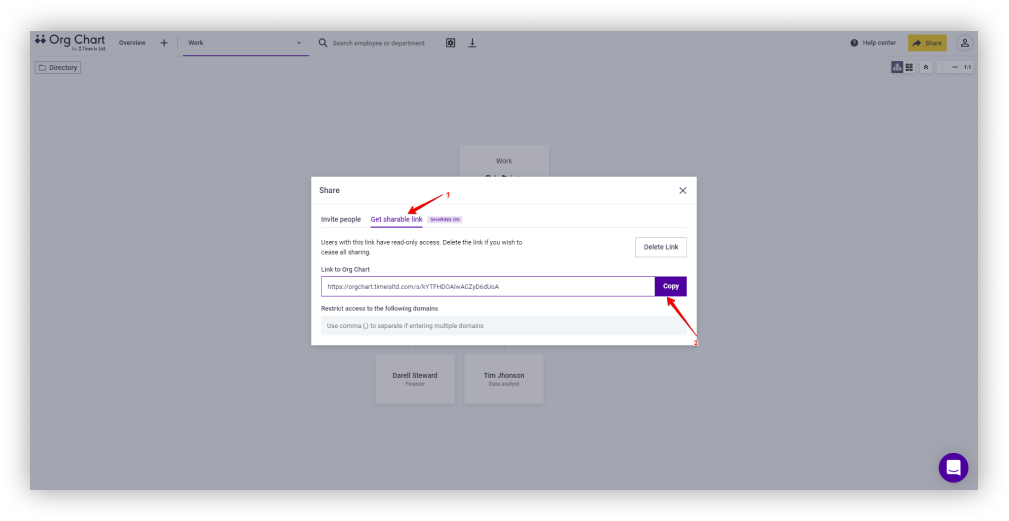
- Select Get sharable link.
- Under the Link to Org Chart section, select Copy.
How to add chart from Org chart into a page in FuseBase
- Open FuseBase.
- Insert the link through right-click or ctrl+v.
- Select Embed.
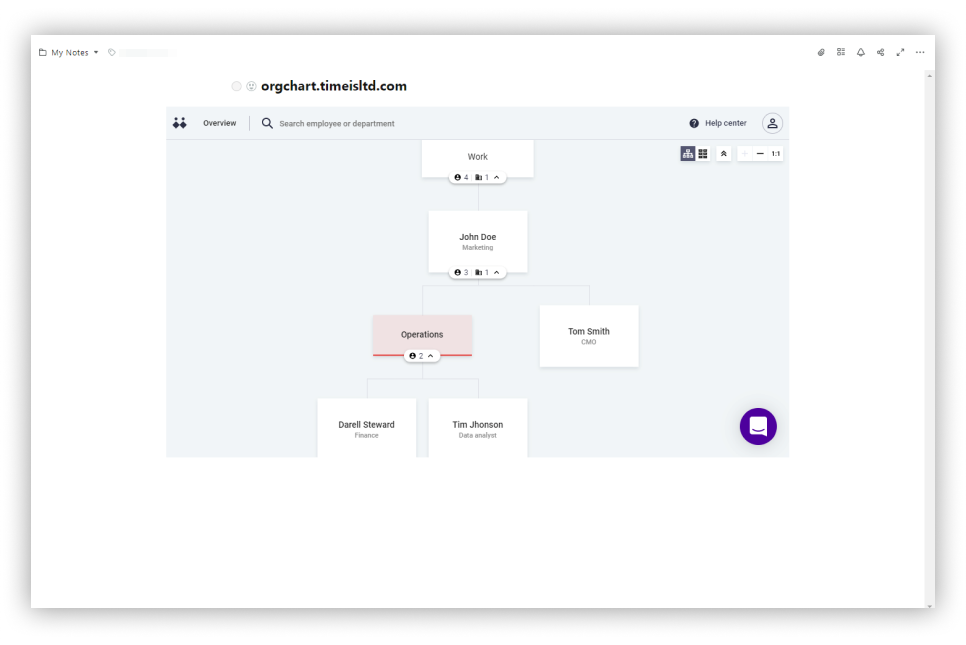
Resize Embeds
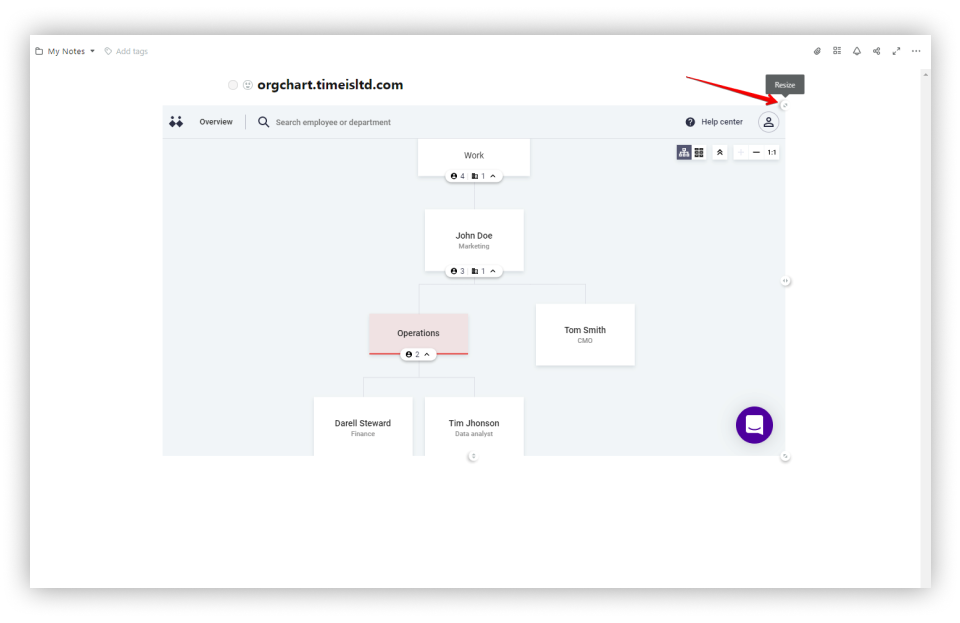
- Drag the upper-right corner and resize (all proportions will be preserved).
- For free resizing, hold the ALT key and change the size using the bottom-right chip.
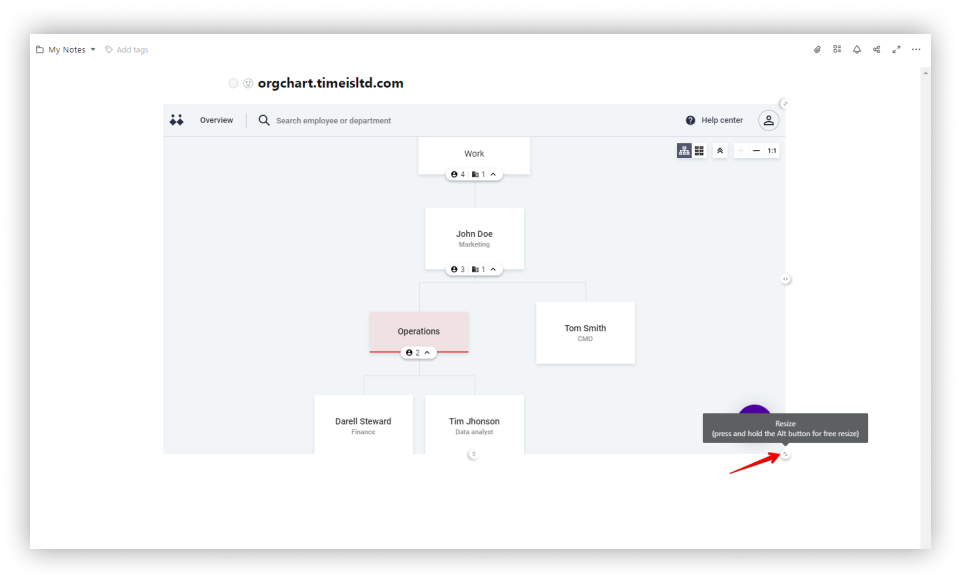
Note: To return the embed to its original position, use the hotkey Ctrl + Z, or click the three dots and select Undo.