Android and iOS
Split mode for iPads
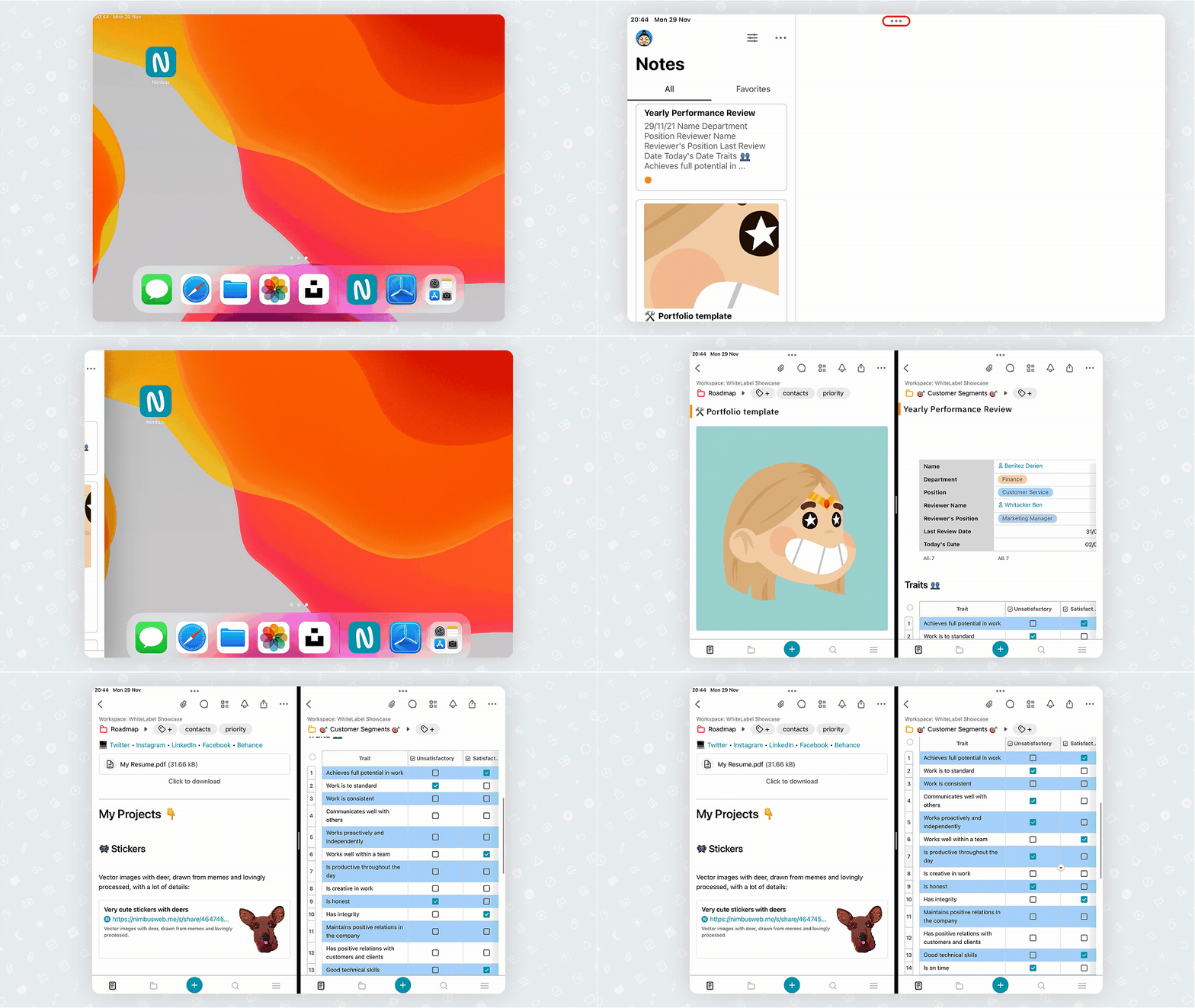
Now you can use Nimbus Note with other apps simultaneously. Just try Split mode for iPad. With it, you can easily work with two apps using one screen.
Guide details
- Published
- August 23, 2022
- Read time
- 1 min read
- Category
- Android and iOS
Now you can use Nimbus Note with other apps simultaneously. Just try Split mode for iPad. With it, you can easily work with two apps using one screen.
Moreover, you can interact with other apps. For example, you can drag and drop images from Unsplash directly into a page.
Also, you can work on two pages at the same time. Compare & edit two documents at the same time – and more.
All you need to do is:
- Open a page.
- Tap on the three dots on the top of the screen and select Split mode.
- Open Nimbus one more time in the second part of the screen and choose the desired page.