Screenshots and Videos
FuseBase AI Note Taker & Meeting recorder
To start, here is a short video where we showcase the features of the extension. Fusebase AI Pro — an extension that allows you to record a video from a meeting, an audio message,...
Guide details
- Published
- October 10, 2025
- Read time
- 2 min read
- Category
- Screenshots and Videos
To start, here is a short video where we showcase the features of the extension.
Fusebase AI Pro — an extension that allows you to record a video from a meeting, an audio message, take a screenshot, and quickly share what you’ve made with your colleagues.
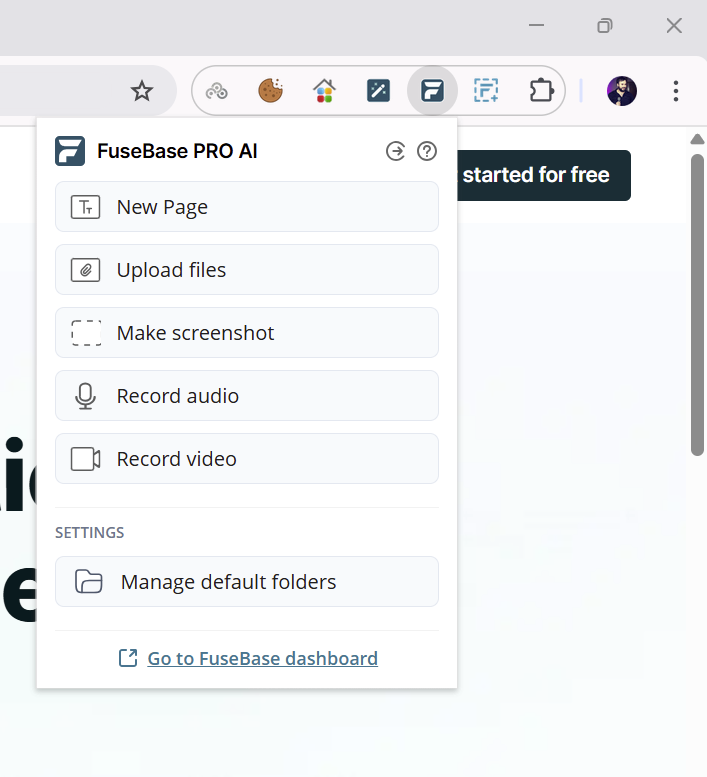
In the extension itself, you’ll find several modes:
- New page and Upload File – allows you to quickly create pages in Fusebase. You can then share them with other users or add them to a portal.
- Make screenshot – lets you take a screenshot of the entire page or the visible part. After creating a screenshot, you’ll receive a link to it.
- Record audio and Record video – you can record a screen video or an audio message and then share the file links.
- Record meeting – you can record video (and audio) from meetings in Zoom, Google Meet, etc. After recording, you’ll receive a link to the video. Then you can generate a transcript of the video and analyze it using our AI agents.
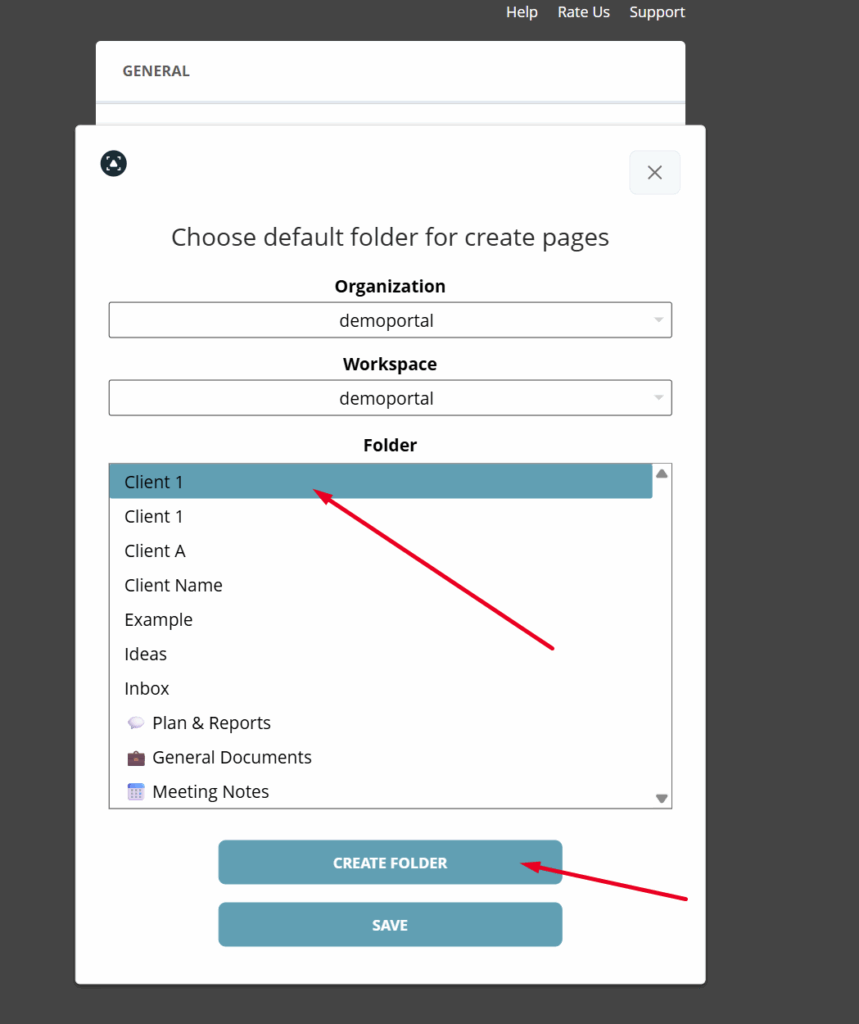
If you wish, you can select a workspace and folders where data will be saved by default. To do this, click on Manage default folders –
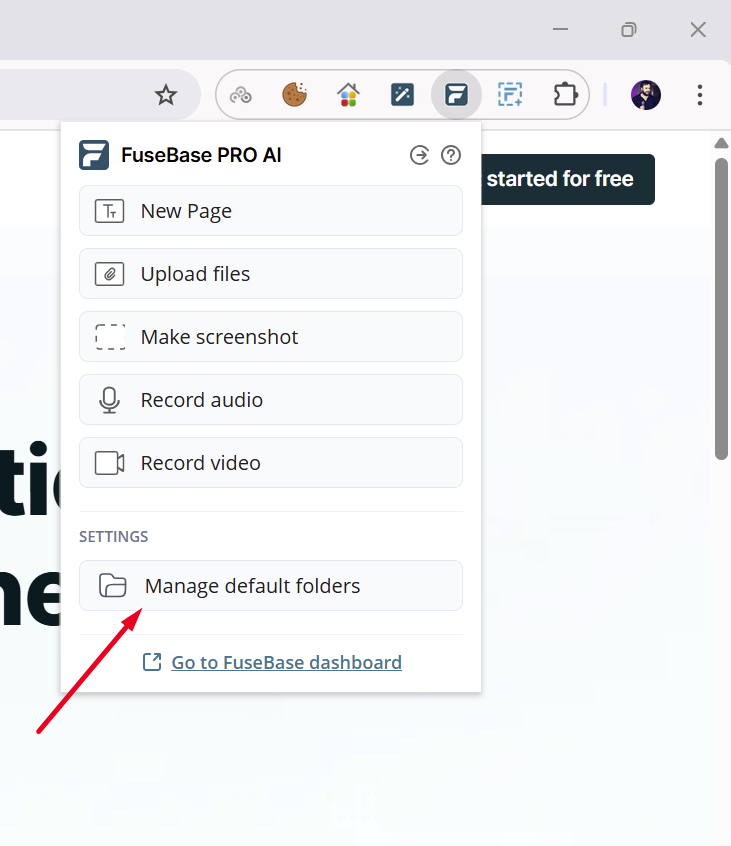
Here you can select the folder where audio, video, etc. will be saved. For each type, you can choose a separate folder.
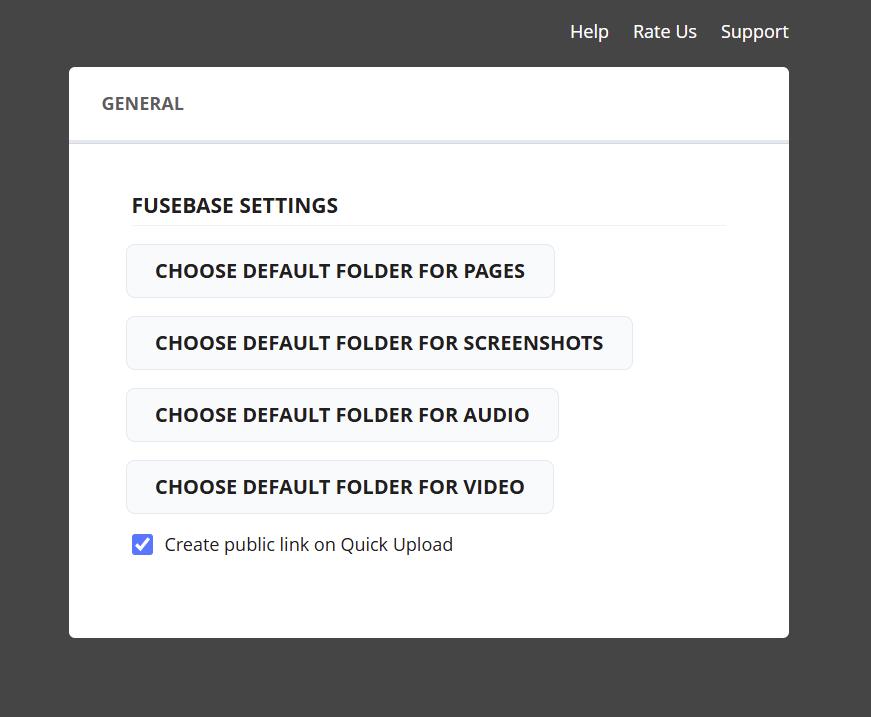
You can choose either an existing folder or create a new one in the workspace.
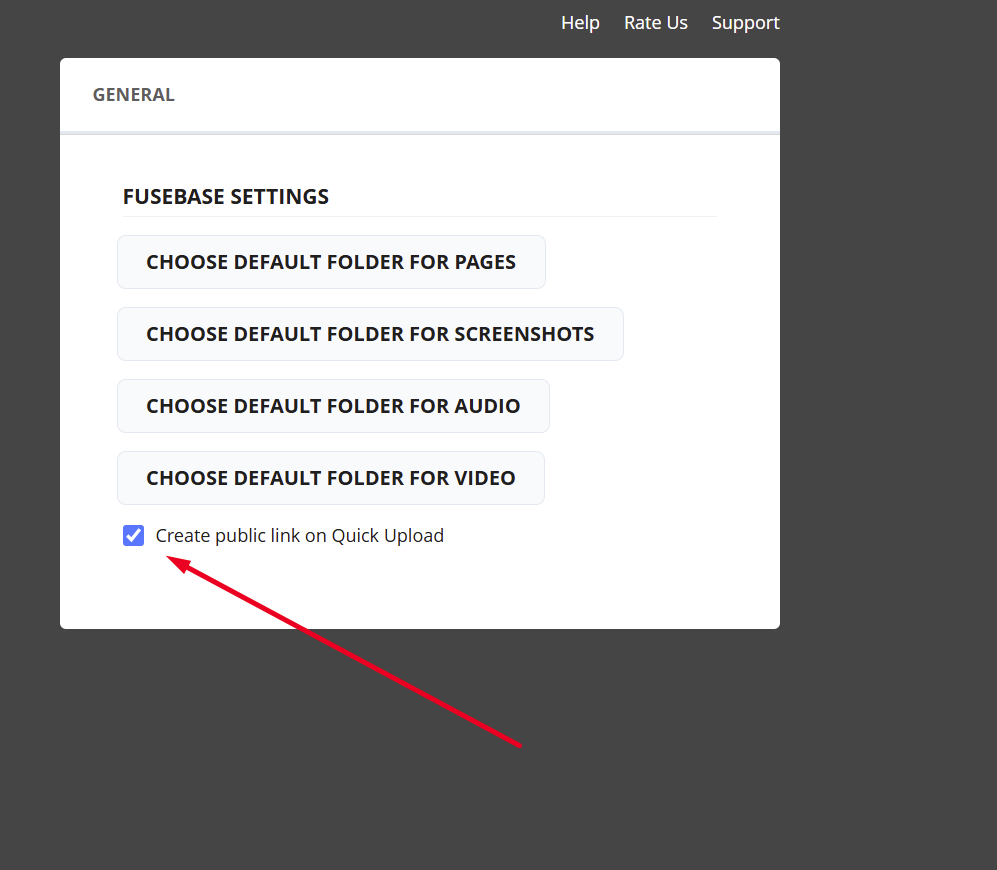
You can also choose how the link will be shared after uploading to Fusebase: as public (can be shared immediately) or private (for example, if you want to edit it first).