In FuseBase, you can create apps of any complexity for your own use cases as well as for your clients. For example, these can include various dashboards, forms, reports, widgets, and more. You can read more about apps and how to create them here: https://thefusebase.com/guides/fusebase-vibe-code/fusebase-apps-quick-guide/
In this guide, we will explain how you can add ready-made features to your portals.
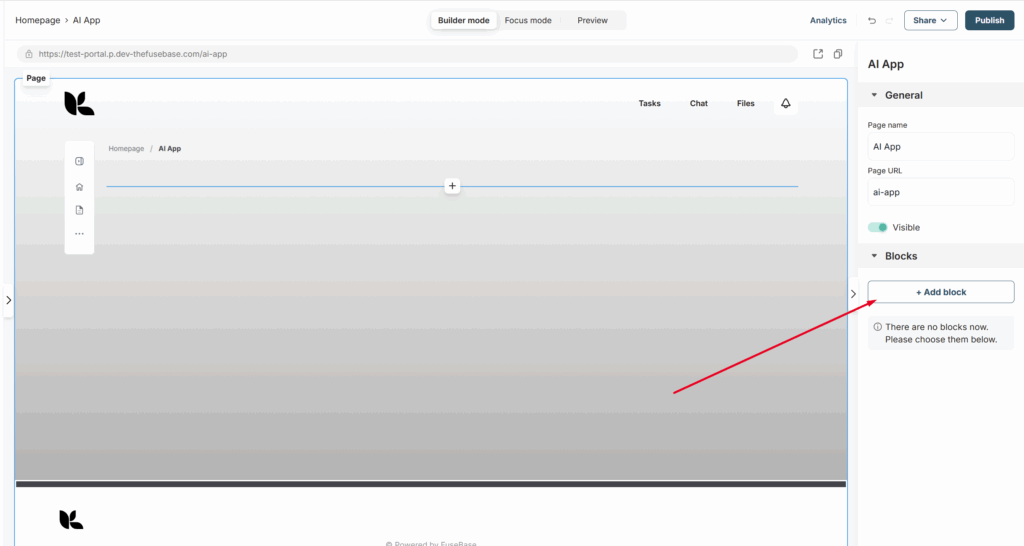
1) To get started, go to the desired portal page in the customizer and click Add block.
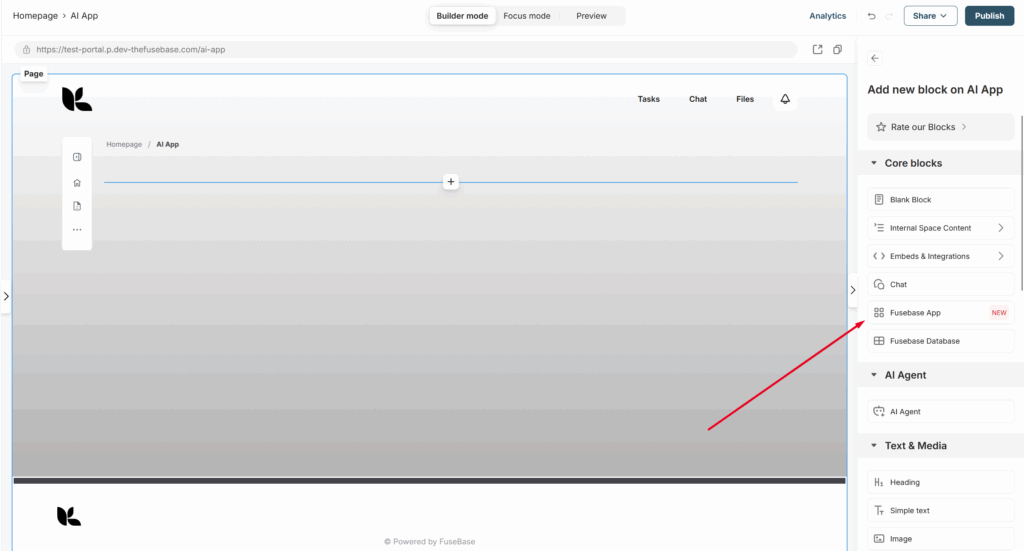
2) Click on Fusebase App.
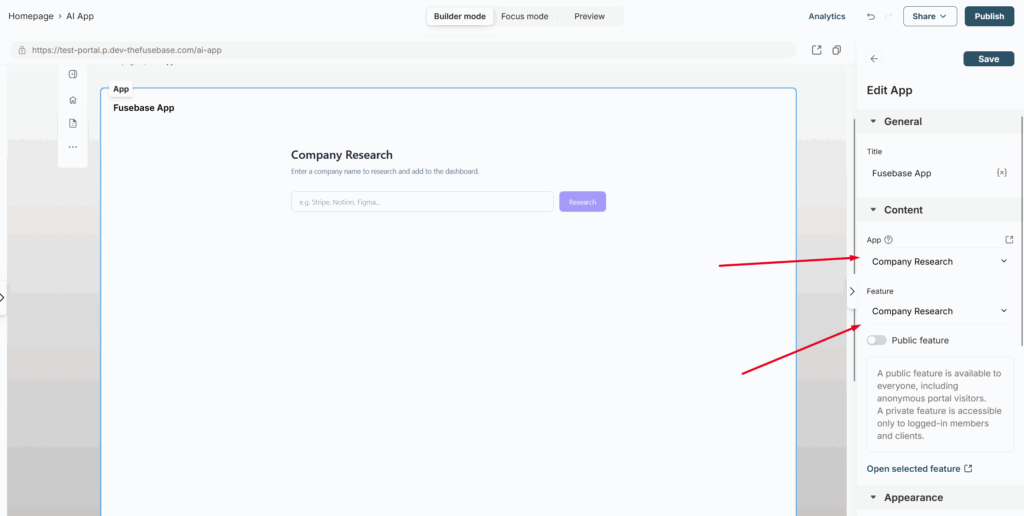
3) Next, select the desired app and the feature you want to add to the portal page.
If you wish, you can make the feature public right away, allowing even anonymous portal visitors to access it.
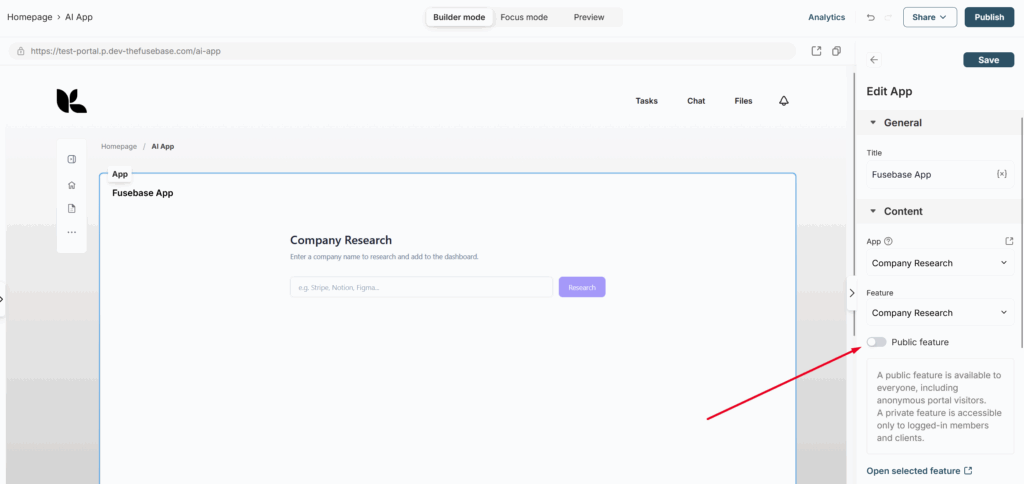
Next, click Publish to make the feature available on the portal.