Table of Contents
Here you can find out everything about making a backup copy and exporting your data.
Export of one page #
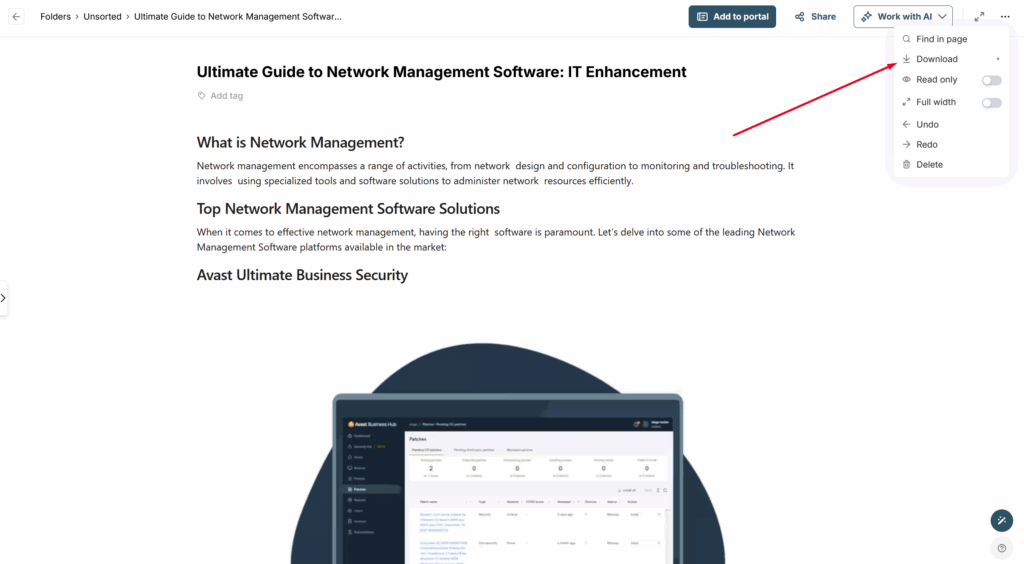
- Open the page and select the three dots menu
- Choose Download
- Select the format in which you would like to download the page: PDF or HTML
Exporting All Organization Pages #
If you need to export all organization pages, this can be done upon request. Please email contact@thefusebase.com and we will initiate the backup process. Once the backup is created, a link to the archive will be sent to your email. Currently, exporting all pages is available in HTML format only.