In Fusebase, you don’t always have to create a database or table from scratch. You can use the duplication feature, which allows you to create either a full duplicate with all rows or a duplicate of just the structure (views and columns).
To duplicate a database, you need to use the corresponding option in the database menu –
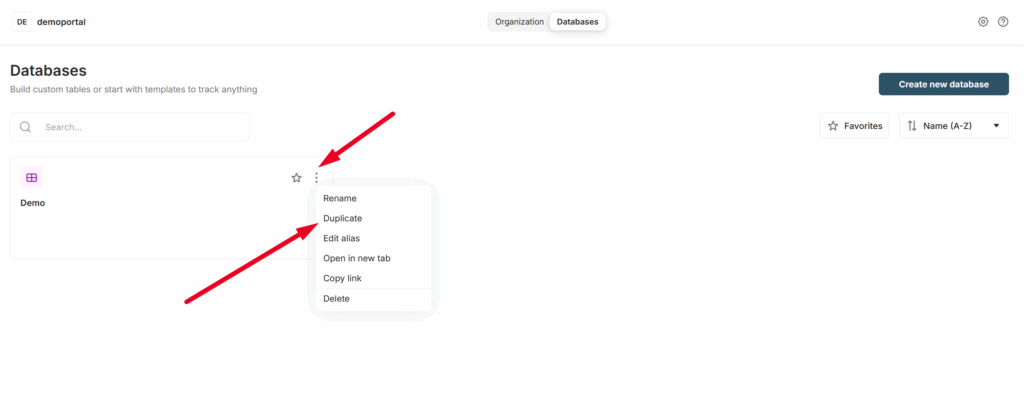
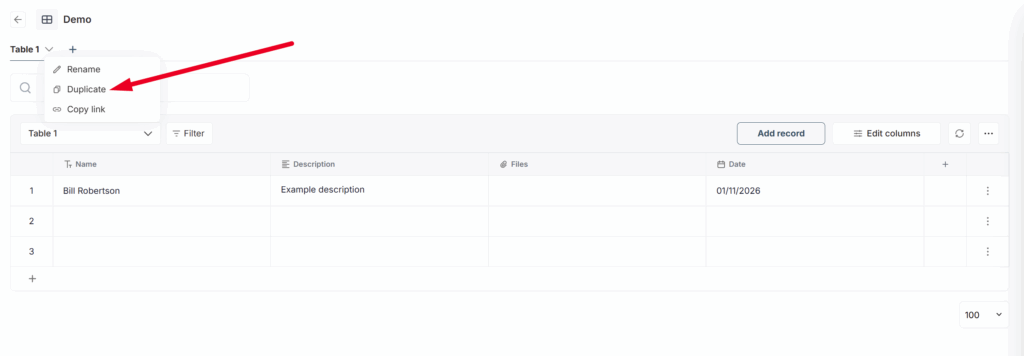
To duplicate a table, click on the Duplicate option in the table menu.
If you need a full duplicate, including all data rows, activate the Duplicate rows switch. If you only need the columns, leave it inactive.

Then click Duplicate and wait for the duplication process to complete.