You can add an embed of your Google Calendar to your page in FuseBase page
First get a link to the desired calendar.
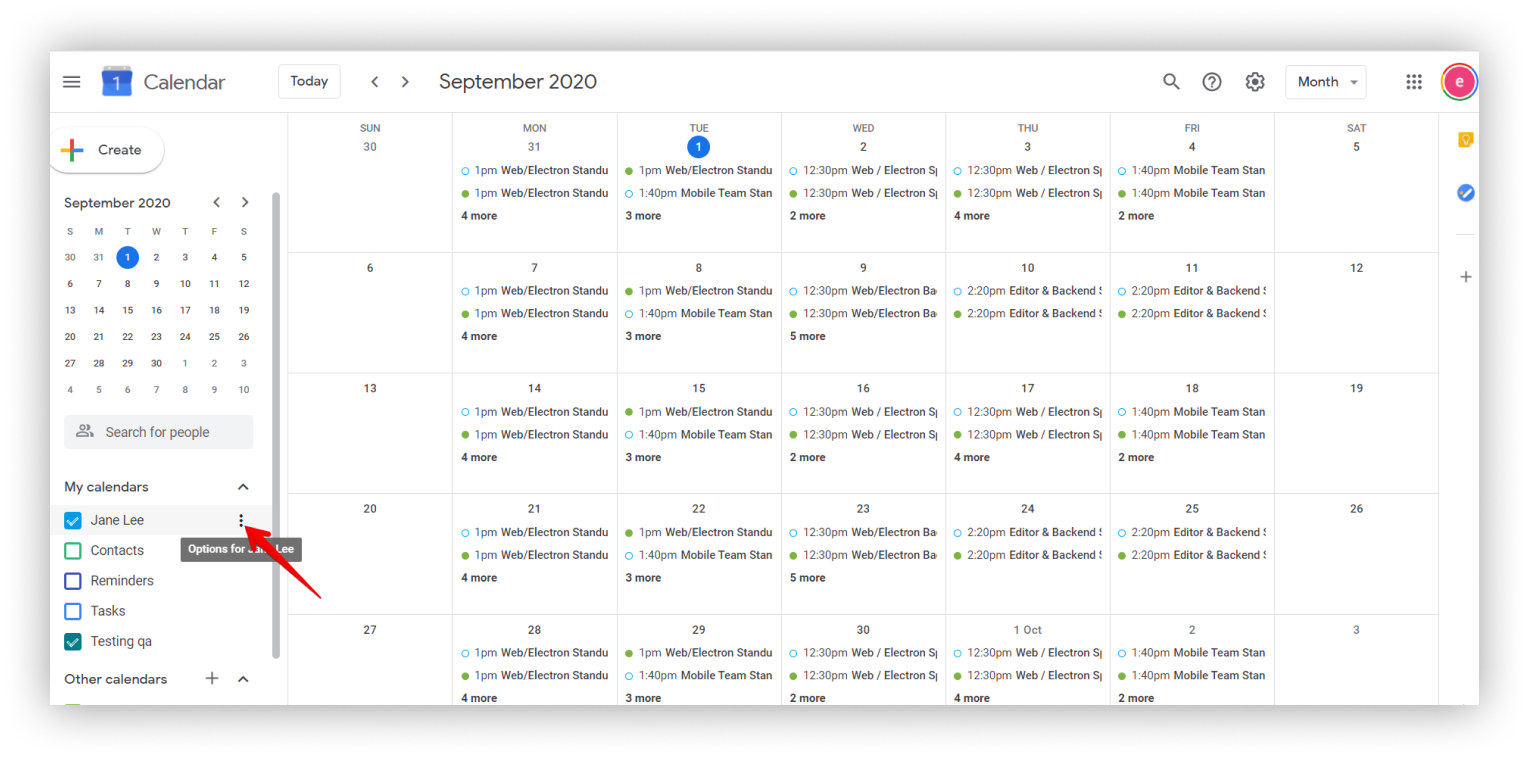
- Open your Google Calendar.
- Select calendar and click on three dots menu.
.png)
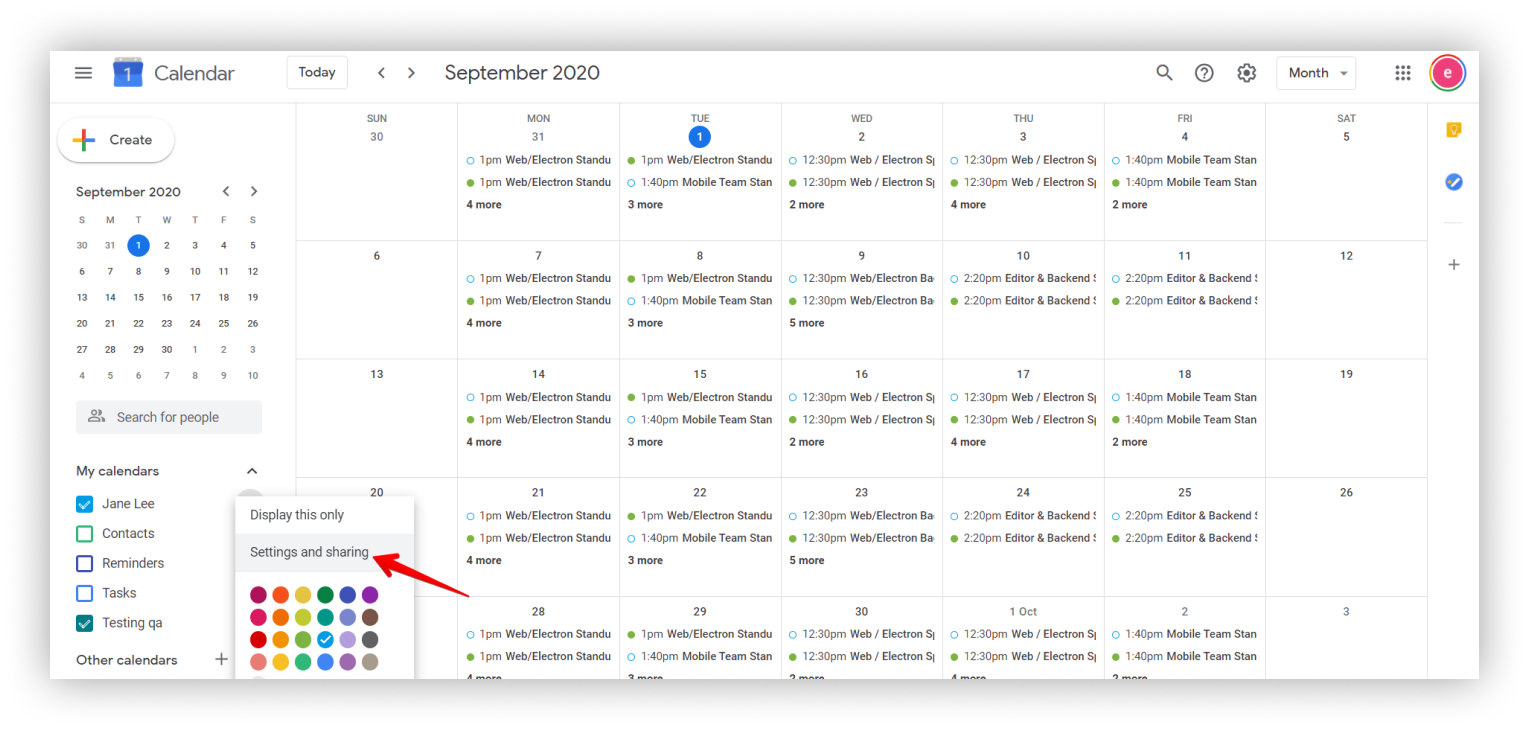
- Click on Settings and sharing.
.png)
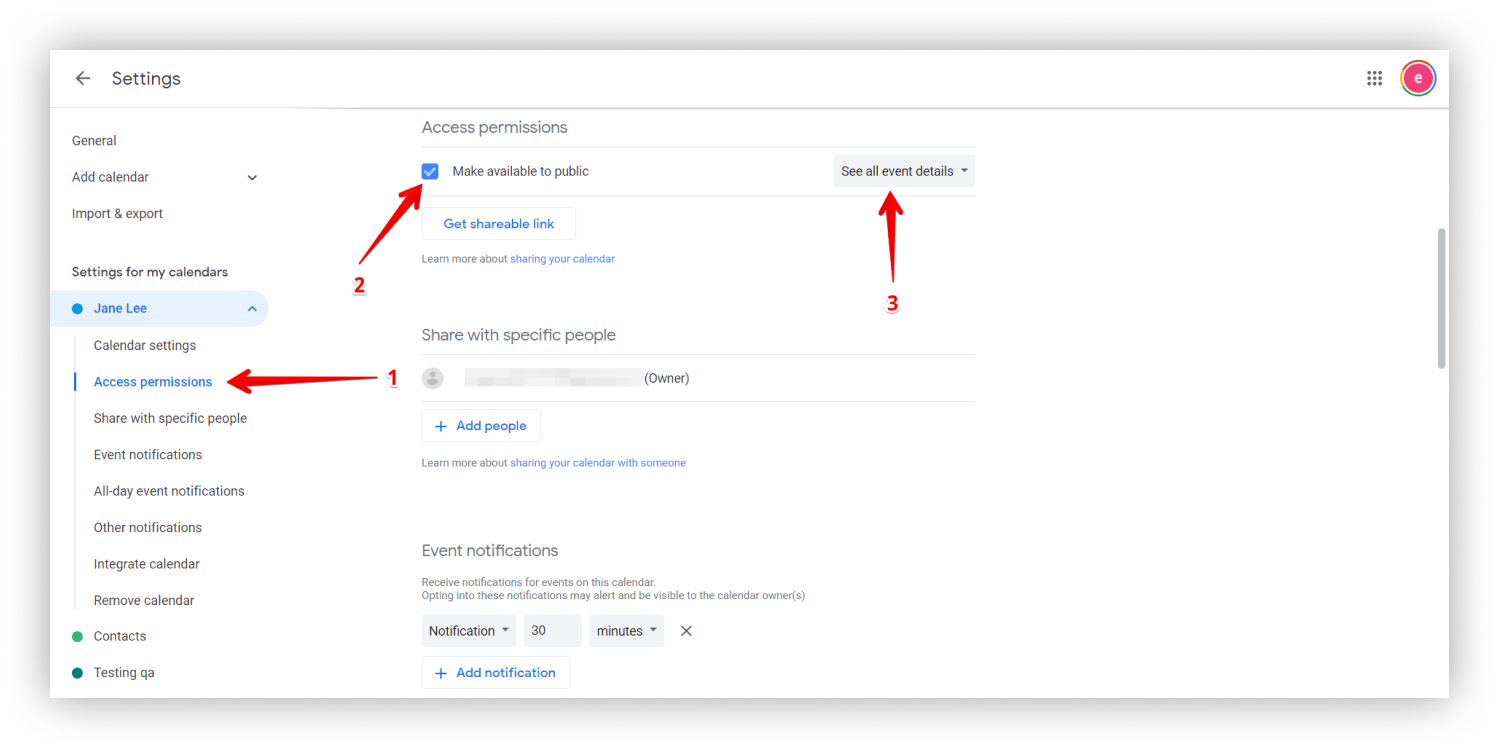
- Go to Access Permissions.
- Select Make available to public.
.png)
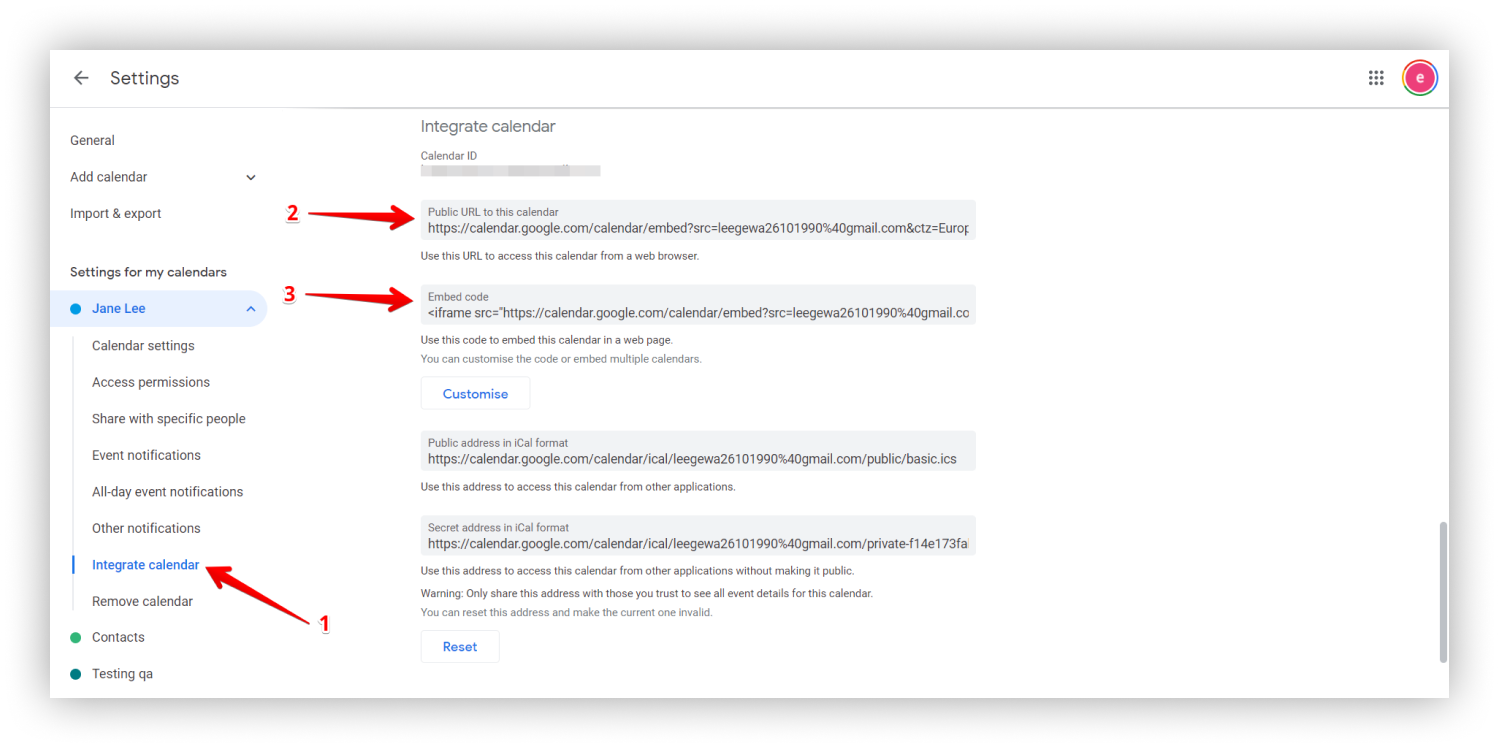
- Go to Integrate calendar and copy the url or embed code.
.png)
In FuseBase you can insert an embed in several ways:
- Copy the URL from Google Calendar.
- Paste it into the page as an Embed using right click Paste or Ctrl+V.
- Copy the Embed code.
- Click on the arrow and select Embed or cmd/ctrl + ⌥/alt + m.
- Paste the code through Ctrl+V.