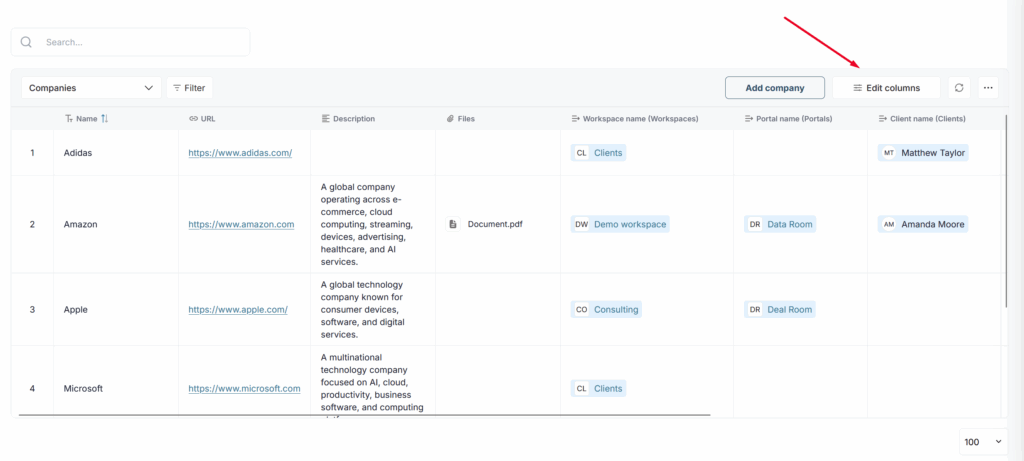
The Companies Dashboard is part of the built-in CRM in FuseBase. It gives teams a clear way to organize business relationships around companies, which is especially useful for business workflows.
Instead of managing portals, clients, and related records separately, you can use the Companies Dashboard to keep them connected under one company profile. This makes it easier to structure account information, maintain cleaner records, and manage customer relationships in a more organized way inside FuseBase.
A company record can include:
- a company name
- a company website
- linked workspace(s)
- linked portal(s)
- associated clients
This helps your team see how different records relate to the same business account. For example, a company can serve as the main point that connects workspaces, portals, and clients in one place.
The Companies Dashboard also supports CRM sync workflows. Since most CRMs use a Company or Account object, this structure helps align FuseBase data with your external CRM and makes account-based workflows easier to manage.
Company Dashboard #
You can access the company dashboard through the corresponding section in Organization.
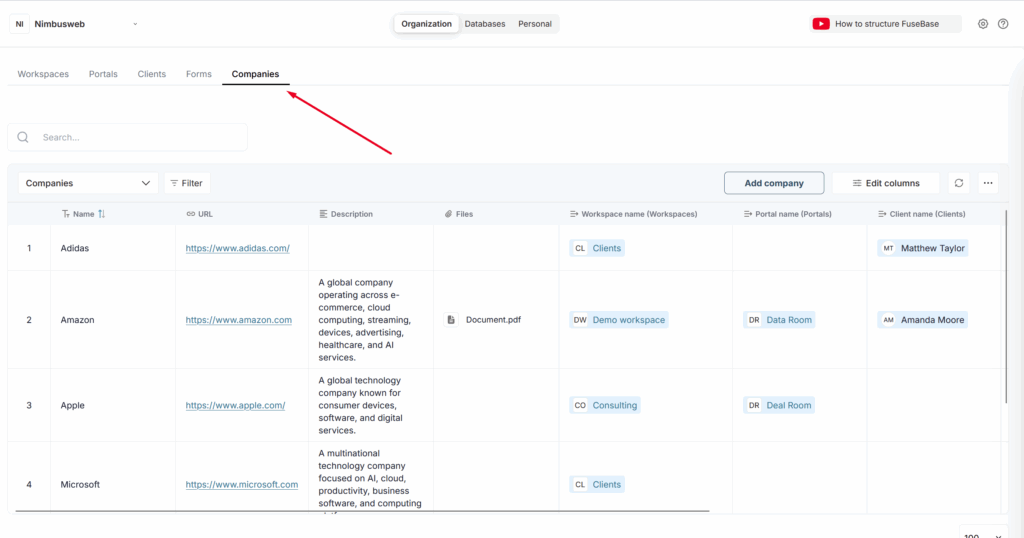
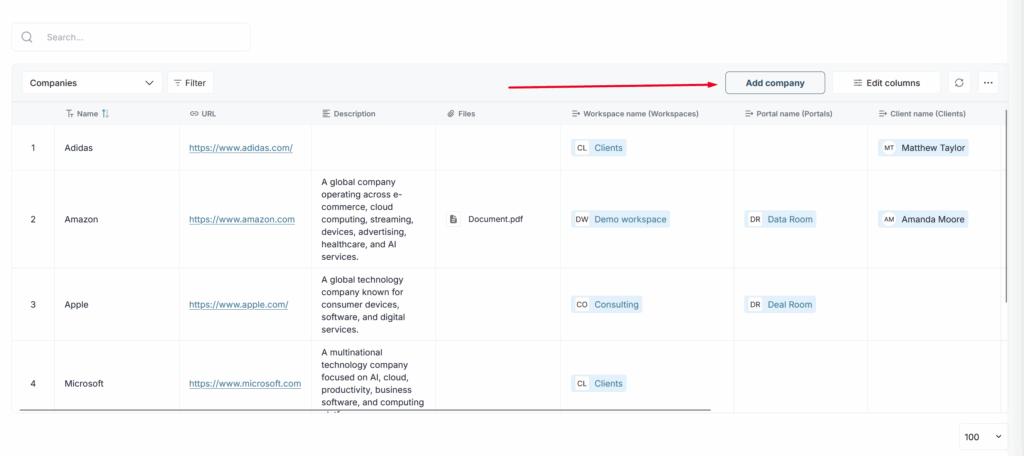
There, you will see the dashboard, where you can view the list of existing companies and add new ones.
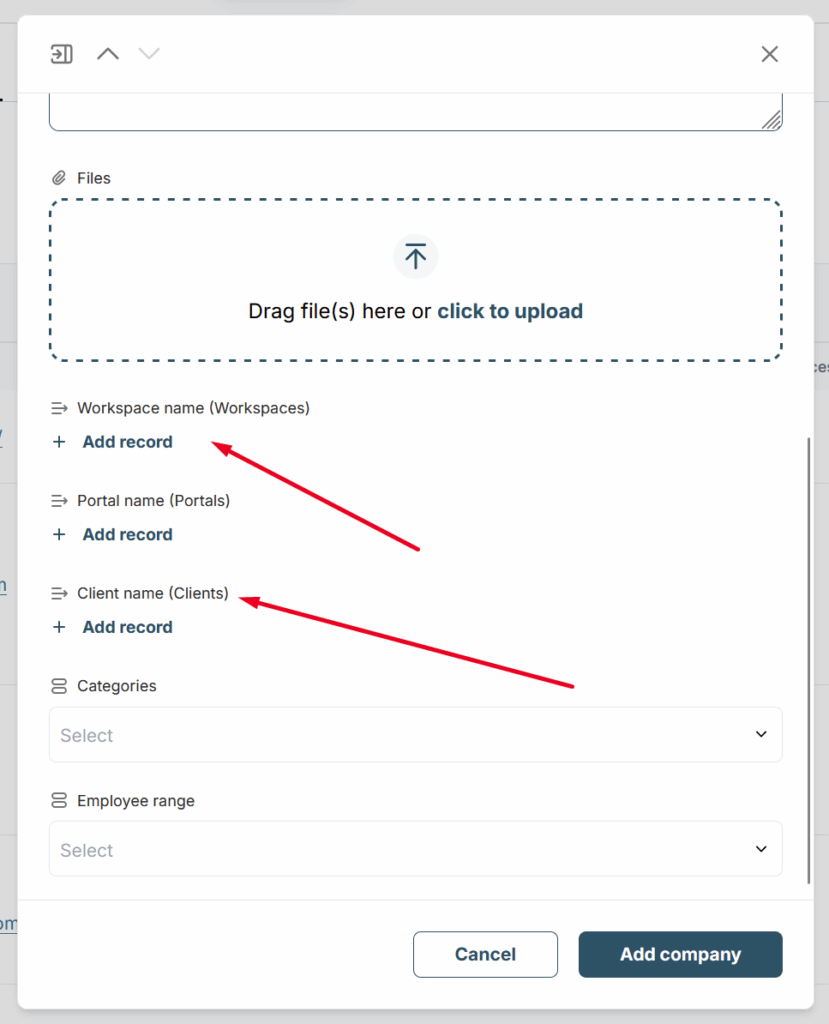
To add a company, click on Add company and then fill in the main fields: company name, its URL, description, etc.
You can also link the company to portals, workspaces, and clients. To do this, simply select the appropriate values in the corresponding fields.
If you need additional fields for companies, you can do this via Edit columns. You can read more about it here: https://thefusebase.com/guides/settings/custom-fields-in-the-dashboard-building-your-own-crm-in-fusebase/