If you want to invite a customer or colleague into the portal without access to the web version, assigning them the Client Role is ideal. A member with this role will have full access to the portal with the ability to comment on pages, but will not have access to the web version or portal customizer.
Inviting a Client to the Portal #
To invite a client to the portal, please follow these steps:
- Go to the customizer of the desired portal.
- Click on Share and select Invite Client.
- Enter the client’s email and name.
- Click Invite.
Inviting to a Portal Folder #
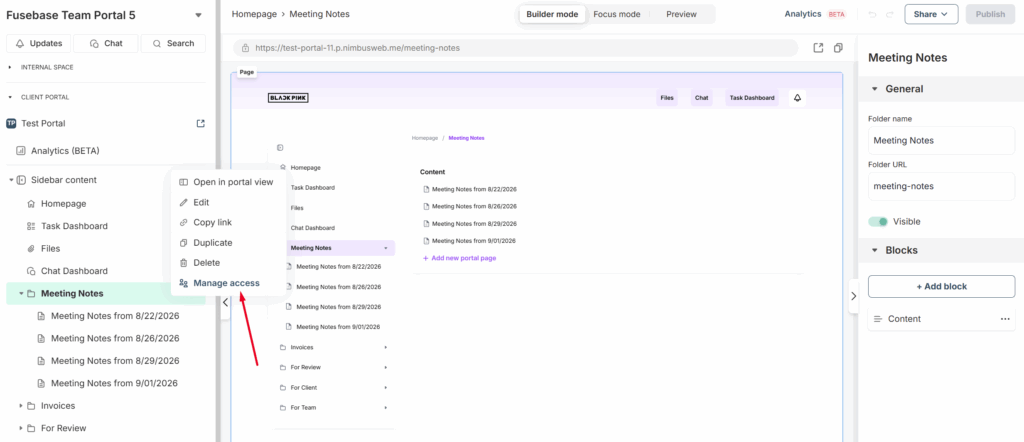
You can grant a client access not to the entire portal, but to specific folders. To do this, click on the menu of the desired folder and select Manage access.
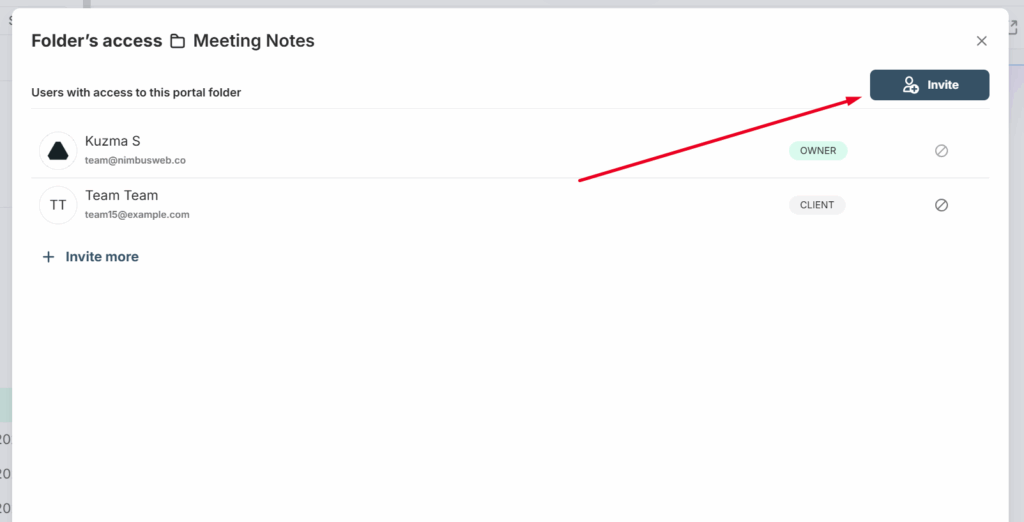
Next, click Invite and send an invite to the appropriate client –
You can read more about this functionality here: https://thefusebase.com/guides/client-portal/granular-permissions/
Automating Client Invites to the Portal #
We offer built-in automation that enables you to streamline many actions within our service – from creating portals to updating pages within those portals.
You can also accelerate your client workflows using our automation features. For example, you can automatically send invites to clients for portals or even specific folders.
Example use case: If you use Hubspot as your CRM and change a client’s status to Closed Won, access to the portal with an onboarding tour can be sent automatically. This flow is easy to set up and significantly reduces manual work.

Client management #
If you want to view all clients who have been added to your portals, you can do this through the client dashboard. To open it, click the Home button and select Clients -.
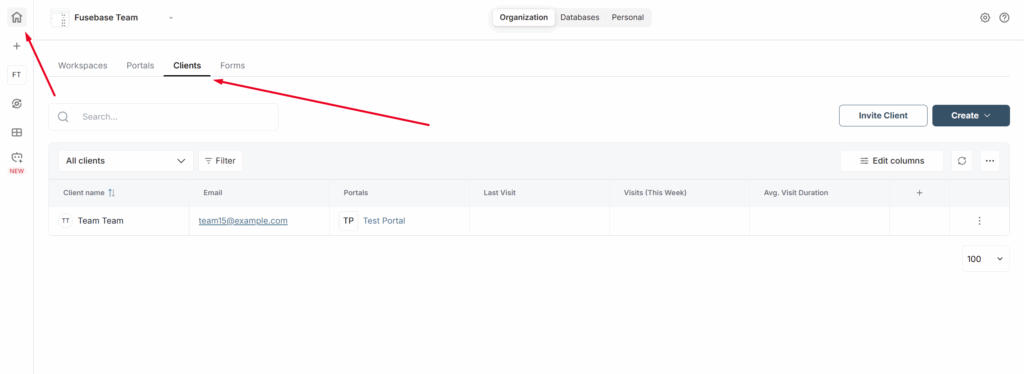
Here you will see all the clients you have invited to your portals. You can filter clients by various parameters, view analytics, add additional data, and more. Essentially, this is a mini-CRM that allows you to efficiently manage your clients.
You can read more about the dashboard functionality at this link: https://thefusebase.com/guides/dashboard-crm/dashboard-overview-managing-workspaces-portals-and-clients/