FuseBase Work
Calling Fusebase Work Agents from External Apps: Quick Guide
Fusebase Work agents can now be called from outside Fusebase Work. This means you can use agents not only inside Fusebase Work, but also from Fusebase Apps, external tools, and...
Guide details
- Published
- August 29, 2026
- Read time
- 1 min read
- Category
- FuseBase Work
Fusebase Work agents can now be called from outside Fusebase Work.
This means you can use agents not only inside Fusebase Work, but also from Fusebase Apps, external tools, and custom applications.
For example, you can:
- call an agent from a Fusebase App;
- call an agent from Slack or Teams;
- call an agent from a custom internal tool;
- send a task to an agent from another system;
- check the task status;
- get the final result when the agent finishes the work.
Integrating FuseBase Work agents with third-party services
To connect agents to other services, you can use our FuseBase MCP. You can enable MCP to access the full FuseBase functionality or choose only FuseBase Work.
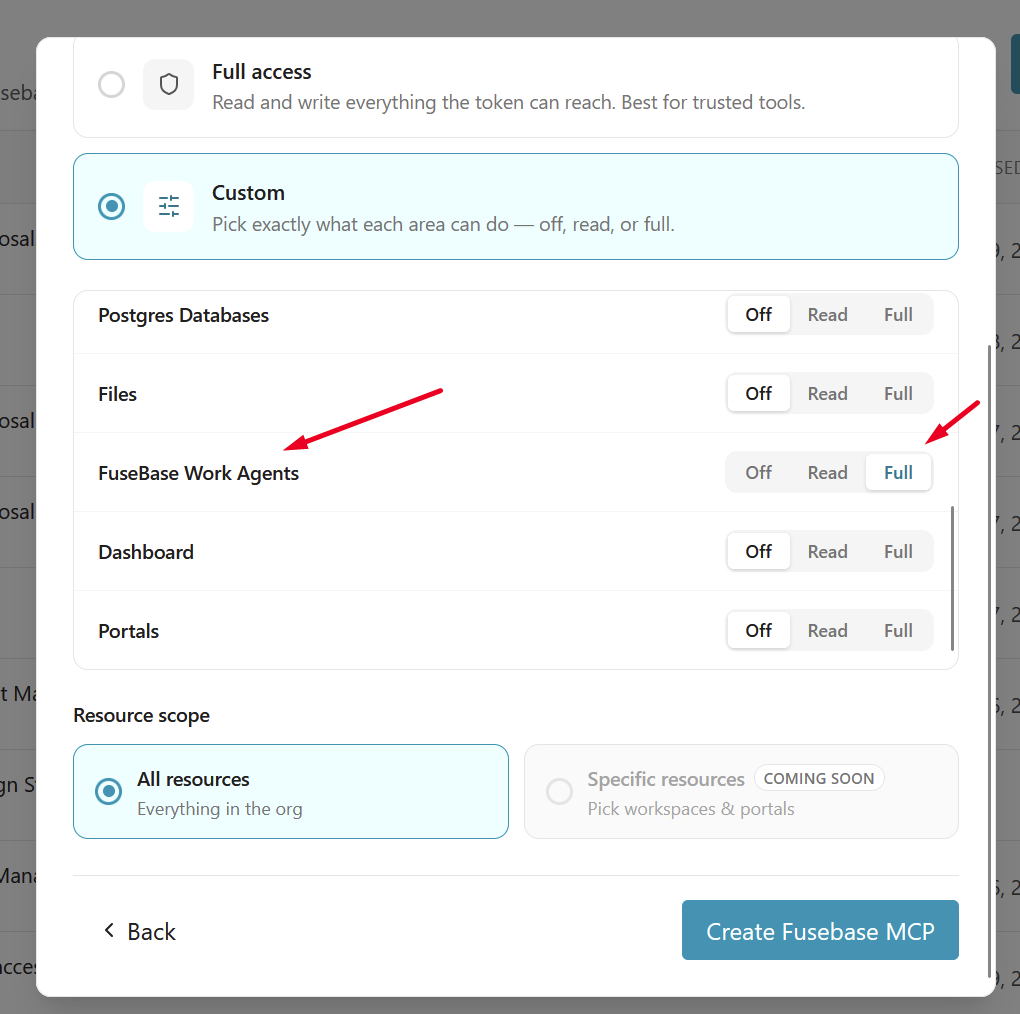
You can read more about our MCP here – https://thefusebase.com/guides/fusebase-ai/connect-external-ai-agents-to-fusebase-with-mcp/
Connecting agents in FuseBase Apps
To invoke agents from your app, simply include this capability during implementation. For example, you can add a prompt such as: Add the ability to create a task in FuseBase Work directly from the app. In the task creation window, include an agent selector. When a task is created, also create it in FuseBase Work. When the task is completed, update the status in the app accordingly.
Next, agent integration will be added to your app.