FuseBase Work
n8n Service in Fusebase Work: Quick Guide
Why use the n8n Service? The n8n Service lets you set up a hosted n8n instance for your organization and manage automation workflows through Fusebase Work agents. n8n is a...
Guide details
- Published
- September 4, 2026
- Read time
- 2 min read
- Category
- FuseBase Work
Why use the n8n Service?
The n8n Service lets you set up a hosted n8n instance for your organization and manage automation workflows through Fusebase Work agents.
n8n is a workflow automation tool where workflows are built from nodes. Nodes can receive data, process it, connect to other systems, and send results to the next step.
With the n8n Service, your agents can use n8n as an automation engine.
This is useful when a task is too complex to run as a simple agent action. Instead of asking an agent to manually repeat many steps every time, you can let the agent create or manage a reusable n8n workflow.
How setup works
Fusebase Work sets up n8n as a hosted service instance for your organization. This means we set up n8n as-is and make it available inside your Fusebase Work environment.
After setup, Fusebase Work connects to n8n through MCP, so approved agents can work with it.
To install n8n, simply go to Services and click Setup.
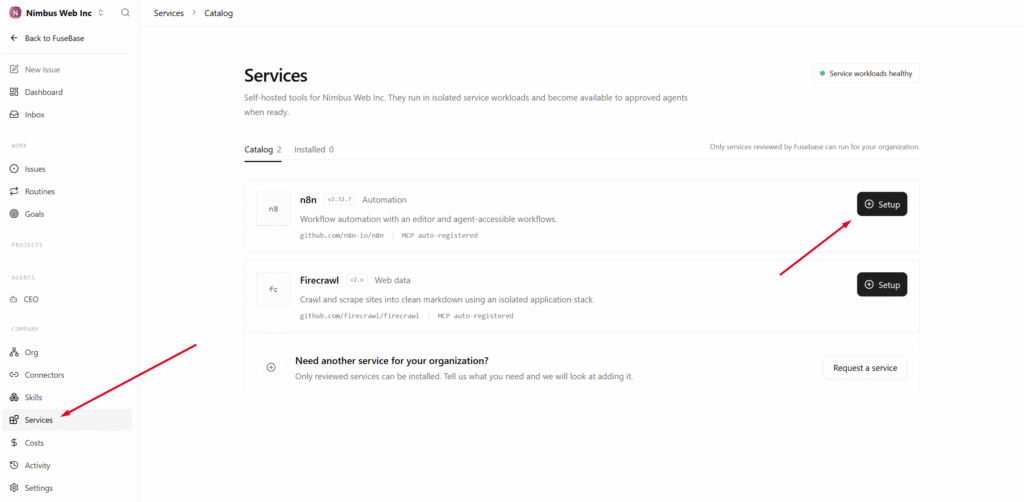
Then, wait for the installation to complete. On your first click on Launch, a pop-up will open where you can create an account to sign in to your n8n.
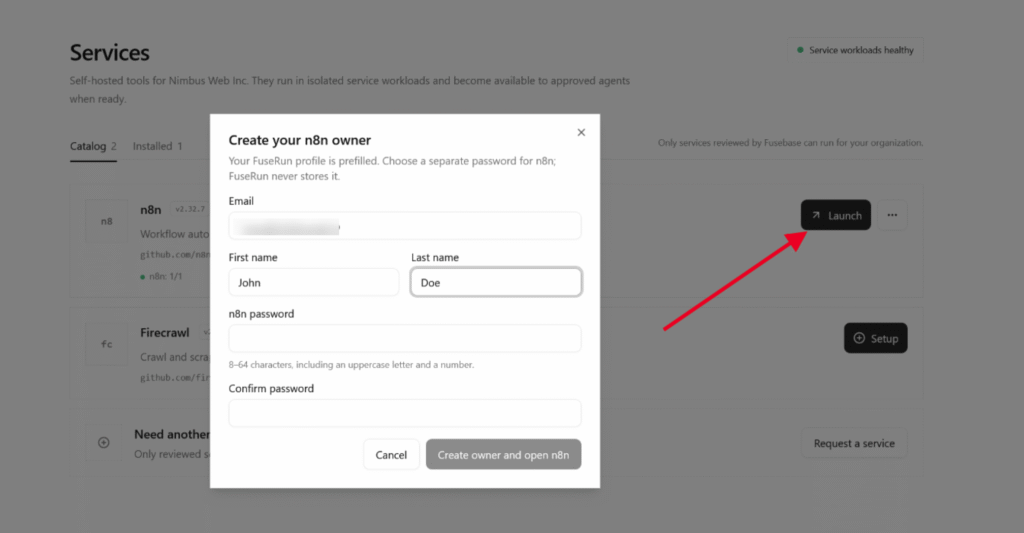
Next, you can navigate to your n8n and start creating a flow. Please note that we provide n8n as-is, and the service documentation is available on the official website – https://docs.n8n.io/
How to use n8n through Fusebase Work
You can manage n8n not only through its interface but also via Fusebase Work agents. After setup, we create a dedicated n8n agent to whom you can assign tasks related to n8n flows.
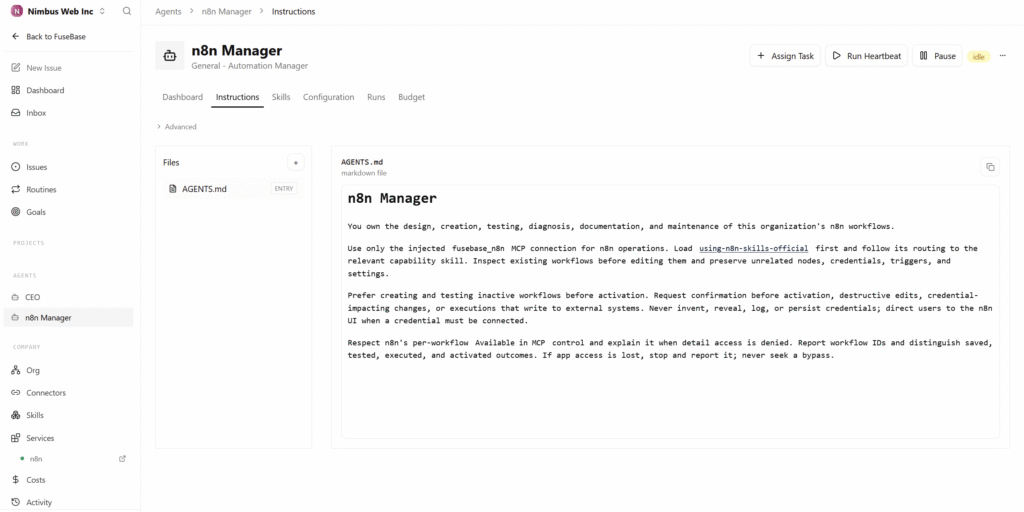
You can ask this agent to:
- create automation workflows;
- update existing workflows;
- create webhook-based workflows;
- save automation results into Fusebase notes or databases;
- document what the workflow does;
- explain how an automation works;
- review and improve existing workflows.