FuseBase Work
Firecrawl Service in Fusebase Work: Quick Guide
Why use the Firecrawl Service? The Firecrawl Service lets you set up a hosted Firecrawl instance for your organization and use it through Fusebase Work agents. Firecrawl helps AI...
Guide details
- Published
- September 4, 2026
- Read time
- 2 min read
- Category
- FuseBase Work
Why use the Firecrawl Service?
The Firecrawl Service lets you set up a hosted Firecrawl instance for your organization and use it through Fusebase Work agents.
Firecrawl helps AI agents search, scrape, crawl, and interact with websites, then turn web pages into clean data that agents can read and use. It can return content as Markdown, structured JSON, screenshots, metadata, and other formats.
With the Firecrawl Service, your agents can use Firecrawl as a research, crawling, and web data collection engine.
For example, an agent may need to:
- research competitors;
- collect information from many websites;
- extract clean content from messy pages;
- read documentation pages;
- gather product or pricing data;
- collect company information;
- prepare structured research notes;
- save results into Fusebase notes or databases.
Firecrawl gives agents a dedicated service for this type of work. Instead of asking an agent to manually open pages, copy content, clean the text, and organize everything, the agent can use Firecrawl to collect clean web data and then focus on analysis, summaries, and next steps.
How setup works
Fusebase Work sets up Firecrawl as a hosted service instance for your organization.
This means we set up Firecrawl as-is and make it available inside your Fusebase Work environment.
After setup, Fusebase Work connects to Firecrawl through MCP, so approved agents can use it in tasks, routines, and workflows.
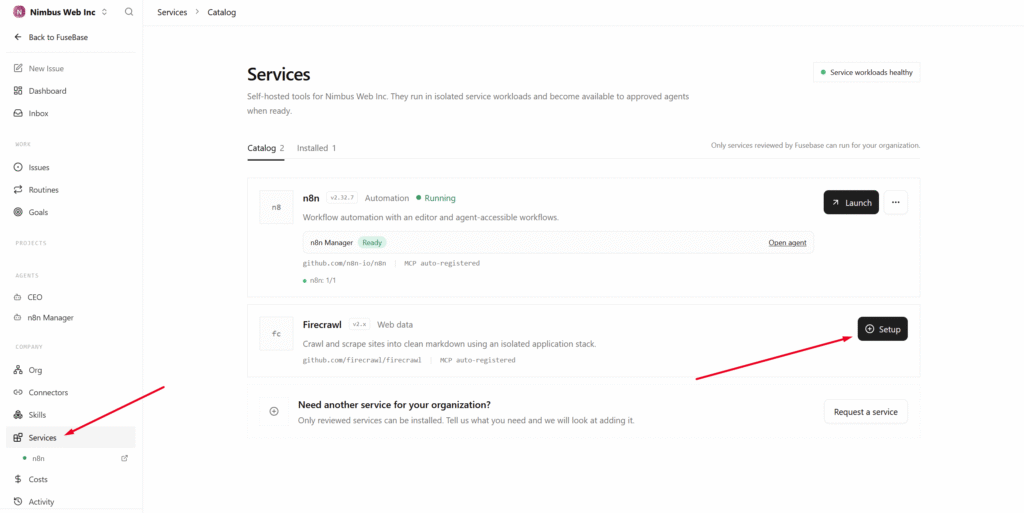
To install Firecrawl, simply go to Services and click Setup. Then, wait for the installation to complete.
How to use Firecrawl through Fusebase Work
After setup, we create a dedicated Firecrawl agent to whom you can assign parser-related tasks.
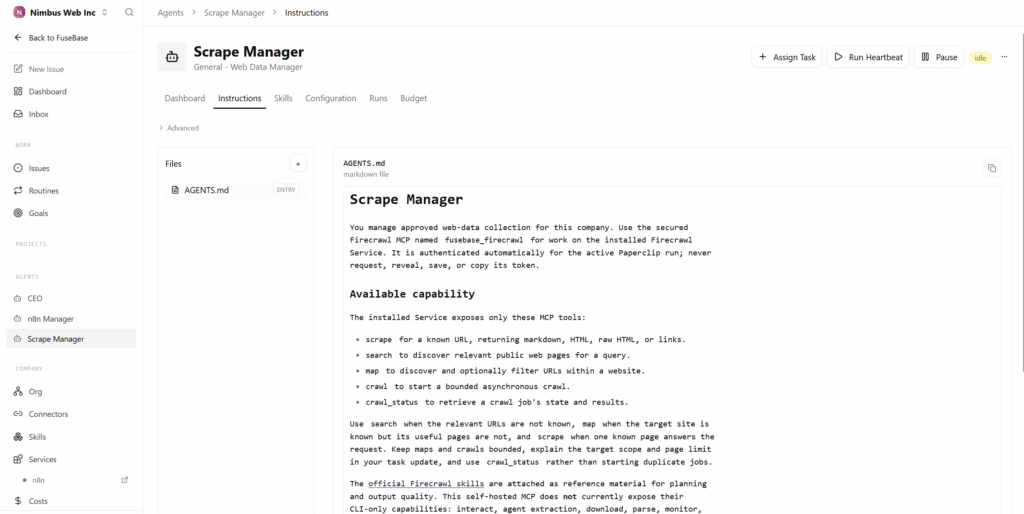
By default, we provide a Firecrawl-focused agent with official skills to help it understand how Firecrawl works and how to use it correctly.
You can ask this agent to:
- research websites;
- collect competitor information;
- extract clean content from pages;
- crawl documentation or knowledge sites;
- gather product, pricing, or company data;
- summarize research findings;
- save results into Fusebase notes or databases;
- send results to other connected tools through MCP;
Using a proxy in Firecrawl
Firecrawl jobs often run from a server environment, not from a normal user browser. Some websites may limit, throttle, or block repeated automated requests, which can cause research and crawling workflows to fail.
Use proxy support for tasks like competitor research, pricing monitoring, lead research, documentation crawling, and recurring website checks.
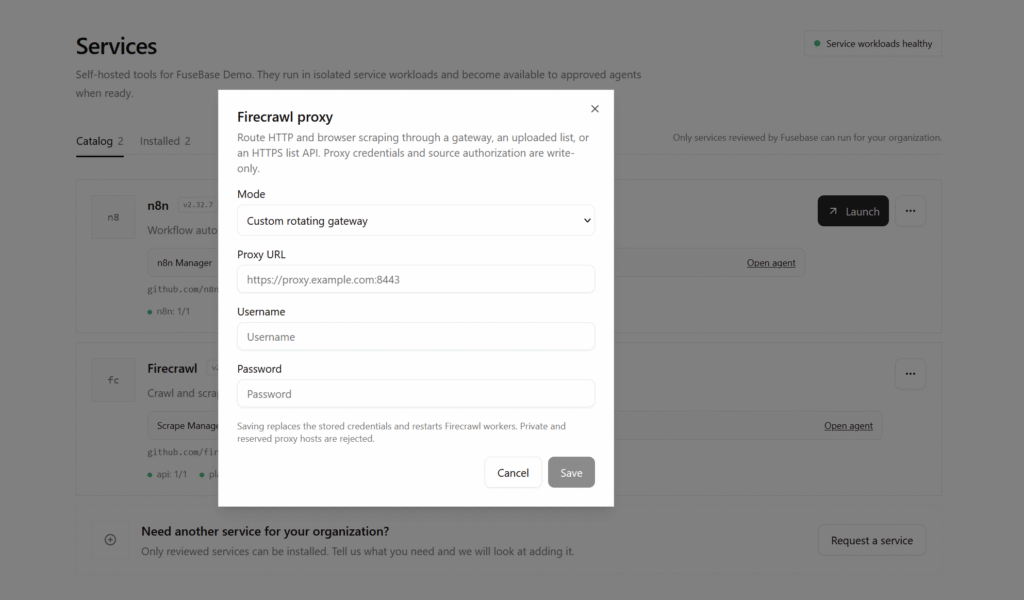
By default, all parser requests are made without a proxy, but you can specify one. To do this, select Proxy settings in the menu.
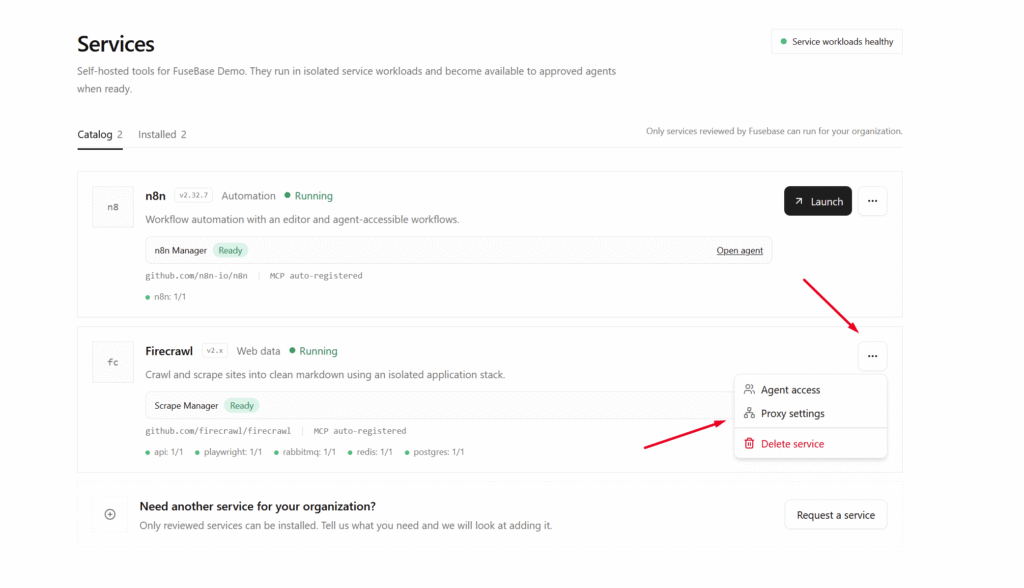
Then provide the proxy URL or the proxy details, with or without authentication.