Social media agency client portal
A client portal for social publishing, creator rights, community response, approvals and monthly results, with a separate agency team area.
- Industry
- Agencies
- Team
- Client services, Marketing
- Use case
- Client portals, Content and campaigns, Client onboarding
- Tags
- Approval workflow Client delivery Client reporting
- Includes
- 5 pages · 15 app surfaces
Template preview
1 / 4
Included items
-
Marlowe social calendar review
Page · Calendar
-
Marlowe creator content clearance
Page · Creators
-
Marlowe community response review
Page · Community
-
Marlowe monthly social results and plan
Page · Monthly results
-
Marlowe social voice and claims guide
Page · Voice and claims
-
Project Chat
App · Embedded across portal routes · Requires sign-in
-
Project Chat Admin
App · Larkfield team area · Requires sign-in
-
Dashboards
App · Embedded across portal routes · Requires sign-in
-
Dashboards Admin
App · Larkfield team area · Requires sign-in
-
File Request
App · Embedded across portal routes · Requires sign-in
-
File Request Admin
App · Larkfield team area · Requires sign-in
-
Files
App · Embedded across portal routes · Requires sign-in
-
Files Admin
App · Larkfield team area · Requires sign-in
-
Forms
App · Embedded across portal routes · Requires sign-in
-
Forms Admin
App · Larkfield team area · Requires sign-in
-
Onboarding
App · Embedded across portal routes · Requires sign-in
-
Onboarding Admin
App · Larkfield team area · Requires sign-in
-
Client Profiles
App · Embedded across portal routes · Requires sign-in
-
Tasks
App · Embedded across portal routes · Requires sign-in
-
Tasks Admin
App · Larkfield team area · Requires sign-in
Overview
What this template supports
A social media agency portal that brings a client and its account team into one publishing workspace. The client can follow the calendar, review creator usage terms and content decisions, see community response guidance, and read monthly results and next steps. Shared documents, files, questions and onboarding sit beside the workflow. A separate team area gives the agency its own operating view. The site includes Planning desk, After hours and Publishing signal themes.
- Publishing calendar and client approval decisions across Instagram, TikTok and Pinterest
- Creator rights review and voice and claims guidance before content goes out
- Community response review, monthly results and next-step planning
- Shared files, questions and getting-started area for the client
- Separate agency team workspace with embedded project apps and live dashboard blocks
- Planning desk, After hours and Publishing signal themes
How to use this template
-
Explore the client journey
Open the live portal and move from the calendar to creator clearance, community responses and monthly results.
-
Adapt the working documents
Replace the calendar, rights, response, results and voice guidance with your own reviewed content and decision owners.
-
Check each audience's access
Set client and agency permissions for pages and embedded apps, then verify the public and signed-in views before inviting clients.
Frequently asked questions
What does this portal help an agency share with a client?
It brings the publishing calendar, creator rights, community response guidance, approvals, monthly results, files and onboarding into one client-facing space.
Where can the client review content decisions?
The calendar and creator pages show what needs review. The portal also links to the calendar review and creator clearance documents.
How are community responses and brand guidance handled?
A community review page and response document sit alongside the voice and claims guide, so the client and agency can work from the same guidance.
What is in the separate agency area?
The Larkfield team area groups agency tools and setup views. The public demo is view only for outside visitors; access to embedded apps must be checked separately.
Which themes can I preview?
Planning desk is Light, After hours is Dark, and Publishing signal is Futuristic. The gallery shows captures of each theme.
What should I change before using this with my own client?
Replace the sample content, approval owners and brand rules. Review page sharing and embedded app permissions for the client and agency team.
Related templates
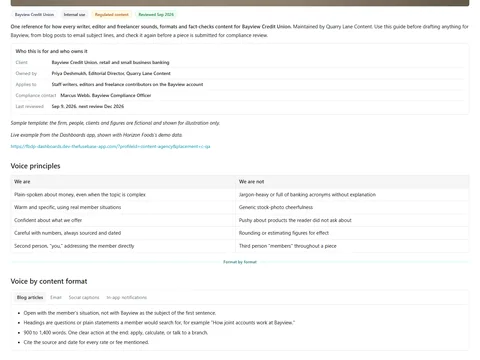
Editorial style and voice guide
Keep client voice, terminology and editorial checks together for agency writers and reviewers.
View template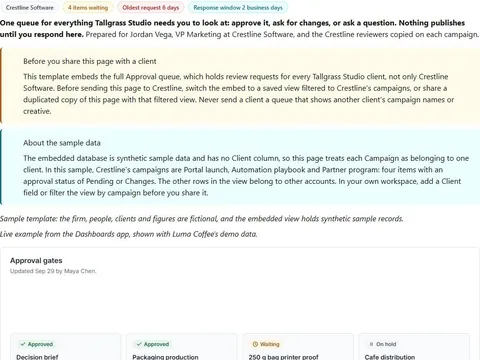
Creative approval room
Collect a client's approvals on creative in one queue, with three response options and feedback rules that keep turnaround predictable.
View template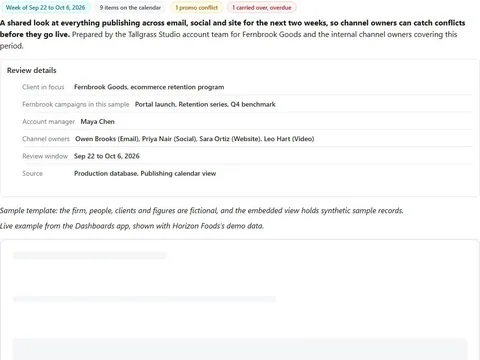
Campaign publishing calendar review
Check everything publishing across email, social and site for the next two weeks and catch conflicts before they go live.
View template