

Why a Client Portal is Essential for Your Business Success
- 1 Min read
If you’ve ever tried managing multiple partner relationships through email threads, shared drives, and spreadsheets, you know exactly when it all starts to fall apart. A missed file here, a duplicated deal registration there, and suddenly everyone is frustrated.
That’s where partner portals come in.
They give teams a single source of truth for onboarding, collaboration, deal tracking, and analytics. Companies leaning into ecosystem-led growth, putting client networks and partnerships at the center of how they grow, see 2.6 times faster growth than those relying only on direct sales.
The difference comes from smoother collaboration, real-time visibility, and partners who actually know what’s going on.
I’ve spent the past few years building FuseBase, our own client collaboration platform now used as a partner portal by growing SaaS teams. Along the way, I’ve tested more tools than I can count. Some are brilliant. Some are… complicated.
In this guide, I’ve pulled together real data, reviews, and hands-on testing to show what actually works.
I tested each platform on this list hands-on or verified it through user feedback. The goal was simple: to find tools that make managing partners much easier.
We evaluated each portal based on:
Our data sources include G2, Capterra, vendor pricing pages, and direct platform demos. I also spoke with partner managers and SaaS founders to get unfiltered opinions.
You’ll find a mix of analytics and practical insight here, so you can choose a platform that fits your workflow, not the other way around.
Before diving into the detailed reviews, here’s a quick snapshot of how the top partner portal platforms stack up.
| Platform | Best For | Key Features | Pricing | Capterra Rating | G2 Rating | Free Trial | Standout Feature |
| FuseBase | All-in-one client and partner collaboration | Client/partner workspaces, file sharing, task tracking, comments, automations, AI Agents | From $32/m | 4.7 | 4.7 | ✓ | Unified client + partner hub, no coding required |
| SuiteDash | SMB client management & project portal | CRM, project management, invoicing, document collaboration | From $19/m | 4.8 | 4.8 | ✓ | All-in-one SMB-focused solution |
| Zendesk | Customer support + portals | Customizable portals, knowledge base, live chat | From $55/m | 4.4 | 4.3 | ✓ | Strong support and ticketing capabilities |
| AhSuite | Team collaboration & workflow | Partner/client portal creation, workflow management, document tracking | From $8/m | 4.9 | 4.8 | ✓ | Flexible workflow management |
| Flowla | Customer onboarding portals + AI-driven revenue execution | Portals, AI agents, workflow automation, mutual action plans, | From $99/seat/m | 5.0 | 4.9 | ✓ | REX, an AI agent that supports CS teams |
| Clientary (Ronin) | Small-to-medium client management | Invoicing, payments, project management, client portal | From $19/m | 4.7 | 4.7 | ✓ | Simple SMB client onboarding |
| Clinked | Agencies and financial teams | Secure file sharing, client workspaces, discussions, task management | From $119/m | 4.9 | 4.9 | ✓ | Reliable, white-labeled partner portal for sensitive industries |
| Moxo | Enterprise client & partner portals | Workflow automation, task management, secure file sharing | Custom | 4.0 | 4.5 | ✗ | Enterprise-grade workflows |
| SharePoint | Enterprise document & client collaboration | Document management, intranet, workflow automation | From $5/user/m | 4.4 | 4.5 | ✓ | Deep integration with Microsoft ecosystem |
| Notion | Flexible workspace & client portal | Shared pages, knowledge base, task boards, templates | From $12/user/m | 4.7 | 4.6 | ✓ | Highly customizable and flexible |
| Confluence | Knowledge base & collaboration | Document sharing, collaboration, team spaces | From $6.40/user/m | 4.5 | 4.1 | ✓ | Structured knowledge management for clients |
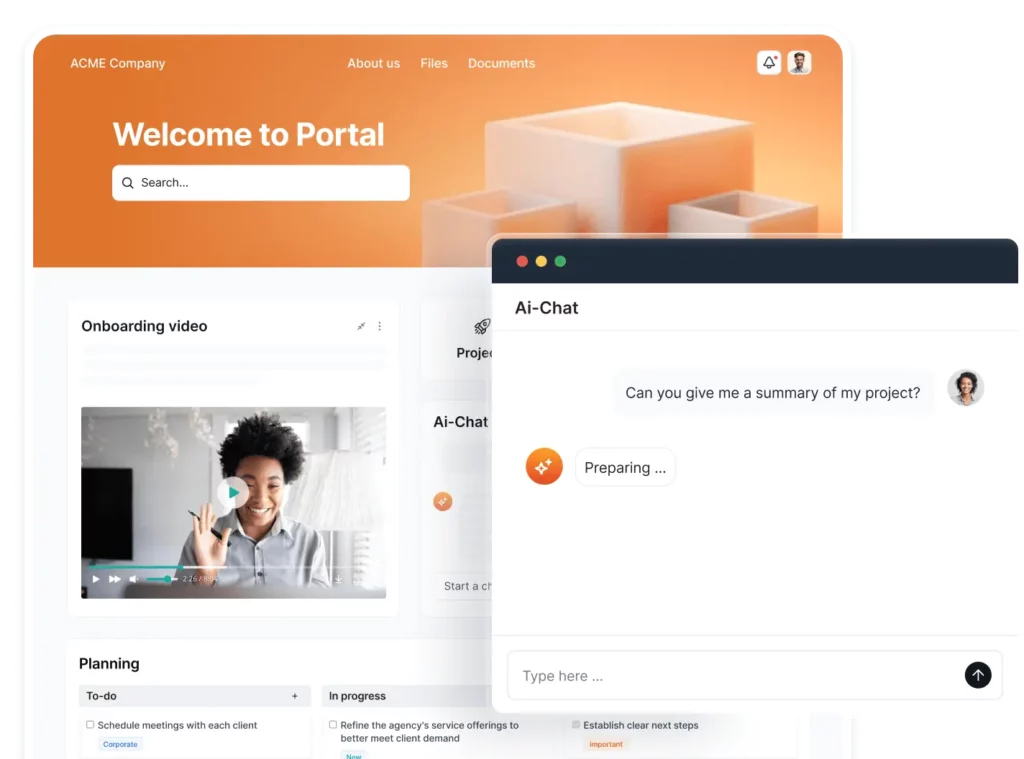
I’ve spent years building FuseBase and testing every collaboration tool I could get my hands on.
FuseBase was built out of my own frustration with scattered files, endless email threads, and “Did you see my last message?” loops. It’s the kind of platform that makes you wonder how you survived before.
All tasks, files, AI-assisted automation – everything actually lives in one place. It’s simple, intuitive, and keeps your partners happy instead of confused.
Key Features
| Pros | Cons |
| Works for small and mid-size teams without extra tools. Easy to brand and configure. Extremely fast setup with no learning curve. Looks clean and professional for partner-facing communication. | Currently best suited for small to mid-sized partner programs (enterprise version in beta). |
Best For
Any team that wants a single place for partners to actually work with them, not just complain about missing files.
“What I find most useful is the sleek style and use of the client portals. It is web based, and operates almost like a personalized website with a login. The plan I have allows for multiple client facing portals, and multiple workspaces. This allows for flexibility in customizing multiple portals, for different purposes. I will definitely recommend FuseBase, for any of my mentioned uses, and many other uses, as it is quite versatile.” – Patrick J. Small-Business Owner
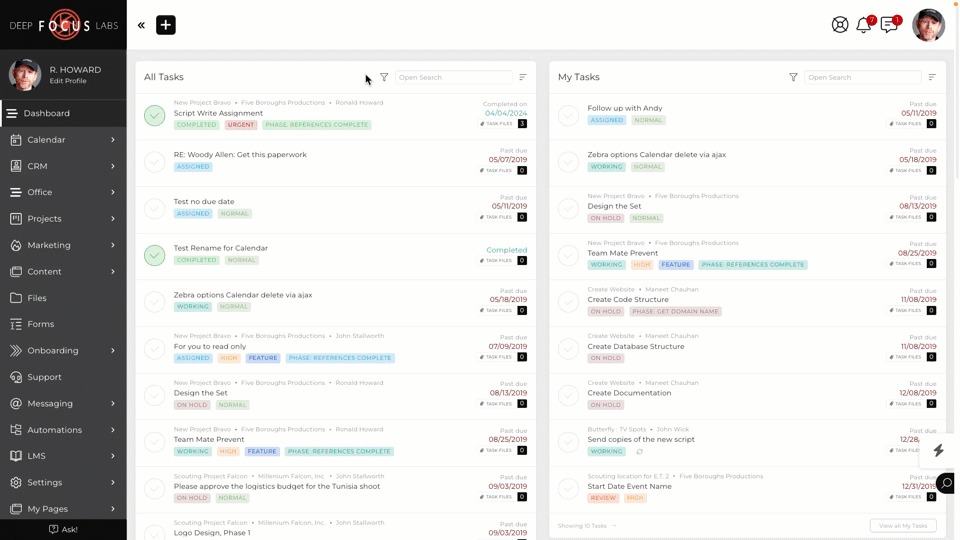
SuiteDash tries to do everything in one place, and it mostly succeeds. I’ve tested it with a few small teams and the main complaint was “Too many buttons, where do I even start?”
That said, it’s a strong option if you’re running a business that wants CRM, invoicing, and basic partner portals all under one roof. Just be ready to spend an afternoon learning the ropes.
Key Features
| Pros | Cons |
| Affordable and fairly customizable. Branded client experience. | Can feel cluttered and overwhelming. Integrations are limited compared to other platforms. |
Best For
Small-to-medium businesses looking for a simple all-in-one solution without stitching apps together.
“The way my entire business is under one eco-system all playing nicely together – I use it daily to run our entire business – the customer support is brilliant and it has a very strong user community. There is a learning curve – but the end result is worth the journey.” – Kevin T. Small-Business CEO
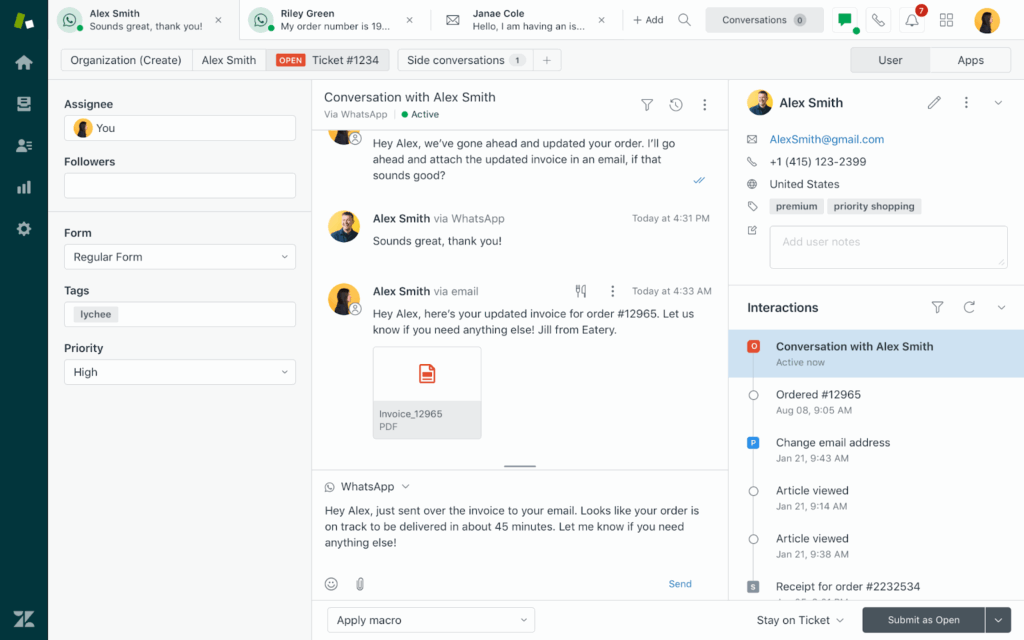
Zendesk is the heavyweight when it comes to customer support. I’ve used it in teams where support tickets were piling up like unread emails from 2010.
It handles everything, but if you’re looking for a lightweight, intuitive partner portal, be prepared for a learning curve.
On the upside, if your team already uses Zendesk, adding a partner portal will feel effortless.
Key Features
| Pros | Cons |
| Very robust for support-driven teams. Integrates with most CRMs and analytics tools. | Expensive per agent. Can feel overwhelming for non-support users. |
Best For
Teams where customer support is the priority and clients need structured, trackable interactions.
“Zendesk is a versatile platform for strealined customer support and data management. The pricing in zendesk is expensive for small or startup’s with limited budgets.” – Keerthana P, Business Analyst
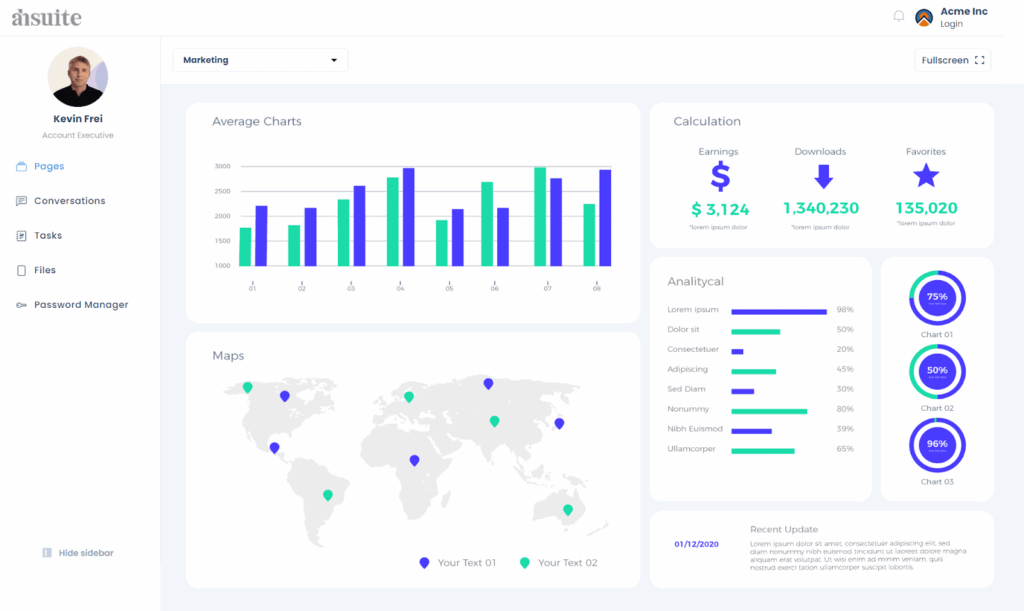
AhSuite impressed me with its workflow-centric approach. It’s not flashy, but it’s the kind of tool you appreciate after the first “aha” moment when your projects stop slipping through the cracks. Document tracking and checklists are solid, and sharing updates with partners feels easy.
Just don’t expect much hand-holding, the UI isn’t as intuitive as it could be.
Key Features
| Pros | Cons |
| Keeps workflows organized. Good for internal teams and client updates. | Slightly dated interface. Limited branding options. |
Best For
Teams who want a practical, no-frills portal to manage work and keep clients in the loop without extra fluff.
“I love the password suite and view options to make the client and company process transparent. I also love the ability to have my clients approve images and content. I really wish you all had a mobile app my team and my clients could download for real-time updates. The ability to hide subfolders would be great too.” – Kent M, Managing Operator and Owner
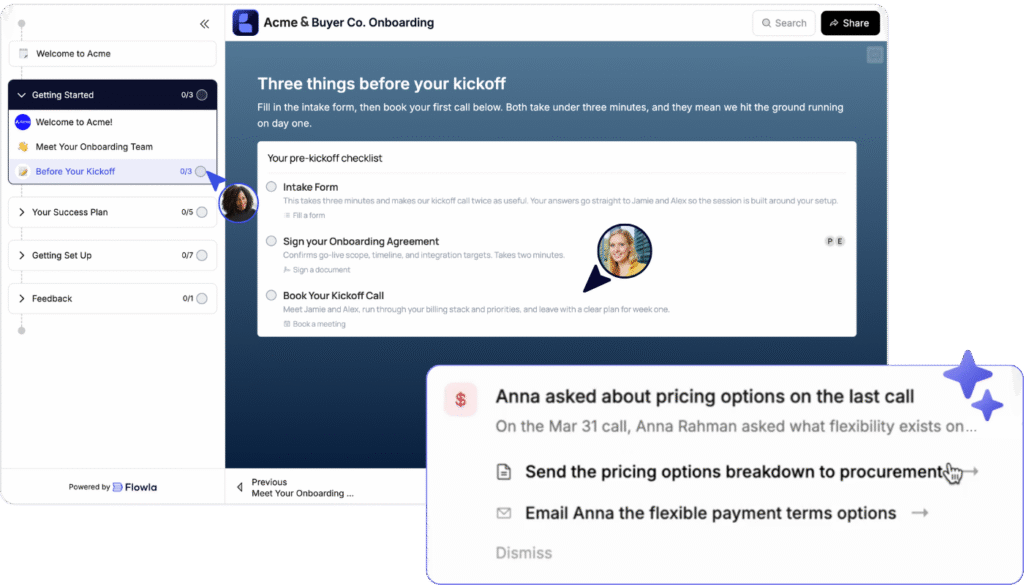
Flowla is the client collaboration portal for teams tired of babysitting onboarding tasks and nudging customers. I tested it for both sales and CS use cases.
Flowla stands out with REX, the AI agent that streamlines revenue execution: like building custom onboarding rooms and mutual action plans the moment a deal closes with all deal context carried over. CS teams stop chasing & admin, and spend their time on relationship-building with clients.
Key Features
| Pros | Cons |
| Deeply integrated with revenue toolstack. Great for enterprise with SOC2 Type II certification. | Can be overkill for basic document sharing and light client collaboration work. Pricing is on the higher end compared to other tools on this list. |
Best For
Modern, AI-native customer success, onboarding, and implementation teams at mid-market to enterprise B2B companies, with multi-stakeholder, complex onboarding processes.
“Flowla reduced the onboarding time by 35%. It’s made onboarding way faster, way more manageable, way easier for CSMs like myself and for clients. Flowla is able to show everything in a very linear process, which is very client-friendly for our clients…and it’s very easy for me to see exactly where any process is, with which technical team member the process stands. It’s very transparent.” – Jonathan Lewell, Senior Customer Success Manager, Insider
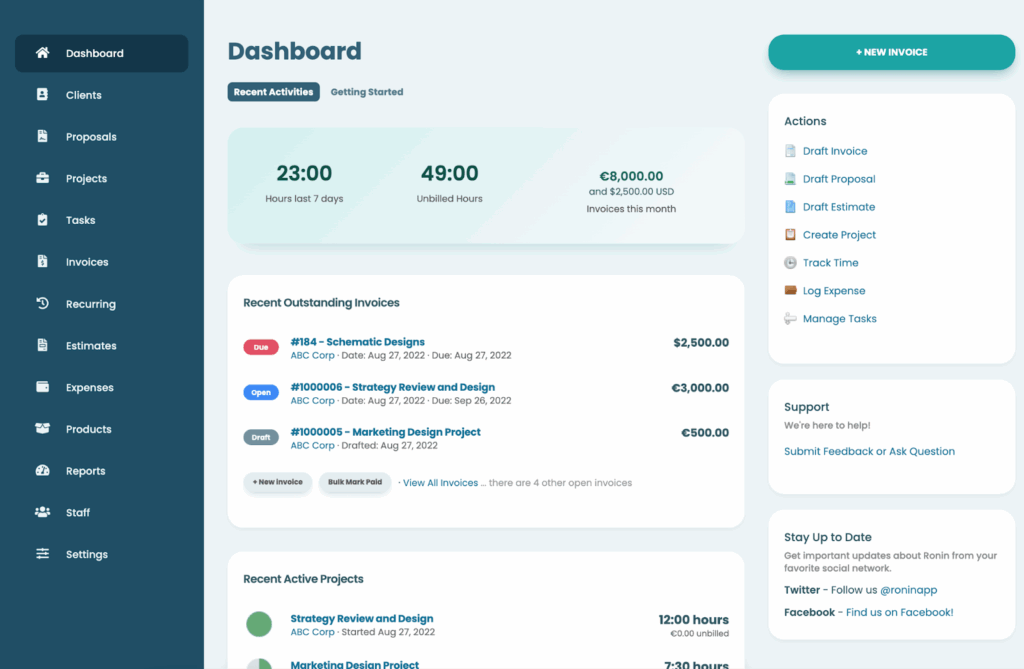
Clientary is the little engine that could. I tested it with solo practitioners and small firms, and it does surprisingly well for its size. You can manage invoices, client docs, and basic portals all in one place.
It won’t replace enterprise-grade collaboration tools, but for SMBs, it’s a smooth, functional option that doesn’t make your partners cry when logging in.
Key Features
| Pros | Cons |
| Simple to use and affordable. Covers basic client collaboration needs. | Limited scalability. Design and customization options are basic. |
Best For
Small businesses and solo operators who need a straightforward, functional portal without unnecessary complexity.
Clientary helps us to manage task and project in very smart and efficient way. It’s able to house everything regarding to a client in one place be it leads generation, projects, proposals, tracking invoices and billing. It’s aslo able to offer various invoice templates that are customizable to fit into our different clients needs and aslo online payment is very secure. – Alexandria K, Full Stack Developer
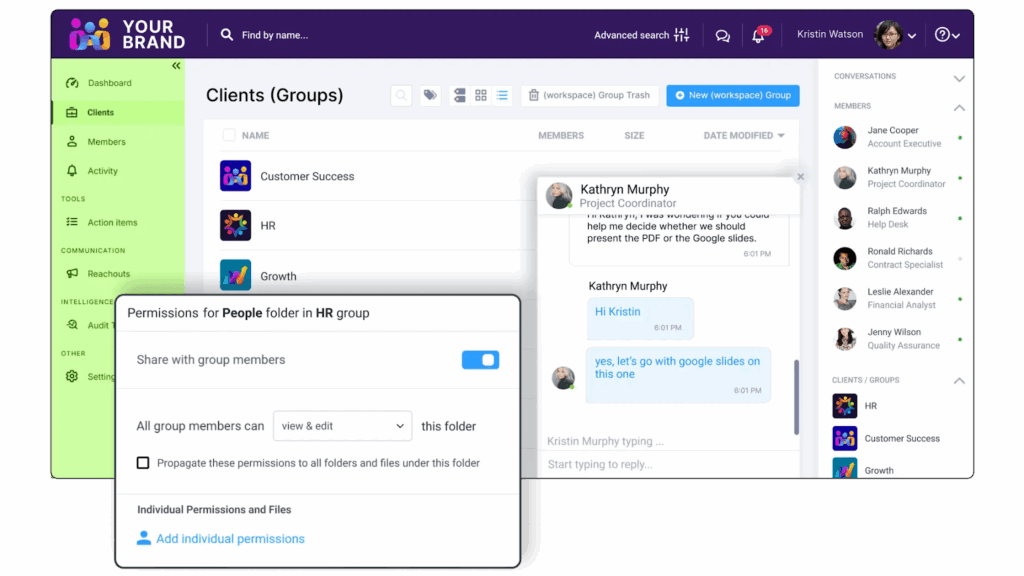
Clinked has been around for a while, and that shows in a good way. I tried it with a few agencies, and it has handled file sharing, tasks, and client chats smoothly.
It won’t wow anyone with design, but it’ll keep your partners confident. In industries where trust matters more than fancy dashboards, that’s what counts.
Key Features
| Pros | Cons |
| Great for compliance-heavy or data-sensitive industries. White-label branding options. | UI feels dated compared to newer SaaS tools. Limited workflow automation. |
Best For
Agencies, accountants, and financial service teams that need a professional, secure portal their partners can actually use without a training manual.
“Clinked makes collaboration with clients easier. Any project we work on has various moving components, reports, feedback, revisions etc. and Clinked puts it all in a very nice package. There are moments when the interface is a bit crowded up when you are working on multiple projects simultaneously. It would be easier to navigate with a dashboard that only emphasizes on what you should do that specific moment.” – Financial Services User
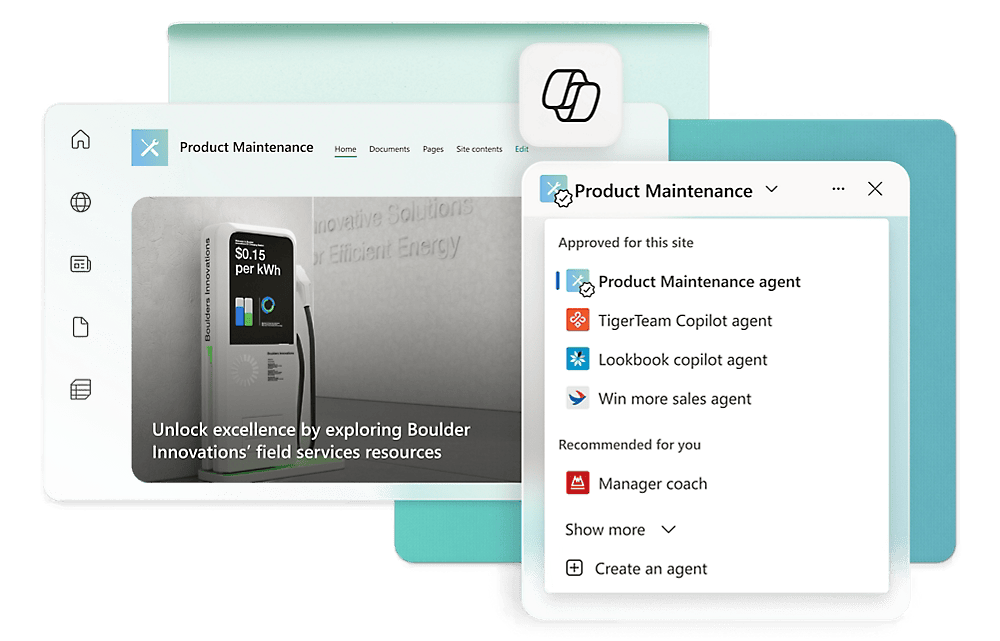
SharePoint is the classic enterprise option. I’ve seen it used by massive teams where everyone’s already living in Microsoft 365. It’s powerful if you need deep customization, document management, and security compliance.
That said, it can feel like learning a new language, so getting partners to actually enjoy using it is… tricky.
Key Features
| Pros | Cons |
| Very secure and highly customizable. Works well with existing Microsoft ecosystems. | Steep learning curve. Not the friendliest for partners. |
Best For
Large enterprises with strict IT requirements and partners comfortable with Microsoft tools.
“I really like how SharePoint makes collaboration simple and organized. It’s easy to create team sites, manage documents, and control permissions without much effort. Sometimes the user interface feels a bit complex, especially for new users who are not very technical.” – Sandhya T, Software Engineer
9. Notion – Best for Flexible, Lightweight Portals
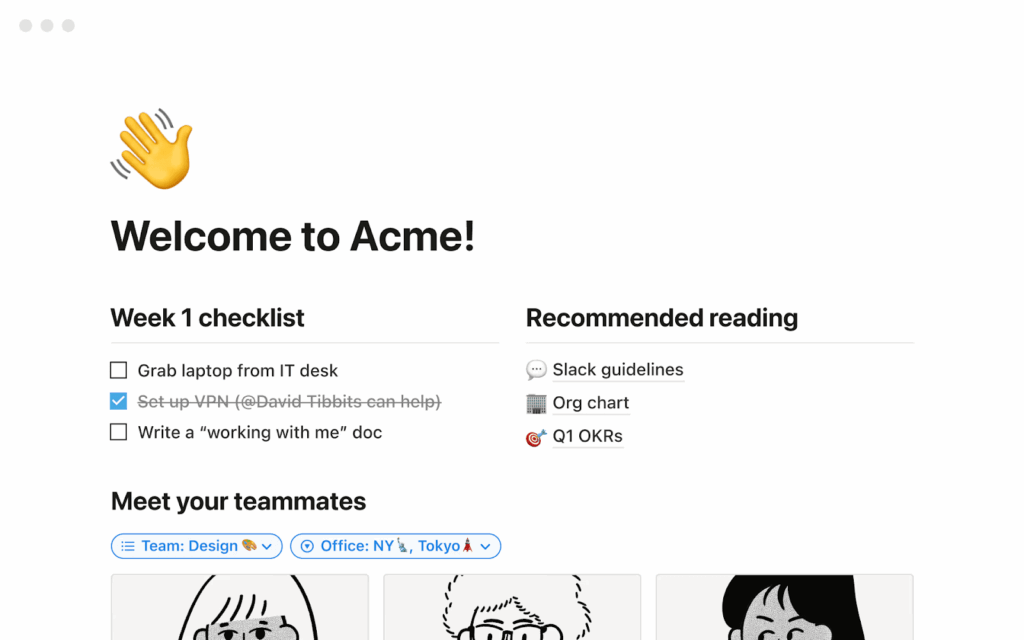
Notion isn’t built as a partner portal, but you can make it work if you love tinkering. I’ve set up dashboards for small teams and clients, and it’s very customizable. The downside is that it’s more of a “DIY” solution. Expect to spend time building the structure and teaching partners how to use it.
Key Features
| Pros | Cons |
| Highly flexible and lightweight. Works for internal and external collaboration. | DIY setup can be time-consuming. Lacks native client portal automation. |
Best For
Small teams or agencies that like full control and don’t mind some hands-on setup.
“I appreciate the team collaboration features of Notion, which allow team members to add, share, and record knowledge and decisions seamlessly within the same context. I’m also impressed by the integration capabilities with Notion Mail and Calendar, which are very helpful, along with the ability to create personalized tools that fit my processes. I find there’s a learning curve when starting with Notion, especially if you’re not familiar with relational databases.” – Albert L. Notion User
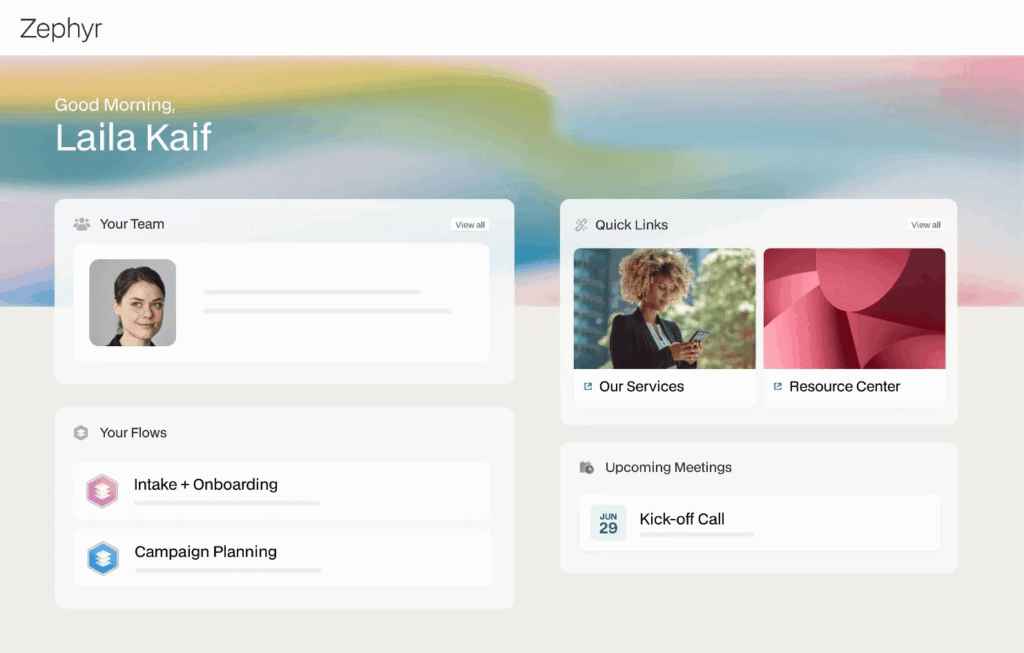
Moxo is strong on deal rooms and structured client interactions. I’ve used it for legal and professional services teams, and it really shines when you need secure, trackable spaces for document review and collaboration.
The trade-off is that it can feel rigid if you want a more casual partner portal experience.
Key Features
| Pros | Cons |
| Very secure and structured. Excellent for compliance-heavy industries. | Limited flexibility. Less friendly for creative or marketing teams. |
Best For
Professional services and teams that need tight control over partner interactions and documents.
“Moxo is remarkable in personalizing team and client interactions in a secure and efficient manner. We track documents and tasks through the help of Moxo. We manage all videos, files and chats into this singular platform. Moxo is designed to handle problems for large enterprises, making it costs inefficient for small companies.” – Mikes L, Senior Accountant
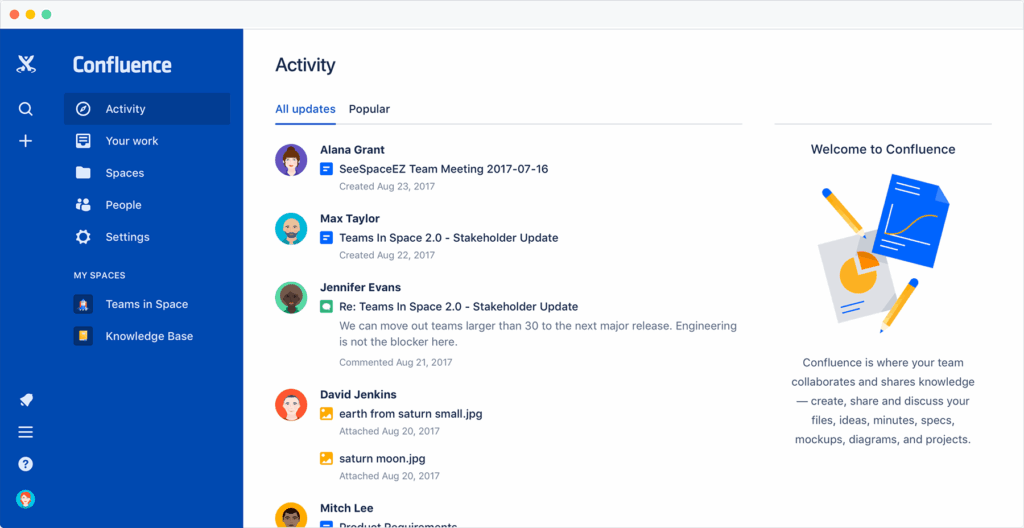
Confluence is Atlassian’s brainchild, and it’s perfect if your client interactions revolve around content and knowledge sharing. I’ve seen it work beautifully for tech teams, but if your partners are less tech-savvy, you’ll spend half your time explaining how to click around.
Key Features
| Pros | Cons |
| Excellent for technical documentation and knowledge sharing. Strong integrations. | Can be confusing for non-technical partners. Less polished as a partner-facing portal. |
Best For
Teams that want to combine partner portals with heavy internal knowledge management and project collaboration.
“What I like most about Confluence is how easy it is to use and set up. The interface is clean, so creating and organizing pages feels effortless. it offers a good number of useful features and integrates smoothly with tools like Jira and Slack, which keeps everything connected. At times, Confluence can feel a bit slow when loading large pages or attachments.” – Mukesh B, Senior Software Engineer
AI is quietly running the show. It automates updates, summarizes meetings, and spots project risks. And that’s making partner collaboration faster and more transparent.
Tools are also getting smarter about CRM integrations, which helps teams track relationships without endless tab-hopping.
We’re also seeing a shift toward multi-channel collaboration, chat, files, and feedback living together instead of scattered across apps. And analytics are finally useful, showing who’s engaged, what’s moving, and what’s stuck.
The future of partner collaboration is simple, connected, and insight-driven.
If you’re an SMB, tools like Clientary or Clinked are reliable and easy to set up. Enterprise teams will get more control from platforms like ClickUp or Airtable.
But FuseBase strikes the best balance, it scales with you, feels intuitive, and doesn’t need a dedicated admin to make it work.
Try two or three demos before deciding. The right tool won’t just organize your work, it’ll make collaboration feel effortless.
1. What is a partner portal?
It’s a secure online workspace for clients, vendors, and collaborators. There, they can access documents, track projects, submit requests, and communicate with your team. It centralizes all work in one place, improving collaboration and visibility.
2. What is the difference between a customer portal and a partner portal?
Customer portals usually help clients manage accounts, invoices, and support. Partner portals focus on collaboration, deal tracking, and shared workflows with vendors or collaborators.
3. How do partner portals work?
Users log in to see only their projects and relevant documents. They can submit tasks, interact with your team, and access training or support materials. Permissions control access, keeping sensitive data secure.
4. How much do partner portals cost?
Pricing varies by features and team size. Small to mid-sized teams often pay $10–$50 per user per month. Enterprise plans may have custom pricing based on integrations, storage, and advanced analytics.
5. How much can an SMB benefit from a partner portal?
SMBs benefit from scalable solutions like FuseBase, which handle automation, multi-client permissions, and deep analytics.
6. Can partner portals integrate with CRMs?
Yes. Most modern partner portals integrate with CRMs such as Salesforce or HubSpot. Integrations help with syncing contacts, deals, and activity to provide a single source of truth.
Found it useful? Share the article with your community

Get weekly tips and insights on how to grow your business