
Client Collaboration & Communication
14 Top Client Collaboration Software (Tested and Reviewed in 2025)
- September 19, 2025
- 15 Min read
When I built my own client collaboration tool, I made a point of testing everything else first. Not out of curiosity, out of necessity. I needed to know what worked, what didn’t, and why so many tools still make simple things complicated.
🚩 I ran real projects through the big names and the niche players. Some were decent. Most were frustrating. Too many clicks to do one thing. Confusing interfaces. Feedback lost in threads. You get the idea.
That experience gave me a clear, firsthand view of what different tools actually offer beyond the sales pitch.
So I wrote up what I learned. It’s not a fluffy comparison chart. It’s a straight-up guide to the best collaboration tools out there, depending on how your business runs and what your clients expect.
If you’re picking software or wondering if the one you’ve got is holding you back this will help.
Quick Summary (TL;DR) of Top Client Collaboration Software
Here’s my shortlist of the top tools worth your time.
- FuseBase – Fully branded, no-code client portals with built-in collaboration, task management, and sales deal rooms.
- Smartsheet – A no-code work management platform with powerful automation, Gantt charts, and real-time resource tracking.
- Monday.com – A flexible Work OS with visual project management, CRM tools, and integrations for scaling operations.
- Assembla – Code-hosting and project tracking with granular user permissions, perfect for complex client-dev workflows.
- ClickUp – Highly customizable platform combining docs, tasks, chat, whiteboards, and real-time collaboration.
+ 9 more that you will discover below.
Why Use Client Collaboration Software?
Why bother with client collaboration software? Because manually tracking contracts, client assets, approvals, and feedback across spreadsheets, email threads, and random Slack messages is a nightmare. I’ve done it. It’s slow, messy, and guaranteed to annoy both your team and your clients.
“According to our recent agency benchmarks survey, 36% of agencies said effective communication and transparency are the top drivers of client retention. Yet in a 2022 survey, while 80% of clients said transparency is critical, only 56% felt their agency delivered on it. That 24% gap should be a wake-up call.” – Agency Analytics
With the right tool, you get full visibility across all your client work, what’s done, what’s stuck, what’s missing. No more chasing updates or guessing who’s waiting on what.
You also skip the headache (and cost) of setting up an intranet or custom system. Most good platforms come ready with bank-level security, so your data stays locked down. They also integrate with the tools you’re already using, so you’re not juggling five different tabs just to get one thing approved.
Bottom line: a proper collaboration tool saves time, reduces friction, and helps you run a tighter, more professional operation.
How Does it Differ From Team Collaboration Tools?
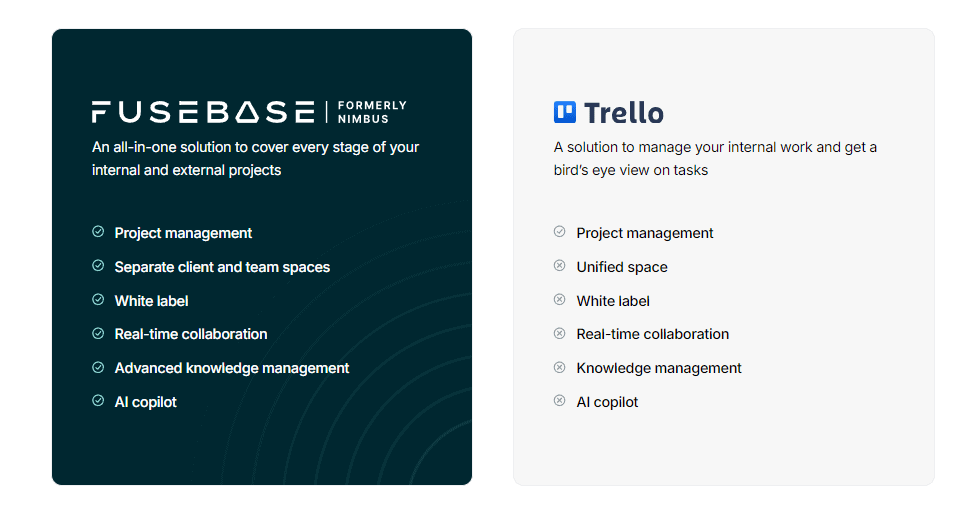
Team collaboration tools focus on helping team members coordinate tasks and communicate in real-time. But they often lack features for external sharing. Still, using team collaboration tools is a must for service businesses.
A client collaboration platform goes a step further by including clients and other project stakeholders in the collaborative process. That allows them to engage and easily monitor project progress. It enables not just internal communication but also secure file sharing, so all parties can work together and communicate seamlessly in one place.
Client hubs help to involve clients directly in project updates, feedback loops, and document exchanges without compromising security. This way, client collaboration tools enhance the overall efficiency and transparency of your projects.
Things to Look for in Client Collaboration Software
When you’re ready to start researching the best client collaboration software and their features, there are a few things worth considering. Here’s the list of what an efficient client collaboration tool should provide:
- Built-in project management. Those features help to track progress, set deadlines, and manage tasks within the same platform.
- Intuitive tools for client collaboration. Allows sending messages, sharing files, and editing documents together.
- Branding option. So you can customize its interface and design with your company’s branding to add a professional touch.
- Support for various file types, ample storage, and version control. To easily keep track of document changes and prevent confusion.
- Automated notifications. It keeps everyone informed about updates, upcoming deadlines, or new assignments.
- Flexible access controls. That way, you can define what each client can see and do within the platform.
- A user-friendly interface. This is important for ensuring quick adoption by your team and clients.
My tip: Look for the tool that complies with industry-standard security protocols and any relevant regulations like GDPR.
Benefits of Using Collaboration Software Tools
| Benefit | For you | For your clients |
|---|---|---|
| Centralizing Interaction Touchpoints | When you have all your client interactions in one place, it significantly improves how you manage relationships (especially when communication is at the heart of your operations). | With real-time messaging, notification panels and secure file-sharing features, you keep your clients updated on important information and give them an easy way to ask questions or provide feedback. |
| Reclaiming Valuable Time and Resources by Automating Tasks | With automation tools that are often featured in popular client collaboration software, you can keep clients informed about updates and news without additional effort. | Automated notifications can update clients on project milestones and upcoming deadlines or let them know when their input is needed. It reduces the need for back-and-forth emails/meetings and saves valuable time for both parties. |
| Delivering Branded and Professional Experiences | It reinforces your brand’s identity every time a client interacts with your services. | Clients get a consistent and professional image that strengthens trust and credibility with your clients. |
| Streamlining Client Onboarding and Project Hand-off | When managing content for a knowledge base and deliverables, you can either use Google Drive or set up a client portal to simplify the hand-off of project materials. The latter option will save you time and reduce potential confusion while reinforcing the brand image. | New clients are likely unfamiliar with your tools or processes. Instead of sending them long, complicated documents, you can offer tailored guides and SOPs that explain everything they need to know. |
| Enabling Self-Service | The self-service approach is another brick you need for building a more reliable client relationship. Allowing clients to handle certain tasks independently can greatly improve their experience while reducing your workload. | In the United States, over 60% of consumers prefer automated self-service methods like websites for simple customer service interactions. Clients feel more in control and satisfied with the convenience of the knowledge bases provided. |
Top 14 Client Collaboration Software in 2025
1. FuseBase – Best for SMBs and Professional Services
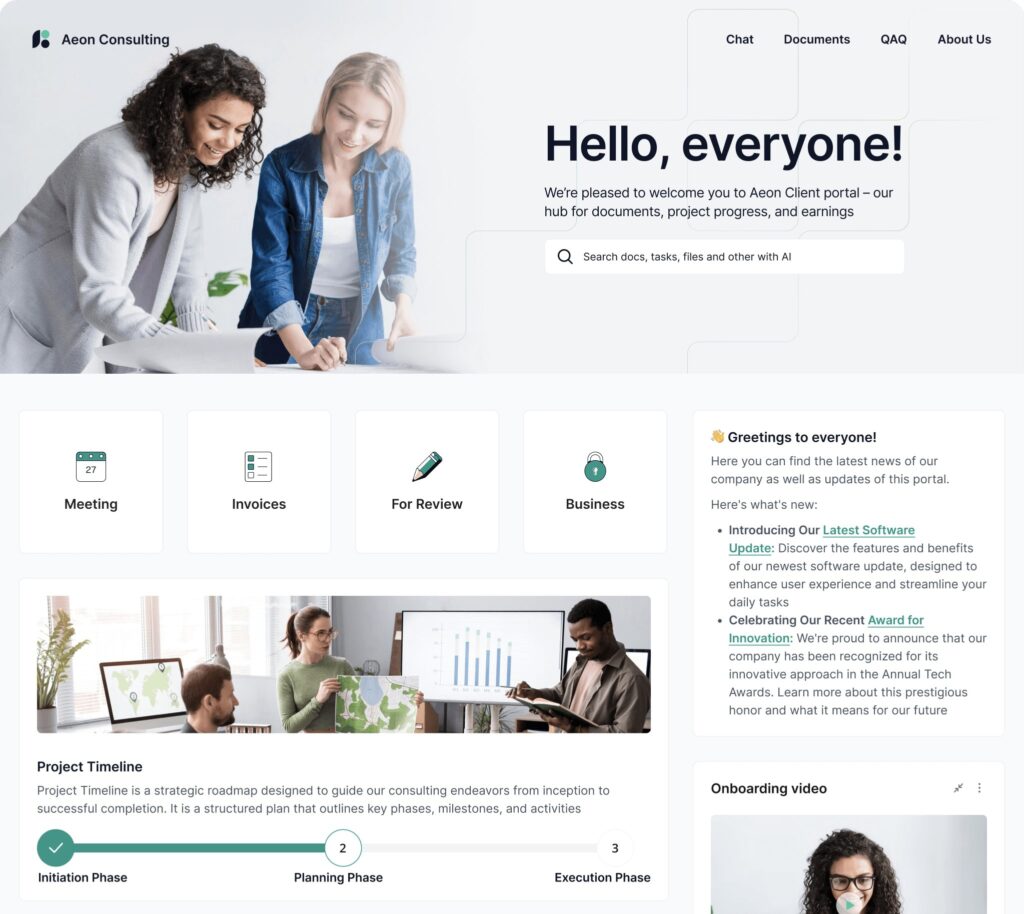
FuseBase stands out amongst other tools in this article as an undisputed leader.
FuseBase is a robust collaboration software designed for team collaboration as well as external client collaboration, all within an organized folder structure. Offering powerful sharing and collaboration features, it enables seamless work relationships among team members as well as clients.
FuseBase Portals can take your collaboration process to the next level. Our no-code websites serve as an ideal platform to showcase your services and deliver an exceptional user experience for clients.
With FuseBase Pages as their foundation, FuseBase Portals ensure smooth and seamless interactions.
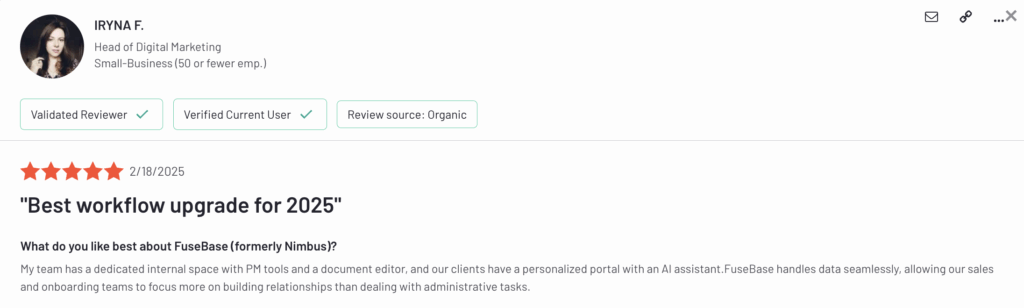
Additionally, you have the power to remove any references to FuseBase branding and personalize the platform with your own logo – this helps increase brand recognition among clients and boost brand awareness.
- Pricing: from $32/month
- Capterra rating: 4.6 (174 reviews)
- G2 rating: 4.7 (102 reviews)
Who should use FuseBase?
FuseBase is a versatile tool that caters to a wide range of industries and companies, including creative agencies, law firms, consultants, financial advisors and more.
Key features
- Super documents – Consolidate information in multiple forms on one page – text, photos, audio/video files, PDF attachments and any additional forms that might exist.
- Powerful editor – Use background colors, headings, outlines and more to easily alter your content. Each FuseBase block may be moved around to rearrange content and create columns using drag and drop.
- Clear UX for your clients – FuseBase lets you set up user-friendly client portals. They can help with long-term customer projects.
- Permission management – FuseBase’s straightforward hierarchy lets you manage access and permissions.
- White Label – Fully customized organizations and workspaces. Promote your brand and win customer trust with this solution.
- AI Agents – AI agents are embedded into portals, workspaces, and pages. They help to automate various processes like onboarding, support, project tracking, and compliance.
- Unified Collaboration – Real-time editing, secure document sharing, and mutual action plans.
2. Smartsheet – Best for Cross-Functional Enterprise Teams
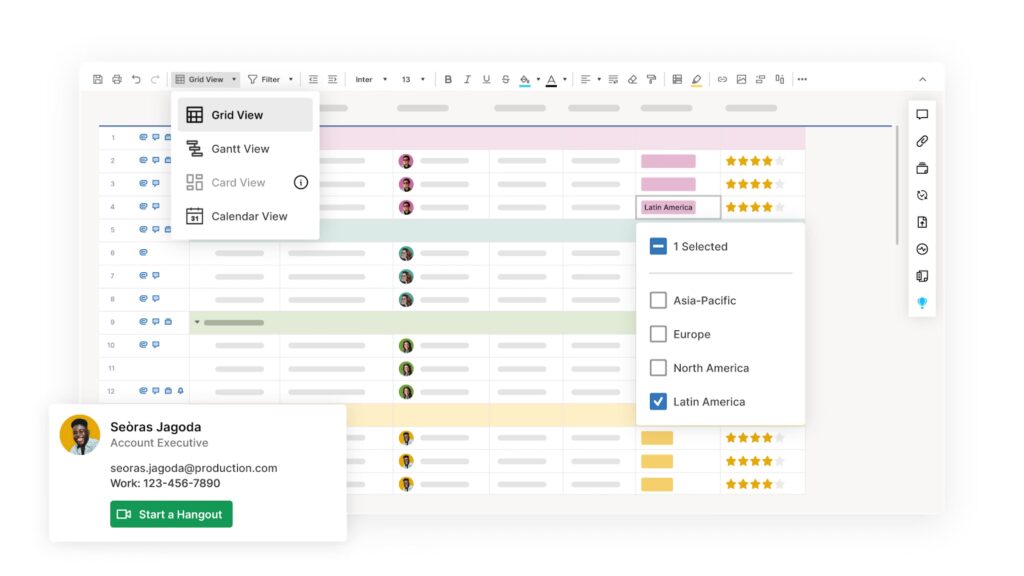
Smartsheet is the only client collaboration software that can grow from managing a single project to managing an entire organization’s work from start to finish. It connects businesses on a no-code, cloud-based platform where anyone can create tasks and make the necessary solution, with the control and bank-grade security that IT requires, including features like private channels.
A point-and-click interface makes it simple for even inexperienced users to automate common tasks like asking for real-time feedback, adding timestamps and monitoring for changes.
Also, project planning with Gantt charts or automating simple business procedures is a breeze. Due to the project management tool’s adaptability, it’s simple to alter the sheets’ look so they can record new information. Most users find it useful for keeping tabs on things like project delivery, resource allocation and benefits. The Smartsheet collaboration tool can greatly simplify reporting and enhance team productivity.
- Pricing: from $9 per member/month
- Capterra rating: 4.5 (3438 reviews)
- G2 rating: 4.4 (19,416 reviews)
Who should use Smartsheet?
Smartsheet client collaboration software is used by teams of all sizes, from enterprise companies to small and medium-sized businesses (SMBs), to track and organize their work.
Key features
- Team collaboration – Bring everyone together on one shared platform.
- Intelligent workflows – Streamline operations across systems.
- Integrations – Improve your productivity and work smarter by exchanging data between platforms.
- Resource management – Identify the most suitable project team and anticipate resource requirements.
- Digital asset management – Handling and distributing assets as well as monitoring their performance.
- Governance & administration – Setting up and handling global settings and controls.
3. Monday – Best for Custom Workflows Across Teams
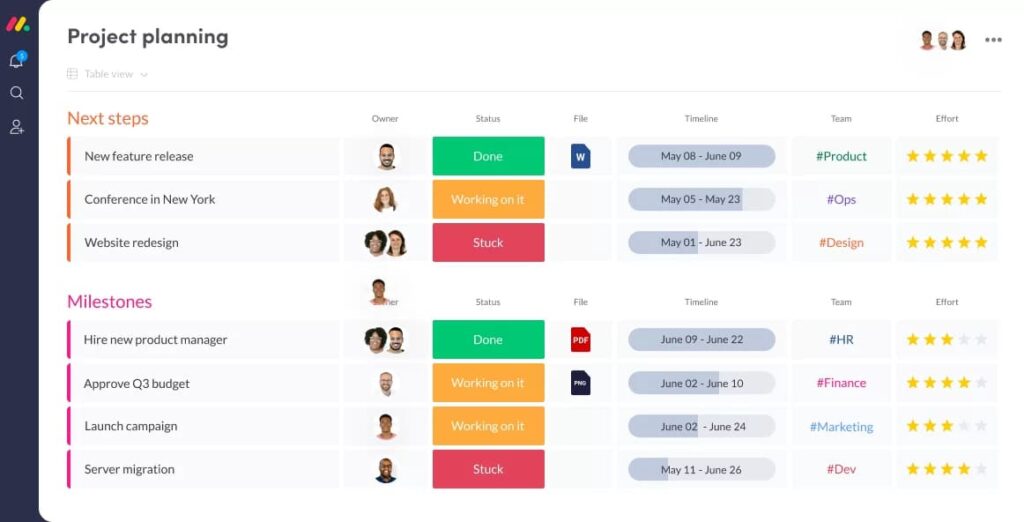
Monday Work OS is a flexible collaboration tool where team members can develop and implement the systems they need to manage their operations, including crucial collaborative features like seamless video conference and screen sharing that will let your entire team communicate easily.
With an easy-to-use interface, team members can create their ideal custom workflows using simple building blocks such as dashboards, automation and integrations, all within a single platform.
Designed to be both versatile and flexible, this collaboration software can be tailored to any business case and expanded as needed.
Companies of any size and in any field can quickly and easily create solutions that fit their unique needs with the help of Monday’s suite of industry-specific products, including Monday Work Management, Monday Sales CRM, and Monday Development.
- Pricing: from $9 per seat/month
- Capterra rating: 4.6 (5450 reviews)
- G2 rating: 4.7 (12 890 reviews)
Who should use Monday?
Thanks to its user-friendly interface, Monday can be tailored to fit the specific needs of any project or business.
It has helped over 180,000 businesses to improve their operations, speed up their workflow, and foster cross-departmental and client collaboration.
Key features
- Project intake & approvals – Enhance the project intake process so anyone can submit detailed requests and stakeholders can manage approvals and prioritize properly.
- Dashboards & reporting – Learn about your portfolio and projects’ budgets and workloads to make data-driven decisions.
- Gantt charts – Learn the current state of the project tasks and their specifics in an instant. Task lists, milestones and dependencies can all be seen in the context of the project’s overall duration.
- Dependencies Quickly – Identify tasks behind schedule to prevent project delays.
- Baseline – Set a baseline to compare planned and actual project schedules to meet deadlines or adapt as needed.
4. Assembla – Best for Large Dev Teams Needing Control
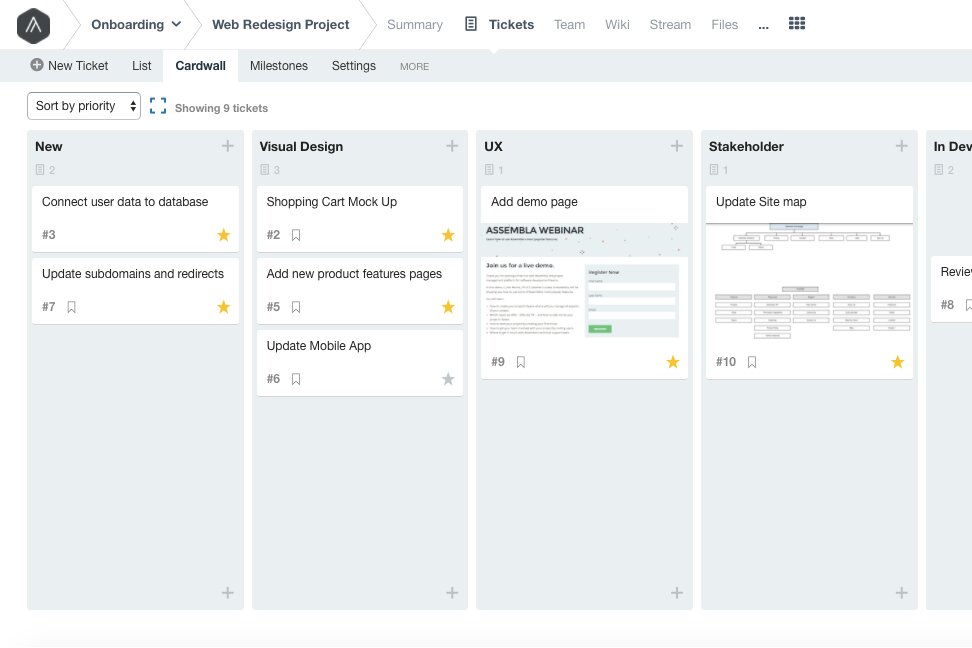
Assembla is a client collaboration tool for big companies with many clients. It’s common knowledge that big web development projects are disorganized, bureaucratic and a hot mess. Assembla is perfect for task management since it organizes chaos into a system that team members and clients can use to work together in a variety of ways.
When it comes to working together with customers, the system of user permissions, instant access and abilities is quite complex. You can invite clients or investors as “Watchers,” and they can then submit tickets for enhancements or bug fixes (if you give them edit permissions).
It’s important to note that Assembla’s approach to security is one of its top priorities. The company states that they go above and beyond controls, compliance and security standards to guarantee a completely secure software development process for their clients. With their commitment to bank-grade security, you can have peace of mind knowing clients and vendors can now access files securely, and your sensitive data is well-protected.
- Pricing: from $10.35 per user/month
- Capterra rating: 4.2 (103 reviews)
- G2 rating: 4.2 (126 reviews)
Who should use Assembla?
Assembla is perfect for large companies and businesses.
Key Features
- Team Collaboration – With wikis, message boards and file sharing, you can keep all your communication in one place.
- Project Management – Users can create tasks, collaborate with clients, track time using the integrated time-tracking feature and record earnings in Assembla.
- Subversion and Git Hosting – The software lets you browse files online, compare revisions and merge code.
- Dependable Hosting – With expert service and easy migrations, Assembla provides cloud-based Perforce, Subversion, Git management and hosting.
5. ClickUp – Best for All-in-One Collaboration and Productivity
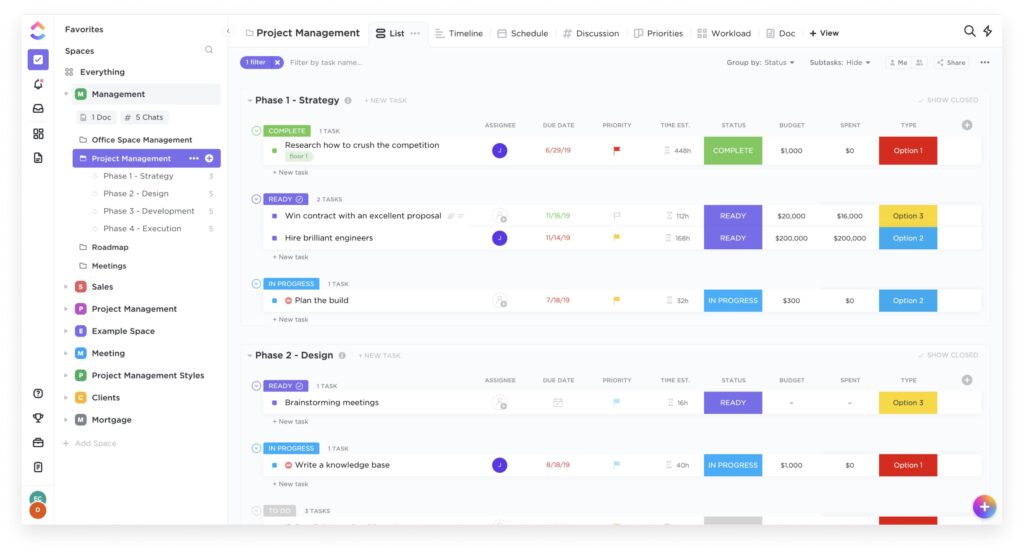
ClickUp is an all-in-one project management platform that eliminates work silos. It’s a collaboration tool where team members come together to streamline communication, plan, organize and collaborate on work using collaboration tools like Docs, Chat, Goals, Whiteboards, video meetings and more.
Easily customized with just a few clicks, ClickUp is perfect to increase employee engagement, as it helps teams of all types and sizes deliver work more effectively. By replacing inflexible and overlapping tools, ClickUp helps teams save one day each week!
With hundreds of features packaged into a sleek and intuitive UI, ClickUp is one of the best collaboration tools to manage tasks, share documents and easily communicate with clients, allowing you to work on the same document seamlessly.
By using this single platform, you can optimize your task management and feedback processes with automatic, instantaneous updates on status changes, new comments and activity on any task. Even invite clients into the editing process with live-editing and collaborative detection in ClickUp’s Docs and Whiteboards, with links that can be shared easily via URL.
Whether you’re viewing your workload as a List, Calendar, Gantt chart or Board, all teammates and clients with user permissions will have full transparency into who’s viewing a task, adding a comment or editing a description without worrying about overlap.
- Pricing: from $7 per user
- Capterra rating: 4.6 (4446 reviews)
- G2 rating: 4.7 (10 195 reviews)
Who should use ClickUp?
Teams that want to work smarter and more efficiently on masterfully intuitive collaboration software.
Key features
- Customize ClickUp for any need; no code is required. Everything in ClickUp can be easily customized to manage any type of project, with no code or add-ons required.
- Collaborate on anything with your team. Streamline teamwork with powerful collaboration features (like video meetings) that make it easy to work together on any type of project.
- Document and share anything with your team. ClickUp Docs lets you work on the same page seamlessly, as well as share product ideas and issues. You can also add rich editing, modify in real time and update everyone using a visual knowledge base.
- Stay on track with real-time reporting. Strong reporting features help set goals, assign tasks, track progress on multiple projects and manage resources.
- Time management made easy. Make the most of your time with global time tracking from any device, time estimates and time reports.
6. Asana – Best for Project-Centric Client Collaboration
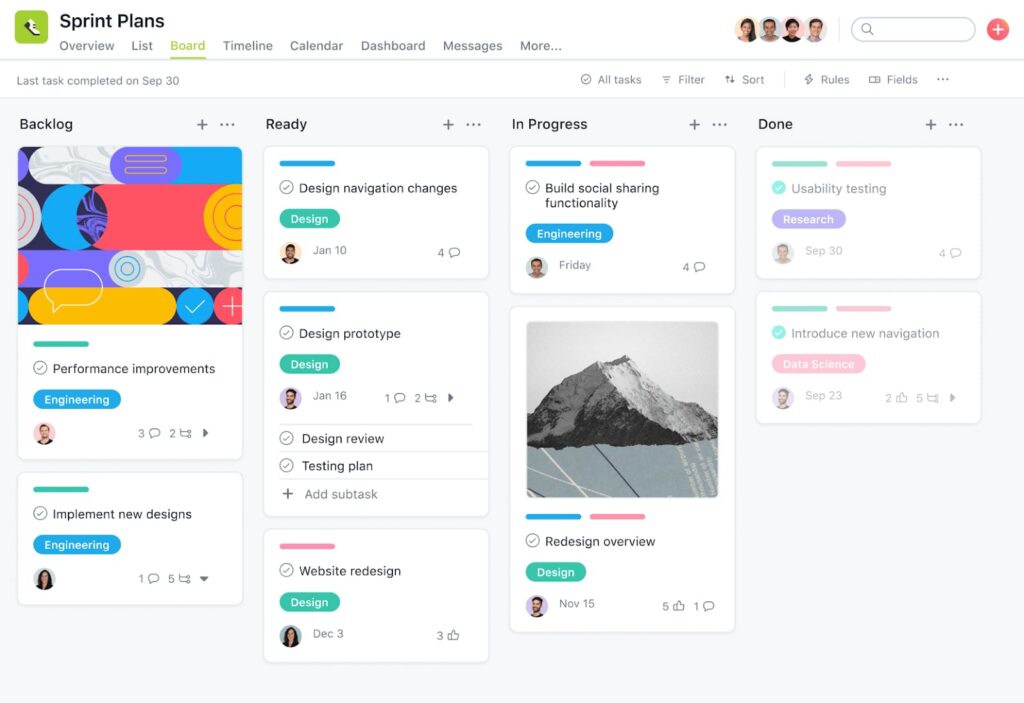
Asana is a project management tool for organizing projects of any scale, from routine tasks to long-term goals. It facilitates collaboration with clients and team collaboration. You can take care of project management however you like, with lists, boards, calendars and Gantt charts.
Asana’s many features—project progress reports, boards for task management, file sharing and the ability to sync to Google Calendar or iCal—make it easy to keep tabs on your projects.
Also, with direct messages, video calls and audio messaging available, you can stay in touch with your team regarding project-specific details.
Using Guest Accounts, you can grant user permissions to specific Tasks or Projects without giving them full access to your Workspace.
- Pricing: from $10.99 per user/month
- Capterra rating: 4.5 (13 405 reviews)
- G2 rating: 4.4 (11 427 reviews)
Who should use Asana?
Asana is one of the best online collaboration tools available for small projects. Additionally, Asana helps teams manage large-scale projects, processes and tasks more easily.
Key features
- Drive cross-team efficiency – Timeline, Board and List views ease project management, while Workload views identify bottlenecks and assign work.
- Automate processes – Workflow Builder, Forms and custom Rules like task assignment and status updates systematize intakes and reduce manual work.
- Get real-time insights – Build customized visualizations with Custom Fields and Charts to track project progress without manual work.
- Manage permissions and settings – Admin console controls who can access documents, share files and control permissions.
💡 Read more posts on this topic:
7. Quickbase – Best for No-Code Business App Builders
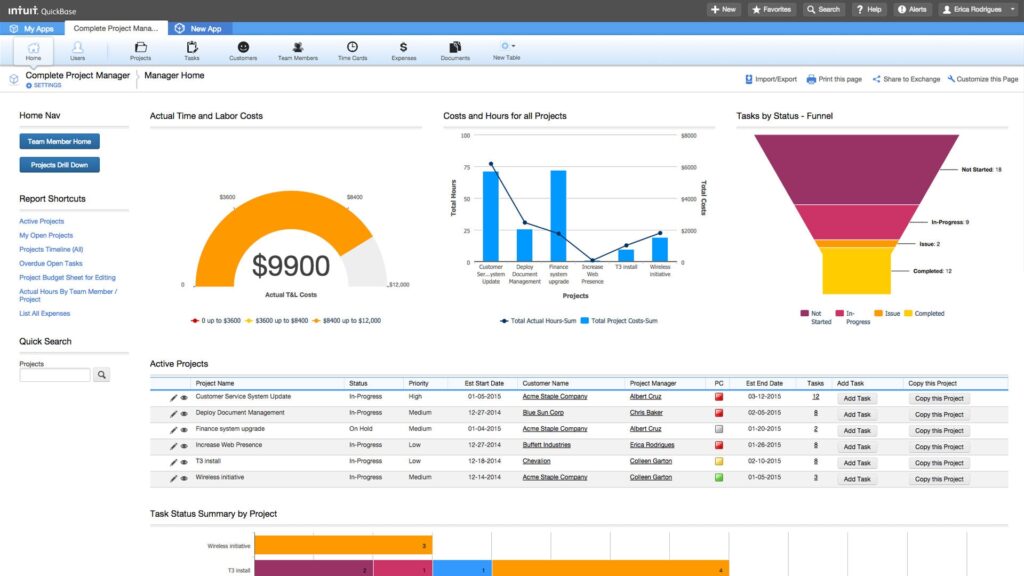
Quickbase is a great option if you want to build workflows that match how your team actually works, without needing a developer. You can pull in data from your existing systems, create custom dashboards, reports, and forms, and even automate tasks to save time.
It’s especially useful if you’re working on complex projects or need to stay flexible as things shift.
Quickbase’s built-in permission controls and automation help your team collaborate smoothly, reduce risk, and move faster, without the usual tech headaches.
- Pricing: from $35 per user/month
- Capterra rating: 4.4 (320 reviews)
- G2 rating: 4.4 (1234 reviews)
Who should use Quickbase?
Quickbase project management tool is ideal for professionals ranging from business problem solvers, IT leaders and Heads of Real Estate.
Key features
- No-code Development – When it comes to app development, no-code development allows your team to quickly and effortlessly manage projects while cutting the costs associated with traditional deployment, maintenance and development processes.
- Automated Workflows – Quickbase integrates existing systems through Pipelines to easily connect data between teams and avoid duplication of effort.
- Drag & Drop – Users can move tasks around, update dependencies and change priorities using this technique.
- Due Dates – Project managers can set either manual or automatic project timelines using custom templates.
8. Runrun.it – Best for Time and Profitability Tracking
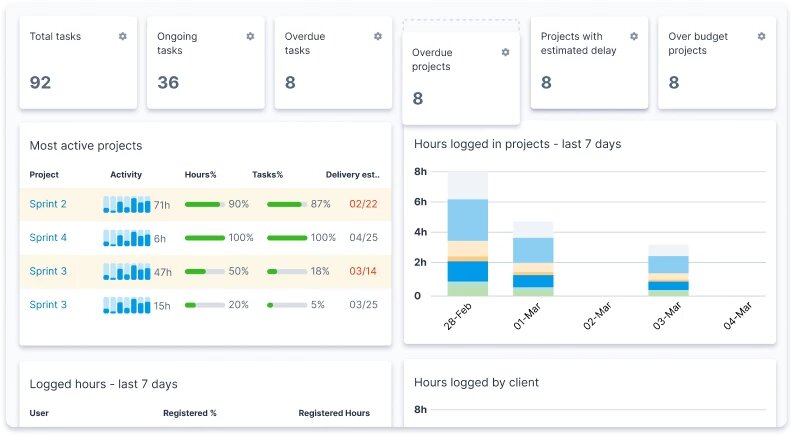
Runrun.it is a Cloud-Based Work Management Solution. Any organization, agency or even marketing team can use this great tool to monitor employee time usage. It’s a novel and easy solution to a common problem.
Think of Runrun.it as a playlist of jobs, projects and workflows. To begin, the user presses either Play or Run. Time and money are tracked in real-time and assigned to specific customers, projects and tasks. A powerful set of data lets you control and understand project and client profitability.
- Pricing: from $8 per user/month
- Capterra rating: 4.7 (157 reviews)
- G2 rating: 4.8 (1306 reviews)
Who should use Runrun.it?
Companies of all sizes will benefit from using Runrun.it.
Key features
- Whether they prefer Kanban or Gantt, your team can work at their own pace with the world’s easiest tool.
- Create bespoke dashboards to report on your team’s KPIs to upper management and clients.
- From project requests to delivery approvals, centralize data and optimize workflows.
- Equalization and continued progress toward your goals can be ensured by using project and task templates.
- An AI tool will let you know in advance if there will be any kind of delay, so you can make informed decisions.
9. Workzone – Best for Secure Client Access & Custom Views
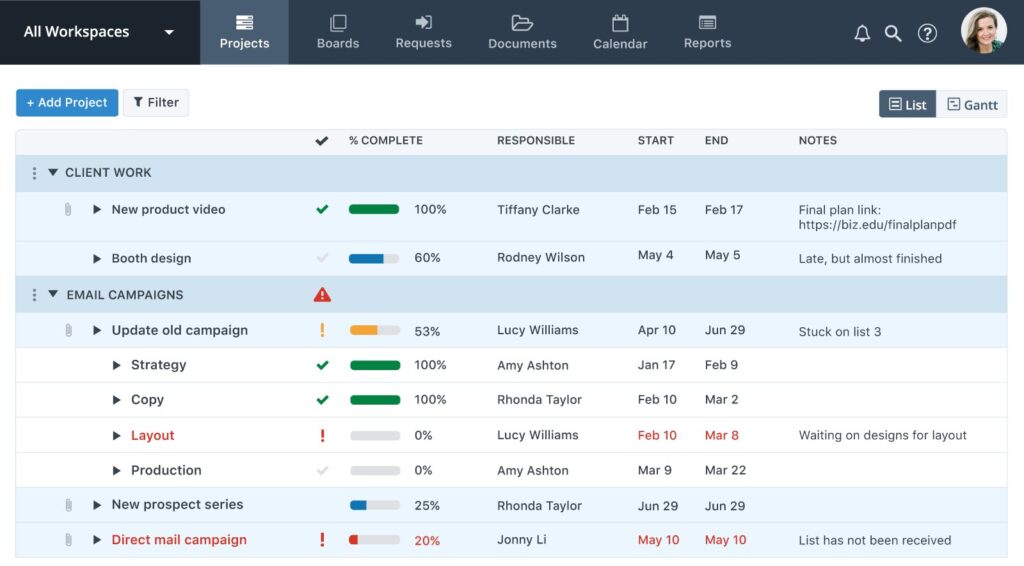
Unlike more simplistic project management tools like Trello, this program gives you more control over how your clients, business partners and team members access your projects and data.
Workzone’s project management features help maintain workflow consistency and efficiency. Also, project-related file sharing is possible. Simply restrict each user’s access to only the appropriate folders or documents. Coworkers, customers and suppliers can start document sharing without compromising security.
- Pricing: from $40 per user/month
- Capterra rating: 4.8 (217 reviews)
- G2 rating: 4.2 (53 reviews)
Who should use Workzone?
Marketing departments, ad agencies, colleges, and any organization that manages many projects and needs to share them with technical/non-technical users.
Key features
- Views – Customize internal and external project views (especially for customers).
- Resource Definition – Create and categorize human and material resources by skills and other criteria.
- Customize survey questions and report layouts to fit your brand’s image.
- Use Gantt charts to visualize your finances and resources.
- Send meeting and deadline reminders using the shared calendar.
- Workzone allows PDF and image markup comments.
- Recurring Tasks – Automatically schedule recurring tasks at predefined intervals.
10. Wrike – Best for Enterprise-Grade Collaboration at Scale
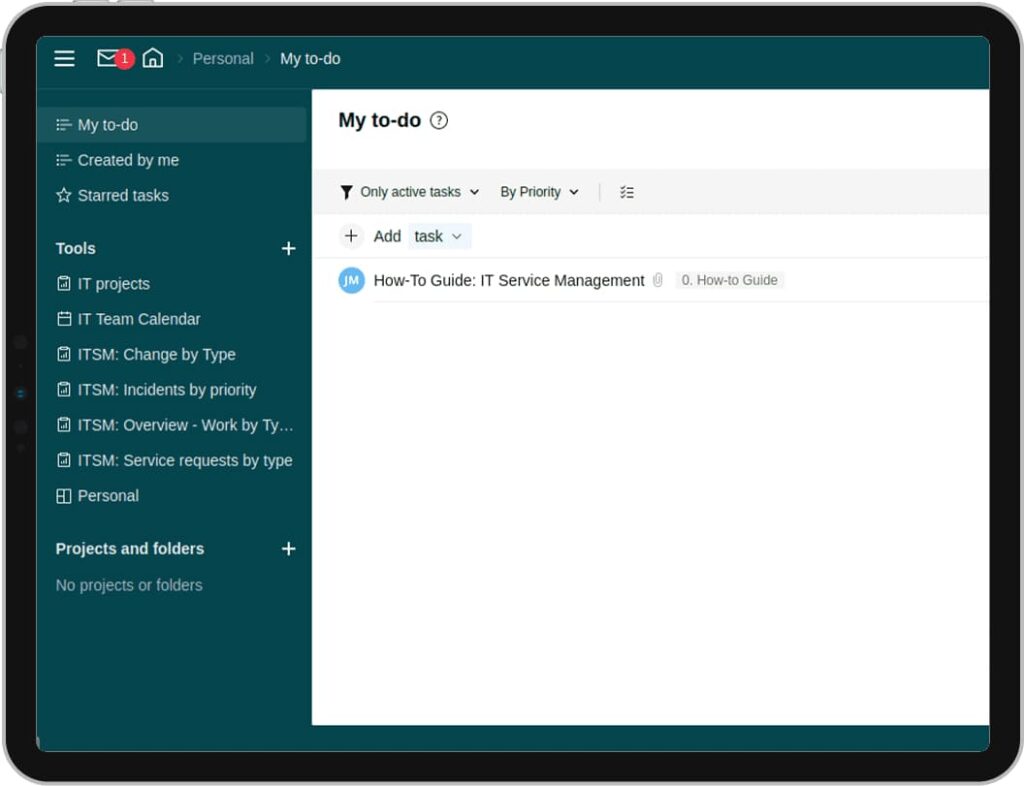
Wrike is a great client collaboration platform. It is a project management and collaboration platform designed for businesses and teams that want to streamline their operations, foster innovation and achieve more together.
One of its benefits is that it’s super convenient to access its features on the go through native mobile apps.
With its unparalleled strength, adaptability and user-friendliness, Wrike is one of the project management software your business will ever need to grow, optimize and respond quickly in a highly competitive market.
- Pricing: from $10 per user/month
- Capterra rating: 4.3 (2803 reviews)
- G2 rating: 4.2 (4270 reviews)
Who should use Wrike?
Mid-size and enterprise firms that value teamwork, work on various projects and need to ensure great real-time collaboration with clients.
Key features
- By automating actions with rules, Automation Engine reduces manual labor.
- Share files, calendars and folders in customizable workspaces.
- There are a number of ways to get in touch in Wrike, such as the inbox, dashboards, @mentions, group chat, private messaging, alerts and notifications.
- Monitoring both the overall and individual task progress.
11. Teamwork – Best for Client-Focused Project Management
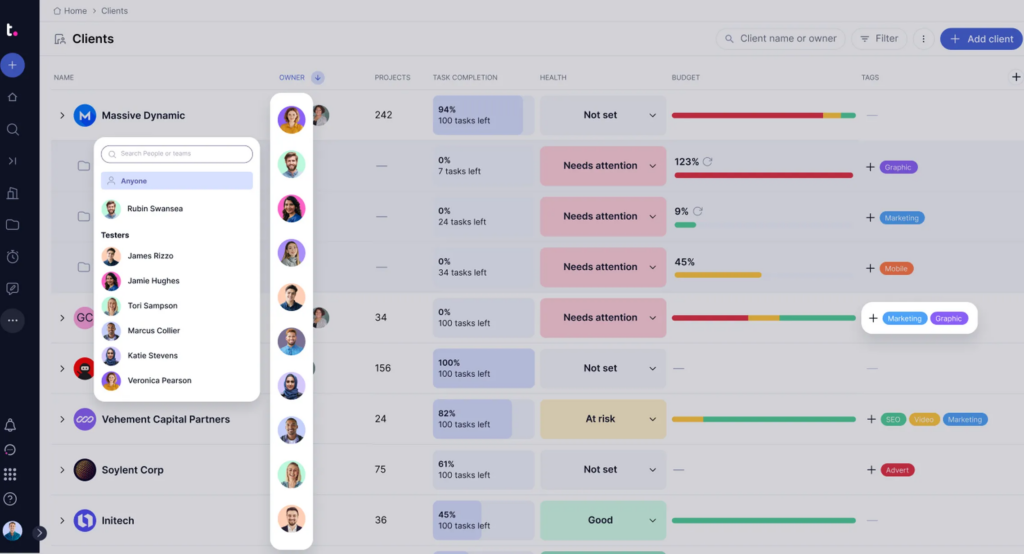
Teamwork is a project management platform built specifically for client work. This software helps teams understand profitability and reduce client chaos. It also helps to ensure that client projects are delivered on time and within budget.
With features like time tracking, budgeting, and resource management, Teamwork provides a comprehensive solution for agencies and service-based businesses..
- Pricing: from $10.99 per user/month
- Capterra rating: 4.5 (915 reviews)
- G2 rating: 4.4 (1165 reviews)
Who should use Teamwork?
Agencies, consultancies, and service providers seeking a robust platform to manage client projects efficiently.
Key features
- Time tracking and invoicing
- Advanced budgeting and profitability tracking
- Resource and workload management
- Client-specific dashboards and permissions
- Integration with popular tools like Slack, HubSpot, and QuickBooks
12. Basecamp – Best for Simplified Team and Client Communication
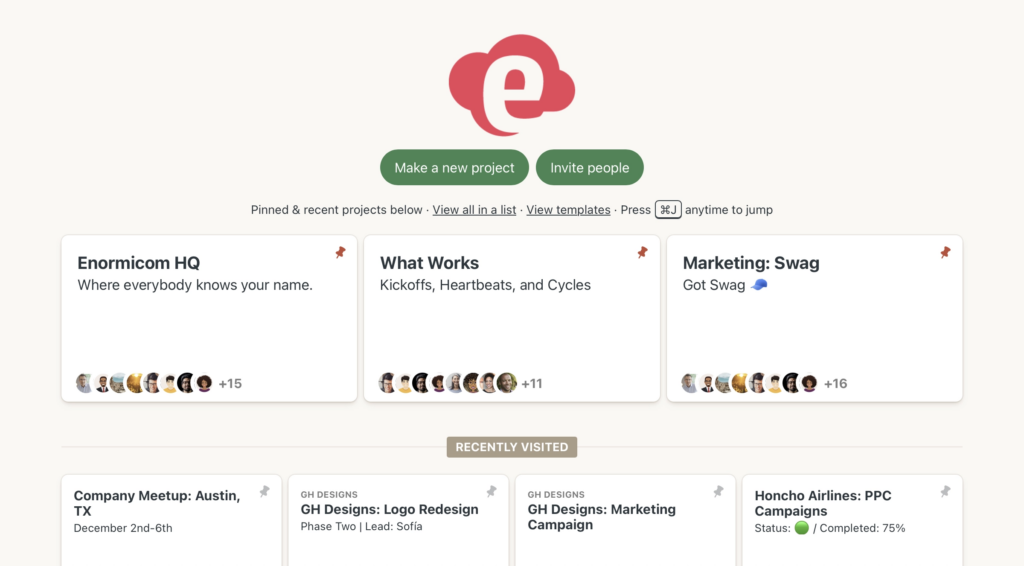
Basecamp offers a straightforward approach to project management and team communication. It centralizes project work and reduces the need for multiple tools by including features like to-do lists, message boards, and schedules.
Its simplicity makes Basecamp a favorite among small businesses and startups that need a platform for client collaboration.
- Pricing: from $15 per user/month
- Capterra rating: 4.3 (14 511 reviews)
- G2 rating: 4.1 (5328 reviews)
Who should use Basecamp?
Basecamp is most useful for small teams that are looking for simple project management and communication tools.
Key features
- To-do lists and task assignments
- Message boards and real-time group chat
- Shared schedules and calendars
- Document and file storage
- Client access with customizable permissions
13. Notion – Best for Customizable Client Portals
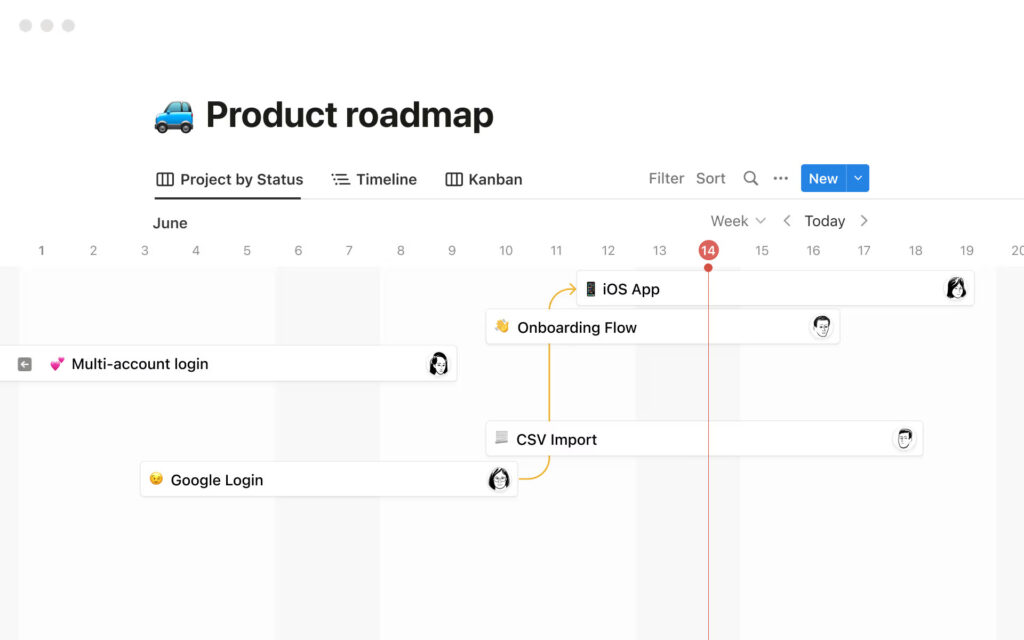
Notion is a productivity software that combines note-taking, databases, and task management into one platform. Its flexibility allows businesses to create customized client areas, making it suitable for teams that require tailored collaboration spaces.
With features like templates, real-time collaboration, and integrations, Notion adapts to various workflows. However, I found that it doesn’t meet more complex client needs. We wrote a full blog on Notion’s pros and cons as a client collaboration software.
- Pricing: $10 per seat/month
- Capterra rating: 4.7 (2537 reviews)
- G2 rating: 4.7 (6 077 reviews)
Who should use Notion?
Creative teams, startups, and businesses seeking a flexible platform to build customized client collaboration spaces.
Key features
- Customizable templates and databases
- Real-time collaboration and commenting
- Version history and access controls
- Embeddable content and public sharing options
14. Miro – Best for Visual Collaboration
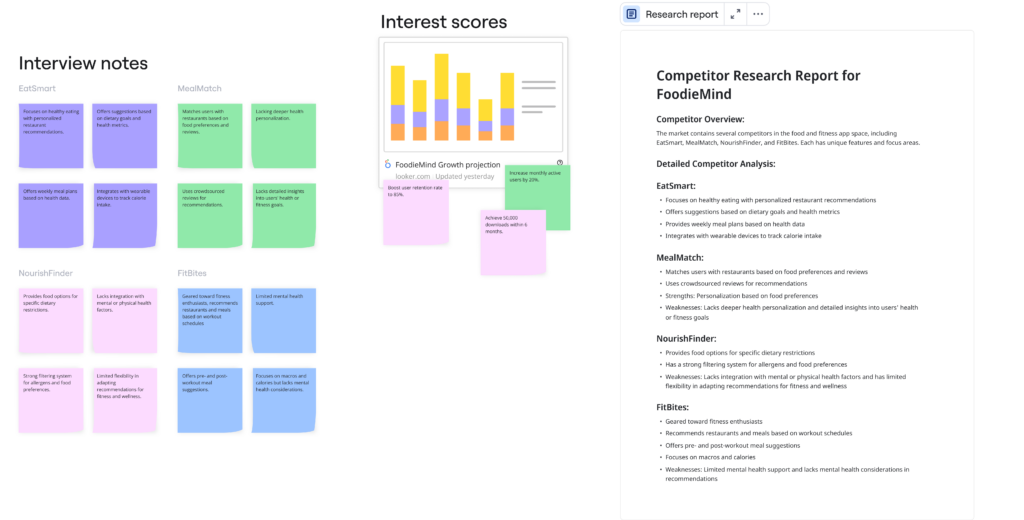
Miro provides an online whiteboard platform that facilitates visual collaboration.
This platform is useful for teams collaborating with clients on brainstorming sessions, design thinking and agile workflows. Miro includes features like templates, sticky notes, and real-time collaboration to foster team creativity and alignment.
- Pricing: from $8 per user/month
- Capterra rating: 4.7 (1633 reviews)
- G2 rating: 4.8 (7190 reviews)
Who should use Miro?
Design teams, agile project managers, and organizations that prioritize visual collaboration and brainstorming.
Key features
- Infinite canvas for brainstorming and mapping
- Pre-built templates for various use cases
- Real-time collaboration with video conferencing
- Advanced sharing and permission settings
- Integrations with Jira and Google Workspace
Common Use Cases of Client Collaboration Platform with Examples
Consultants, Coaches, Trainers
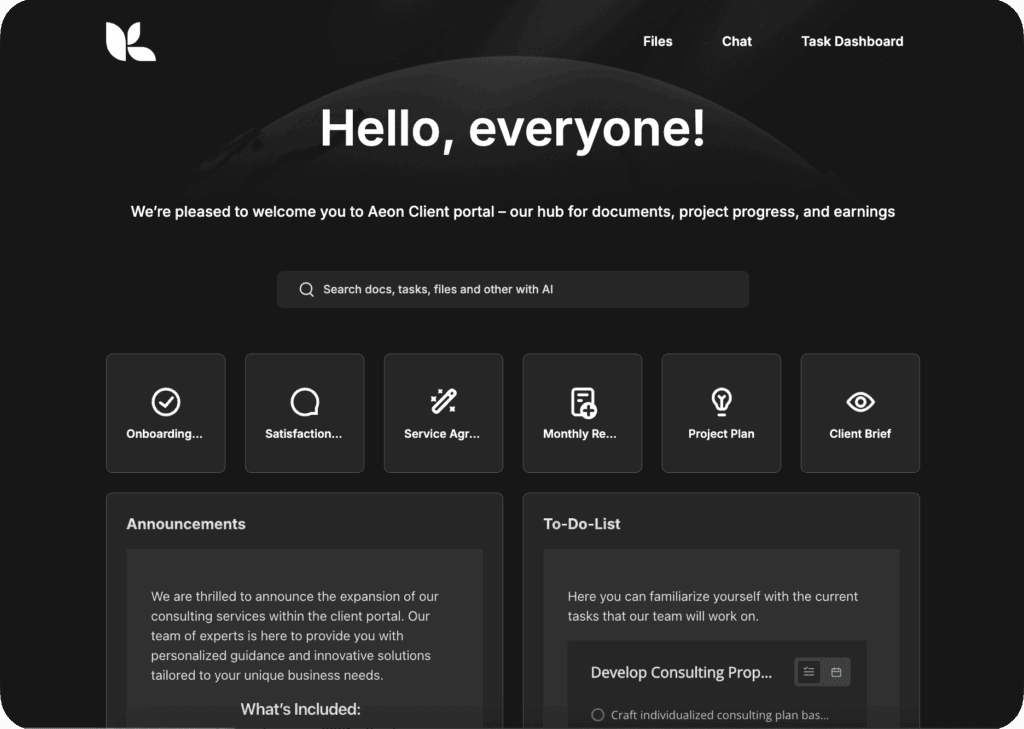
If you’re a consultant or coach, staying connected with your clients is important. Client collaboration software can be a user-friendly, centralized hub for all your interactions.
Your clients can log in to your portal anytime to access personalized resources, upload documents for you to review, and chat with you directly through the platform. It’s incredibly convenient for both you and your clients, resulting in a seamless collaboration that really enhances the client experience and helps boost customer retention. Clients will appreciate how easy it is to find the materials they need or book their sessions. So, with a solid client collaboration system, you can focus more on delivering great service and less on managing communications.
Digital Agencies
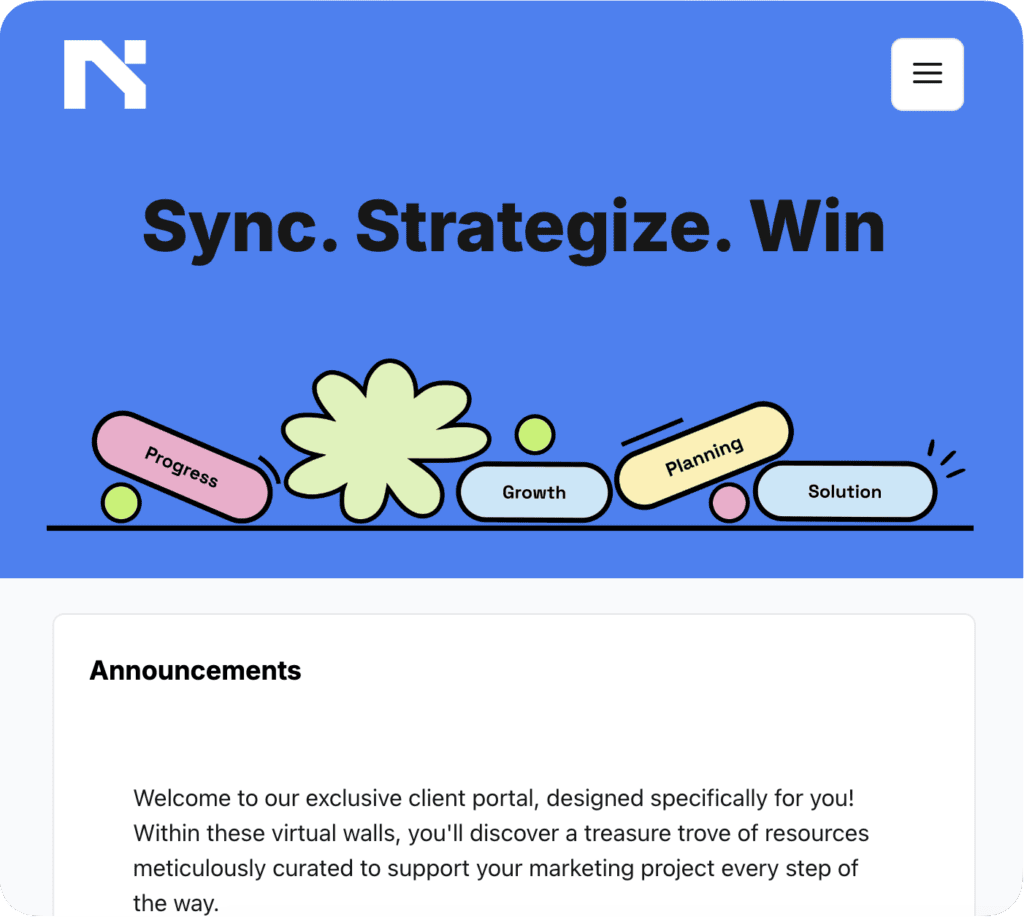
Running a digital agency often means handling multiple projects and tight deadlines every day. Collaboration tools help streamline project management and keep everyone on the same page with time tracking, dashboards, and other cool features like communication channels.
Clients have access to dashboards where they can see real-time updates, give feedback on creatives, and approve content. The result? Successful projects and happier clients who appreciate being actively involved without the constant back-and-forth.
Event Planners

As an event planner, you’ve got a lot to keep countless details on track—venues to book, vendors to coordinate, and clients to keep happy. Utilizing customer collaboration tools with robust collaboration features can make your life so much easier.
On a client collaboration platform, your clients can easily view the entire event timeline, understand the budget breakdown, and access vendor contacts. They can also suggest changes, approve plans, and upload guest lists directly through the platform. Everything from schedules to budgets is organized in one place, ensuring your events run smoothly from start to finish.
Accounting Firms
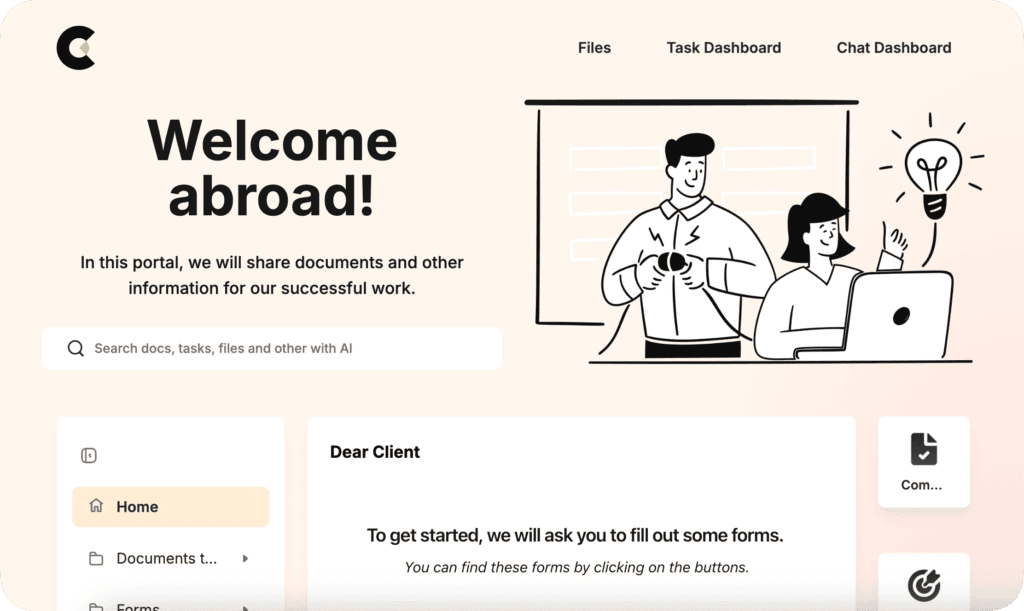
Accuracy and security are non-negotiables for accounting firms. Implementing customer collaboration tools can significantly boost productivity and collaboration within your team and with clients.
Accounting firms use secure portals where clients can upload sensitive financial documents like tax forms and receipts. The platforms offer real-time messaging for quick consultations and updates on filing statuses. By centralizing data and interactions in a secure environment, accounting firms work more efficiently and build stronger, trust-based relationships with their clients.
Wrapping up
I built FuseBase after testing every major collaboration tool out there because I needed something better.
Most tools were clunky, confusing, or just didn’t deliver the kind of client experience I wanted.
This guide covers the best of what I found, depending on your team and workflow. But if you’re in a service-based business and want something clean, branded, and easy for clients to use, start with FuseBase. It’s built to make your work look good and run smoother, without the usual headaches.
Try a few, but FuseBase is where I’d put my bet.
Get personalized tips on enhancing your client relationships
Frequently Asked Questions
What is client collaboration?
It’s working closely with clients from the beginning to the end of a project to ensure a successful outcome.
What are the four types of collaboration?
There are 4 types of collaboration styles. These are Internal collaboration, External collaboration, Team collaboration, and Cross-departmental collaboration.
What is a collaboration software?
It’s a tool that centralizes all communication, project information, approvals, and progress in one digital place.
What are the types of collaboration tools?
- Communication tools
- Design collaboration tools
- Project management tools
- Shared calendars
- Cloud storage and file-sharing tools
- Task collaboration tools
What is the purpose of collaboration software?
The purpose of collaboration software is to help teams and organizations work with their clients in a more efficient and organized way.
Found it useful? Share the article with your community
Subscribe to our blog!
Get weekly tips and insights on how to grow your business