
Looking for the best project management tool? Asana, no doubt, is a popular choice for many teams, offering a helpful kit of tools and perks. However, it’s not the best option for everyone, and sometimes you need an Asana alternative that better fits your specific needs.
In this article, we will explore Asana’s offerings, learn about its key features, and explore top Asana alternatives tailored for different project sizes and teams. Let’s get started!
What is Asana?
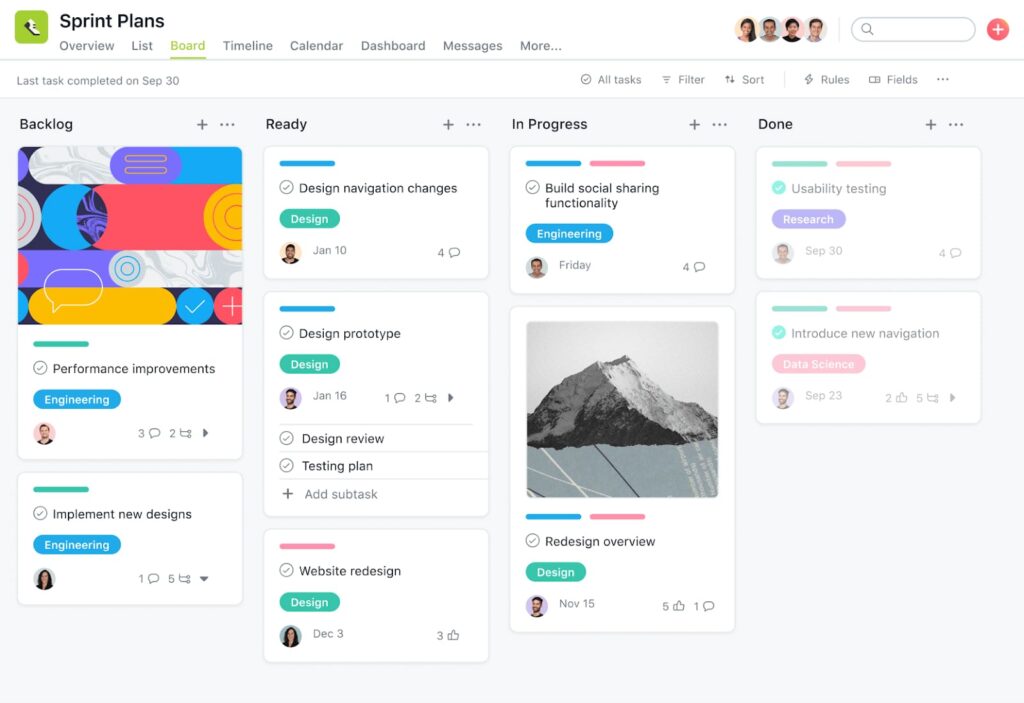
Asana is a popular project management tool designed to help teams track work and manage tasks efficiently. The app’s user-friendly interface and flexibility make it suitable for a variety of project types and help teams stay on top of their work. Asana’s dashboards provide a project progress overview, helping with data-driven decisions.
Asana features boards for visualizing tasks, Gantt charts for timeline planning, and calendars for tracking dates and milestones. Teams can also use Asana’s reporting features to analyze data and gain insights into project performance.
Asana’s Key Project Management Features in Use
Using a tool like Asana can significantly enhance team productivity and collaboration. But, every project management tool has its own strengths and weaknesses, and Asana is not an exception. Let’s evaluate the management features provided by Asana and compare them with other top alternatives available.
Kanban boards and Gantt charts
Kanban boards and Gantt charts are among Asana’s main features. Kanban boards are useful for visualizing task progress and managing workflows. Teams drag and drop tasks between different stages to get a clear overview of progress and bottlenecks. Gantt charts, on the other hand, are essential for timeline planning, giving a visual representation of project schedules, deadlines, and dependencies.
Compared to some other tools, Asana’s implementation of Gantt charts is straightforward and adaptable.
Calendars to track project progress
Calendars in Asana play a crucial role in tracking project progress and managing deadlines. Each is a visual representation of task schedules, helping teams to plan their work weeks and even months in advance. Using Asana’s calendar view, teams can easily drag and drop tasks to adjust due dates, ensuring that everyone is on the same page and sees what needs to be done and by when.
You can sync Asana calendars with other calendar applications, such as Google Calendar, to avoid potential overlaps or delays in project timelines.
Agile project management
Asana supports Agile project management methodologies, which are crucial for teams that need to adapt quickly to changing project requirements. Agile features will help your team break down work into sprints, manage backlogs, and conduct regular reviews.
Reporting and data analytics
Reporting and data analytics are integral features of Asana, helping teams monitor project performance and make informed decisions. Asana’s reporting tools allow users to generate custom reports, track key metrics, and analyze data to understand project health and team performance.
Personal dashboards and time tracking
Personal dashboards in Asana give team members a personalized view of their tasks and deadlines. By having a centralized view of all assigned tasks, everyone can manage time more effectively. Additionally, Asana’s time tracking features allow users to log how much time is spent on each task, providing valuable insights into productivity and time management.
Is Asana the Best Task Management Tool?
Determining whether Asana is the best task management tool in depends largely on your business’s specific needs and workflow. Asana is undoubtedly powerful, with a solid suite of features that cater to diverse project management requirements. Asana offers a robust platform for managing all kinds of work, from task assignments and deadlines to complex project tracking. However, it’s not the best fit for everyone, and some teams may find that Asana doesn’t fully cater to their unique needs, prompting them to look for an alternative to Asana.
Here’s Why Your Client-Centric Business Might Need an Asana Alternative
While Asana offers numerous features that cater to various project management needs, it might not be the best option for client-centric businesses. Many Asana users have pointed out limitations in its reporting and client collaboration capabilities. For businesses that require detailed reporting and seamless client communication, an alternative to Asana may be more suitable. Tools like FuseBase and ClickUp offer more robust client-facing features, making them better fits for service-oriented teams.
Client-centric businesses often need specialized features such as client portals, detailed time tracking, and advanced reporting capabilities. While Asana provides some of these features, it does not offer the depth required for high-level client management.
Some teams might seek more specialized features or better integration with other tools. When comparing Asana to its competitors, it’s clear that while it is a strong contender, other tools also offer compelling features that can better meet the needs of different teams.
How to Choose a Top Asana Alternative for Service Businesses and Remote Teams
Choosing the best Asana alternative for your service business or remote team involves evaluating several key factors. Firstly, consider the specific needs of your team, such as task management, time tracking, and client collaboration. Identify which features are most critical for your workflow. Next, examine the various options available, looking closely at what each tool offers regarding user interface, ease of integration, and pricing.
Most alternatives to Asana come with free trials or free versions, which allow you to test their features before fully committing. Take advantage of these free trials to assess usability and whether the tool meets your team’s specific needs.
Real Benefits of a Project Management Tool

Internal Workspace
What you get:
- Real-Time Collaboration
- Secure File Storage
- Video Recording & Transcription
- Meeting Notes with Context
- Fast Search & Organization
- Client-Ready Sharing
- Tool Integrations

AI Agents
What you get:
- Works Where You Work
- Internal & External Workspaces
- Real Answers from Your Content
- Automates Busywork
- Screen-Aware & Prompt-Driven
- Custom or Prebuilt Agents
- External Agent Access
- Synced with Your Stack
- On-Brand, On-Point
- No Extra Tools Needed


External Workspace
What you get:
- Drag-and-Drop Page Builder
- Mutual Action Plans & Task Lists
- Built-in CRM
- Built-In E-signatures
- Forms & Surveys
- Secure File Sharing
- Meeting Notes & Videos
- Live Chat with Clients
- Client Analytics
- White-Label & SMTP Support
10 Best Asana Alternatives for Work Management and Collaboration
FuseBase — compare
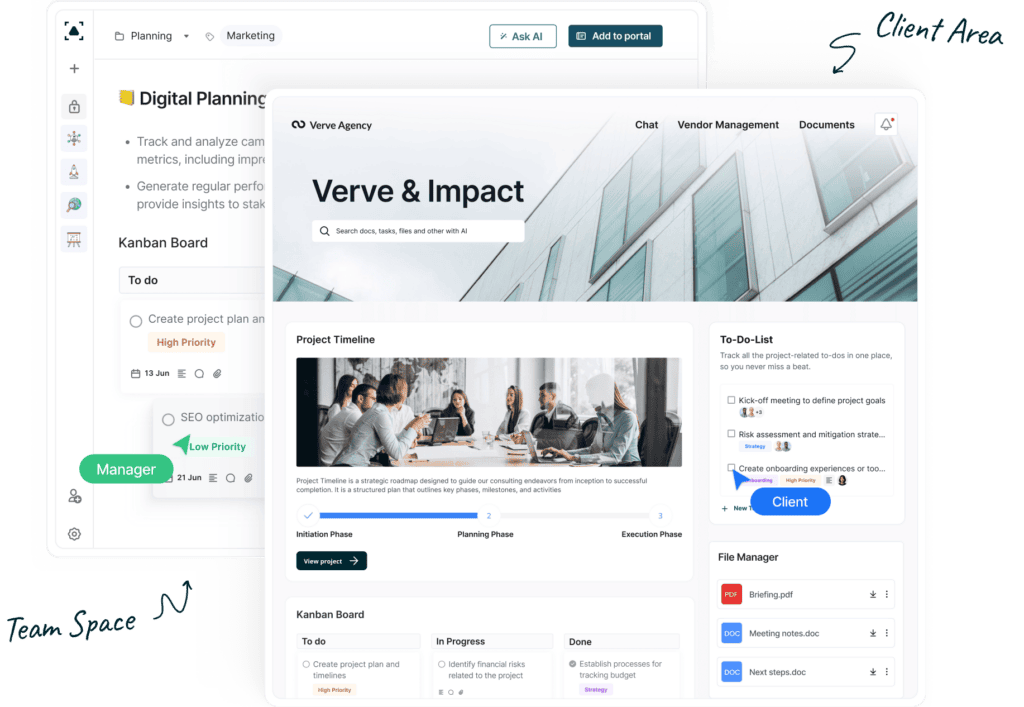
FuseBase is a strong contender as an Asana alternative, particularly for knowledge-based and service businesses. It offers a range of features that facilitate efficient task management and project tracking. With a customizable dashboard and advanced reporting tools, FuseBase allows teams to tailor the platform to their unique needs. The platform supports robust collaboration features, making it easier for teams to communicate and work together seamlessly.
Key features
- Task lists with different view options
- Kanban boards, timelines, calendars
- Direct and group chats, mentions, comments
- Granular permissions and client accounts with edit access
- White-label portals for sharing deliverables and client engagement
- Self-service knowledge bases for teams and clients
- Built-in AI tools for streamlining daily tasks
Pros
- Efficient task management and project tracking
- Project progress visualization for clients
- Extensive customization and branding capabilities
- 14-day free trial
Cons
- No mobile app
- No Gantt charts
Pricing (per team per month)
- Free plan: yes
- Solo: $32
- Essentials: $82
- Advanced: $332
- Unlimited: custom
ClickUp
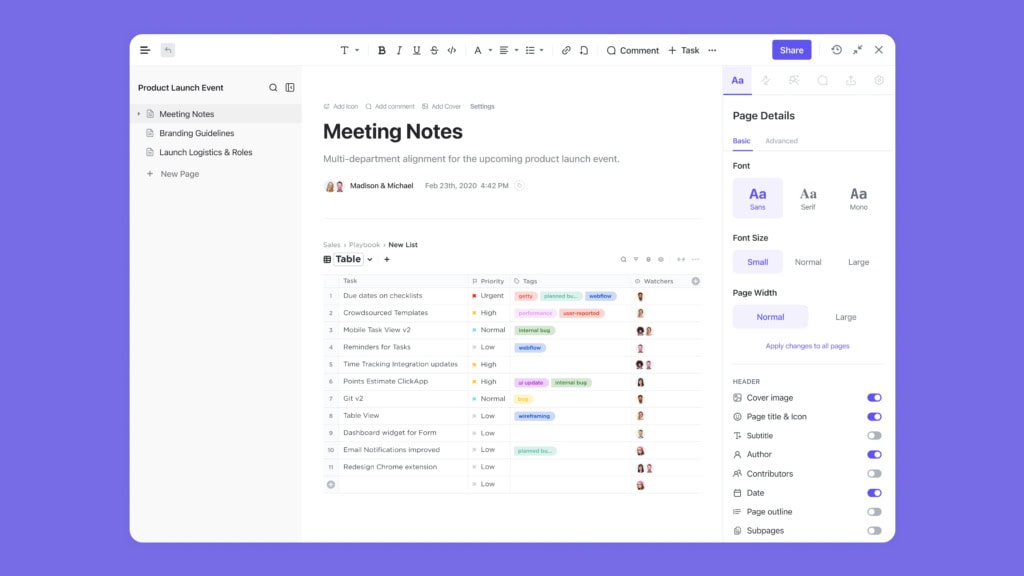
ClickUp is frequently mentioned as one of the best alternatives to Asana, known for its extensive feature set and flexibility. ClickUp provides an all-in-one platform that combines task management, time tracking, and team collaboration. With features like customizable task views, reminders, and goal tracking, ClickUp caters to various project management needs. Moreover, ClickUp’s Agile-friendly setup makes it a top choice for teams that need to adapt quickly to changing project requirements.
Key features
- Customizable task views and dashboards
- Workflow automation supporting triggers and conditions
- Ready-to-use project templates
- Reporting features
- Time tracking and resource allocation
Pros
- Highly adaptable to different types of projects
- Tailored for team collaboration
- Hierarchy management of projects and tasks
Cons
- Does not offer custom CNAMEs and white-label options
- A very limited set of available features in the mobile app
- No offline access to the stored files
- Complex interface for new users
Pricing (per user per month)
- Free plan: yes
- Unlimited: $7
- Business: $12
- Enterprise: N/A
Trello
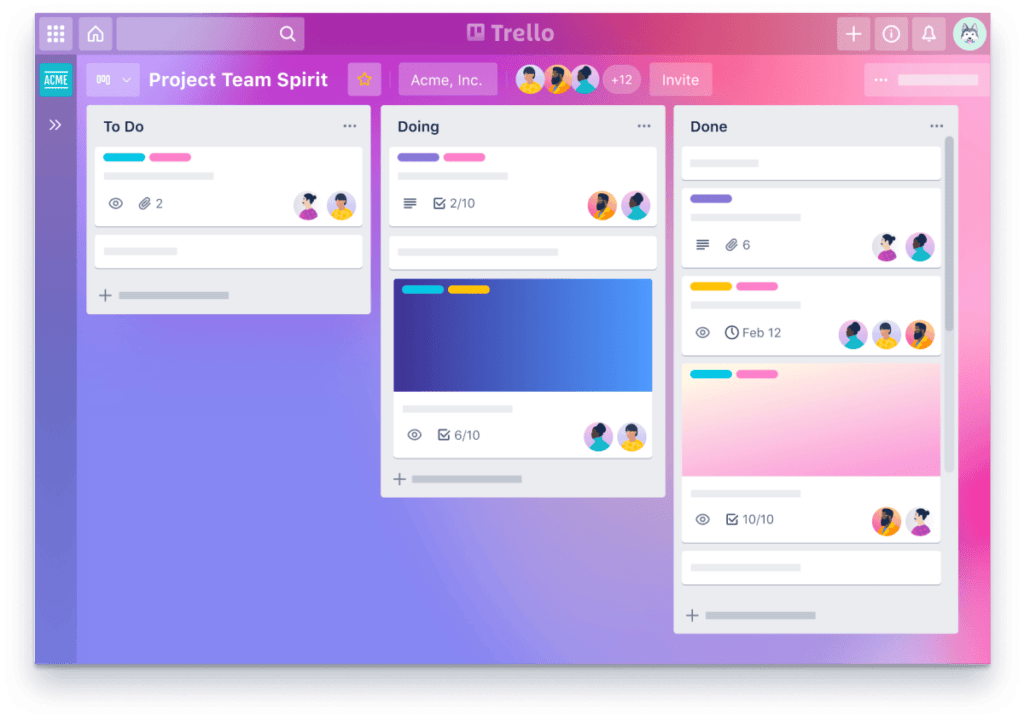
Trello is a popular, very simplified version of Asana. It’s loved and praised for its Kanban board system, which is extremely simple to use. Trello’s intuitive interface allows teams to organize tasks visually and track project progress. The customizable boards and cards make it a flexible tool suitable for various types of projects, from simple task lists to complex project workflows. It’s a favorite among small teams and startups.
Key features
- Customizable kanban boards
- Informative task cards
- Project templates, assignee, and reporter roles
- Timeline and calendar task list views
- Supports third-party app integrations
Pros
- You can build custom boards
- An intuitive drag-n-drop interface
- Has a mobile app
Cons
- No client-facing features
- Does not replace many apps with one
- Lacks advanced project management features
- No task dependencies
Pricing (per user per month)
- Free plan: yes
- Standard: $5
- Premium: $10
- Enterprise: starts at $17.50 (minimum of 50 users)
💡 Read more posts on this topic:
Monday.com
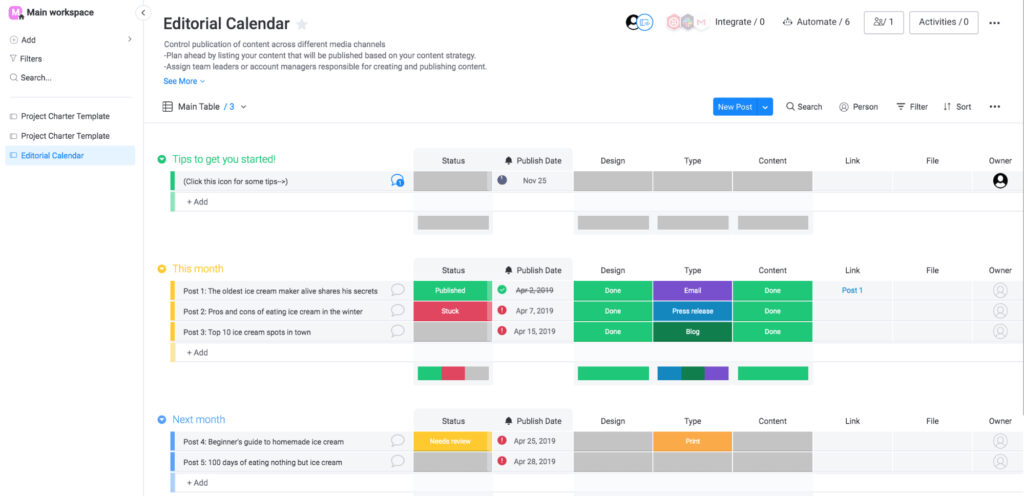
Monday.com is a robust project management tool that stands out for its customization capabilities and vibrant interface. Unlike Asana, Monday.com has more extensive options for visualizing project data. The platform also offers almost effortless workflow automation, including notifications, task creation, and more.
Key features
- Gantt charts and informative dashboards
- Workflow automation
- Requests and approvals
- Real-time collaborative editing of documents
- Customizable forms for collecting feedback
- Lets users attach files for tasks
Pros
- Flexible and supports a wide range of integrations
- A versatile choice for teams that rely on multiple tools for their workflows
- A free trial allows you to explore the app’s functionalities
Cons
- Limited task filtering features
- Initial overwhelm for new users, especially those who are not tech-savvy
- Takes a lot of time for the initial setup
Pricing (per user per month)
- Free plan: yes
- Basic: €9
- Standard: €12
- Pro: €19
- Enterprise: N/A
Worksection
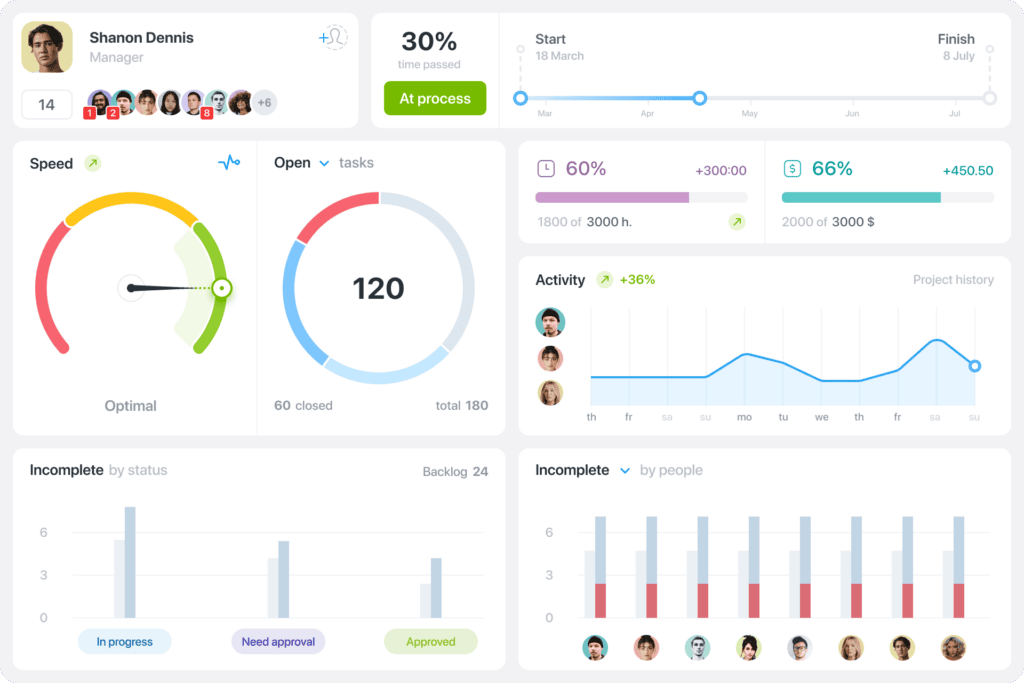
Worksection is a powerful project management tool that offers a blend of simplicity and functionality. It provides features like task management, time tracking, and detailed reporting. Worksection’s interface is user-friendly, allowing teams to quickly set up projects and start tracking their progress.
One of Worksection’s standout features is its comprehensive reporting capabilities, which provide valuable insights into project performance and team productivity.
Key features
- Project dashboards
- Kanban boards, task lists, different views
- Contextual communication feed, comments, mentions
- Built-in time tracking features
- Gantt charts for progress visualization and understanding task dependencies
Pros
- Offers detailed reports on the time spent on each project or task
- Has a well-designed mobile app, good for software development teams
- Helps make project progress and workflow transparent for clients
Cons
- Not suitable for small teams, as the first tier plan requires 20 paid seats minimum
- No desktop app
- Occasional bugs and notification delay
- Extremely expensive and non-flexible plans
Pricing (per month)
- Free plan: yes, for personal use
- Basic: $69 per 20 users
- Business: $149 per 50 users
- Premium: $299 per 50 users
- Enterprise: N/A
Basecamp
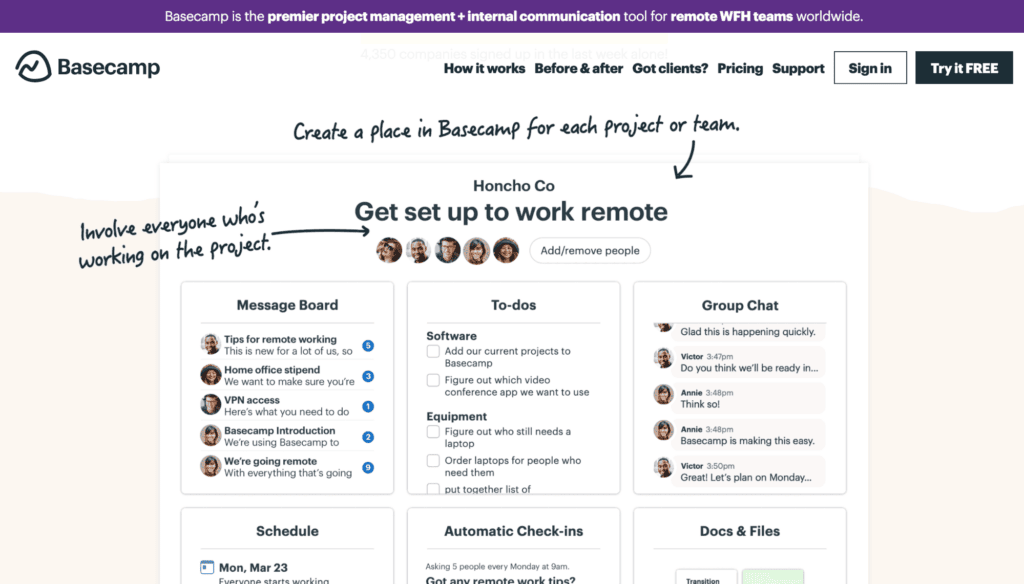
Basecamp is a highly regarded project management tool. It is especially great for client-centric businesses looking for an alternative to Asana. Basecamp excels in client communication and collaboration, providing features like message boards, to-do lists, and shared calendars. Compared to Asana, Basecamp also offers robust file-sharing and storage capabilities.
Key features
- A general one-page dashboards for a complete project overview
- Centralized real-time communication channels
- Task management features
- To-do lists, deadlines, responsibilities
- Scheduler and calendars with milestones
- A place to create and store documents
Pros
- Good performance
- Streamlined collaboration
- Convenient notification panel and quick access to personal stuff
Cons
- No labels and tags for tasks
- No time-tracking functionality
- Limited support of integrations
Pricing (per month)
- Free plan: no
- Pro: $15 per user
- Pro Unlimited: $299, unlimited users
Smartsheet
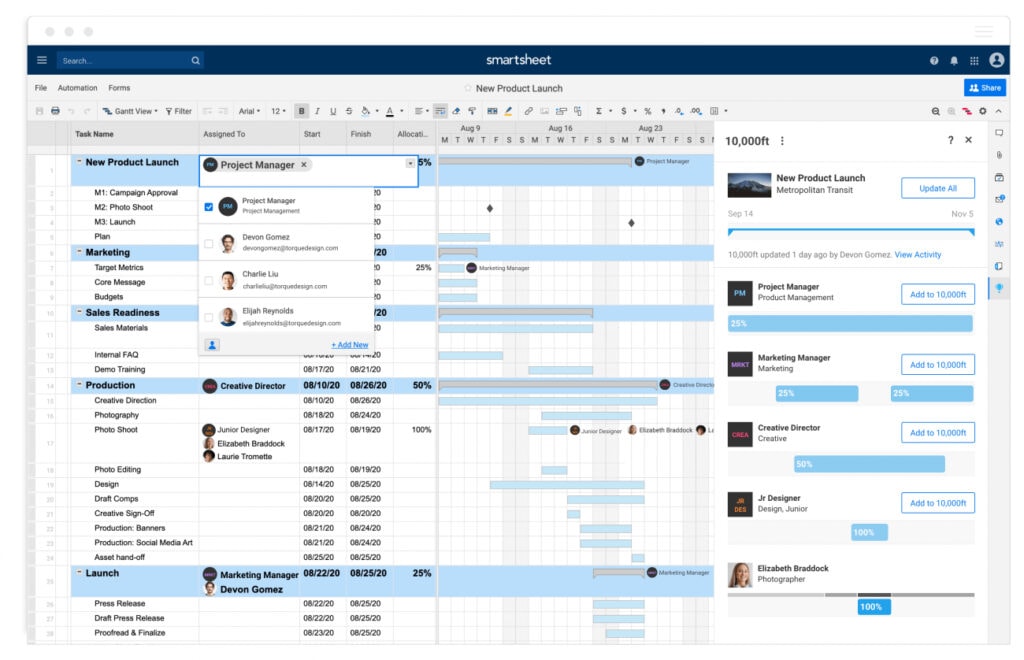
Smartsheet is a versatile project management tool known for its spreadsheet-like interface, making it a unique alternative to Asana. Smartsheet offers features like task management, Gantt charts, and detailed reporting. One of Smartsheet’s key strengths is its data integration capabilities, which allow teams to sync with other tools and platforms they use regularly.
Key features
- Project management features
- Multiple task list views (Timeline, Gantt, etc.)
- Custom forms for data collection
- Task automation
- Content management
- KPI tracking and data visualization
Pros
- Automated document and content creation
- Intelligent workflows
- Advanced security and administration features
Cons
- Lacks diverse templates for common use cases
- A lot of basic features are only included in high-tier plans
- Limited exporting and slow performance of big tables
Pricing (per user per month)
- Free plan: no
- Pro: $9
- Business: $19
- Enterprise: N/A
Airtable
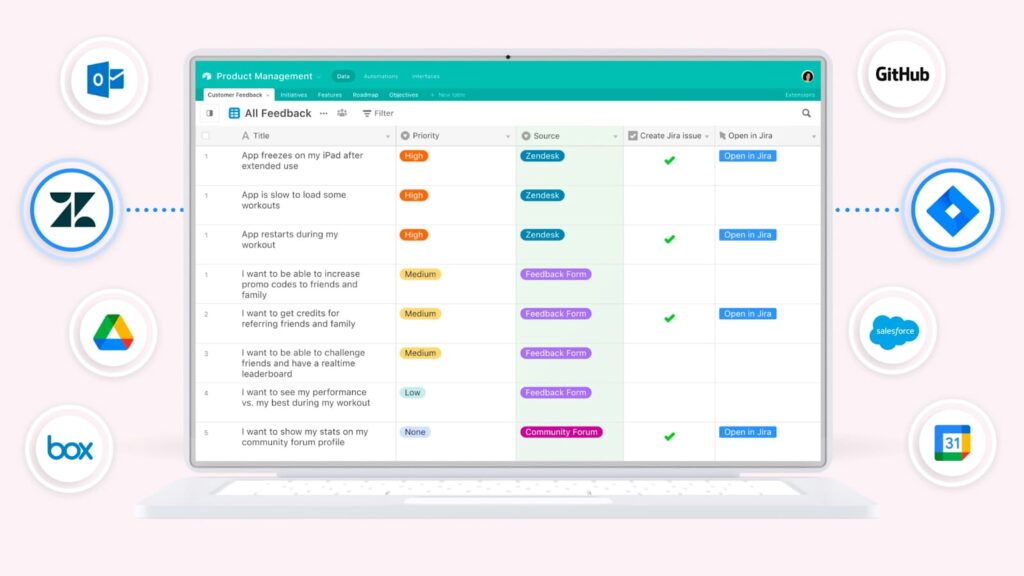
Airtable is a project management platform that combines the simplicity of a spreadsheet with the power of a database, making it a compelling alternative to Asana. Airtable’s flexible structure allows teams to create customized workflows that suit their specific project management needs. With features like task management, customizable views, and collaboration tools, Airtable provides a versatile platform for managing various types of projects. It offers a free plan.
Key features
- No-code multi-sequence workflow automation
- Integration with Google Workspace, Slack, and more
- Tracking resource allocation and capacity
- Data visualization features
- Timeline, Kanban, Gantt, and more task list views
- Interactive reporting tools
Pros
- Offers pre-made app templates for a quicker start
- A very powerful solution for different use cases
- AI add-on for workflows and content analysis
Cons
- Some things are hard to customize or workaround
- Challenging setup
- Many features from paid plans are necessary
Pricing (per user per month)
- Free plan: yes
- Team: $20
- Business: $45
- Enterprise: N/A
Notion
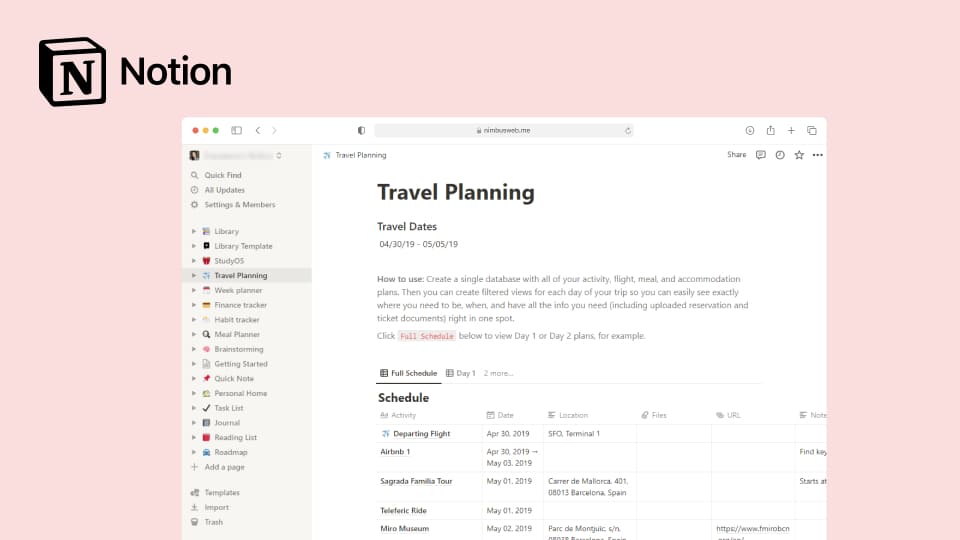
Notion is a people’s favorite note-taking app with a robust project management toolkit and dozens of free and paid workflow templates for individuals and agencies. The interface is a classic, with simple navigation and a minimalistic note editor. Notion offers many features, including task management, databases, and document collaboration. Notion is a great Asana alternative for teams but not for clients.
Key features
- Note-taking and AI writer
- Databases with different data types and content formats
- Task lists, kanban boards
- Calendars and task calendar view
- Mentions, comments, real-time editing
Pros
- Easy-to-use and navigate
- Hundreds of useful templates
Cons
- Client collaboration is challenging
- The app is tailored for internal collaboration only
Pricing (per user per month)
- Free plan: yes, for individuals (personal use)
- Plus: $10
- Business: $15
- Enterprise: N/A
Todoist
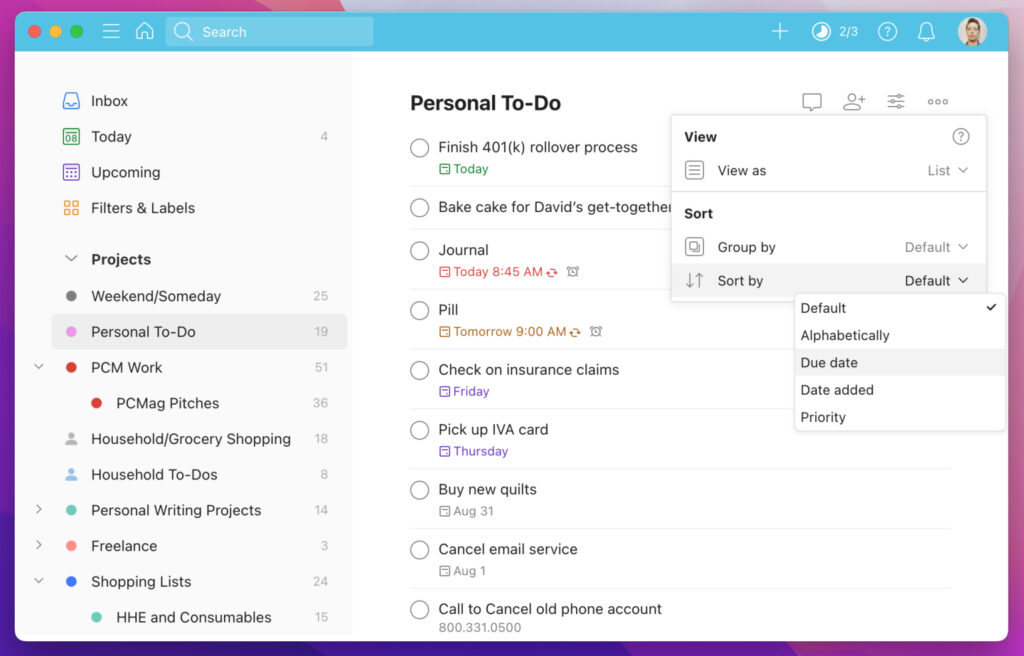
Todoist is a popular task management tool known for its simplicity and efficiency. It’s a decent Asana alternative for smaller teams or individuals. Todoist offers features like task creation, project organization, and deadline tracking.
Key features
- Task filters and labels
- Assignee and reported roles
- Notifications and reminders
- Natural language recognition
- Shared spaces for team collaboration
Pros
- Automated task sorting
- Personal tasks and team projects are separated
- Integrates with other tools for project management, productivity, and more
Cons
- No calendar view
- No time-tracking
- Cross-team collaboration might be challenging to administrate
Pricing (per user per month)
- Free plan: yes (personal)
- Pro: $5 (personal)
- Business: $6
FuseBase is the Right Asana Alternative for Knowledge Businesses
If you’re looking for the best Asana alternatives for managing your client-centric business and do not want to settle for any less, try FuseBase. Instead of a simple project management solution, you’ll get an all-in-one platform that provides a centralized hub for collaboration and knowledge management. Adopt the best tool for your team and provide the best service for your clients.
Summing Up the Best Asana Alternatives Detailed Overview
This article has introduced you to a variety of project management tools that can effectively replace Asana. We hope you’ve found the best Asana alternative to boost your team’s productivity and keep your projects on track today! Whether Monday.com, Trello, or FuseBase captured your attention, we recommend checking them all out to make an informed decision. Selecting the right one goes beyond simply picking a name from a list.
Found it useful? Share the article with your community
Subscribe to our blog!
Get weekly tips and insights on how to grow your business