
Over the past few months, FuseBase has rolled out major updates across the platform to help you build faster, run meetings more efficiently, and get more value from your databases. If you missed our recent announcements on social media, don’t worry – this roundup brings everything together in one place, much like FuseBase itself.
So, here’s what’s new:
AI Apps (AI Coding)
This is truly our biggest update this year. FuseBase AI Coding lets you build full production apps by describing what you need in plain language. Here’s what makes it different:
- Your AI codes the frontend.
- FuseBase provides the production backend.
- Database, authentication, and workflows are built in.
- Client portals and team collaboration included.
- Bring your own AI keys, any provider, no markup.
FuseBase gives you the AI coding speed everyone loves, but built on top of real production infrastructure. So no more building a demo that breaks under real users. No more 6 months of backend work after the prototype. From prompt to production. That’s FuseBase AI Apps.
Soon, you’ll also be able to:
- Create apps using data from other services via MCP support, including Notion, Figma, Asana, HubSpot, and more.
- Integrate Stripe payments
These features are coming in April 2026.
Affiliate Program and Reseller Program
We’ve launched the FuseBase Affiliate Program, giving you a simple way to earn 40% lifetime revenue for every reseller you refer.
What’s in it for you?
- Unlimited earning potential – no cap on referrals
- Monthly payouts through your preferred payment method
- Access to marketing materials and resources
- A dedicated affiliate dashboard to track referrals and performance
- Priority support for affiliate partners.
Coming soon: Reseller Program
Launching in the next 1–2 months, the FuseBase Reseller Program will let you build recurring revenue under your own pricing.
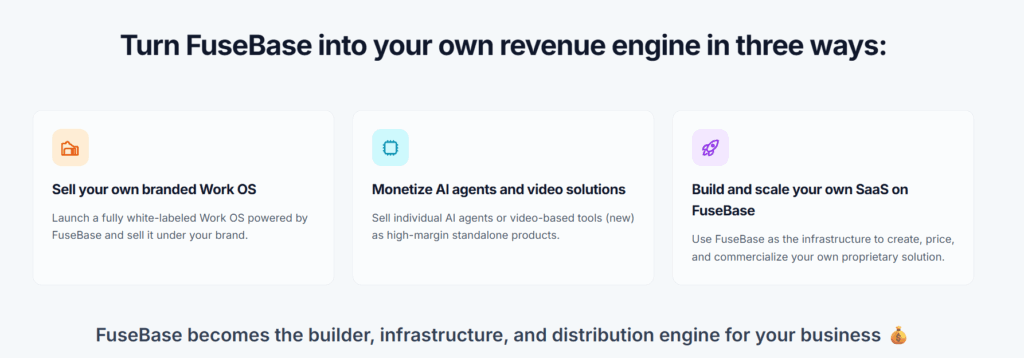
You’ll be able to customize what you want to resell and stay fully in control of your pricing model. Charge clients however you choose — monthly, annually, or through custom plans.
You’ll connect your own payment method, manage pricing, control client accounts, and bill customers directly.
Early access is available for $99/month instead of $297/month. Sign up now so you don’t miss your chance!
AI Coding Discord Community
We’ve also launched a FuseBase AI Coding Discord Community. It’s a space where people building with FuseBase can connect, share what they’re working on, and help each other ship real apps. Our team is active there too – answering questions, sharing product updates, and offering support whenever it’s needed.
Database Updates
In our Fall release, we presented FuseBase Databases. Since then, they’ve become even more flexible, connected, and action-oriented. With new capabilities for automation, structure, and customization, teams can turn the information they manage every day into powerful workflows.
Database Automation: Actions and Triggers
Now you can fully automate the way you work with your databases in FuseBase.
- Set automation actions: from creating new databases to pulling data from specific rows
- Connect with other tools: integrate databases via native integrations or webhooks
- Streamline key workflows: simplify managing tasks, sales pipelines, vacancies, and more
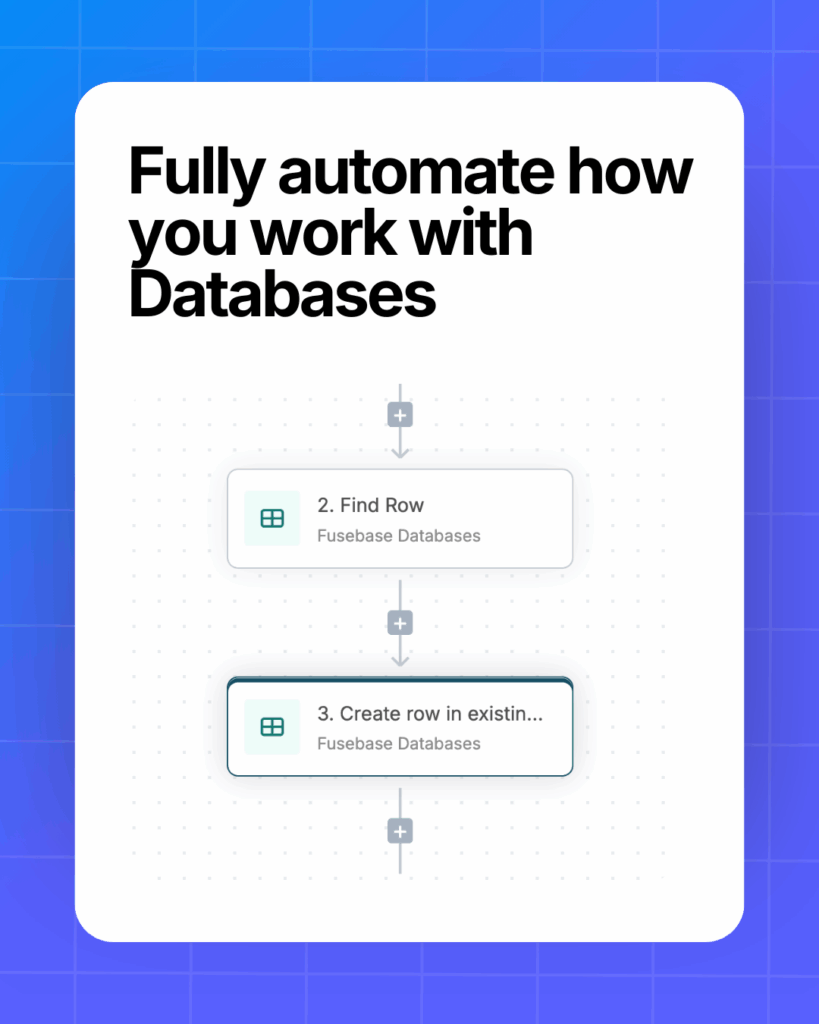
Trigger examples ↓
- New row added – start a flow the moment a new row appears in the database
- Row updated – trigger follow-up steps whenever a row is changed
- Row matches conditions – launch a flow when a column meets specific criteria
e.g. start automation when Status moves from “In Progress” to “Done”
Coming Soon: AI Agents in Databases (April 2026)
Connect AI Agents to FuseBase Databases, so they can interact with your data, support workflows, and help automate everyday tasks.
Users column in the database
Turn your tables into real workflow hubs – with owners, context, and accountability. With the new Users column, you can add organization members and clients directly to cells and connect every row to the right people.
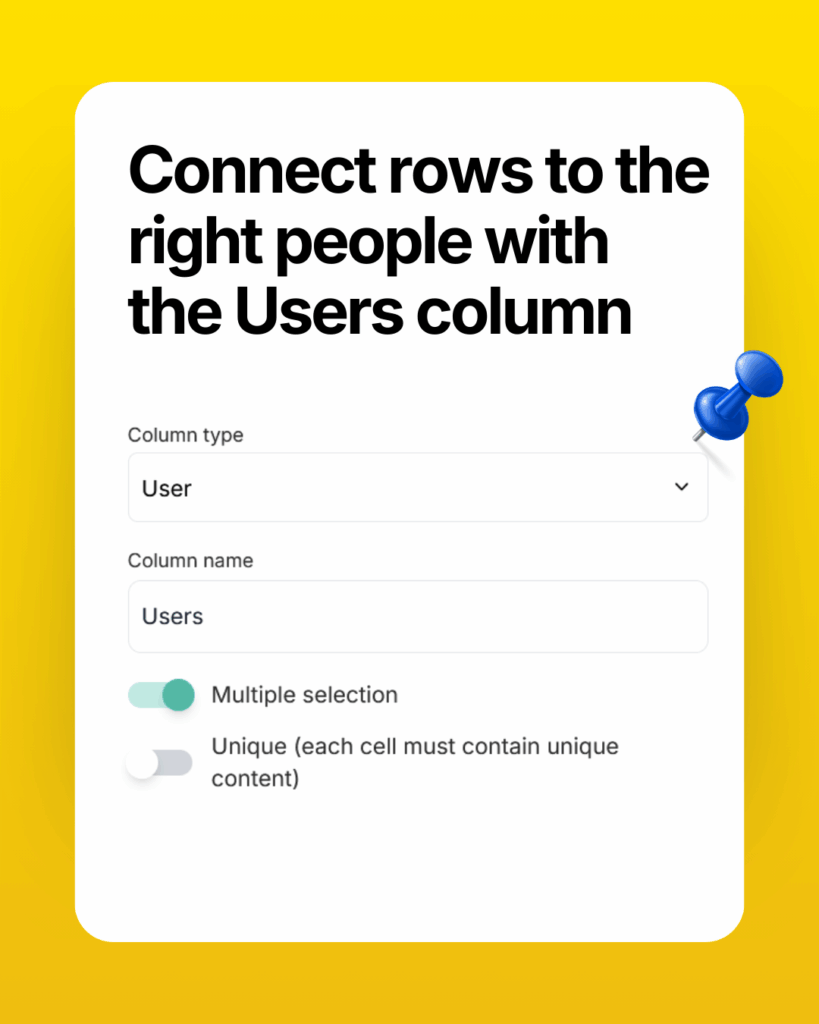
Here are a few ways to use it:
- Assign who’s responsible for completing a task
- Notify a client or team member about info from the table (via automation)
- Indicate meeting participants right inside the table
- Specify department employees
…and many more!
Adding databases to Internal Pages
Your databases are now everywhere! You can use databases not only in portals, but directly inside your internal workspace pages:
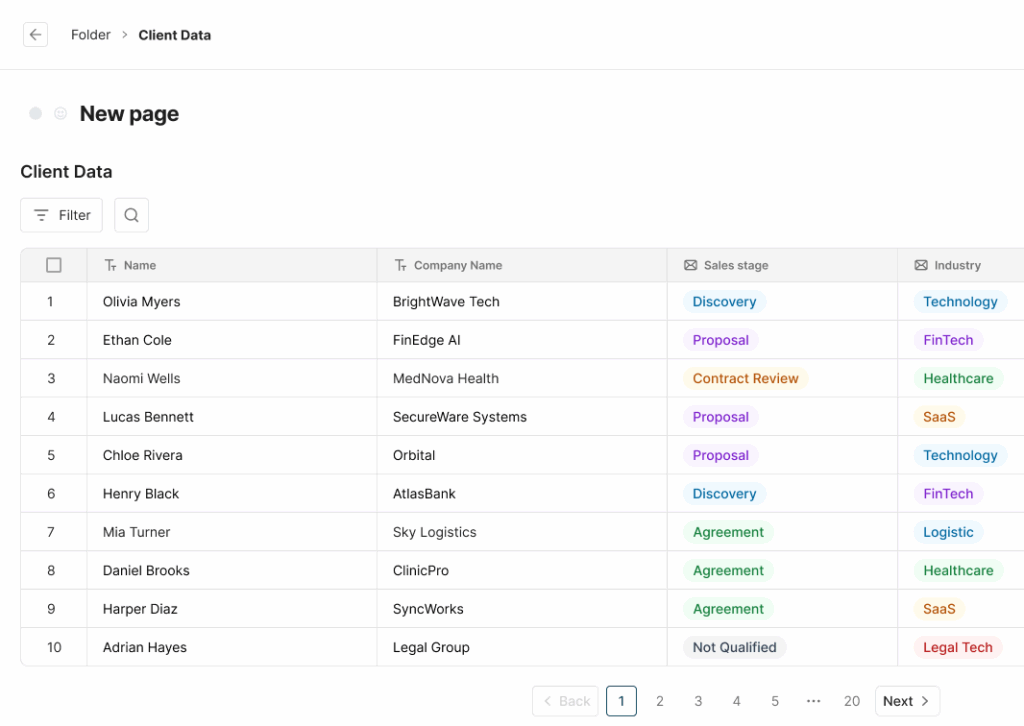
- Drop a database or dashboard into any page and keep editing as usual
- Make a database a standalone page when you need a dedicated space
- Reuse existing databases or create new ones without leaving the editor
- Choose exactly what to show – full database, specific view, or single table
Duplication of databases and tables
No more rebuilding the same tables from scratch. Duplicate any database or table in FuseBase in just a couple of clicks.
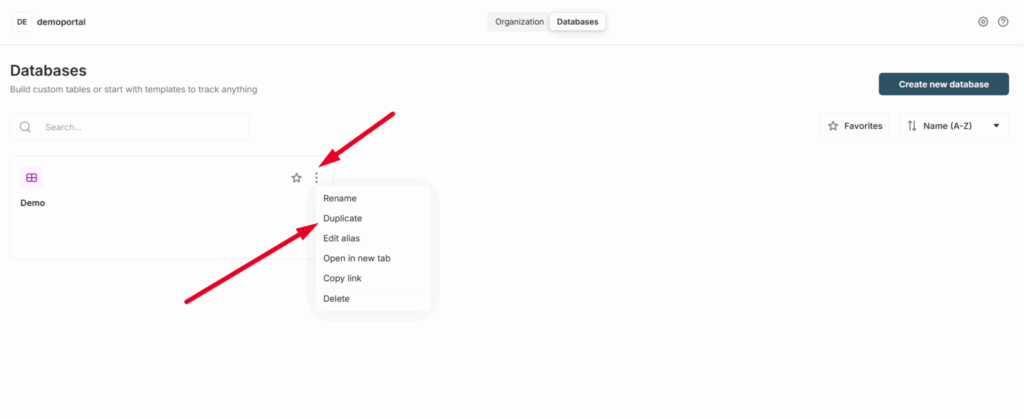
- Duplicate structure only – copy columns and views to reuse the same layout
- Or duplicate structure + data – clone everything, including row content
- Perfect for templates – create one “master” database and reuse it across teams, projects, or clients
Coming soon: duplication of individual rows.
Importing and exporting tables in a database
Have databases sitting in other tools? You can now easily import them into FuseBase via CSV!
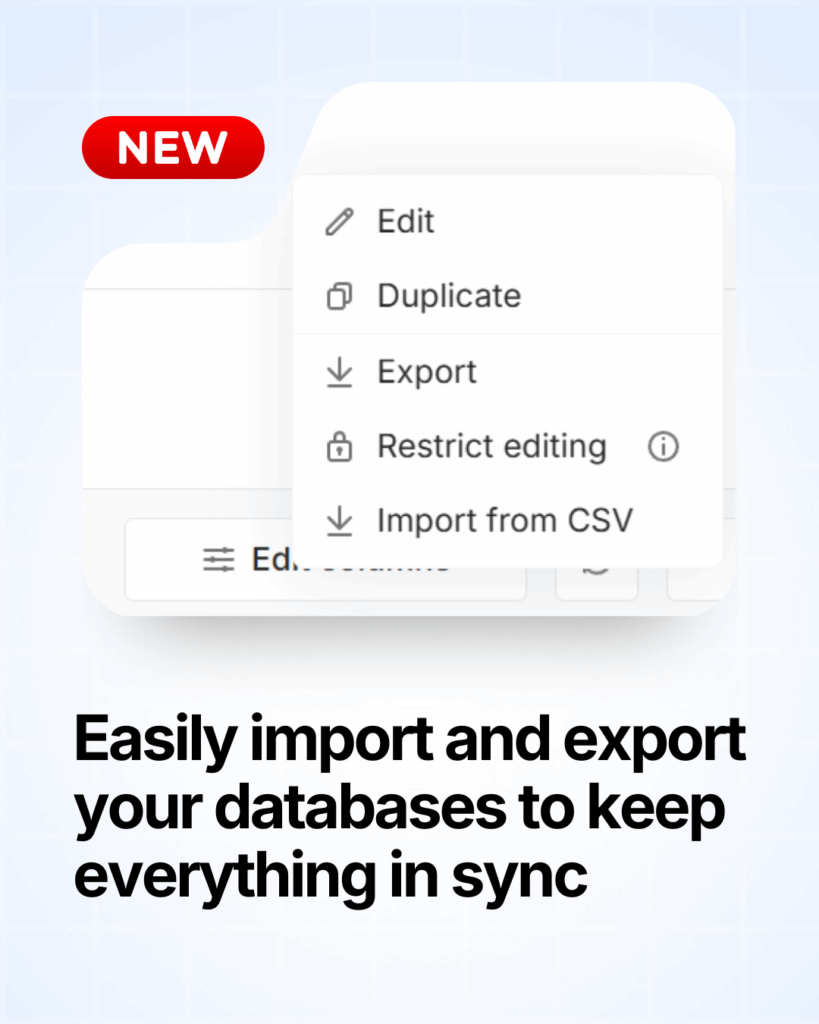
- Skip manual setup – just import instead of recreating tables
- Bring data from your current tools – import tables from Airtable, Notion, Coda, and more
- Create local backups – export any FuseBase table as a CSV file
Bring all your data into one place!
💡 Read more posts on this topic:
Sub-tables
What if your tables could behave like folders instead of flat lists? Now they can! With the new “Subtable” column, each row can open its own table.
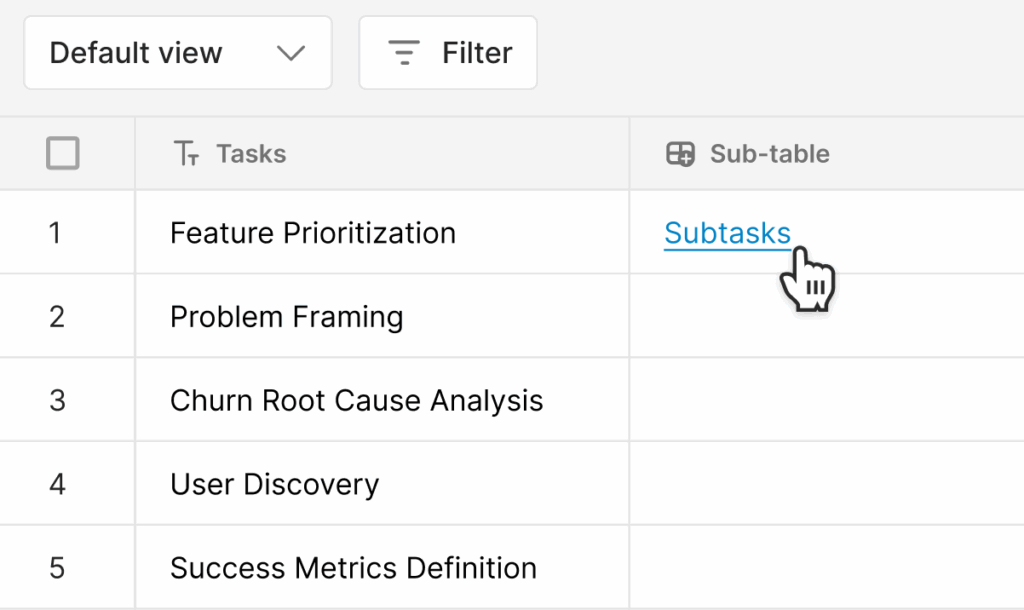
Great for:
- Task management – Use the main table for tasks, subtables for subtasks
- Project management – Organize sprint tasks under each sprint
- HR purposes – Store detailed employee info behind a simple employee list
Meeting Intelligence
Our team released Meeting Dashboards and Meeting Trackers to help you turn every call into a more structured and actionable workflow.
With Meeting Dashboards, you can centralize all your meeting information, merge it with your CRM data, and include video and audio files with automatic transcription. From there, Smart Meeting Trackers help you extract the insights you need, measuring key patterns (pricing, competitors, next steps, etc.), and using that for analytics and sales team coaching.
Meeting Dashboard
Keeping up with meetings shouldn’t require five different pages. So we fixed that. Introducing the Meeting Dashboard – your central place for everything call-related.
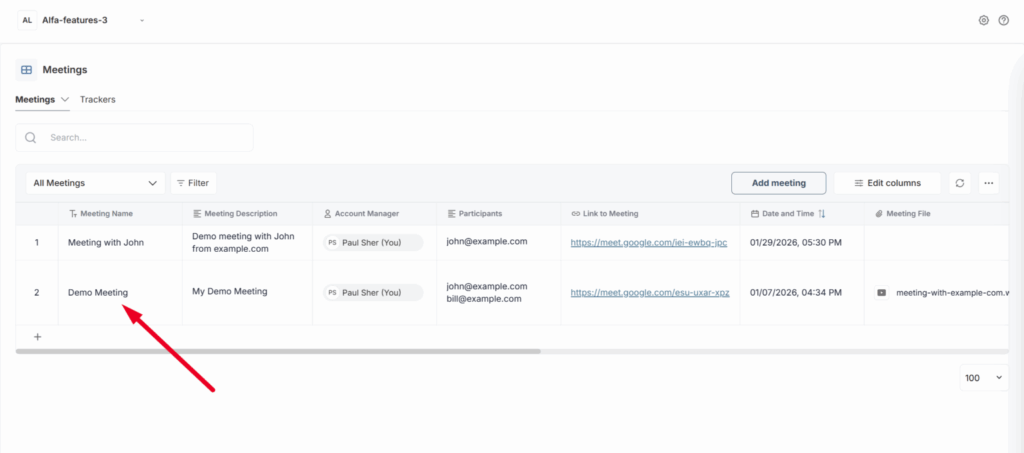
- Keep all details together: description, attendees, date, time, and more
- Easily manage and review past and upcoming meetings
- Open the video and transcript of any call without hunting through links
Meeting Dashboard Tracker
Every meeting hides signals. FuseBase helps you catch them. You can now gain instant insights from calls and emails with our new Meeting Trackers.
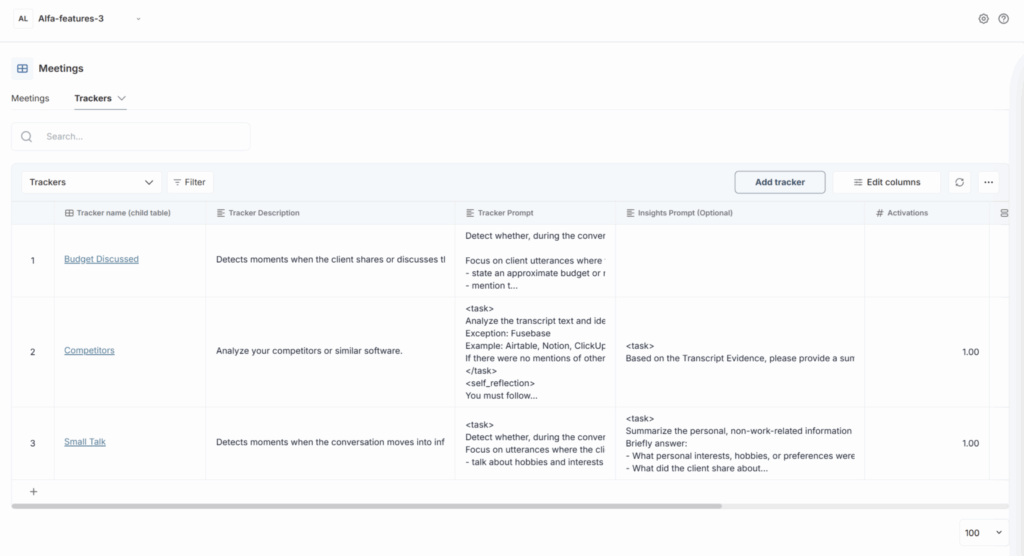
- Monitor whether competitors were mentioned during calls or in customer emails.
- Check if next steps were set to keep deals and projects moving
- Choose from built-in system trackers or create custom trackers for your specific needs
Other
Adding clients without a workspace
Before: “Add client” = instantly invite to portal.
Now: Add clients for internal prep first – invite to a portal later.
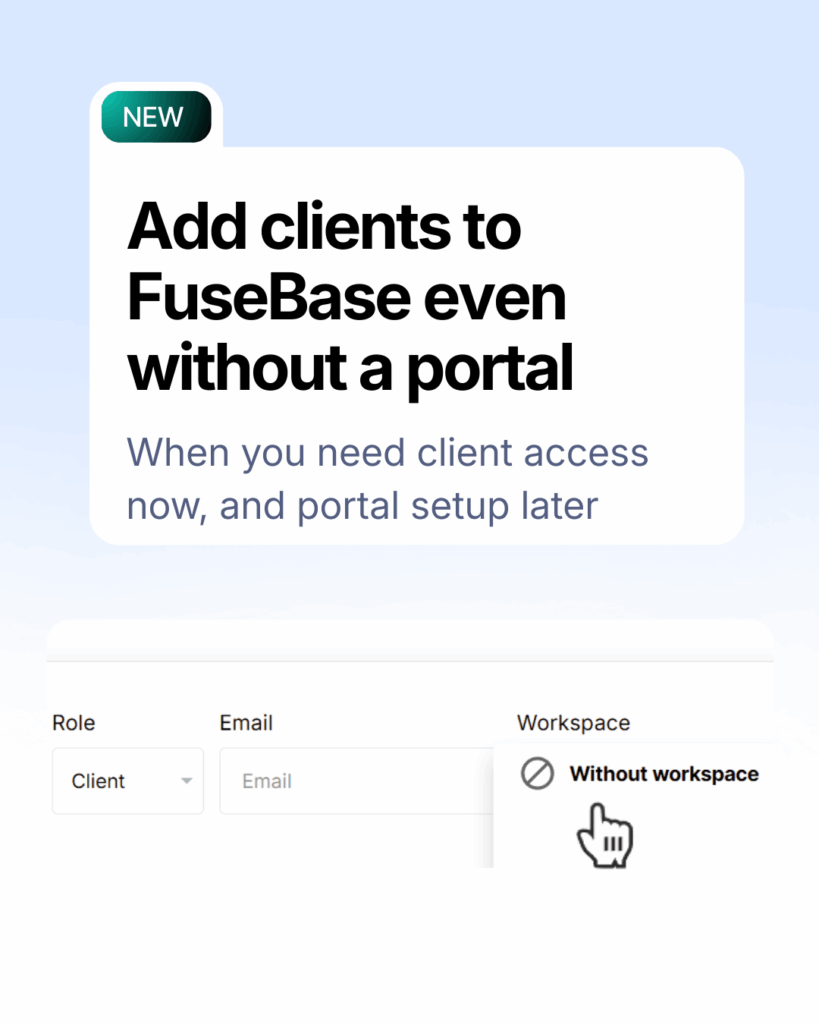
That means you can:
- Work with client data, calls, and context internally
- Use it for pre-onboarding, discovery, and high-touch deal prep
- Invite clients to a portal only when everything’s ready
Just select “Without workspace” when adding the client.
Conclusion
That’s it for the Q1 2026 release! With AI Coding, you can build whatever you or your clients need; with improved Databases, you can speed up your workflow; and with new Meeting Dashboards, you can be sure that you’ll never lose important call details again. Together, these updates bring FuseBase closer to the flexible workflows teams need and the standout client experience they want to deliver. Want to explore new features for yourself? Start here.
Found it useful? Share the article with your community
Subscribe to our blog!
Get weekly tips and insights on how to grow your business