We use required cookies to keep this site working and, with your consent, optional cookies to measure visits and support advertising and referrals.We use required cookies and optional cookies for analytics, advertising and referrals. Select Decline to turn off optional tracking.Privacy Policy
AI-powered Solutions for client-facing businesses
Like Proposify. Built for client work.
Find out which tool can tailor client interactions to reflect your brand, streamline workflow, and enhance team-client collaboration.
While Proposify is for proposal creation and tracking, FuseBase has customization, project management, and more advanced tools for a better client experience
A platform built for deep client customization to reflect your brand and drive productivity
Advanced branding and customization
Separate team and client spaces
Advanced branding options
Zapier-like automation
File exchange for clients
The tool provides a framework for creating, tracking, and signing proposals
Basic branding and customization
Combined team-client spaces
Custom domain only
Internal automation
File exchange for clients
FuseBase Work
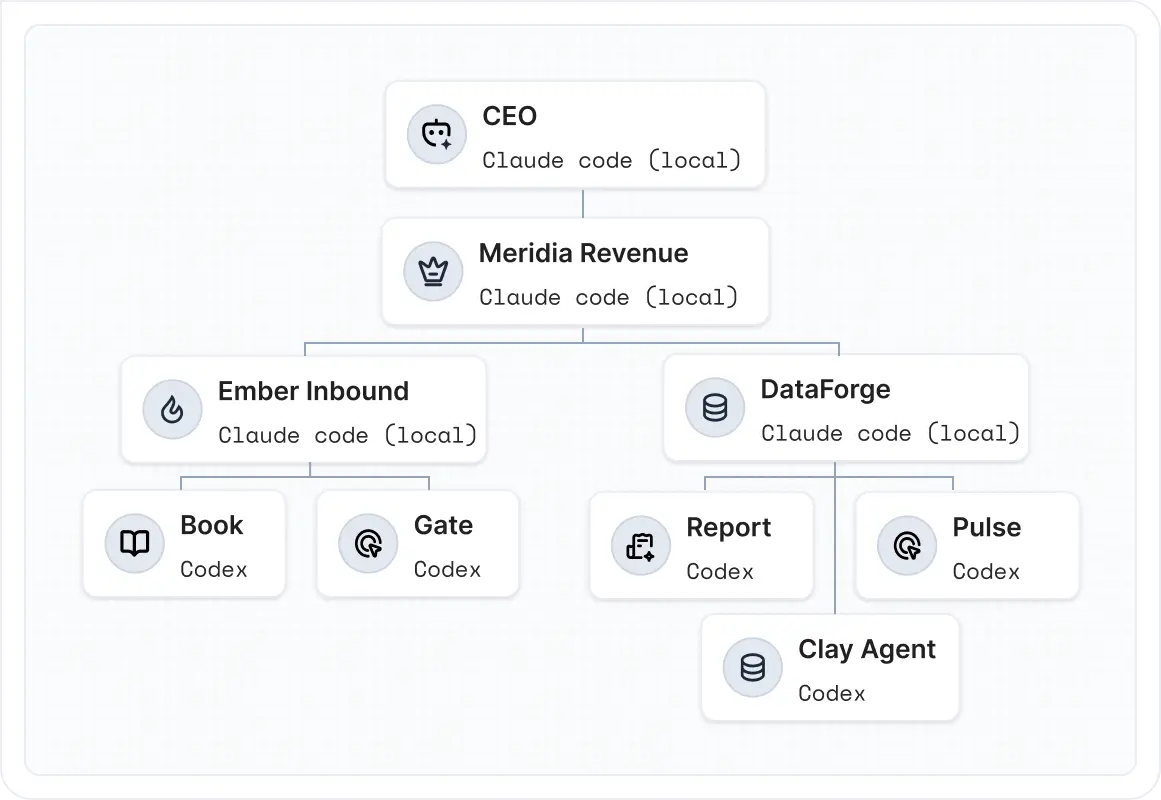
Keep the flexibility. Add a client-facing operating system.
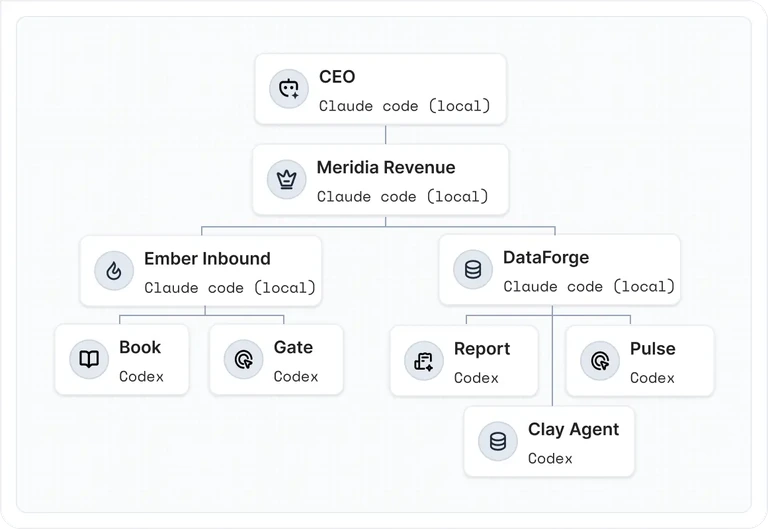
Your workspace holds the knowledge and work. Portals bring clients into the right parts of the process. AI coworkers help move assigned work forward.
Keep internal preparation separate from the client view.
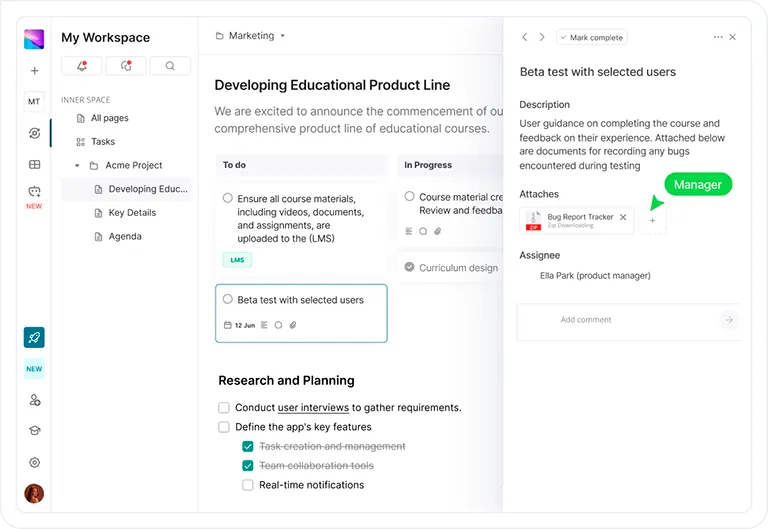
Connect client requests, team actions and delivery.
Decide what AI handles and what people review.
FuseBase Work is powered by Paperclip.
The FuseBase platform
The workspace foundation, extended for clients
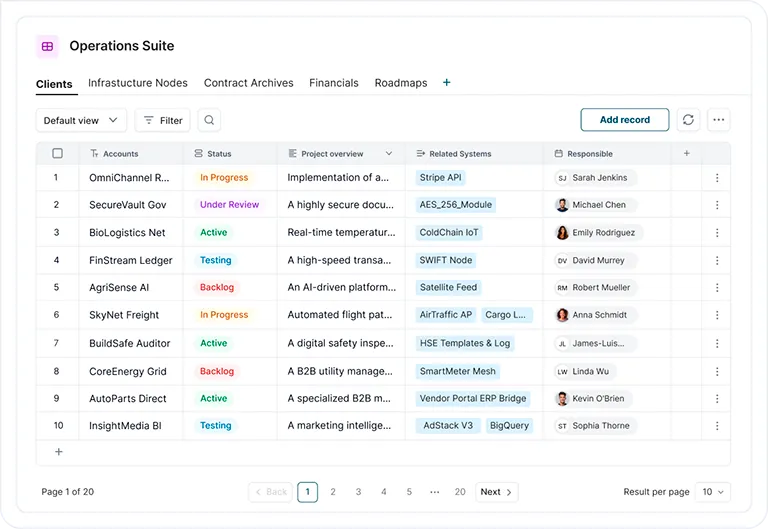
Use docs, data, apps and AI across internal and client-facing work.
SSO, 2FA, and encryption keep your data protected-always.
Seamless Integrations
Connect instantly to CRM, Slack, Teams, email, and your full tech stack.
Compliance & Control
Track access, stay audit-ready, and manage permissions at scale.
Features
Create a unique experience for your clients with FuseBase
With FuseBase, you can craft a client experience that truly represents your brand while simplifying project management with powerful tools
Branded touch
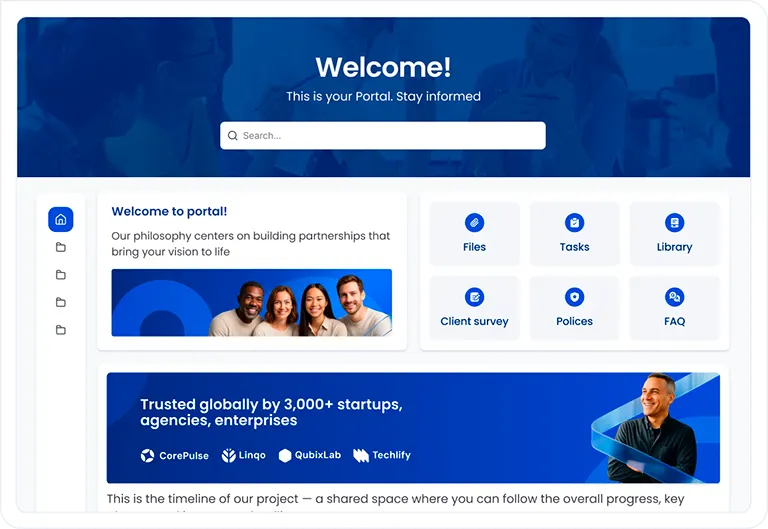
Personalized branding and customization
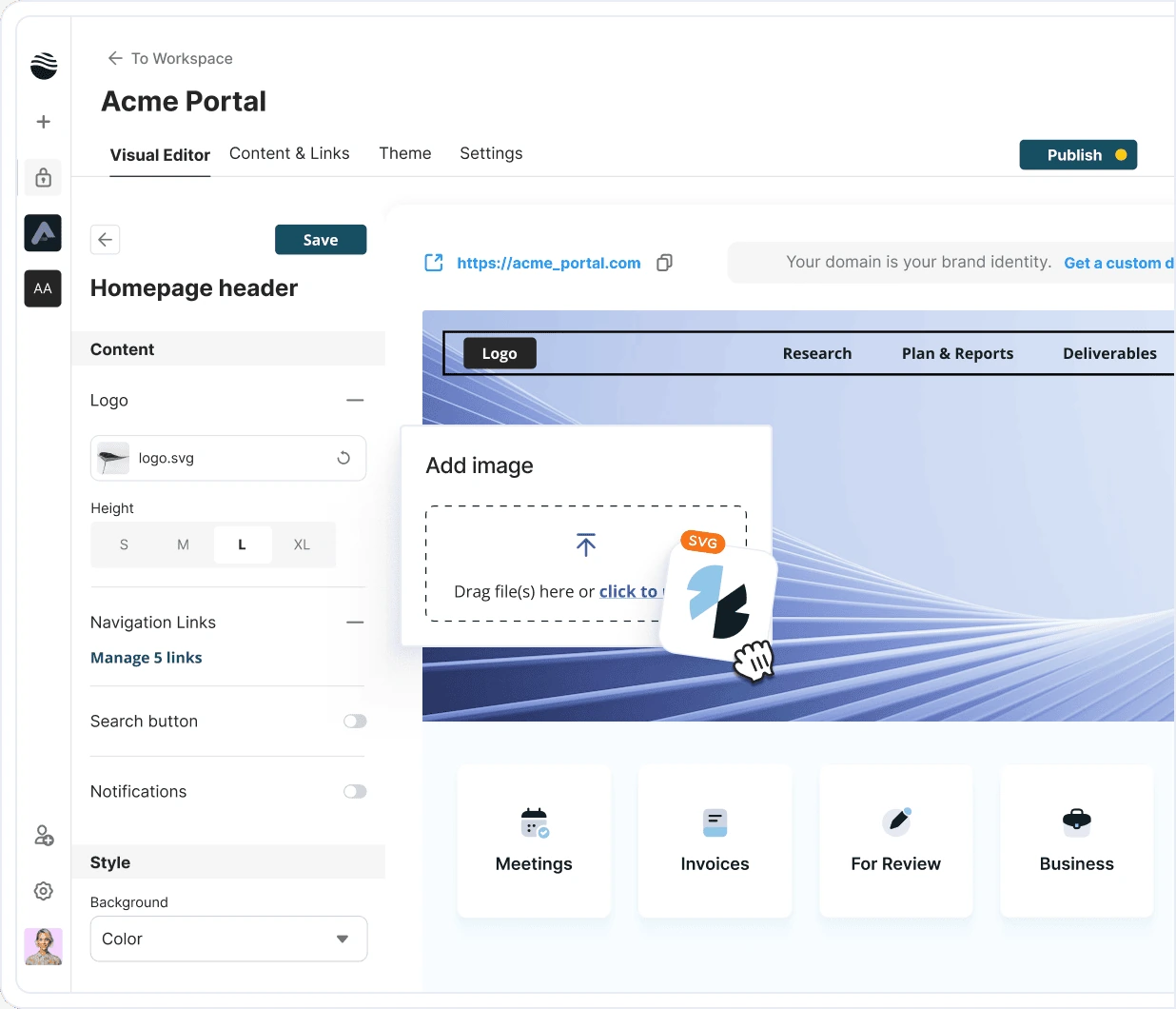
From custom blocks to branded themes, FuseBase can shape each client portal and workspace to match your style. No delays, no bugs, everything works like a clock.
Fully customizable layouts, widgets, and themes
White label and custom SMTP for a branded touch
Permission-based settings for team and client collaboration
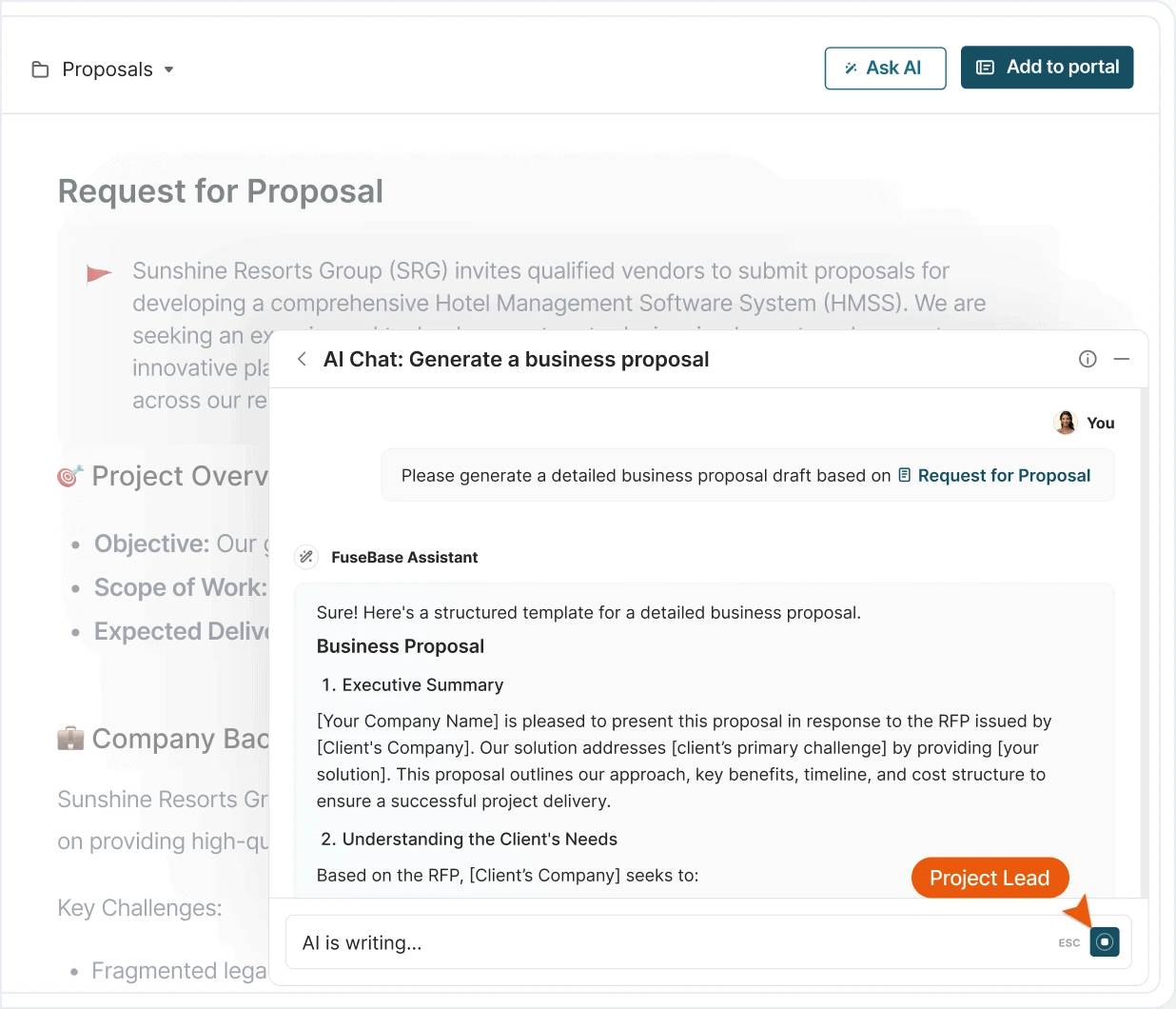
AI magic
AI-powered efficiency
FuseBase’s advanced AI provides real-time support in personalizing content and generating proposals that meet specific client needs.
Content generation based on client preferences
AI-driven writing enhancements
Recommendations to streamline workflows
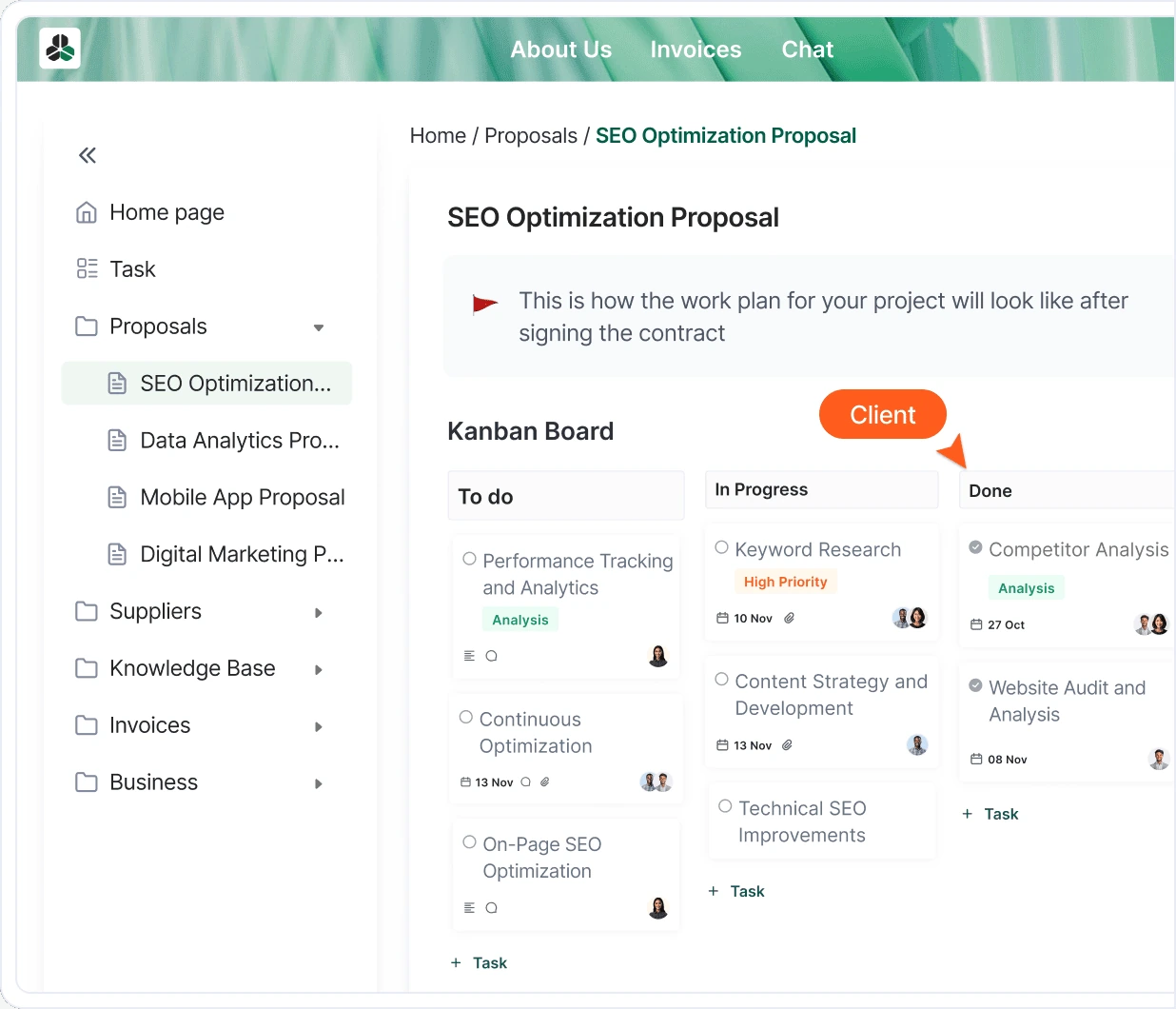
Collaboration
Integrated collaboration for every stage
With a real-time chat feature, collaborative boards, and dedicated team and client spaces, FuseBase brings all the tools you need for efficient project handling in one place.
Instant messaging and comments for client feedback
Kanban boards to track project progress
Separate team and client areas for secure management
Overview
See FuseBase in action
Quickly improve your workflow with all the instruments in one place
Google Calendar
Zapier
Word
YouTube
ClickUp
Google Sheets
Figma
HubSpot
Asana
Invision
AirTable
Miro
Google Drive
PowerPoint
Calendly
Adobe
Full customization and collaboration await
Experience branding, AI, and project management tools Proposify doesn’t offer
Parties other than FuseBase may provide products, services, recommendations, or views on FuseBase (“Third Party Materials”). FuseBase is not responsible for examining or evaluating such Third Party Materials, and does not provide any warranties relating to the Third Party Materials. Links to such Third Party Materials are for your convenience and do not constitute an endorsement of such Third Party Materials.

 Advanced branding and customization