

Top Alternatives to Notion Client Portals
- 7 Min read
One of the main draws of Notion is its versatility as a productivity app. Now there is a separate product — Notion Sites. Basically, it is the way to create a public page that anyone from outside can interact with. From “outside” I mean like literally everyone.
However, not everyone will benefit from all the features it offers, or some might need things that Notion doesn’t offer. For example, you can turn on search engine indexing, but you can not protect specific pages by password. That’s why we’re here to look at the top 7 software to create websites similar to Notion. Below is a review of each to demonstrate what features they offer and how they might be more useful than Notion.
If you’re in a rush, here’s a quick summary of the alternatives:
Notion is a piece of productivity software that allows users various documentation features. These include note-taking, docs writing, wiki creation, meetings, website creation, and more. In short, it’s designed as an all-in-one space for taking your ideas from plan to completion.
While this sounds like it might be the perfect tool for collaboration, there are some features that aren’t very intuitive. So that is why Notion Website Page could be more similar to readers who have never collaborated with Notion Workspace before. If you are thinking of creating a website like Notion, be aware of these challenges:
And this is why we’re looking at software products to create simple and advanced site pages similar to Notion. Although it might have been one of the first to offer this kind of productivity tool, that doesn’t mean it’s remained the best.
Price: Free for personal usage. From $32 a month.
| FuseBase | Notion | |
|---|---|---|
| Effortless content management | ✓ | ✓ |
| Has a free plan | ✓ | ✓ |
| No coding required | ✓ | ✓ |
| Custom domain name | ✓ | ✓ |
| Templates | ✓ | ✓ |
| Granular permissions | ✓ | ❌ |
| White Label branding | ✓ | ❌ |
| Subpages visibility | ✓ | ❌ |
| Website indexation | ❌ | ✓ |
| Wide variety of widgets | ✓ | ❌ |
FuseBase offers a client-facing portal which can be your website. These can be customized with full white label branding and custom domain names to ensure your customers only ever see your brand. All-in-one features make your website good not only for reading but to collaborate with.
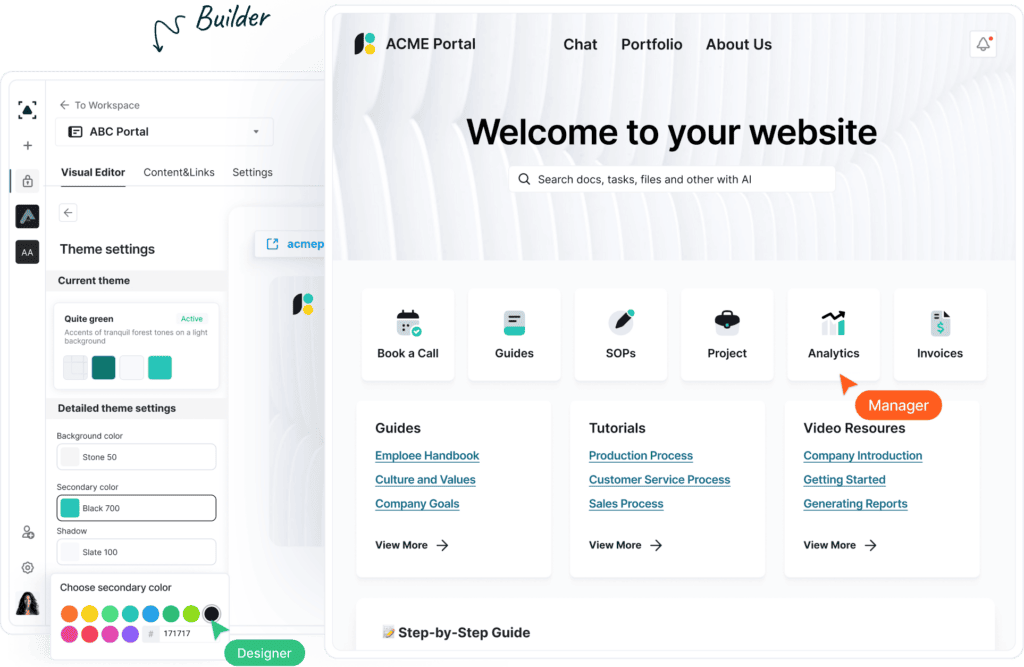
You can create a website similar to Notion for any use case you want — from a personal website to a job board page, but not only that. Use a no-code area for any content type you want. If you have a project to deliver — it’s designed to collect feedback. Knowledge base features of content collecting can be accessed both in the workspace and website.
With FuseBase you can also show the pages you want. Some pages can be hidden from everybody, or you can use granular permissions to see a specific page. The software has very easy page management and a wide variety of widgets that you can integrate for different features. This is something Notion lacks, meaning FuseBase gives you more flexibility in what third-party features you include.
The 2026 Edge: In addition to existing AI agents that can help with any task, the FuseBase team released FuseBase AI Apps to give users more flexibility in what they want to create. So you can use AI to build unique components such as client dashboards, catalogs, resource hubs, or custom widgets, then embed them directly into your website.


Price: from $17 to $159 a month
| Wix | Notion | |
|---|---|---|
| Effortless content management | ✓ | ✓ |
| Has a free plan | ✓ | ✓ |
| No coding required | ✓ | ✓ |
| Custom domain name | ✓ | ✓ |
| Templates | ✓ | ✓ |
| White Label branding | ✓ | ❌ |
| Website indexation | ✓ | ✓ |
| Wide variety of customizations | ✓ | ❌ |
| Site Expansion | ✓ | ❌ |
Wix mainly tackles the website creation side of the Notion – it’s probably a name you’re already familiar with in this regard. Wix offers straightforward website creation services built upon its drag-and-drop model.
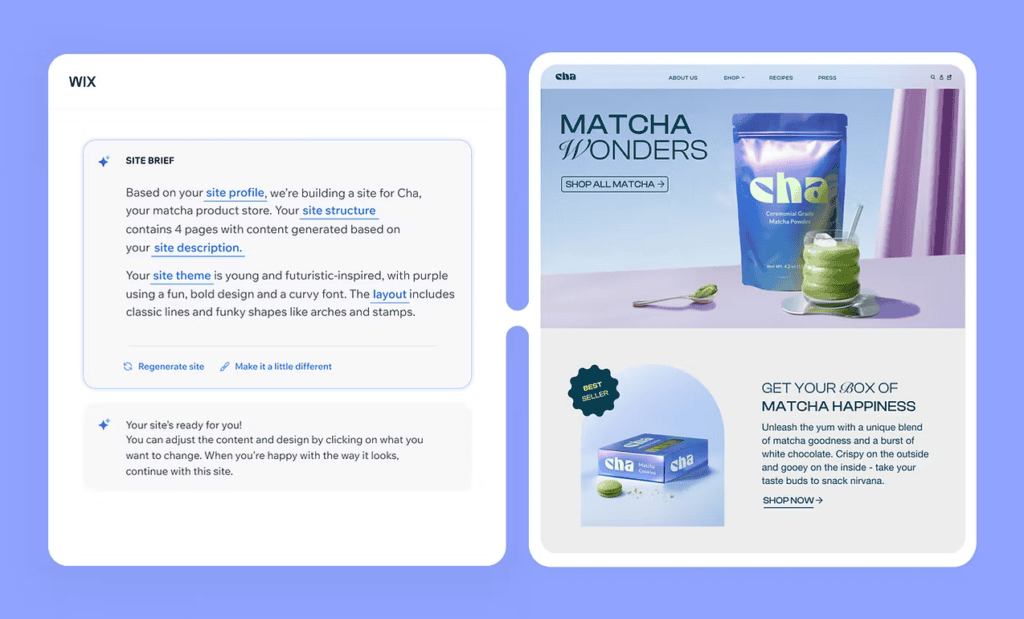
It also offers a CRM system as well as analytics, marketing tools, and integrated payment solutions. Overall, Wix is a decent choice for website building, although it obviously doesn’t offer the same kind of collaboration tools as Notion.
But if you’re after a straightforward way to build websites based on templates and added extras, Wix is one of your best options. If you plan to expand the capabilities of the site, this software definitely will give you the opportunity to upgrade your site. Granted, it doesn’t offer the same kind of array of tools as Notion, but it does website building a lot better.
The 2026 Edge: As for the newest updates, Wix introduced users to Aria, a web design and business expert and personal AI Agent for websites. And they didn’t stop there, so we have Kleo, Wix’s AI Marketing Agent, that plans and executes multi-channel strategy, from SEO and social posts to email campaigns and paid ads.
Price: $8 a month per site
| Popsy | Notion | |
|---|---|---|
| Effortless content management | ✓ | ✓ |
| Has a free plan | ❌ | ✓ |
| No coding required | ✓ | ✓ |
| Custom domain name | ✓ | ✓ |
| Templates | ✓ | ✓ |
| White Label branding | ✓ | ❌ |
| Website indexation | ✓ | ✓ |
| Wide variety of customizations | ✓ | ❌ |
| Site Expansion | ✓ | ❌ |
Popsy is another no-code website builder, making it suitable for those who need a site fast without much prior knowledge. Popsy was built using Notion’s site editor, meaning it’s arguably one of the clearest websites similar to Notion.

It allows you to create web pages with ease using its template menu. Much like Wix, it’s designed for straightforward use for those who might not have much tech experience. However, also like Wix, it’s missing many of the collaboration features on the business side of things.
The main benefit of Popsy over Notion is its price. You pay $8 a month per site and can publish to either free or custom domains. Sure, it might lack some of the extra features you’d find on Notion, but it’s a very cost-effective option for simple website building.
Price: Free forever on super.site domain. To $28 a month per site.
| Super | Notion | |
|---|---|---|
| Effortless content management | ✓ | ✓ |
| Has a free plan | ✓ | ✓ |
| No coding required | ✓ | ✓ |
| Custom domain name | ✓ | ✓ |
| Templates | ✓ | ✓ |
| White Label branding | ✓ | ❌ |
| Website indexation | ✓ | ✓ |
| Wide variety of customizations | ✓ | ❌ |
| Site Expansion | ✓ | ❌ |
Super can be used to create and edit websites using Notion as a content management system. I also tried to understand how it works actually, and from the outside, it looks like you manage all your content in Notion. And Super is what makes the website — from the design to SEO meta tags. It offers a professional, quality feel without too much work. Although it means you need to have both software, it’s clearly a superior service.
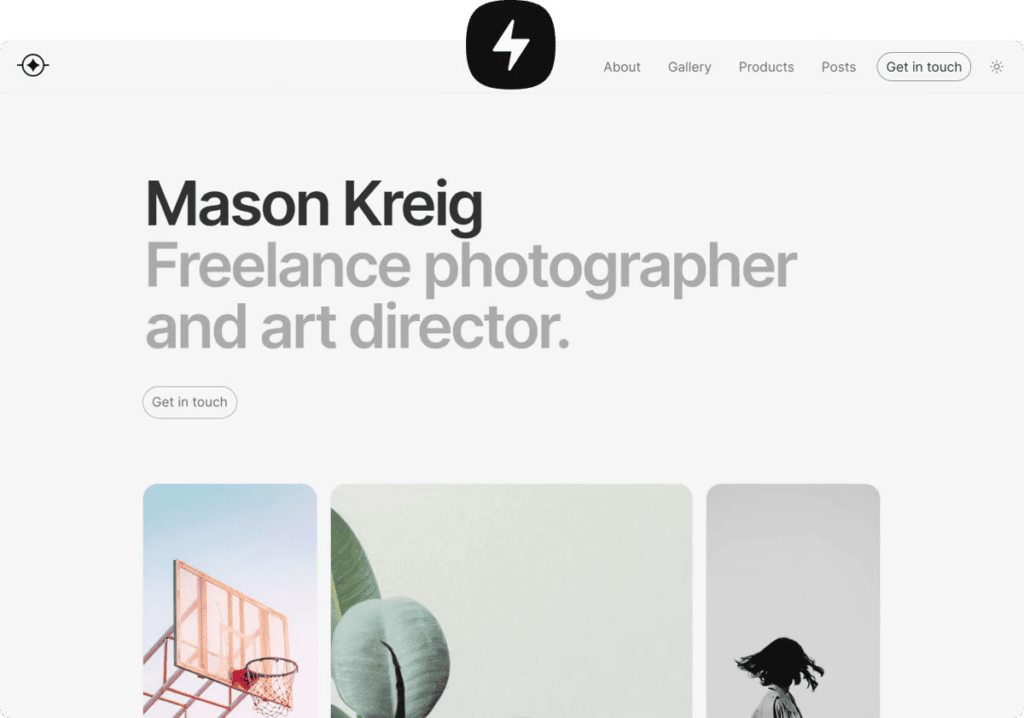
Even on the free level, you get access to customizable themes, but you do need to use a free domain. Upgrading to the paid levels gets you access to your own domain as well as SEO features, password protection, and more customization. Super is like an advanced option of Notion from a website-building perspective. If you already have content on Notion, it will be easier for you to create a website with Super. The lower price point makes it a decent option for those who want more options than Popsy but don’t want to pay for Wix.
The 2026 Edge: In the last few months, Super released new gallery card styles you can add to your site, password page layout controls, and improved site search.
Price: Free for one website with two pages. To $235 a month per advanced E-commerce site. Custom pricing is available.
| Webflow | Notion | |
|---|---|---|
| Effortless content management | ✓ | ✓ |
| Has a free plan | ✓ | ✓ |
| No coding required | ✓ | ✓ |
| Custom domain name | ✓ | ✓ |
| Templates | ✓ | ✓ |
| White Label branding | ✓ | ❌ |
| Website indexation | ✓ | ✓ |
| Wide variety of customizations | ✓ | ❌ |
| Site Expansion | ✓ | ❌ |
| Advanced features | ✓ | ❌ |
Webflow tells us that they are more than a website builder. And that your site should do more than just look good. Fair enough if you are planning to expanse quickly. In the range of software which can help create sites similar to Notion, this is the advanced one. Not many other sites offer the same kind of back-up knowledge.
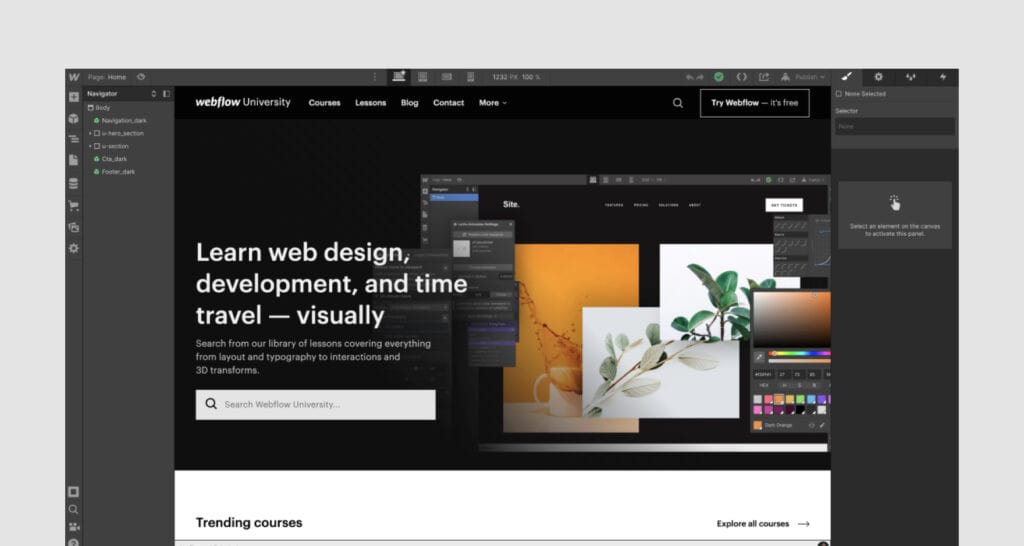
Sure it can be overwhelming with advanced features if you want to have a personal website or a job board. But Webflow offers each stage of website creation, from design to analysis and optimization. Webflow’s templates offer scalability and customization, which you won’t find on Notion. It’s a more cost-effective option than Wix and offers a similar range of features. Generally, Webflow offers far more granular details than Wix, making it a better option for more experienced and serious website builders.
The 2026 Edge: 2026 brought some new features to Webflow, including AI code components (pricing calculator, an on-page quiz, a search filter, or a job board), and Webflow AEO. The last one is an agentic, closed-loop system that measures AI visibility and surfaces on-brand recommendations for your websites.
Price: from $12 per month to $25 per month.
| Squarespace | Notion | |
|---|---|---|
| Effortless content management | ✓ | ✓ |
| Has a free plan | ❌ | ✓ |
| No coding required | ✓ | ✓ |
| Custom domain name | ✓ | ✓ |
| Templates | ✓ | ✓ |
| White Label branding | ❌ | ❌ |
| Website indexation | ✓ | ✓ |
| Wide variety of customizations | ✓ | ❌ |
| Site Expansion | ✓ | ❌ |
| Advanced features | ✓ | ❌ |
Next in the list is Squarespace and it’s a name you’ve probably heard of. It combines website editing, design intelligence, and built-in SEO tools – basically, everything you need for building really professional websites. It caters to local artists, as well as entrepreneurs who want to share their stories in a stylish and simple way.

If you have no website design experience, this will be a good place to start. In the templates gallery, you can find whatever you’re looking for: online stores, portfolios, services, memberships, etc. If you’d rather let AI do some work, Squarespace also includes Design Intelligence. You can use tools like Brand identity creation, Business name generator, AI Site scanner, and Blueprint AI whenever you need design expertise and guidance specifically for your brand.
Plus, Squarespace is a cost-efficient platform for entrepreneurs who can’t afford an expensive website but want all the basics. If you need more creative flexibility though Squarespace may feel a bit limiting.
The 2026 Edge: This year, Squarespace presented Meet AI Visibility that shows you how your brand appears across search in ChatGPT or Gemini, how you stack up against competitors, and what to do about it.
Price: from $10 per month.
| Framer | Notion | |
|---|---|---|
| Effortless content management | ✓ | ✓ |
| Has a free plan | ✓ | ✓ |
| No coding required | ✓ | ✓ |
| Custom domain name | ✓ | ✓ |
| Templates | ✓ | ✓ |
| White Label branding | ❌ | ❌ |
| Website indexation | ✓ | ✓ |
| Wide variety of customizations | ✓ | ❌ |
| Site Expansion | ✓ | ❌ |
| Advanced features | ✓ | ❌ |
When talking about modern website builders, you can’t miss checking Framer. It positions itself as a web design agent for professional sites. It’s a popular choice for marketers, designers, and enterprise teams cause in addition to using the builder, users can manage content with a built-in CMS, publish to custom domains, and improve SEO from one workspace.
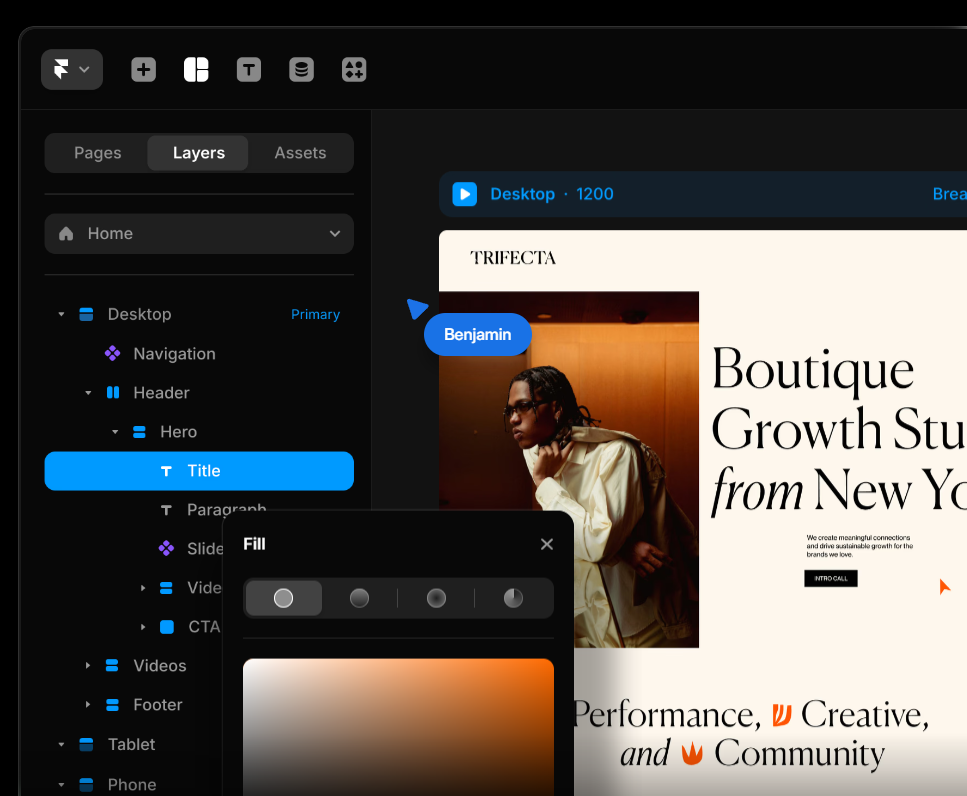
At the core of the platform are Framer agents that assist teams in designing and improving websites. You can use the agents to create CMS collections, improve accessibility, or for smaller tasks like updating fields, fixing broken links, and checking heading structure. However, Framer offers a relatively limited number of prebuilt templates, and it takes time to fully understand some layout concepts.
The platform also comes with a community gallery where you can seek inspiration for your site. Or submit what you’ve built with Framer. Notably, Framer has collaborative workspaces, which makes it really similar to Notion.
The 2026 Edge: In 2026 Framer released Logo Shaders – a new type of Framer Shader that lets users upload SVGs or PNGs and bring them to life. The team also added folder support to design pages for larger projects. And introduced auto-translate for localization.
So, out of the websites like Notion, which is the best? Arguably the one that provides the closest range of features (but with added benefit) is Fusebase. It provides similar content editing ability but with easier management and widget integration, and more granular site permissions.
If you’re looking for an alternative to Notion, FuseBase could be the platform for you. Book a call today to explore its full range of features and to see how it could improve your content management.
What is Notion sites?
Notion Sites helps businesses and teams launch a beautiful website in just minutes and without coding. You can customize your Site’s look and feel, connect custom domains, and more.
What features Notion Sites have?
Notion Sites offers website management and publishing, search engine indexing, a custom domain option, link expiration, visual customization, and integration with Google Analytics.
What customization options are available for Notion sites?
You can customize:
What is a website builder?
Website builders are platforms that offer tools for creating websites without coding. They also usually include templates, dnd editors, and AI tools for modern customization.
Is there a free website builder?
Several options mentioned in this article offer free plans like FuseBase, Wix, Framer, Super, and Webflow.
What are the top 3 website builders?
If you’re looking for a website builder tool, I recommend checking out FuseBase, Wix, and Squarespace.
Found it useful? Share the article with your community

Get weekly tips and insights on how to grow your business