
Skip to the content
FuseBase FuseBase
  • Solutions

    Solutions
    Solutions
    AI-powered Portals for teams, clients, partners

    One place to collaborate internally and externally

    CLIENT PORTALS
    DEAL ROOMS
    PARTNER PORTALS
    ONBOARDING PORTALS
    Browser Extensions

    Boost your productivity with FuseBase browser extensions

    CHROME
    EDGE
    CHROMIUM-BASED
    Build Professional Apps

    Production-ready apps in days

    AI CODING
    AI WORKFLOWS
    PERMISSIONS
    USER MGMT
    Solutions

    Recognized by leading product platforms

    Multiple awards for ease of use, customer satisfaction, and enterprise-grade security

    AI Agents (apps)

    User-friendly AI agents in minutes for every team

    AI Agents for Sales

    Sales President’s Club AI Agents

    AI Agents for Teams

    Secure Workspace & Agent Management for Modern Teams

    Client Portal

    Level up your collaboration with unified digital hubs

    Deal Rooms

    Close faster with smart, sleek spaces for every deal

    Knowledge Base

    Create one source of truth for clients & teams

    Partner & Vendor portals

    Maximize value from your external relationships

    Project Management

    Work on clients’ projects without extra hurdles

    FuseBase Clarity

    Capture Step-by-Step guides, SOP and tutorials

    FuseBase AI Assistant

    AI Chat and Agents everywhere

    FuseBase Voice Assistant

    Voice typing everywhere in your browser

    FuseBase PRO AI

    Note taking, Files Sharing & Collaboration

    Build Professional Apps
    Book a demo with our experts to build your custom workflow
  • Industries

    Industries
    Consulting Services

    Deliver exceptional client service

    Financial Services

    Automate compliance, approvals & collaboration

    Healthcare

    Secure, compliant portals for care and admin

    Marketing & Advertising

    Centralize campaigns and automate client requests

    Mid-Size companies

    Growing 50-1000+ employee companies

    Professional Services

    Get a one-stop-shop for collaboration

    Software & Technology

    Automate workflows with AI-powered portals

    See all industries

    Fusebase highlights

    Book a demo with our experts to build your custom workflow
    • GitHub / Discord

      GitHub / Discord
      FuseBase GitHub Repos

      One step close to opensource community

      Join FuseBase Discord

      AI Development, Autonomous Agents for Client Facing businesses

      Book a demo with our experts to build your custom workflow
      • Pricing
      • Resources

        Resources
        About us

        Meet FuseBase!     

        Blog

        Read the latest collaboration tips

        Case Studies

        Explore case studies and find tailored solutions

        Contact us

        Get growth advice from our experts

        Guides

        Answer your FuseBase questions

        Roadmap

        See what waits for you in the future

        Trust сenter

        HIPAA & SOC 2. Trusted standards, protected data

        Affiliate Program

        Would you turn down free money? 🤔

        Book a demo with our experts to build your custom workflow
        • Book a demo Get Started Free
        • Book a demo with our experts to build your custom workflow
        • Sign in
        • Book a demo
        • Get started for free
        Categories
        • All articles
        • AI Agents
        • Client & Customer Portals
        • Client Collaboration & Communication
        • Comparisons
        • Customer & Self-Service
        • Knowledge Management
        • Productivity
        • Sales & Deal Management
        • Team & Project Management
        • Updates and News
        TABLE OF CONTENTS

        • Best Google Docs Alternatives at a Glance
        • What is Google Docs?
        • What is Google Docs Good for?
        • Reasons Why You Might Need an Alternative to Google Docs
        • What to Look for in the Right Google Docs Alternative
        • Top 13 Google Docs Alternatives
        • 1. FuseBase
        • 2. Microsoft Word Online
        • 3. Zoho Writer
        • 4. Apache OpenOffice
        • 5. ClickUp
        • 6. Dropbox Paper
        • 7. Evernote
        • 8. Quip
        • 9. OnlyOffice
        • 10. Coda
        • 11. Notion Docs
        • 12. Confluence
        • 13. CoordinateHQ
        • Conclusion
        • Home
        • Blog
        • Comparisons...
        • 13 Google Docs Alternatives for Creating Smarter Documents in 2026
        Comparisons

        13 Google Docs Alternatives for Creating Smarter Documents in 2026

        • by Pavel Sher
        • July 28, 2026
        • 14 Min read

        Working with documents has truly become an integral part of our personal and work lives. You will not meet a student, professional, or entrepreneur who won’t need to create and share information in a structured manner. They often use Google Docs, a free online word-processing app for creating and editing documents.

        And, sure, Google Docs has long been a go-to solution for many, but exploring alternative platforms can offer unique advantages. I researched and tested 13 best Google Docs alternatives to help you find the right tool for document management.

        Best Google Docs Alternatives at a Glance

        PlatformBest forOutstanding featuresPricing
        FuseBaseCollaboration and smart documentationClient portals and knowledge bases to manage and organize your documents in one placeStarts from $32 per month. Free plan is available.
        Microsoft WordTeams that already use Microsoft 365 productsIntegration with other Microsoft 365 productsStarts from $9.99 per month. Free plan is available.
        Zoho WriterCollaborative writingPlagiarism checkerStarts from €2,50 per user per month. Free plan is available.
        Apache OpenOffice WriterTeams that need free and open solutionAutoCorrect dictionaryFree and open tool
        ClickUpDocument management + project managementEvery doc in ClickUp connects directly to the work it supportsStarts from $7 per user per month. Free plan is available.
        Dropbox PaperCreative teamsConversion of documents into presentationsStarts from $9.99 per month. Free plan is available.
        EvernoteManaging documents even without the internetOffline modeStarts from $10 per user per month. Free plan is available.
        QuipSales teamsSpreadsheets with live Salesforce dataStarts from $10 per user per month. No free plan.
        OnlyOfficeAdvanced document editingView and navigate diagramsPricing upon request
        CodaDocuments, spreadsheets, and databases in one workspaceInteractive tablesStarts from $12 per doc maker per month. Free plan is available.
        CoordinateHQMarketing agencies and legal servicesSystem of record and cross-project visibilityStarts from $10 per internal user per month. No free plan.
        NotionFreelancers, startups, and small teamsWeb clipper and databasesStarts from $10 per member per month. Free plan is available.
        ConfluenceWikis, documentation, and team collaborationWhiteboards for brainstorming and collaborationStarts from $5,42 per user per month. Free plan is available.

        What is Google Docs?

        Google Docs was first launched in 2004 as an alternative to MS Word. Since then, the service has evolved into a full-fledged office suite with features like spreadsheets, presentations, forms, editing tools.

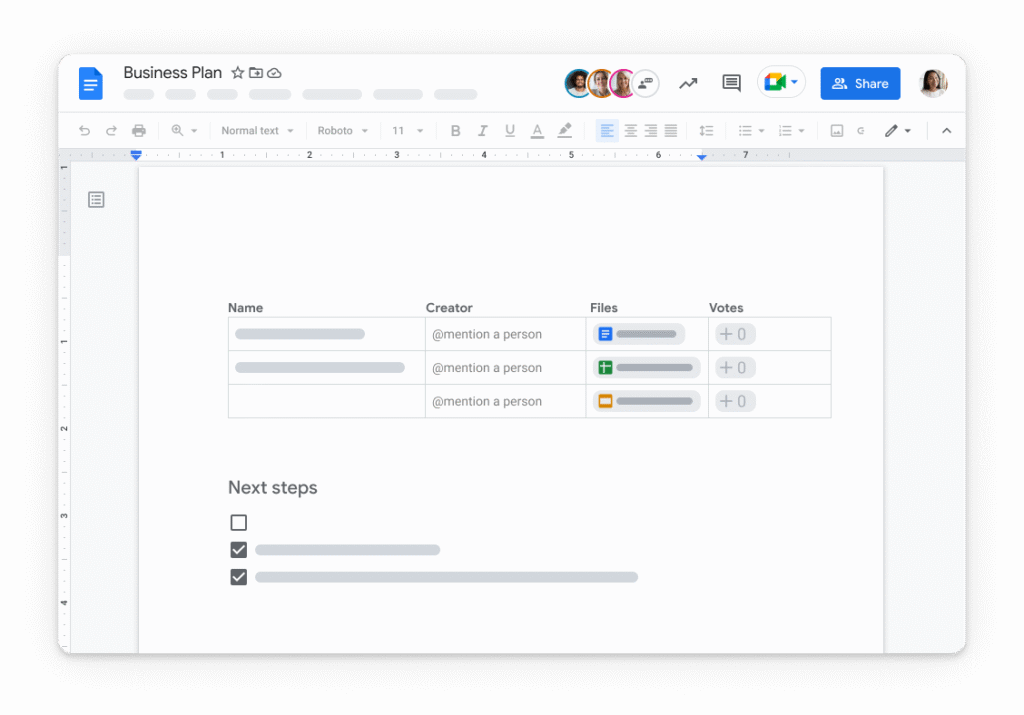
        This online office suite is great for creating documents, spreadsheets, presentations, drawings, and quizzes. Also, the interface looks pretty much similar to a Word document. Google Docs includes features such as drawing tools, text formatting features, tables, charts and more. It allows users to create, view, edit, share, print and sync files across multiple devices. So teams can collaborate on projects together via real-time editing.
        Google Docs Alternatives for Creating Smarter Documents. Image powered by FuseBase

        What is Google Docs Good for?

        Ease of use

        There are plenty of tutorials online on how to do things quickly and efficiently, which means there isn’t a high learning curve. Since it’s a basic word processor, it’s perfect for students, business owners, freelancers and anyone else who wants to share information easily.

        Broad range of supported formats

        Google Docs supports multiple file formats, including its native .gdoc format, as well as Microsoft Word (.docx), OpenDocument (.odt), Rich Text Format (.rtf), Plain Text (.txt) and HTML (.html).

        Collaboration capabilities

        Google Docs offers collaborative document editing capabilities, so multiple users can work on the same document. For example, you can invite other people to view and edit your doc. You’ll see what they’re doing in real time and make changes together. So everyone involved can make changes without having to wait for someone else to finish.

        Online office suite

        Google Docs is part of Google’s Office online suite of products, which is similar to Microsoft Office online with their Office 365 apps. Google’s Office online suite includes an online word processor, spreadsheets, presentations, and other tools for collaborative work.

        Reasons Why You Might Need an Alternative to Google Docs

        Restricted collaboration functionality

        Google Docs offers basic document collaboration features, but it does not offer advanced ones. For example, Google Docs doesn’t have solid project management tools. To tailor your experience, you either have to use add-ons, other Google apps, or find an alternative.

        Limited integration with external cloud-storage platforms

        While Google Docs documents are automatically saved in Google Drive, you cannot link your documents to other alternative cloud-storage services, such as Dropbox, Box or Mega. If you want to share a Google Doc through other services, you need to download the file and then upload it to the alternative cloud-storage service.

        Compatibility

        To perform edits on documents, it is necessary for them to be in the Google Docs format. If you upload a file from an alternative program with a lot of formatting, such as Microsoft Word, it’s highly likely you will lose a lot of the formatting. This can become time-consuming if you have to redo all the formatting.

        Limited editing features

        Unlike Microsoft Word, which offers advanced formatting and editing features, Google Docs’ editing functionality is basic. Standard right-click features available in most Microsoft Office products don’t exist in Google Docs. You need to use alternative methods, such as the menu options or toolbar commands to do basic editing operations.

        💡 Read more posts on this topic:
        • Recapped Alternatives: Choose the Best Deal Management Software
        • Top 9 Aligned Alternatives and Deal Room Software Competitors

        What to Look for in the Right Google Docs Alternative

        When you choose the right Google Docs alternative, you need to consider some factors like:
        • Features: The more advanced features a product has, the better. Though this should be balanced against its usability. Some document editing tools could have fewer features but will be easier to use.
        • Compatibility: This refers to how well the software runs on different operating systems. A good Google Docs alternative needs to run smoothly on all platforms.
        • Privacy and security: Security is important. You don’t want to accidentally send sensitive information to someone else. You also need to know what data is being collected and whether you have any control over what data they collect.
        • User interface: A good alternative should have a user-friendly interface. Including ease of navigation and ease of use.
        • Cost: Free services are great, however, they often lack essential features. This is where the cost will play a factor when deciding on an alternative solution.
        • Support: If you’ll need help or assistance, you need to know how easy it is to contact support and whether they respond quickly.

        Top 13 Google Docs Alternatives

        1. FuseBase

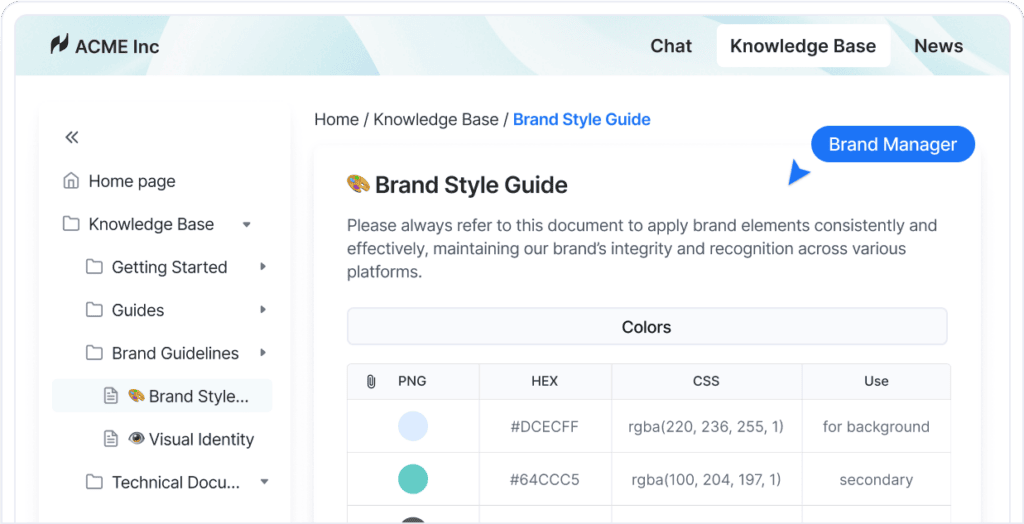
        FuseBase is Google Docs Alternatives for Creating Smarter Documents. Image powered by FuseBase.

        FuseBase stands out among other Google Docs alternatives thanks to its optimal feature set, which includes:

        • Advanced formatting and embedding: add content in various forms, including text, images, video, audio and links, as well as link related pages together like in a wiki.
        • AI-powered search for contextually relevant answers to all kinds of project-related queries.
        • Transcribe option so you can turn recorded meetings, interviews, or voice notes into text and create documentation without typing everything out
        • Collaboration through FuseBase Chat, branded client portal, knowledge bases, and task management. FuseBase’s great collaboration tools help you improve your communication with team members and clients and have better visibility of all your projects and tasks.
        • Advanced permission levels, which allow you to set permissions for file sharing at the workspace and folder levels, along with creating password-protected pages.

        All these features allow FuseBase to set itself apart as the best Google Docs alternative. Its powerful document editor is complemented by exceptional document collaboration tools, e-signature, version control, AI tools, and functionality that help users manage projects with ease.


        🤖 Watch how FuseBase AI Agents transform your work:

        Image powered by FuseBase.
        Image powered by FuseBase.

        2. Microsoft Word Online

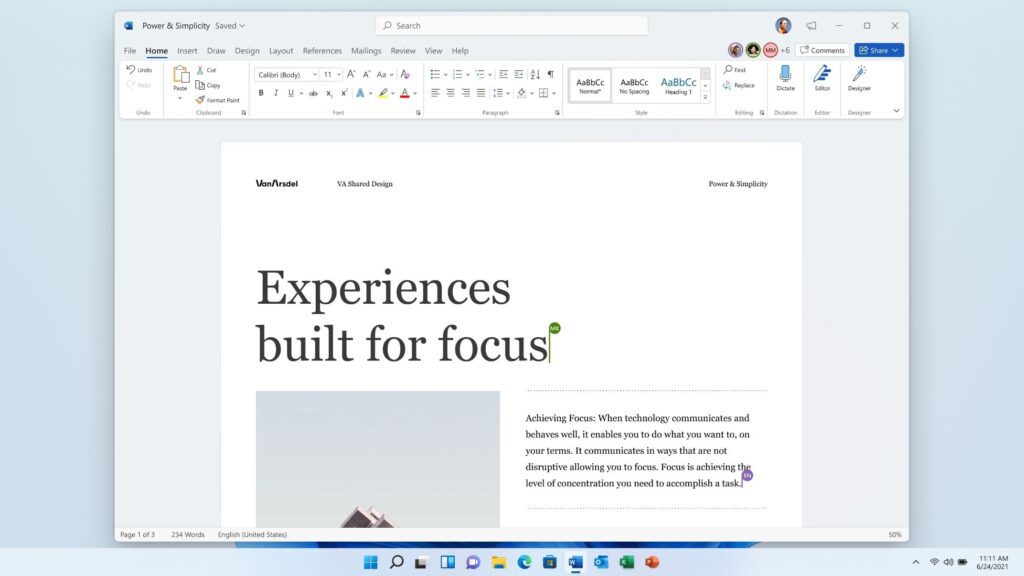
        Microsoft Word is Google Docs Alternatives for Creating Smarter Documents. Image powered by FuseBase

        Microsoft Word is a part of Microsoft 365. This productivity suite has multiple apps such as Word, Excel, PowerPoint, Outlook.
        Microsoft Word web version is one of the most popular alternatives to Google Docs. The web version offers features similar to the desktop app. For example, document editing tools and formatting features are all reachable through a web browser without installation.

        So in short, you can create, edit, and collaborate on documents from anywhere, and share your Word document with several users.

        Key features:
        • Templates to quickly create professional-looking documents
        • Integration with other Microsoft 365 products
        • Offline editing functionality for desktop app
        • Familiar interface

        3. Zoho Writer

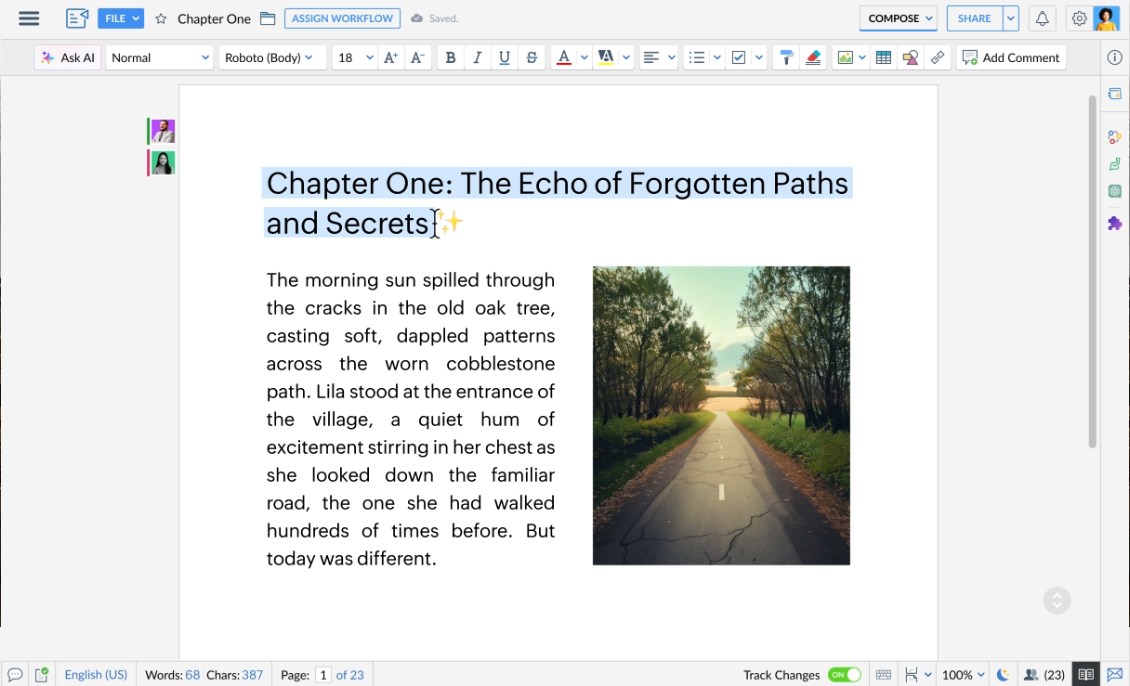
        Zoho Writer is Google Docs Alternatives for Creating Smarter Documents. Image powered by FuseBase.

        Another good alternative is Zoho Writer. It’s a powerful online word-processing and document editing tool that comes as part of Zoho Office Suite. Its editor, with highly advanced formatting options, empowers users to design visually pleasing documents. You can create a doc with custom layouts and add your company branding for a professional touch.

        When paired with the Zoho Docs platform, Zoho Writer is no worse than the productivity suites offered by Google Workspace and Microsoft Office Online.

        Key features of Zoho Writer:
        • Collaborative writing: track changes, add comments, and view edits in real-time
        • Dynamic templates and forms from scratch using scanned documents or AI
        • Plagiarism checker and smart writing assistance

        4. Apache OpenOffice

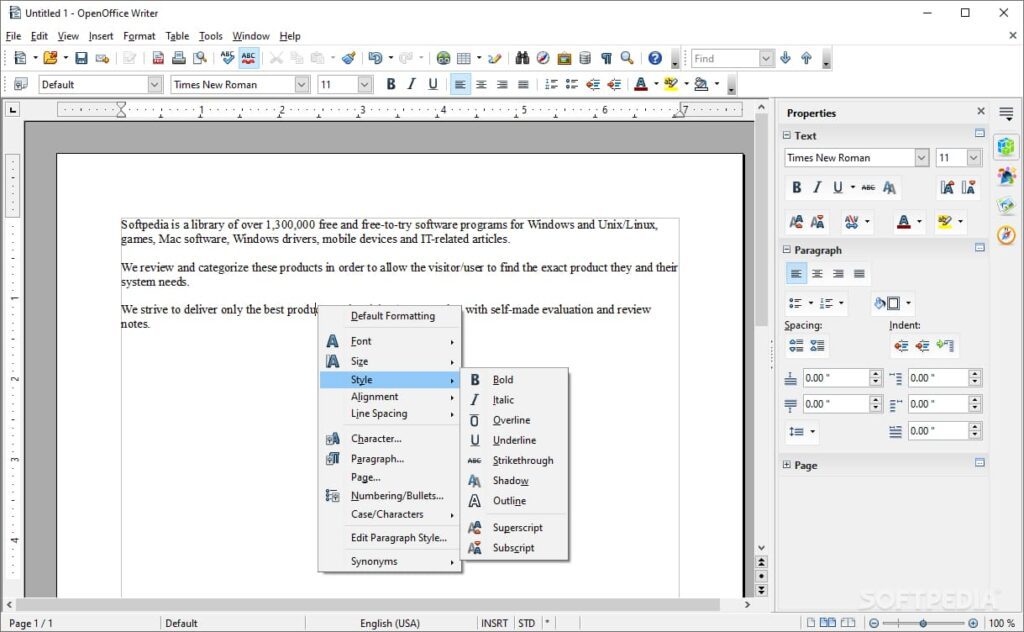
        Apache OpenOffice Writer is Google Docs Alternatives for Creating Better Documents. Image powered by Nimbus

        Apache OpenOffice is a free and open-source office suite. This tool includes a word processor called Writer and is a worthy alternative to Google Docs with its powerful document editing and formatting features. 

        It is simple enough for a quick memo, yet powerful enough to create complete books with contents, diagrams, indexes, etc. Wizards help produce standard documents such as letters, faxes, agendas, or carry out more complex tasks such as mail merges.

        The main benefits of Apache OpenOffice include:
        • AutoCorrect dictionary and multi-page display
        • Cross-platform compatibility
        • Free and open-source
        • HTML, PDF, MediaWiki formats

        5. ClickUp

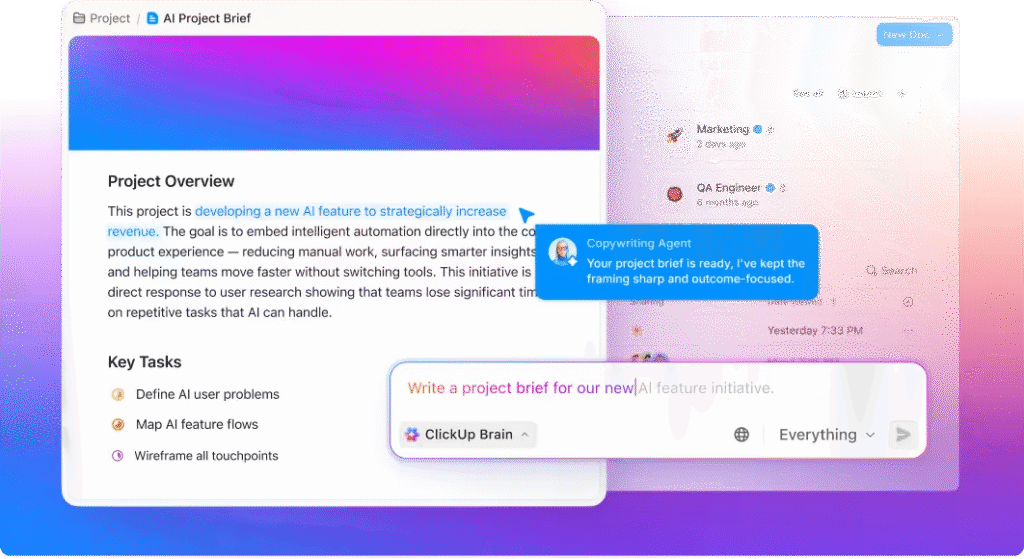
        ClickUp is Google Docs Alternatives for Creating Smarter Documents. Image powered by FuseBase

        ClickUp is a project management and productivity platform that brings everything together in one workspace: teams, tasks, and tools. Its ClickUp Docs lets users create and collaborate on documents in a centralized, organized manner.

        With ClickUp Docs, another noteworthy Google Docs alternative, you can write, edit, and format text documents directly within the platform. Formatting options include headings, lists, tables, and more to structure your content effectively.

        ClickUp Docs key features:
        • Create ClickUp Docs for any use case like knowledge bases, user guides, templates, and processes
        • Tag team members using @ mentions for easy communication and team collaboration
        • Create dashboards to quickly view your main documents
        • Version history tracks every change

        6. Dropbox Paper

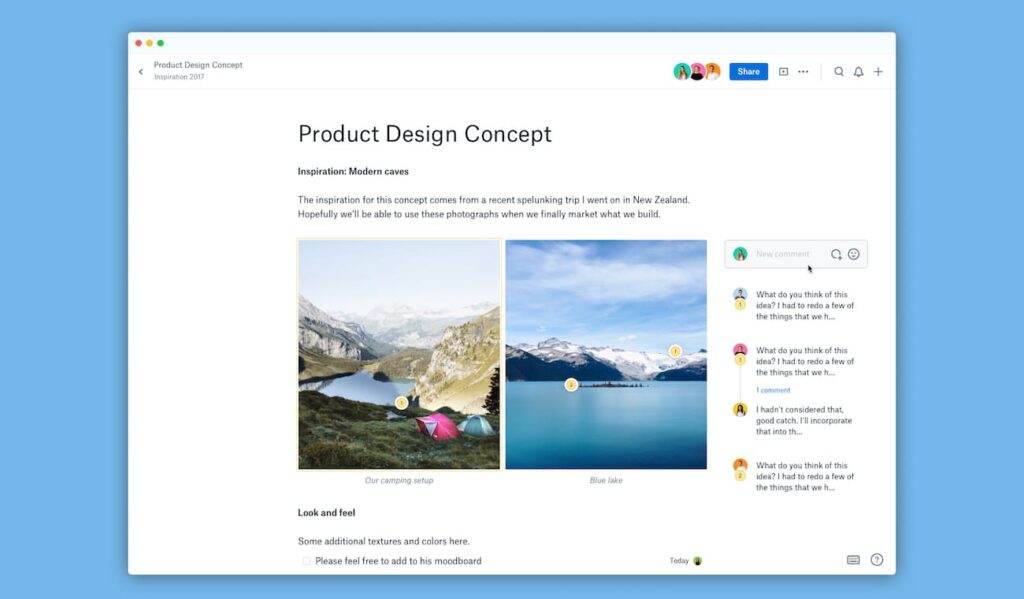
        Dropbox Paper is Google Docs Alternatives for Creating Smarter Documents. Image powered by FuseBase

        Among the best Google Docs alternatives, you can’t avoid mentioning Dropbox Paper. It is an online co-editing document tool offered by Dropbox. That platform provides a simple and intuitive interface for creating, editing, and organizing documents, notes, to-do lists, and project plans. Teams can assign to-dos, add due dates, and mention people from inside the doc.

        As Dropbox says, “you work with more than just words – so does Paper”. You can display (and play) just about anything: a YouTube video, GIF, Pinterest board, Google Map, SoundCloud clip, Figma, InVision, and more.

        The key features of Dropbox Paper include:
        • Easy conversion of documents into presentations
        • Annotations that provide better feedback
        • Task assignment with due dates to team members
        • Template creation for faster workflows

        7. Evernote

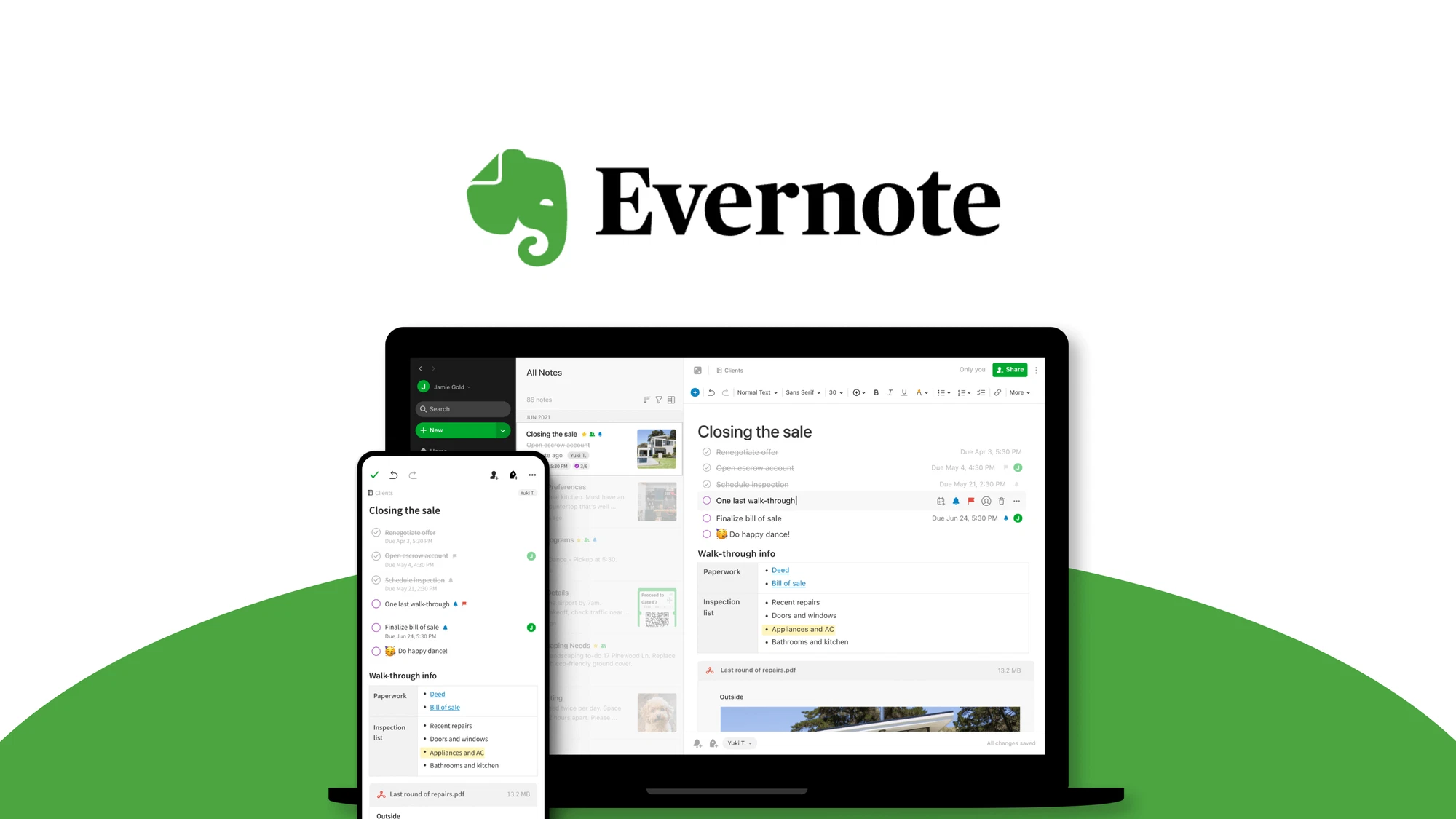
        Evernote is Google Docs Alternatives for Creating Smarter Documents. Image powered by FuseBase

        Evernote is also worth mentioning when speaking about the best Google Docs alternatives. This note-taking tool is designed to help users capture, organize, and access information easily. Its notebooks and spaces can help teams organize and sort ideas and information anytime, on any device. When you need to find notes, you can use note titles, dates, tags, and keywords. With Evernote, you can create notes, store web articles, capture images, and even record audio, all in one place.

        Evernote’s key features are as follows:
        • A home dashboard that allows you to set up widgets for your most common tools
        • Offline mode, which means you can continue working without needing internet access
        • Notes history, which allows you to retrieve previous versions of your notes

        8. Quip

        Quip is Google Docs Alternatives for Creating Smarter Documents. Image powered by FuseBase

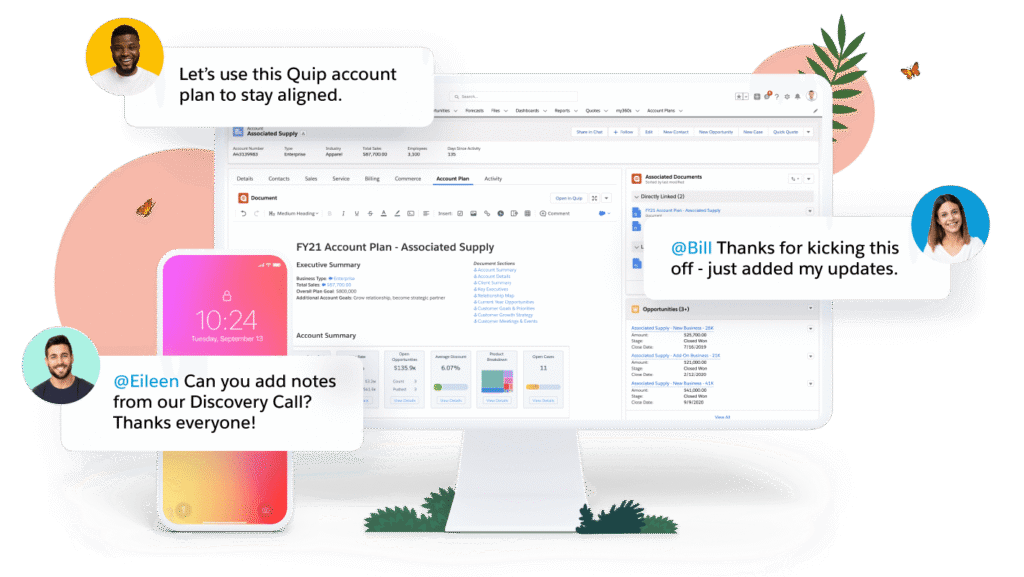
        Quip is a productivity platform for sales teams. It offers a unified workspace for documents, live Salesforce data, and built-in collaboration. This tool is owned by Salesforce, so Quip deeply integrates with it. As mentioned on their site, Quip helps to transform processes like Account Planning, Mutual Close Plans, and Qualification Notes.

        It combines team chat rooms and 1:1 messaging, spreadsheets, and documents, so you can get everything done in one place. Notifications and mentions help users stay informed about updates and important discussions.

        Quip key features include:
        • Offline Mode and version history for documents
        • Spreadsheets with live Salesforce data
        • Real-time chat built into every document and spreadsheet
        • Embed documents in all Salesforce objects

        9. OnlyOffice

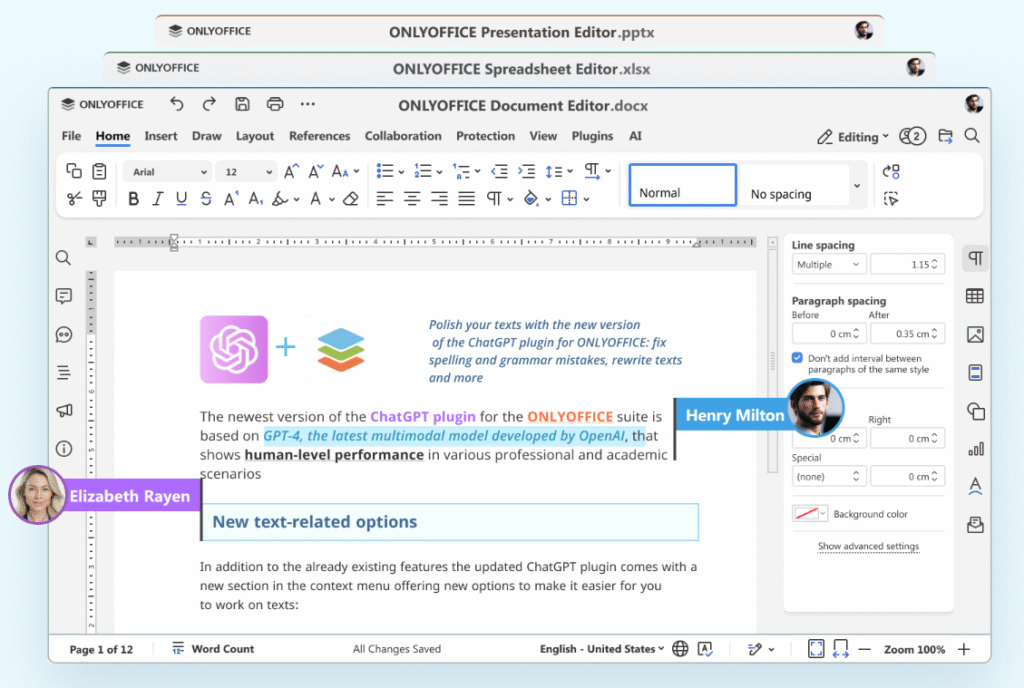
        ONLYOFFICE is One of the Google Docs Alternatives for Creating Smarter Documents. Image powered by FuseBase

        With OnlyOffice Docs, users can collaborate in real-time, track changes, and access their files from anywhere with an internet connection. This office suite has a familiar and user-friendly interface, supports various formats, and provides extensive formatting and styling options.

        Its presentation tools let users create appealing presentations with customizable templates, slide transitions, and multimedia integration. Moreover, OnlyOffice Documents integrates with other productivity tools and platforms, which makes it a flexible option for individuals and teams.

        Here are the features that differentiate OnlyOffice Documents from other tools:
        • Spreadsheet management with advanced formulas, functions, and data analysis tools
        • Convert docs to Markdown and HTML
        • View and navigate diagrams
        • Translate, rewrite, and check spelling or grammar with AI

        10. Coda

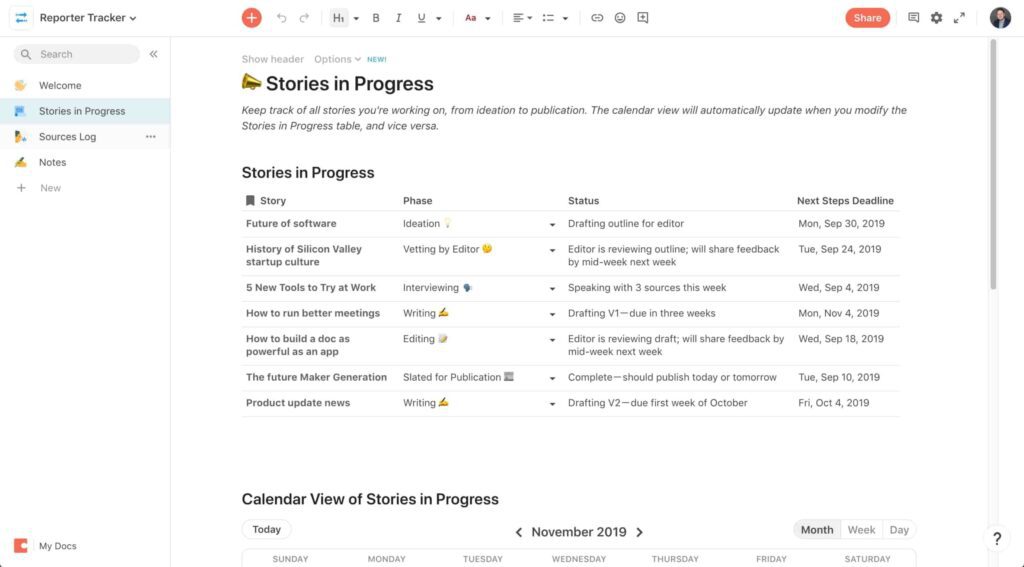
        Coda is Google Docs Alternatives for Creating Smarter Documents. Image powered by FuseBase

        Coda lets users create interactive documents and customize them with tables, forms, and buttons. It’s a modern mix of documents, spreadsheets, databases, and project management tools.

        Coda allows you to go beyond traditional text and paragraphs. Similar to Google Docs, you can create tasks using the “@” symbol. But Coda sets itself apart with task automation that Google Docs doesn’t have.

        Coda’s key features:
        • Collaborative space where multiple users can edit and comment on the text at the same time
        • Multi-format content with interactive elements like tables, videos, etc.
        • Task automation
        • Interactive tables with built-in formulas, filters and sorting options
        • Mobile accessibility

        11. Notion Docs

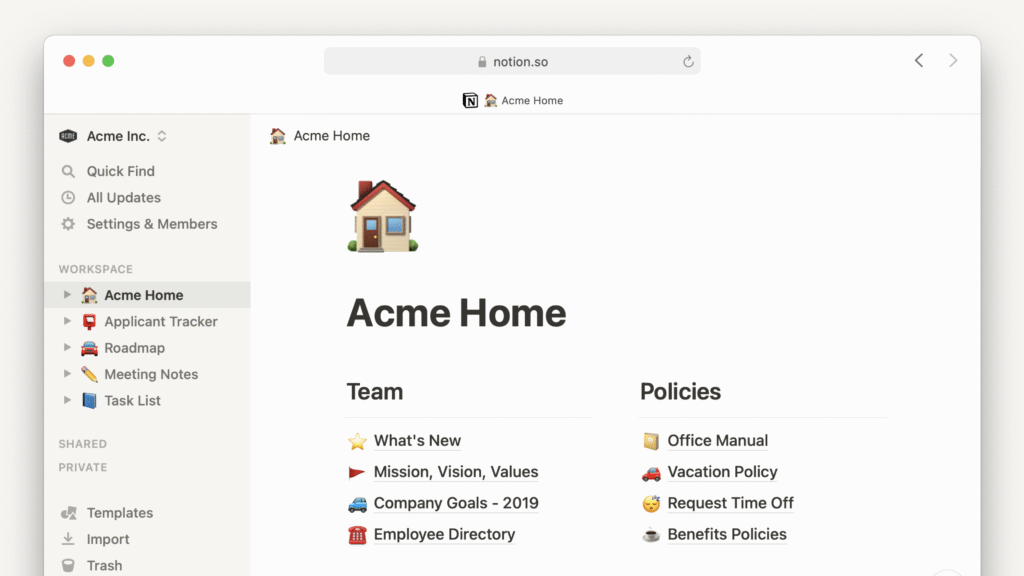
        Notion is Google Docs Alternatives for Creating Smarter Documents. Image powered by FuseBase

        Notion is quite a popular writing tool. It lets users capture their team’s knowledge, find answers across documents, and automate some of the processes. You can even create a database and add it to your document. Then, you can view it in different formats like table, board, gallery, or calendar.
        Notion is great for working together on documents too, since it lets you edit the same page at the same time with multiple people, leave comments, mention teammates. And if a page you care about has been updated, you’ll be notified about it. You can use Notion on mobile, desktop, or the web. Also, Notion’s desktop app has a built-in spell check.

        Key features:
        • Web clipper to save any web page from the internet to your workspace
        • Backlinks to see how every document connects across your spaces
        • Verified pages and Notion AI
        • Enterprise search across Notion and connected apps

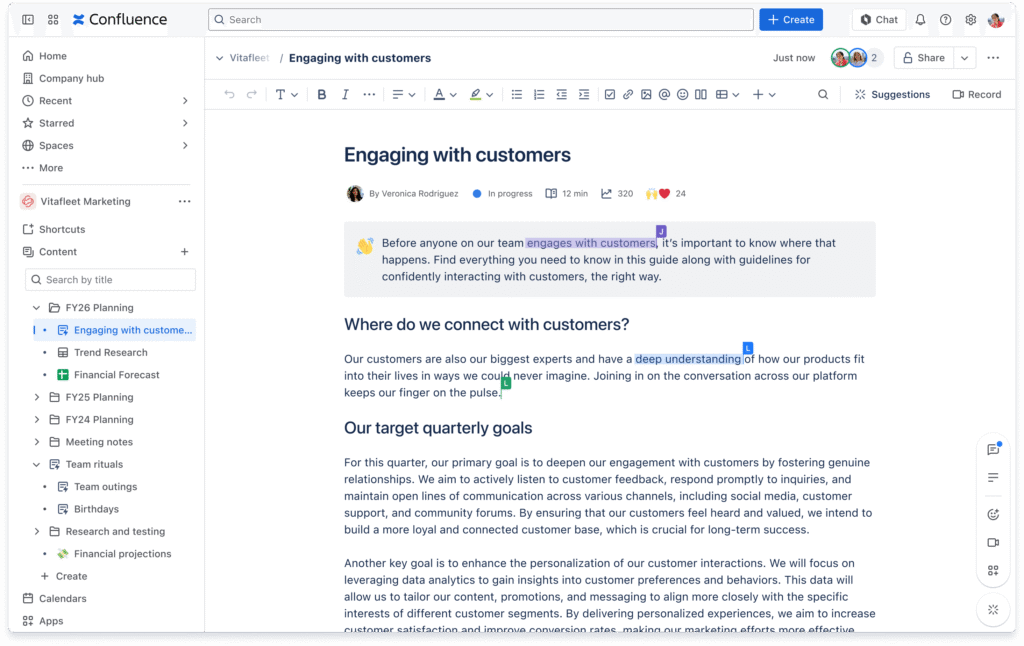
        12. Confluence

        Confluence is Google Docs Alternatives for Creating Smarter Documents. Image powered by FuseBase

        Confluence is a platform developed by Atlassian that you know as the company that brought you Jira. There, users can store and manage their docs, ideas, projects, and knowledge. They present themselves as an AI workspace for knowledge and collaboration. Their AI Assistant, Rovo, helps teams get answers, turn content into timelines or charts, etc.

        It also deeply integrates with Atlassian products including Jira Software, Trello, and Loom. Already use some of their tools? Confluence might be a solid choice.

        Key features of Confluence:
        • Whiteboards where you can collaborate, brainstorm, draw, and visualize on an infinite canvas
        • Rovo AI that turns notes into strategy documents or summarizes content
        • Dynamic content to add interactivity to Confluence pages

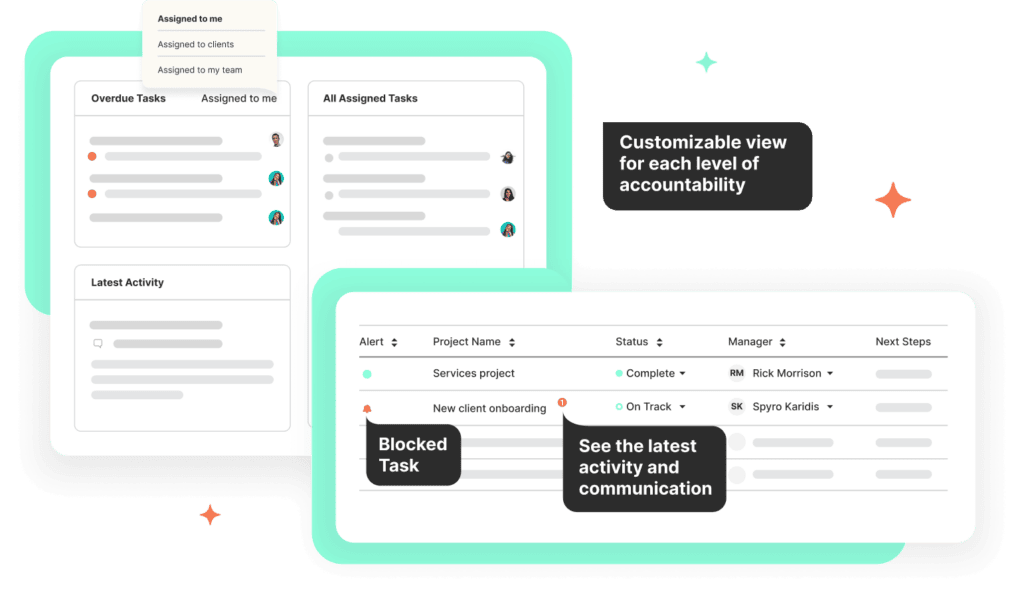
        13. CoordinateHQ

        CoordinateHQ is Google Docs Alternatives for Creating Smarter Documents. Image powered by FuseBase

        CoordinateHQ is a collaboration platform featuring client portals powered by project management and communication functionality. It’s a great Google Docs alternative for corporations and large businesses.

        In CoordinateHQ, your team can collaborate on documents in real time and share files effortlessly. The app has branded client portals for presenting deliverables and gathering approvals (eSignatures are supported).

        CoordinateHQ’s key features:

        • Client portals with unlimited client seats
        • Powerful document editor
        • Project management and time tracking
        • Chats, mentions, and automated follow-ups
        • System of record and cross-project visibility

        Conclusion

        Word processors have come a long way from simple document editors into platforms that offer features like converting documents into presentations, AI writing assistants, and grammar checkers. Those platforms have changed the way people express and organize their ideas or their accumulated knowledge. Thanks to these alternatives, you can rest assured that you and your team will be able to easily manage and collaborate on documents.

        Learn from our experts how to organize your docs better than Google Docs!

        Book a demo

        Take your productivity to new heights and experience the power of FuseBase, number one in our Google Doc alternative list!

        Author Image

        Pavel Sher

        Founder and CEO of FuseBase

        Pavel Sher is on a mission to give teams their time back by replacing busywork with AI agents that handle the repetitive tasks no one has time for. As the CEO of FuseBase, he has turned years of customer insights and productive teams experience into a cutting-edge collaborative portal platform. By introducing deal rooms, onboarding solutions, and knowledge-sharing features, Pavel is helping agencies and sales teams work smarter, close deals faster, and deliver exceptional client experiences. FuseBase AI Agents act as Dream Team of executive assistants that work 24/7.

        Found it useful? Share the article with your community

        • Share on Facebook
        • Share on LinkedIn
        • Share on X

        Related Articles

        Top Alternatives to Notion Client Portals
        Comparisons

        Top Alternatives to Notion Client Portals

        • by Sabina Sher
        • 7 Min read
        10 GetAccept Alternative Options and Why They Stand Out
        Comparisons

        10 GetAccept Alternative Options and Why They Stand Out

        • by Sabina Sher
        • 11 Min read
        Subscribe to our blog!

        Get weekly tips and insights on how to grow your business

        Our solutions
        • Mid-size companies
        • AI Agents (apps)
        • Client portal
        • Deal rooms
        • White label
        • Knowledge base
        Plans & Pricing
        • Pricing
        Enterprise Security
        • Trust Center
          (HIPAA & SOC 2)
        • Terms & Privacy
        • GDPR
        Company & Contacts
        • Templates
        • Guides
        • Roadmap
        • Privacy
        • About us
        • Reviews
        • Contact us
        Compare with
        • SharePoint
        • Moxo
        • Notion
        • Confluence
        • Asana
        • Airtable
        • Monday
        • See all
        Fusebase Logo
        • English
        FuseBase - Client collaboration platform for professional services | Product Hunt
        • g2
        • sourceforce
        • g2
        2014-2026 FuseBase is a product of Nimbus Web Inc., a Delaware company