
Client Collaboration & Communication
Best 9 Client Reporting Software Tools to Use
- August 24, 2023
- 11 Min read
Many of us know the phrases “He who rules the data, rules the world” and “Data is king.” Yes, they already seem like clichés but still hold significance, especially in the dynamic times we live in. Today we are surrounded by tons of information, and good and timely data analytics can drive your business forward.
You might ask: “How?” Accurately processed and well-presented data helps quickly identify trends and patterns and thus make weighted, informed decisions. This is how our brain works – visual data is easier for us to understand and interpret.
Think of all opportunities you can have and all smart moves you can make with the right data at the right time! Sounds promising, right?
Looking for the best client reporting tools? Want to impress clients? If so, you’re in the right place. In this article, we dive into the world of client reporting software tools and explore their advantages, disadvantages, pricing plans and user ratings. By the end of this article you will be equipped with all the information necessary to choose your tool.
Fasten your seatbelts and let’s go.
What are Client Reporting Tools?
To put it bluntly, client reporting tools convert raw clients’ data and figures into easily understandable results. Reporting tools are designed to simplify the process of creating and delivering detailed reports to clients. They gather financial and marketing data from various sources and present it in a visually appealing format with an aim to make complex information easier to digest.
When you look at a table with thousands of rows, you see just figures, but when you look at the chart built on this table, you see tendencies and patterns. You see what will happen further and can quickly take the necessary actions. That is what client reporting software does – provides clients with data insights and updates without overwhelming them with technical details.
Most people hate reporting. It is boring, tiring and often time-costly to analyze data, and then create charts and client reports. And this is exactly where client reporting tools come to the aid. They allow presenting data-driven marketing insights, financial metrics, marketing campaigns performance and other important information to clients and stakeholders in a clear and organized manner.
Who Needs Client Reporting Software?
Client reporting tools are used by a diverse range of professionals and businesses, including marketing agencies, consultants, financial advisors and e-commerce companies.
Client reports play an important role in various aspects of business operations. They are essential for monitoring social media presence, analyzing the effectiveness of a client’s campaign, evaluating digital marketing efforts, establishing clear client communication, improving customer engagement and much, much more.
💡 Read more posts on this topic:
Best Client Reporting Software Tools
Let us now look at the top nine reporting software tools available in today’s market. We will closely examine their features, advantages, drawbacks, pricing plans, and user ratings to offer you a comprehensive understanding of each tool’s capabilities.
#1 FuseBase
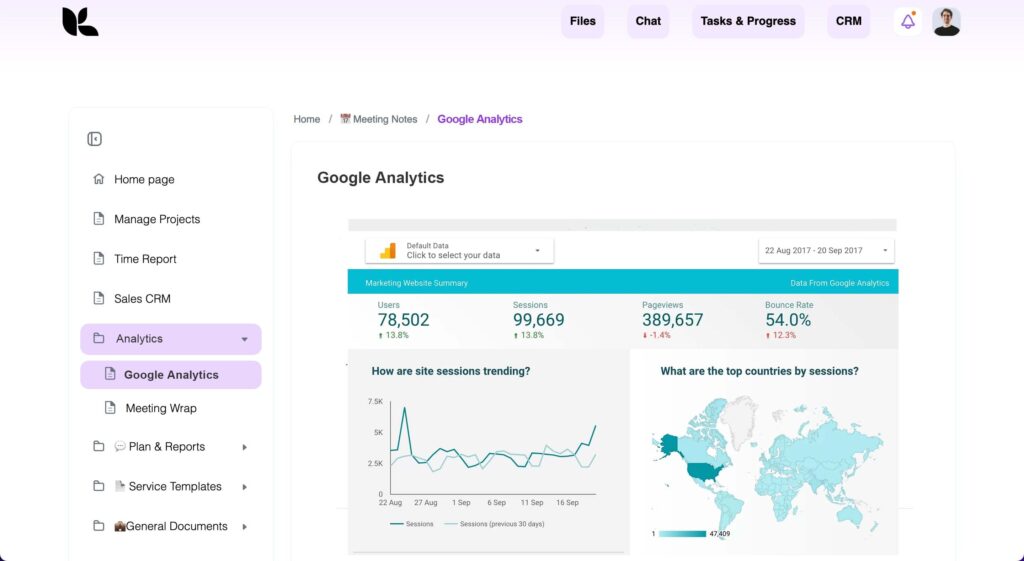
FuseBase is a leading client management solution that provides integrated reporting features, workflow management and analytics functionality, all under one roof. It boasts a wide range of features that cater to various industries and professionals seeking to deliver impactful reports to their clients.
FuseBase stands out with its powerful sharing and collaboration features, capacity to create a fully-functional client portal, and highly recognized super documents feature.
Pros:
- Rich embedding features and integrations
- Clear UX for clients
- Permission management
- Simple sharing with client teams
- Free trial
Cons:
- More than just a client reporting tool
- Search only within one workspace
- Script integrations are available to Business users only
Pricing:
- Free plan is available
- Business – starts at $99/month. Contact sales for a customized pricing quote.
G2 rating: 4.6 (71 reviews).
#2 Megalytic
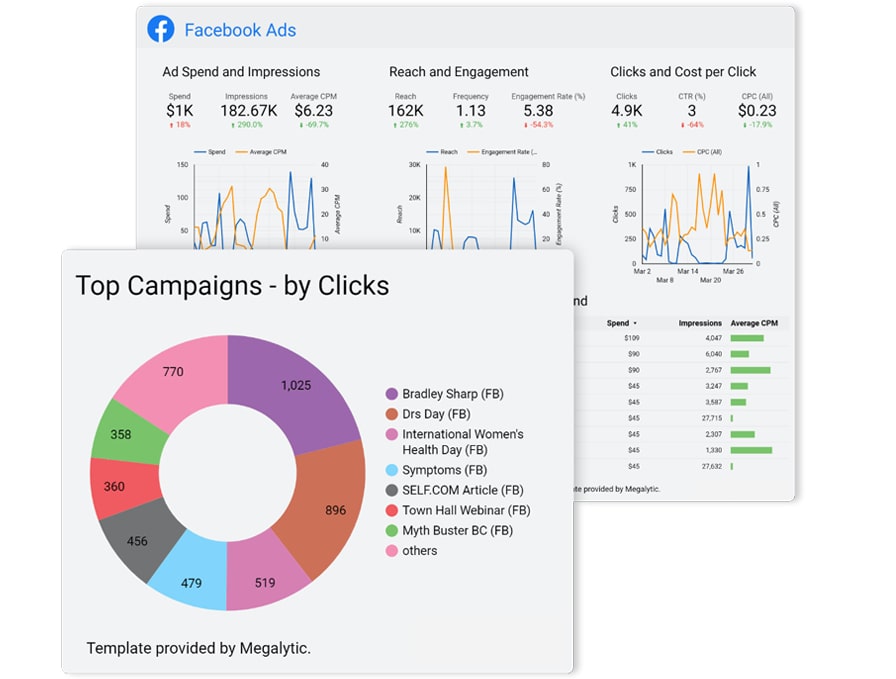
Megalytic is an excellent client reporting tool that takes the complexity out of data reporting and visualization on a whole new level. It is targeted primarily at digital marketing agencies and website hosting companies to help them deliver reports to clients in a timely and visually appealing manner. Megalytic doesn’t stop at just creating static reports only. It also offers interactive dashboards that allow stakeholders to explore data further. However, its features may appear to be somewhat restricted for midsize businesses or those managing multiple clients.
It is important to note that for businesses that want to use Megalytic to pull data and build reports based on Google Data Studio information, there’s a special connector available at a monthly cost of $29.99.
Pros:
- Simple user interface for creating reports
- Extensive library of templates to import data from
- Reports can be exported in various formats
- Integration with multiple data sources: Google Analytics, HubSpot and other marketing management tools
Cons:
- Limited features
- Rigid report widgets
Pricing: Starts at $9.99 per month. All Megalytic plans come with a 14-day free trial.
G2 rating: 4.6 (33 reviews).
#3 DashThis
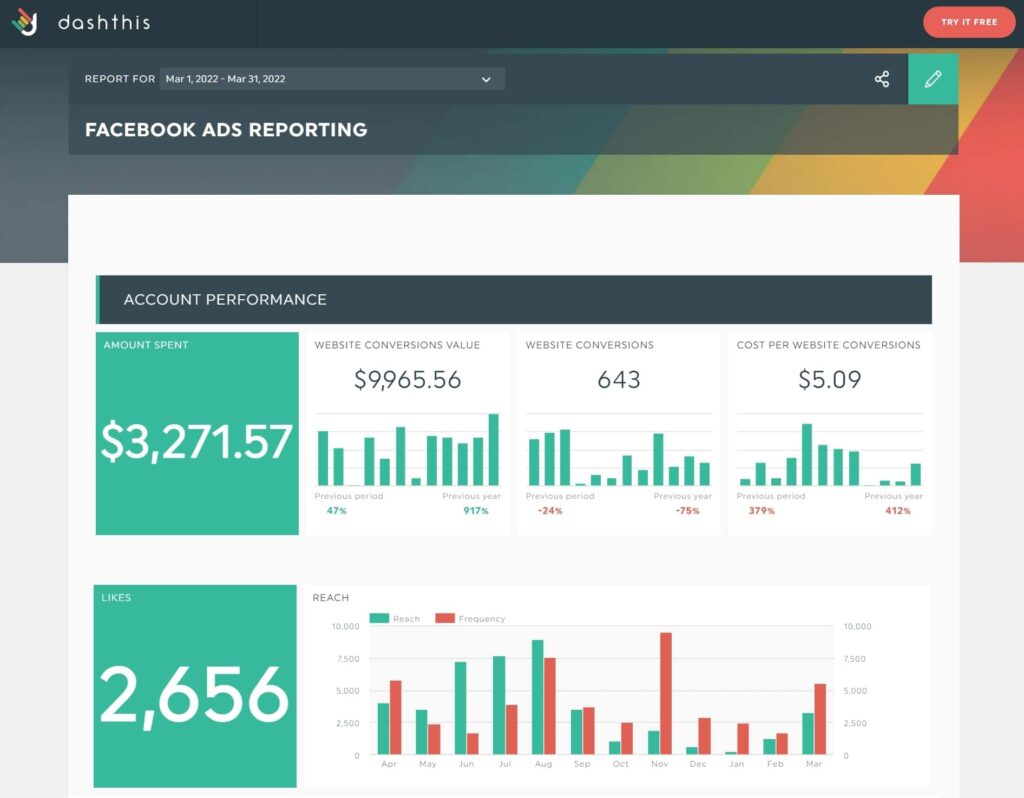
DashThis offers a streamlined approach to transforming complex data into visual stories. Its user-friendly interface allows users to effortlessly compile and organize data from various sources, presenting it in a way that resonates with both technical and non-technical audiences. A big plus is that DashThis offers preset dashboard templates so users could start quickly with the tool.
With DashThis, you can create meaningful dashboards for search engine optimization and search engine marketing by linking more than 30 popular digital marketing channels from SEO tools (Google Analytics, Moz, Ahrefs or Google Search Console), social media marketing tools (Facebook Ads, LinkedIn, Twitter, Instagram), and PPC (Google AdWords and Bing).
All in all, for a marketing agency or a social media management company, DashThis is a good option to consider.
Pros:
- Email reports
- Quick graph and report generation
- Unlimited users, even with the more affordable plans
- Free trial
Cons:
- More a dashboard, rather than a reporting tool
- Cheaper plans offer a limited number of dashboards
Pricing: DashThis offers five pricing plans, ranging from $45 to $639. The free trial is also available – you can try 10 dashboards for free for 15 days.
G2 rating: 4.8 (75 reviews).
#4 Databox
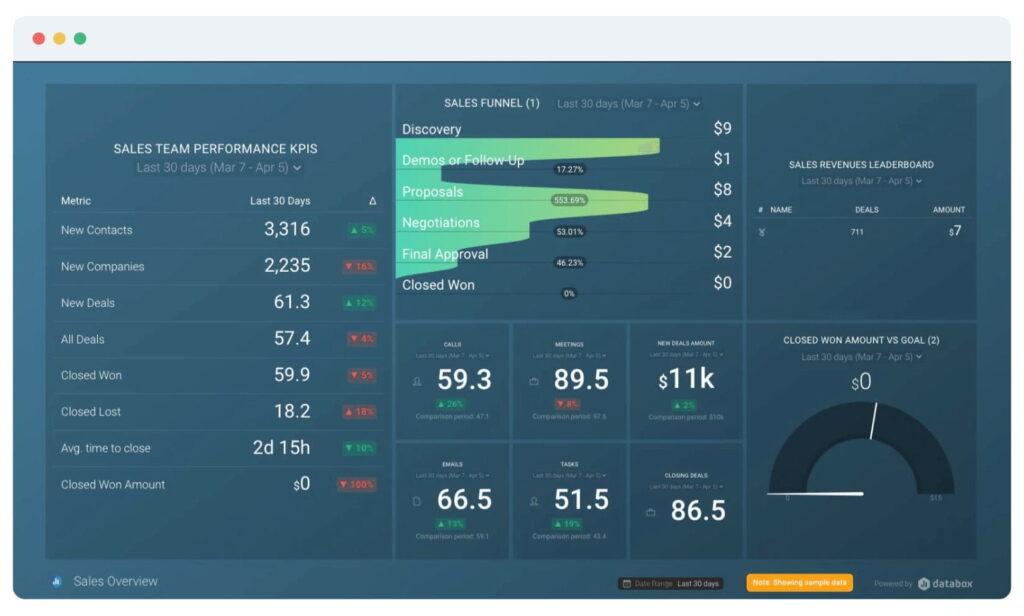
The Databox’s website says it can connect your data from any tool and track it from any device. It provides more than 70 integrations with digital marketing and cloud services, accessible with a single click. This enables users to access all their key performance indicators (KPIs) without the need to log into multiple accounts.
If you are running a marketing agency, Databox might appear a good choice: it will allow you to automate the client reporting process by aggregating data from a variety of popular marketing and social media services. This includes HubSpot Marketing, HubSpot CRM, Google Analytics, AdWords, Facebook Ads, Twitter, LinkedIn Company Pages and Instagram.
Pros:
- Multiple integrations
- Availability of the free plan
- Intuitive user interface
- Automatic notifications
Cons:
- The expenses can go high rapidly with additional connections
- Restricted report customization options
- Reported issues with creating custom reports due to data sources disconnection
Pricing: The Starter plan begins at $47 per month and includes 5 users. There is also the Free plan that allows for three data source connections and three users.
G2 rating: 4.4 (181 reviews).
#5 Whatagraph
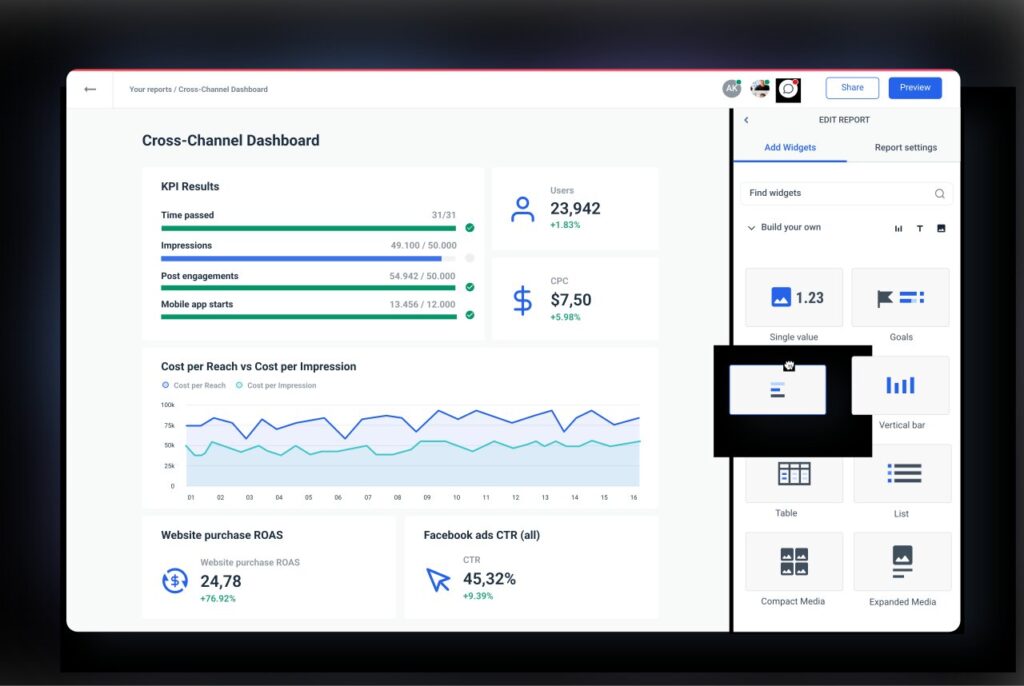
Whatagraph is a popular cross-channel data platform that facilitates the connection, visualization and sharing of clients’ marketing data. Users have the capability to pull data from more than 40 sources and then generate compelling data reports and interactive dashboards.
To use the tool, you do not have to be tech-savvy, so the users without a technical background can easily work with it too. It is a good choice for marketing agencies handling numerous clients and multiple accounts per client.
Pros:
- Support for multiple data sources
- Numerous ways to gather data and create widgets
- Rich integrations with popular digital marketing channels
- Drag-and-drop functionality of the report feature
- White-labeling capabilities
Cons:
- The yearly plan might not be suitable for certain companies
- Frequent complaints on customer service
Pricing: Whatagraph has 3 pricing plans with the cheapest one starting at $199.00. A free trial is also available.
G2 rating: 4.5 (257 reviews).
#6 Wordsmith
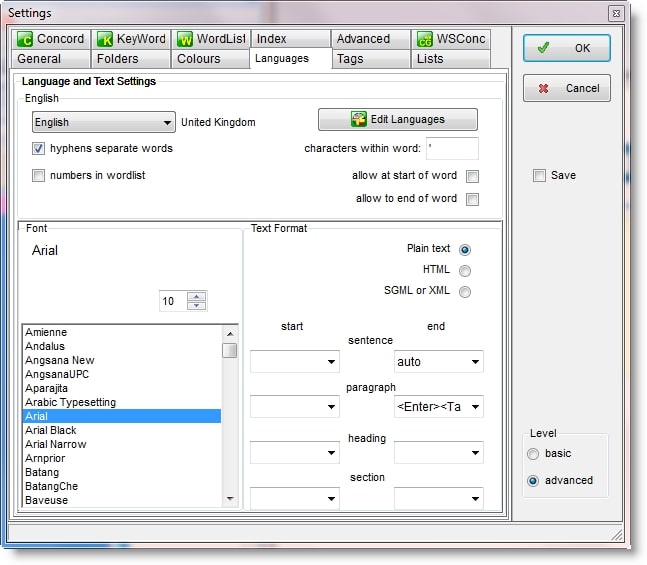
Wordsmith is more than a conventional client reporting tool, it is a Natural Language Processing (NLP) engine. It enables users to create narratives that sound as if written by humans, directly from data. The tool simplifies the process of generating countless personalized reports, articles and narratives within the time span it typically takes to write a single one. Wordsmith serves as a valuable resource for companies operating in data-driven sectors such as financial services, e-commerce, real estate, business intelligence, media, etc.
Pros:
- Low learning curve
- Impressive speed
- Enables the transformation of analytics and visualizations into written reports that showcase the performance of the marketing efforts
Cons:
- Due to the NGL engine’s characteristics, language adjustments are often necessary
- Depends on other software platforms for creating visualizations and dashboards with charts
Pricing: Pricing details are provided upon request.
G2 rating: 4.3 (13 reviews).
#7 DataHero
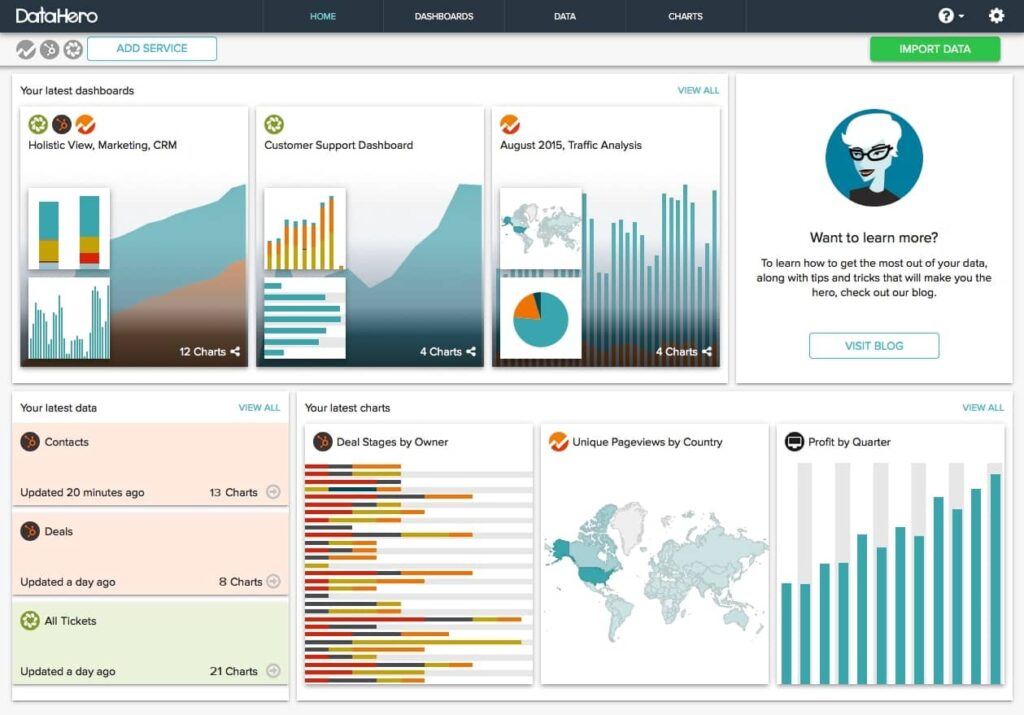
DataHero is an exceptional cloud reporting software that doesn’t require special technical skills. With it, you can easily visualize data and create interactive dashboards of any complexity. DataHero’s users are most excited about such features as: automating dynamic client reporting, generating white-label reports and building KPI dashboards to monitor key metrics. The tool integrates with a bunch of popular cloud services such as Eventbrite, HubSpot and ZenDesk, allowing users to upload data from sources that other tools might not support.
Pros:
- Numerous integrations with cloud services
- Impressive data visualization
- The tool recommends suitable chart types based on the data
- Drag-and-drop report builder
Cons:
- Limited features in the cheapest plan
- Integrating data can be time-consuming
Pricing: Begins at $59 per month for the starter plan with limited features. A free trial is also available.
G2 rating: 4.4 (10 reviews).
#8 Metrics Watch
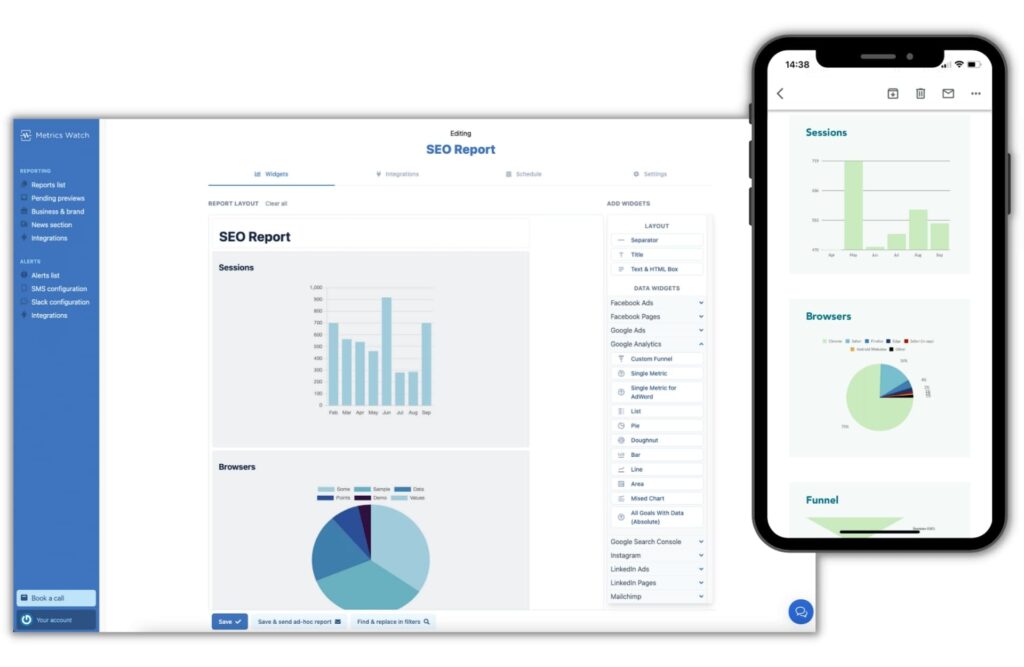
Using Metrics Watch, users can easily extract essential key metrics from a heap of marketing and social media channels and then generate highly customizable comprehensive reports that will meet the needs of the most demanding clients. The tool supports integrations with leading cloud-based applications such as Facebook Ads, Google Analytics and Mailchimp.
Additionally, Metrics Watch offers an email-based reporting system, enabling businesses to directly send reports to clients’ email inboxes, without the need for links or third-party dashboards. If you are running a small or medium-sized marketing agency, give the tool a second glance – it offers an opportunity to get the best value for the money.
Pros:
- Affordable pricing
- Accurate data collection
- Easy client report sharing
- Custom logo and branding options
- Drag-and-drop report builder
Cons:
- Somewhat restricted capabilities for businesses seeking comprehensive dashboard-style reporting
- Customization options are available only within the Enterprise plan
Pricing: Starts at $29/month or $290/year. All Metrics Watch plans have a 14-day free trial and no credit card is required.
G2 rating: 4.5 (2 reviews).
#9 TapClicks
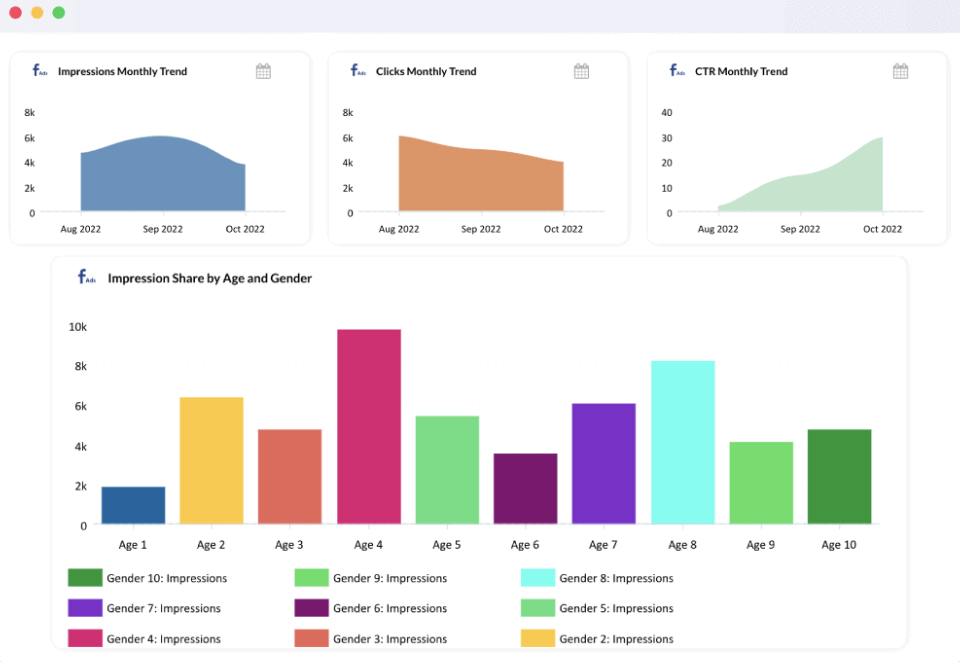
TapClicks is a digital marketing reporting and analytics platform for collecting data and then creating client reports and dashboards on its basis. It allows you to aggregate data from marketing and social media channels and then evaluate offline and online marketing campaigns.
TapClicks offers a bunch of business intelligence functionalities, including SEO, social media and PPC reporting. It also covers automated order entry, setup, approval workflows, marketing performance analysis and the creation of interactive visual reports and presentations. Through its Connector Marketplace, TapClicks seamlessly integrates over 250 data sources, enabling marketers from digital agencies to analyze information from a wide range of popular marketing and advertising tools that are used in the industry today.
Pros:
- Support for 150+ services
- Customizable widgets
- Automated integration for quicker data import operations
- Marketing campaigns management tools
Cons:
- Time-consuming implementation
- Reported issues with customer service
Pricing: Pricing information is available on request.
G2 rating: 4.3 (316 reviews).
Conclusion
In the modern world overloaded with information, data analytics is like a compass guiding businesses toward success and better future performance. By decoding patterns, trends and customer behaviors hidden behind raw data, companies can make right decisions, open up growth opportunities, launch effective ad campaigns and fine-tune strategies to reach the desired goals.
Looking to use the power of analytics for a brighter future of your business but tired of manual reporting? Don’t hesitate, start today! In this article, we have reviewed top client reporting tools currently available on the market. Among all the options analyzed, FuseBase stands out as the best reporting tool. Having the optimal quality-price ratio, it offers much more than just reporting functionality: super documents, client portal, knowledge base and much, much more. Incredible, right?
Unlock the power of data reporting with FuseBase!
Visit our Linkedin Page for more articles and updates!
Found it useful? Share the article with your community
Subscribe to our blog!
Get weekly tips and insights on how to grow your business