
Comparisons
Top 13 Accelo Alternatives for Smarter Project Management in 2026
- September 22, 2026
- 13 Min read
These days, there is no shortage of options when it comes to Accelo alternatives. Since only 15% of project managers work on one project at a time, everyone is looking for project management tools like Accelo to get the most out of their businesses.
TL;DR – Best Accelo Alternatives for Project Management
- FuseBase – Branded client portals, project collaboration, and AI workflows
- Asana – Team collaboration, workflow organization, and task management
- Monday.com – Flexible project management and boards
- Zoho Projects – Resource management and project tracking
- Trello – Visual, simple project management
Plus 7 more alternatives below.
Why Does Considering Accelo Alternatives Enhance PM?
Accelo is a “Professional service automation (PSA) with CRM, project management, email integration, retainer management, sales tracking, and support.” It is a popular project management tool in the business and commerce category.
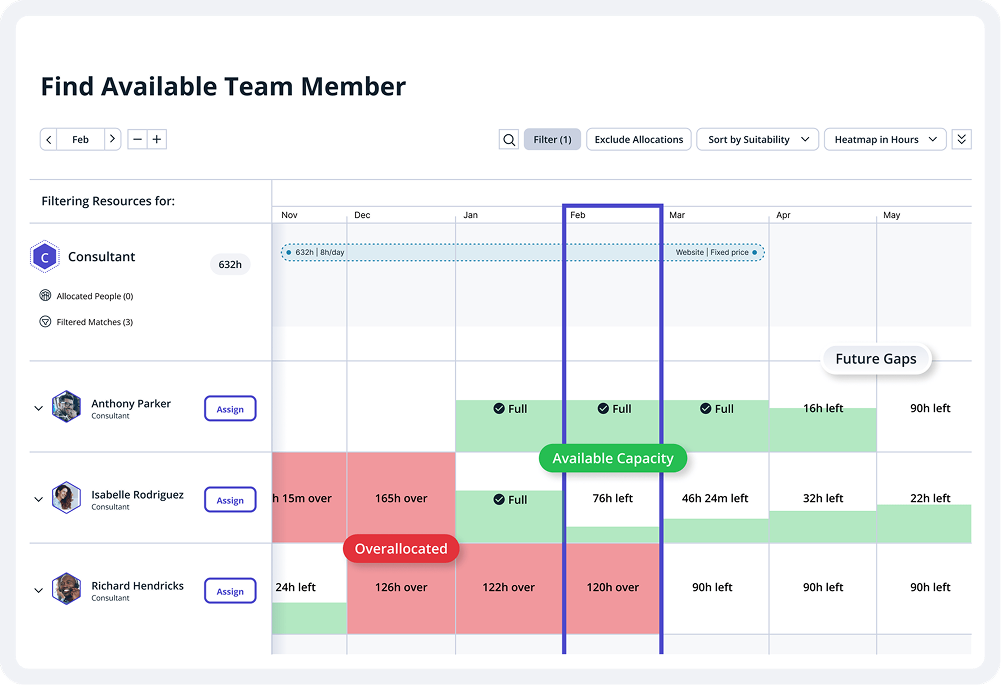
But like all management software, Accelo has some problems that users should be aware of before choosing it as their preferred solution. Its limited capabilities in terms of reporting and analytics, mobile app functionality, customization and user experience make it a bad fit for some companies.
Accelo is not the only platform whose goal is to simplify business administration by replacing time-consuming and labor-intensive methods with simpler ones. While it does its job well, there are other options that can be better for certain businesses.
Top Accelo Alternatives in 2026
1. FuseBase
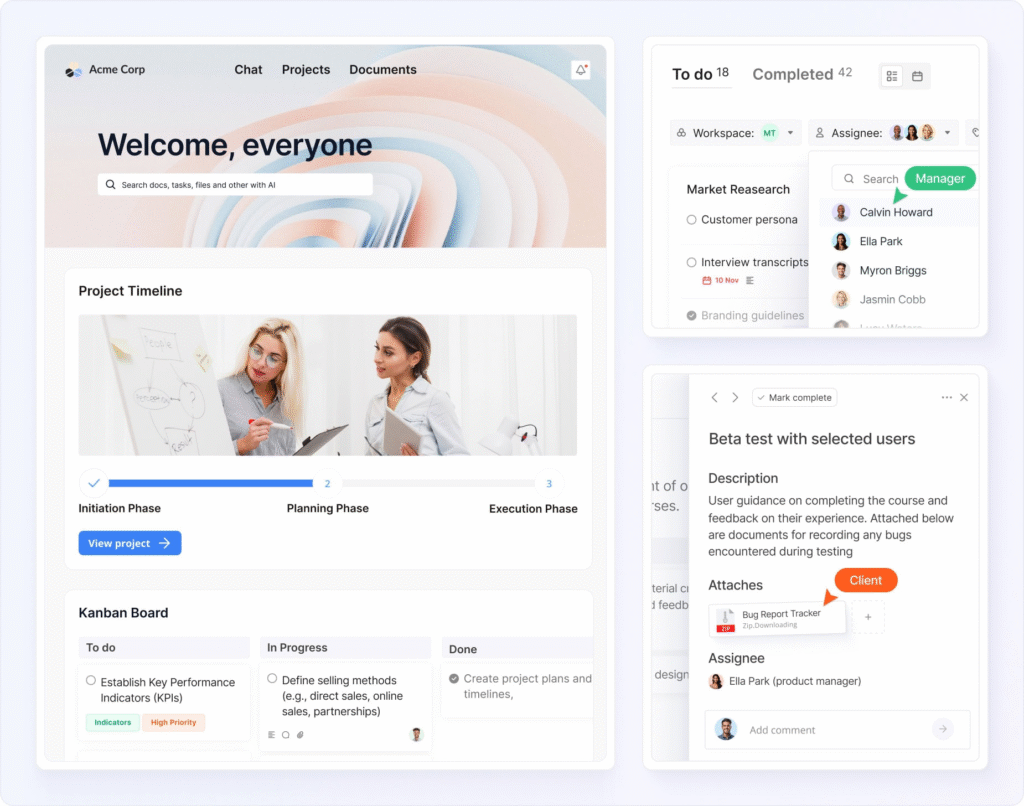
FuseBase is the perfect software for managing data and collaborating with others.
It offers numerous high-powered sharing and collaboration tools. For instance, you and your project managers can quickly and effectively work together on client projects in branded portals. You can create customized boards and portals for each client, track job progress, and manage team project assignments in real-time. With timelines, Task lists, and custom widgets, FuseBase ensures each project step is clear both for you and your clients.
For internal work behind the scenes, FuseBase offers separate internal workspaces so you can work without exposing processes to clients.
It’s best for client-facing teams that want to easily manage client projects and improve their service delivery.
Best features:
- White-labeled Client Portals
- Databases and CRM Dashboards
- Separate internal workspaces
- Granular permissions and MFA
- Real-time collaboration and progress visualization features
- No-code app builder for internal and client-facing apps
- AI Agents and workflow automation
Pricing:
- Free plan
- Solo – $$32 per month for personal use
- Essentials – $$82 per month for small teams
- Advanced – $$266 per month for larger teams
- Unlimited – custom pricing.
2. Asana
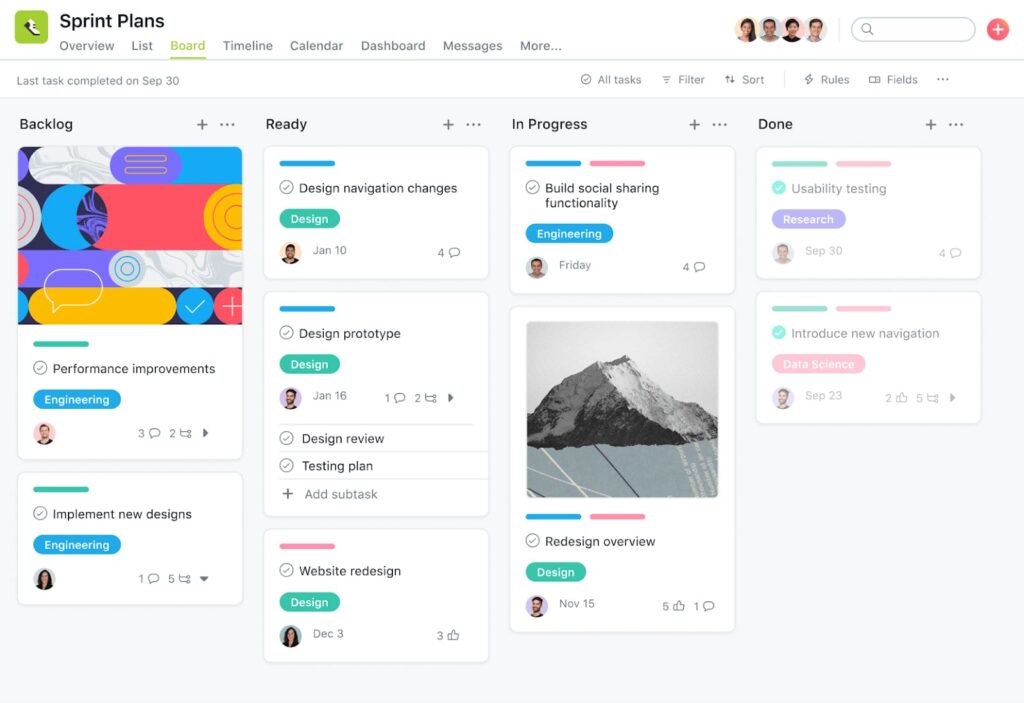
Asana is a practical work management application that prioritizes team collaboration, workflow organization and task management. Asana helps remote teams with workflow management organization, from day-to-day upcoming tasks to long-term goals.
This project management tool was carefully designed to ensure even complex projects are executed in line with your strategy. Compared to other tools, Asana prioritizes the scalability and stability of its platform so you can be ready to work at any time.
Asana is a professional service for managing both routine chores and large-scale, cross-departmental projects. It is used by over 114,000 managed service providers, consulting firms and millions of people in 190 different countries to coordinate marketing automation, resource management, new product releases, business processes and more.
Best features:
- Project management and tracking project progress
- Views and reporting
- Admin control
- Communication
- Pre-built AI agents
Pricing:
- Personal – free
- Starter – $10.99 per user/month
- Advanced – $24.99 per user/month
- Enterprise – Contact sales for pricing
3. Monday.com
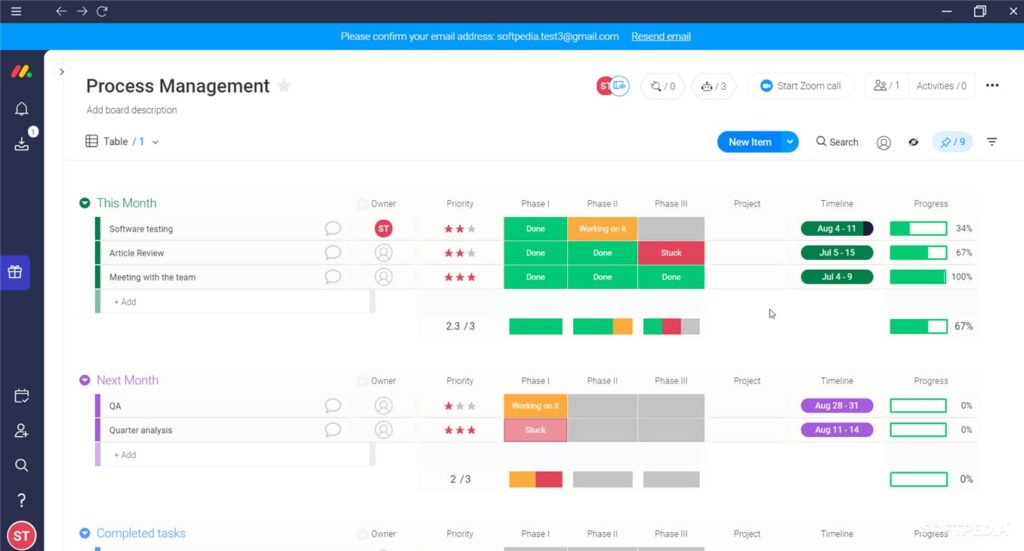
Monday.com is a solid management platform for businesses of any size and one of the best Accelo alternatives.
It’s a visual workflow automation software with an easy-to-use interface and a wide range of personalization options. It’s a professional service that helps organizations better coordinate their teams by providing tools for planning, tracking and collaborating on projects.
Monday’s graphical approach to project management makes it easier to keep tabs on tasks, manage sales, create reports and increase transparency across sales teams, marketing teams, etc.
The adaptability and personalization features of the management software make it possible for organizations to meet their unique requirements for project management.
While Monday is unrivaled in management solutions, it may lack more sophisticated functionality.
Large and small businesses are working with Monday.com in a wide range of fields worldwide because of its adaptability and user-friendliness.
Best features:
- Visual boards for project tracking
- Software for teamwork and communication
- Data administration
- File sharing
- Time tracking and workflow automation
Pricing:
- Free plan
- Basic – $9.00 per user/month
- Standard – $12.00 per user/month
- Pro – $19.00 per user/month
- Enterprise – Contact Monday.com
4. Zoho Projects
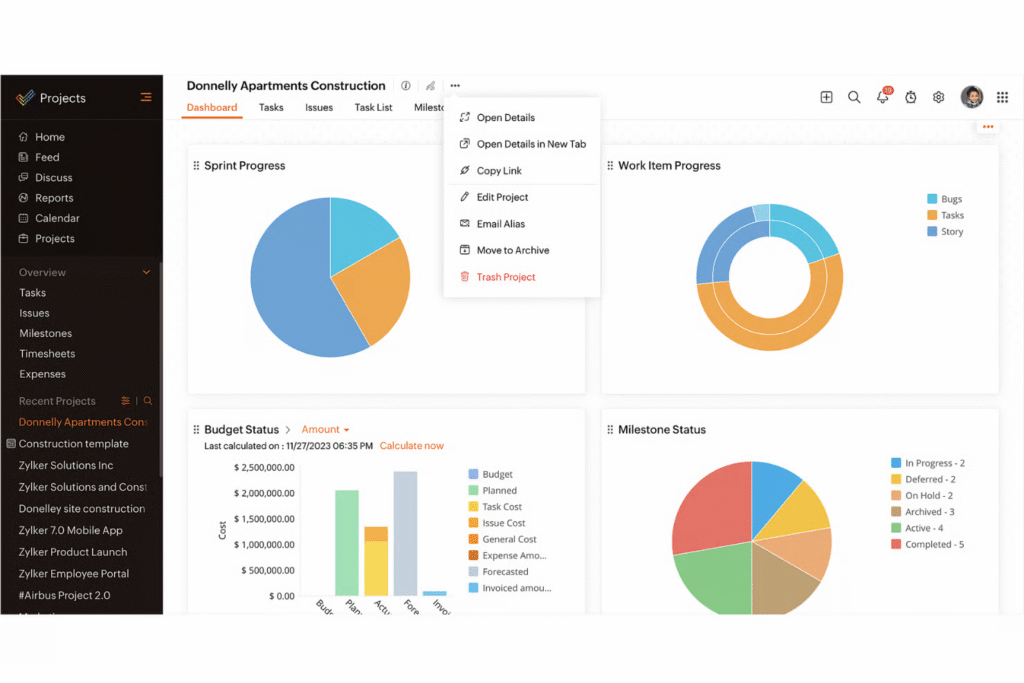
This project management platform helps plan projects, assign tasks, keep track of how the work is going, manage documents and communicate with the team so that the job gets done on time. This project management application manages processes by drawing up schedules and Gantt charts. Moreover, this management tool can also be used to plan a project’s budget and divide the money among tasks based on available resources. This integrated platform keeps tabs on project-related problems, oversees their resolution and keeps track of employees’ locations, abilities and availability in a central database. In addition, you can use a mobile app to handle business while you’re on the go.
This is one of the alternatives to Accelo that is perfect for agencies of any size or field that need a centralized hub for work management, time tracking, and collaboration.
Best features:
- Task creation & assignment, and due dates
- Project planning, calendar view, issue tracking
- Resource Management
- Project Monitoring Dashboards
- Ask Zia (bot)
Pricing:
- Free demo
- Premium – €4 per user/month
- Enterprise – €9 per user/month
- Ultimate – €14 per user/month
5. Trello
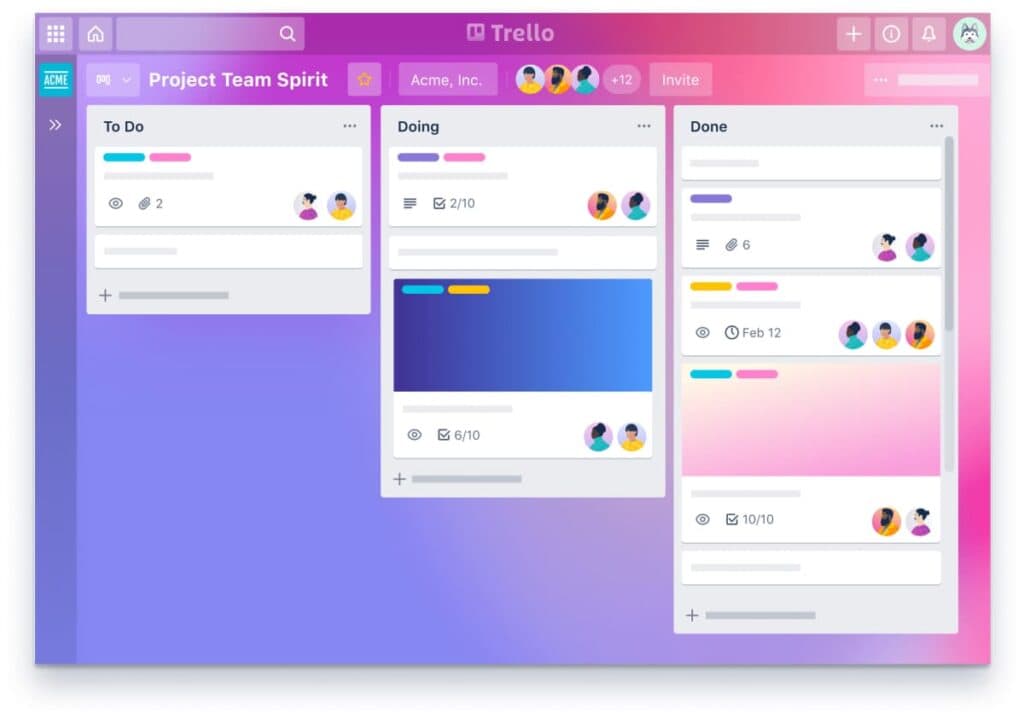
Trello is one of the alternatives to Accelo that makes it easy to keep track of your projects and regular tasks by letting you create notecards on a dashboard. You can use it to organize any project, community meeting, special occasion or collection of brilliant ideas. You can use cards on this project management application to record both collaborations and ideas. The user can sort and put these cards in order based on the categories they belong to. The front of the cards provides a high-level overview, while the back offers access to additional information like checklists, comments, attachments, etc. You can keep track of your tasks with the help of a handy checklist and percentage complete indicator. The cards also allow you to store information like papers and media.
When it comes to getting things done, Trello is the tool for groups of any size. Trello is used by millions of people in various industries every day to fuel their teams’ productivity.
Best features:
- Visual Kanban Boards
- Drag-and-drop Planner
- Trello Inbox for emails, messages, and notes
- Power-Ups for Trello
- No-code automation for boards
Pricing:
- Free plan
- Standard – $5 per user/month
- Premium – $10 per user/month
- Enterprise – $17.50 per user/month
6. Wrike
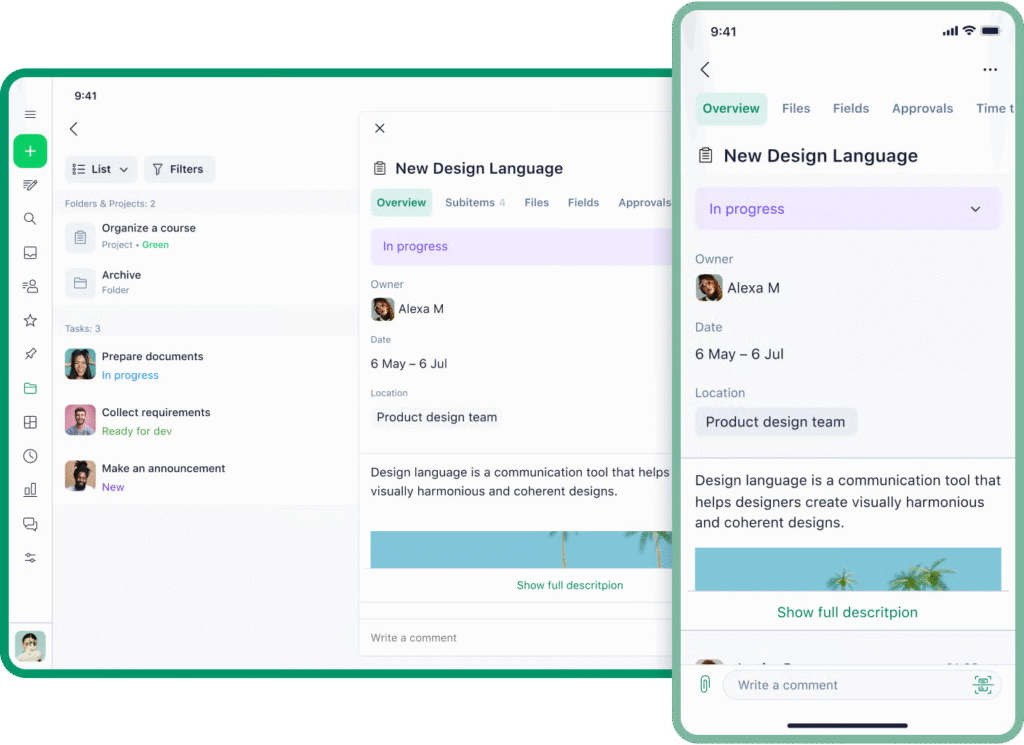
Wrike software is a popular Accelo alternative for managing business resources.
It is a well-known adaptable and scalable platform for time tracking, work management and team collaboration. Wrike offers a broad enough feature set that will be helpful for both tiny creative agencies and massive advertising firms.
Thanks to Wrike’s user-friendly design and flexible project workflows, you can easily tailor it to meet the demands of any organization.
And while Wrike has many key features, its pricing structure could be prohibitive for potential customers, and its learning curve sometimes is too much for new users.
Best Features:
- Project planning and resource planning
- Gantt charts and Kanban boards
- Assigning tasks and tracking their progress
- Business process management
- Wrike Copilot
Pricing:
- Free plan
- Team – $10 per user/month
- Business – $25 per user/month
- Pinnacle and Apex – contact Wrike
💡 Read more posts on this topic:
7. Scoro
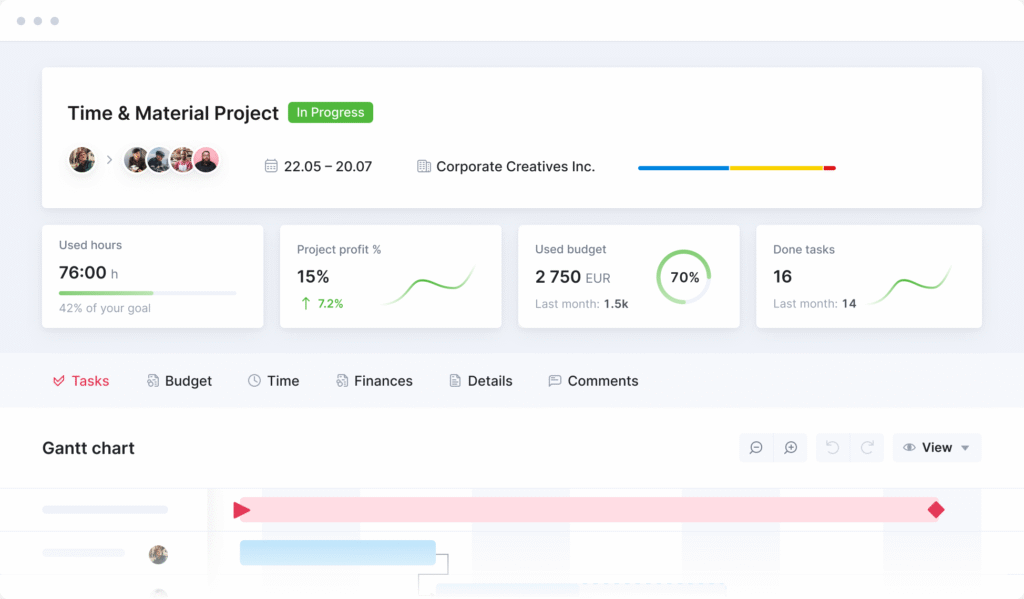
One of the best Accelo alternatives for Agile Project Management Software, Scoro is an all-in-one company management solution. It offers multiple tools for project management, team collaboration, time tracking and customer relationship management. If you want to cut down on manual routine jobs, speed up procedures and enable data-driven decisions that foster efficiency and productivity – Scoro is a nice choice.
Scoro may serve as the nerve center of your business, allowing you to monitor key performance indicators like sales and productivity that contribute to your company’s bottom line. Scoro’s time management feature is a standout. It’s a time and stress saver for your company.
Scoro’s flexible settings make it easy to adapt the platform to the needs of individual agencies. Scoro is a powerful but complex tool. That is why it can be difficult and time-consuming for some agencies to set it up and begin using.
Best features:
- Advanced quoting & estimating
- Scoro AI
- Finance management
- Integration tools
- CRM functionality to manage client relationships and sales
Pricing:
- Time-billing – $17 per user/month
- Projects & Resources – $29 per user/month
- Quote to Cash – $29 per user/month
- End-to-end – $57 per user/month
8. Basecamp
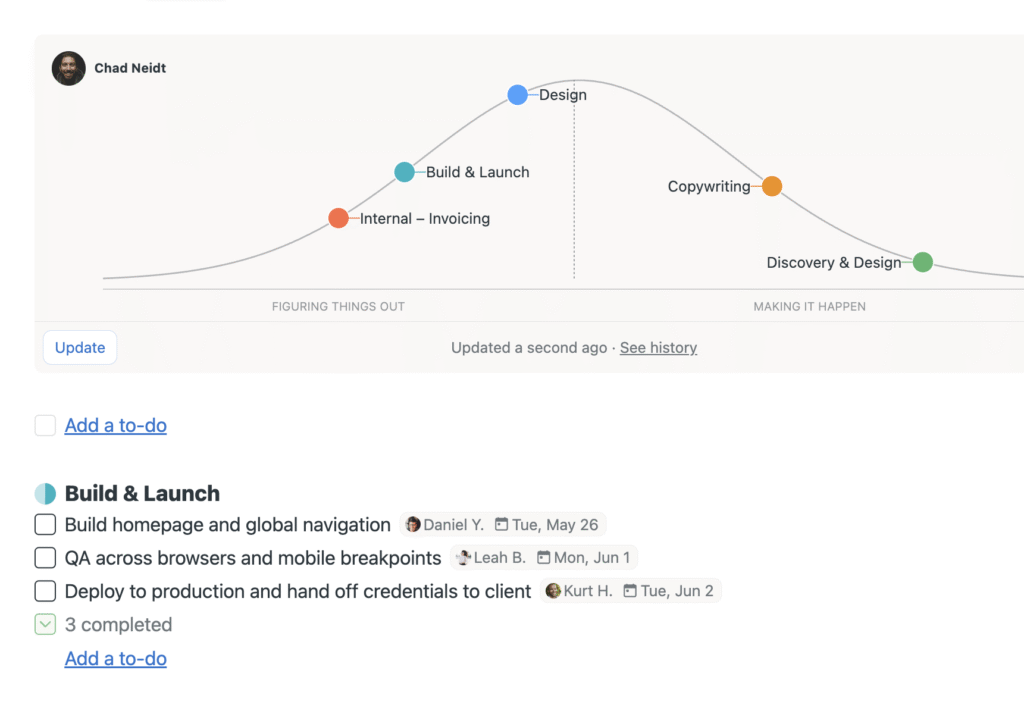
Basecamp is a project management platform that helps agencies, small businesses, freelancers and fast-growing businesses organize and handle various initiatives.
The software offers a dashboard with a snapshot of your text files, discussions, events and more.
With Basecamp, users can collaborate with one another by using the platform’s communication tools. There’re tools like private messaging, file and email sharing, forum moderation, event scheduling and task delegation.
Besides that, there is a granular sharing control option that lets admins limit access to some specific content.
Multiple teams and companies use Basecamp every day. It helps people complete their daily tasks, communicate and stay organized.
It is one of the best alternatives to Accelo, and any business owner would be happy to work with this professional service.
Best features:
- Hill Charts and Card Tables
- Message Boards for announcements
- Reports for high-level overviews
- Project Monitoring – baselining / KPIs, dashboards
Pricing:
- Free
- Freelancer – $25 per month
- Studio – $59 per month
- Pro – $99 per month
- Unlimited – $299 per month
9. TeamGantt
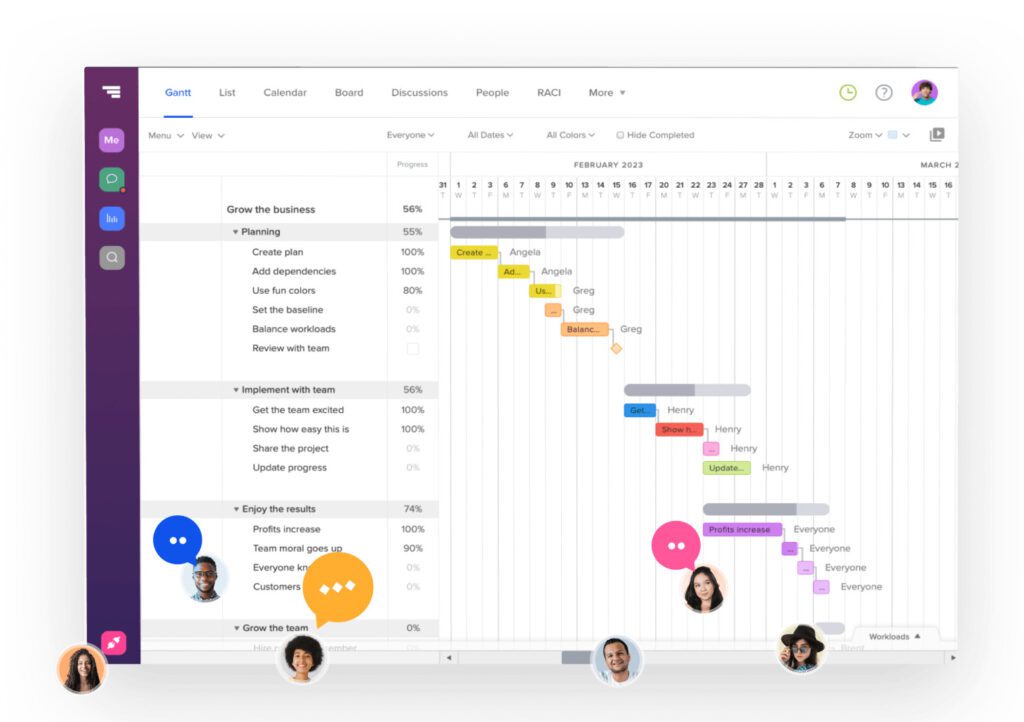
This project management platform is one of the top Accelo alternatives when it comes to organizing and managing work. TeamGannt cloud based software is unlike other alternatives since it makes use of online Gantt Charts. Because of this, Amazon, Nike and Netflix use it to manage projects. Its novel approach to management solutions is another big part of its appeal.
Everything you need to organize and carry out your work is right here. It offers beautiful, easy-to-understand charts packed with key features like task-level chat, file-sharing, team resource management, and more.
TeamGantt is a must-have for anyone working on a collaborative project.
Best features:
- Drag-and-drop Gantt chart creation
- Scheduling and task dependencies
- Portfolio dashboard
- Capacity and resource tracking
- Project templates
Pricing:
- Basic – $24 per month
- Business – $120 per month
- Builder Edition – $199 per month
10. Avaza
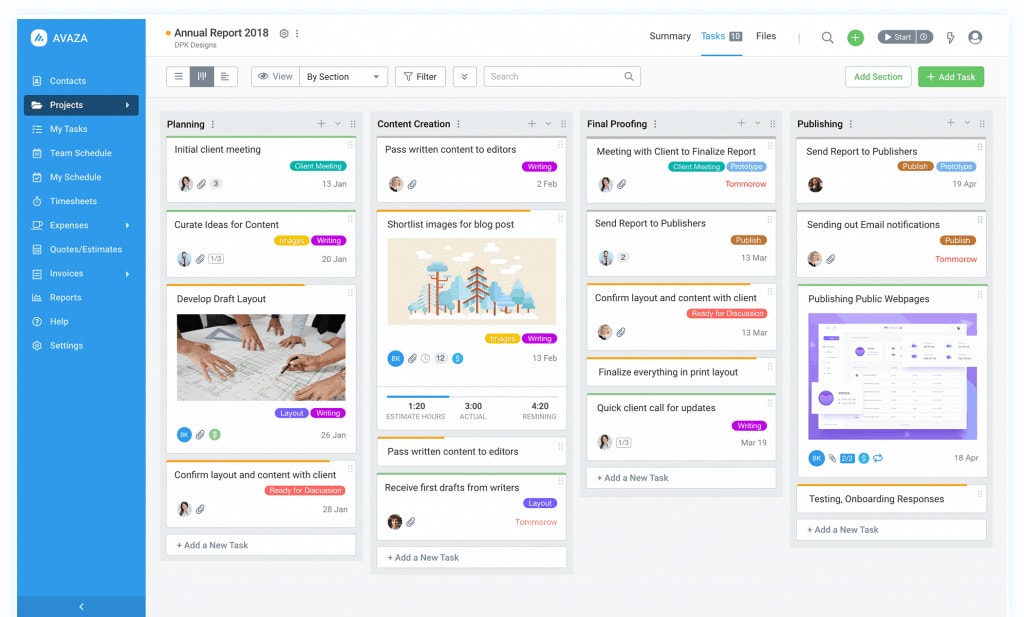
Avaza was developed specifically with the needs of government agencies in mind as a cloud-based project management and collaboration solution. It has key features that help with financial management, time tracking expense tracking, and sending out invoices – all in one platform.
Avaza’s intuitive design makes it a good fit for businesses that value efficiency above all else. Although Avaza is comprehensive in its coverage of project management, some organizations may feel its reporting capabilities fall short when compared to more niche solutions.
Best Features:
- Project planning and task management
- Time and cost monitoring
- Expense management and billing
- Suite of reports
- Recurring invoicing
Pricing:
- Free demo
- Startup – $11.95 per month
- Basic – $23.95 per month
- Business – $47.95 per month
11. Moxo
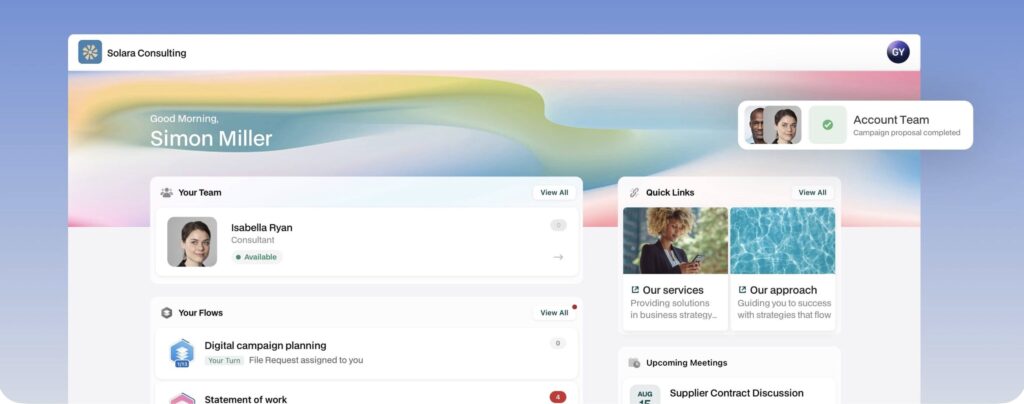
If Accelo’s interface does not look inspiring to you, it’s worth looking into Moxo as one of the alternatives for project management and advanced workflow automation. It is well-suited for businesses in need of streamlining operations and tackling repetitive tasks with a modern and intuitive tool.
Moxo offers advanced client collaboration tools, including secure messaging and video meetings with internal scheduling and calendars. Of course, the platform has branded client portals, which are customizable and secure. Moxo is scalable, with flexible storage options and comprehensive features that grow with the business.
Best features
- Personalized portals
- Agentic workflows
- Secure electronic signature
- Features for managing and tracking approvals
- Search functionality across the platform
- Real-time co-browsing
Pricing
- Team – $500 per month
- Scale – Custom quote
- Enterprise – Custom quote
12. SuiteDash
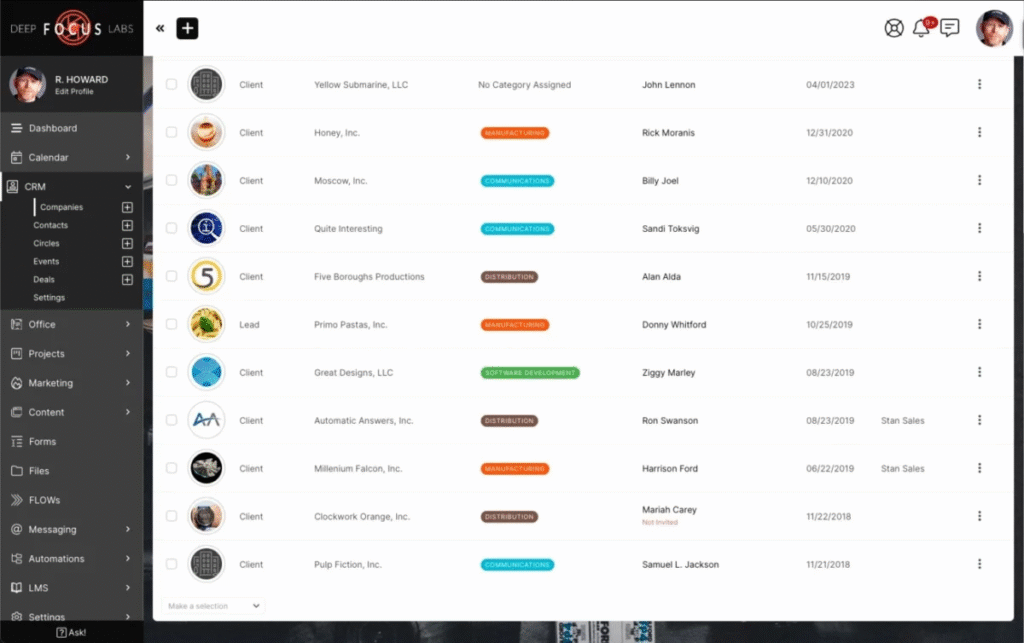
For teams that need an all-in-one business solution, SuiteDash will be one of the best options. This Swiss Army Knife combines client portals, automations, billing, and project management. As with our previous alternative, Moxo, SuiteDash offers portal branding and secure features.
Teams use this platform to stay on track of projects, organize tasks, create overview dashboards, and eliminate confusion so every project runs smoothly. They can even auto-generate projects, meaning pre-design their ideal projects with all the necessary details, and SuiteDash builds them automatically.
Best features
- Full white-labeling
- Appointment scheduling
- Billing and packages
- Sequenced project templates
- Kanban project view
Pricing
- Start – $19 per month
- Thrive – $49 per month
- Pinnacle – $99 per month
13. ClickUp
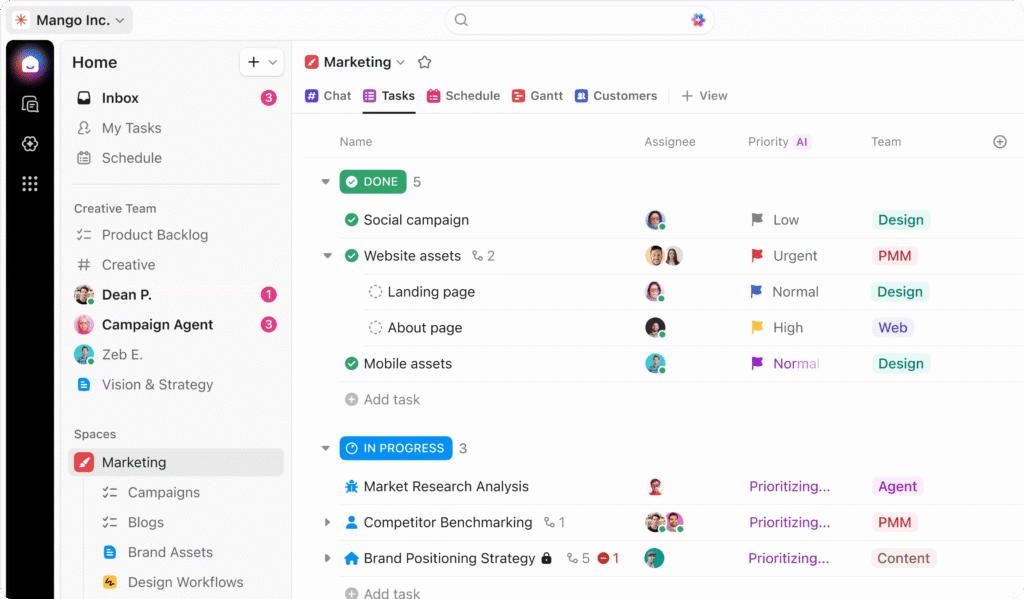
ClickUp is an Accelo alternative that helps teams manage projects with AI. Its ClickUp AI works across the entire project lifecycle. It helps with things like drafting project plans, capturing meetings, and setting priorities, so your team can focus on making an impact. If your team struggles with information overload, ClickUp can automatically capture tasks from project discussions and identify next steps. You can also use its templates to deploy standardized workflows for any type of project without having to start from scratch.
Keeping track of project health, team performance, and key milestones is essential for project management. ClickUp helps with this through dashboards that visualize project metrics, workload views that help to maximize resources, time tracking, and AI-powered project updates.
Best features
- Connected search
- AI Notetaker and Brain AI
- Milestones and time tracking
- Whiteboards
- 15+ views for any project type
Pricing
- Free
- Unlimited – $7 per user per month
- Business – $12 per user per month
- Enterprise – custom
Choosing the Best Option
If you want to ensure an efficient and effective management solution for your team – you can start with FuseBase. Among other Accelo alternatives, FuseBase software offers high-quality services and a flexible platform. You can see it yourself by checking out FuseBase’s website and signing up for a free trial.
Improve your company’s efficiency with FuseBase
Remember that your team’s success and your client’s happiness hinge on what platform you choose. Make the correct choice and take your company to new heights with a streamlined and effective project management system.
FAQ
What is Accelo used for?
Teams use Accelo for managing projects, clients, resources, and finances. They also use it to know exactly where their projects are headed and see across delivery, utilization, and financials in one view with Accelo’s AI.
Is Accelo a CRM?
Yes, Accelo offers CRM features and helps businesses manage client records, but it is classified as a professional services automation platform.
What is a professional services automation system?
PSA is designed to help professionals manage projects, resources, and utilization rates for client projects.
What is a PSA vs CRM?
A PSA helps your business deliver services and manage project delivery, time tracking, and billing after the deal is won. A CRM, on the other hand, helps your business find new customers and manage sales and customer relationships before a deal closes.
Found it useful? Share the article with your community
Subscribe to our blog!
Get weekly tips and insights on how to grow your business