
It could be challenging to choose the best AI meeting assistant in 2026 among dozens of reliable options. Most of them, including Otter, will do the note-taking and summary well, but what you really want to ask yourself is whether that is enough. There is a palpable shift in the market, with users moving beyond transcripts to workflow intelligence.
A recent anecdotal example I had proved that having a reliable AI notetaker doesn’t cut it in 2026. We had a great meeting with the client, which resulted in a yes to closing the deal. After their users disconnected from the meeting, our sales reps had a few unsavory words about their VP of marketing, which is relatively normal for internal discussions.
Unfortunately, we didn’t do due diligence and disconnect as well, and a summary of those internal discussions was sent to the client. While we did manage to sort things out, it was beyond embarrassing, and something we had in mind when we worked on FuseBase. While most solutions like Otter create a naked link with a raw transcript that requires manual cleanup, professional teams might like Client OS solutions. You can get recordings in the form of a delivered work, not just text files.
With that said, let’s look at what Otter.ai is and what to expect from its alternatives.
TL;DR
- best for professional services and client-facing teams – FuseBase
- best for operations teams and power users needing automation – Fireflies.ai
- best for product managers and UX researchers – tl;dv
- best for individual and Zoom power users on a budget – Fathom
What is Otter.ai?

As a popular AI Notetaker, Otter helps organizations with meeting assistance. The primary focus is on automatic recording and transcriptions with an AI summary for voice conversations. It is one of the top solutions in the meeting intelligence market.
The core features include real-time transcriptions where it convert speech to text live during the meeting. You can scroll back and read what you’ve missed. The solution has OtterPilot, a bot that automatically joins Zoom, Meet, or Teams meetings to record them, even when you’re not present. Otter generates a summary, or a condensed version of the meeting transcript, with takeaways and actionable items. Another neat feature is Slide Capture. Any shared screen will be inserted into the transcript as a screenshot.
Otter is best for students, journalists, and individual power users who need a searchable database of conversations or internal teams who want text recaps.
The main issue with Otter is the somewhat unprofessional look of a naked, unbranded link, and our example of a hot mic risk, where there is no filter for what the other side receives in a summary. Otter has many competitors, and here are some features you can expect from the top alternatives in 2026.
What Features Should You Expect From Otter.ai Alternatives in 2026
As AI features become increasingly capable, the market for meeting assistants is moving in different directions. Most companies are no longer looking for a tool just to record the meeting. Instead, you need a tool that executes the work recognized and defined in the meeting and, in that way, delivers the added value.
Accurate recording, transcription, and summary are the starting point to build on, and here are some features you might expect from the next generation of competitors.
An AI Agent can do stuff for me
The baseline for most AI meeting assistants is an AI-generated summary of the calls and a list of action items in a text document. The upgrade I expect to include is the detection of action items and the autonomous creation of tasks in the project management tool. The AI Agent should also assign the task and set deadlines.
No external hickups
The AI summary most note-taking apps offer includes everything, including internal chatter about clients, which could be costly. In a modern solution, internal discussions are removed from the client’s recap document. You should get one view for internal users and another, AI-cleaned, for external meeting participants.
No bots in the meeting
One of the issues Otter and some other providers present is a bot joining the meeting. Some users hate such intrusions and prefer a bot-free environment. Software developers listened, and many competitors offer recording through a browser extension or system audio.
Detecting new costs
A classic AI meeting assistant can spot action items, but some can be problematic. A great example is a sentence, “Can we add a landing page?” This can be interpreted as a great thing, as it leads to more work, but also as a bad thing, as it can be more work for the same price (scope creep). Advanced solutions can analyze the intent and flag such sentences as scope creep or churn signals.
Presentation is essential
Even in 2026, many well-established AI meeting assistants deliver their summaries and transcripts as links, which can come across as unprofessional. More comprehensive solutions offer AI packages as a branded Deal Room, with a professional video link, an executive summary, downloadable assets, and a button to approve the next step.
Top 8 Otter.ai alternatives
| Solution | Pricing | Free trial | Top features | Best for |
| FuseBase | Value-Based / Contact Sales | Free trial/plan | Smart partition automatically separates internal and external notes, branded deal rooms replace the naked link with a professional digital portal, and AI Agent can detect “scope creep” and automatically create tasks | Professional services and client-facing teams |
| Fireflies.ai | Starts at $10/month | Free tier | AskFred AI assistant for chatting with your meeting transcripts, Soundbites allows you to clip and share audio snippets easily, and Incredible integration with almost every CRM and PM tool | Operations teams and power users who need automation |
| Tl;dv | starts at $18/month | Free tier | One-click highlighting can mark essential moments during the meeting, clip reels offer stitching multiple clips to generate the voice of the customer, and Emotion detection. | Product managers and UX researchers |
| Fathom | starts at $16/month | Free tier | Free personal edition with unlimited recordings, instant sync pushes notes to HubSpot or Salesforce, and a Distraction-free interface | Individual and Zoom power users on a budget |
| Gong | Contact sales | Not indicated | Deal warnings can flag deals that are at risk of stalling, predict revenue based on collected meeting data, and competitor tracking | Enterprise sales leaders |
| Circleback | starts at $25/month | Not indicated | Action item engine is accurate for detection and assigning tasks, database queries work great for previous data, and fill out Salesforce fields automatically | RevOps and sales teams who hate manual data entry |
| Avoma | starts at $19/month | Not indicated | Collaborative editor allows users to type notes in the same document in real-time, with coaching scorecards that grade them, and scheduler integration links meetings to notes. | Mid-market sales and customer success teams |
| MeetGeek | starts at $9.99/month | Free tier | Meeting health scores will grade your team on efficiency, alert you when specific topics are mentioned, and auto-share workflows will push recaps to Slack. | HR, coaches, and improving meeting culture |
1. FuseBase – Best For Professional Services and Client-Facing Teams
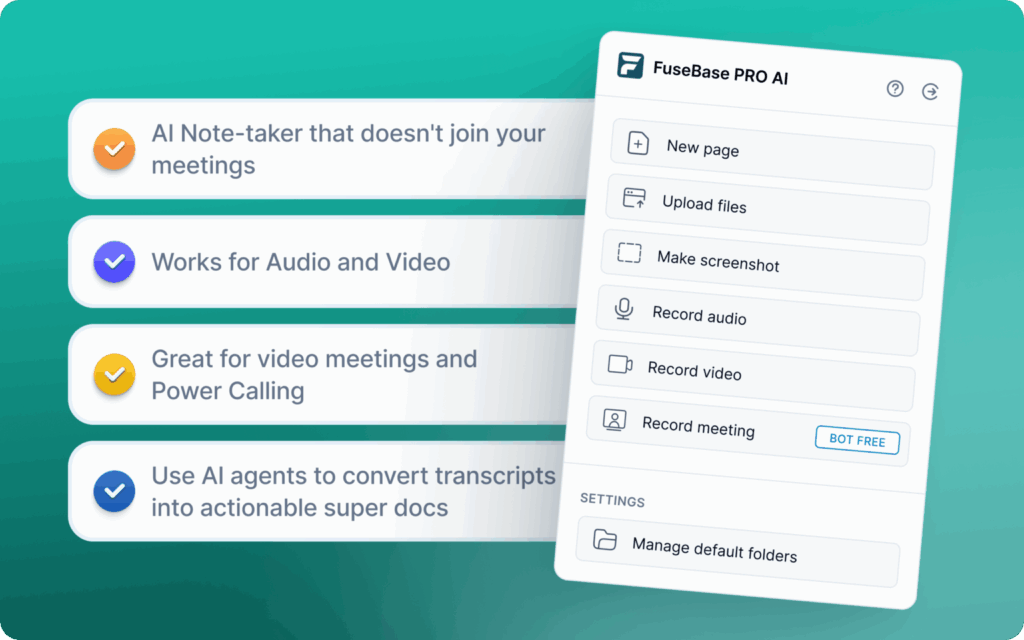
Unlike many of the other Otter competitors, FuseBase is a Client Delivery Platform, and not just a transcription tool. When we worked on the platform, we wanted a more robust set of features. For example, FuseBase captures the meeting and instantly partitions the data into a Client Portal and an Internal Workplace. FuseBase eliminates the “glue work” of manually moving notes into project management tools.
It’s best suited for professional services like agencies, consultants, and others. Some of its essential features include automatic separation of internal coaching notes from safe-to-share client recaps, branded Deal Rooms, and AI Agents that can detect scope creep and automatically create tasks in a project management tool.
Pros:
- Protects company margins by detecting scope creep automatically
- No need for manual follow-up emails
- Increases brand perception with a custom portal
Cons:
- Overkill for individual note-taking
- It’s more geared towards teams with external clients, and not freelancers
2. Fireflies.ai – Best for Operations Teams and Power Users Needing Automation
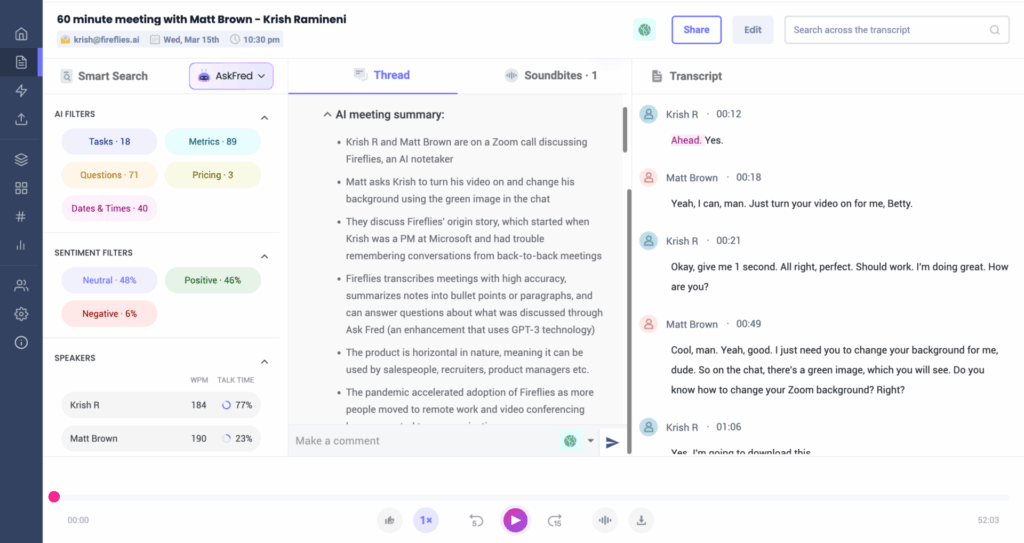
Fireflies has a nickname, the “Swiss Army Knife” of recorders, because of its standard and additional features. You can capture meetings using a note-taking bot or a Chrome extension. Transcripts and recording support 100+ languages, and you will get an AI summary. Its AI assistant allows you to chat with your meeting transcripts. You can create and share audio snippets, and probably the most notable option is Fireflies’ massive library of integrations, where voice data can trigger workflows in almost any other software, such as Slack, Zapier, and Asana.
Pros:
- Affordable entry pricing for smaller teams
- Search options for past meetings
- Offers customization and flexibility
Cons:
- The bot is visible and can be problematic for clients
- No subtle privacy controls
- Transcripts can be a messy block of text
3. tl;dv – Best for Product Managers and UX Researchers
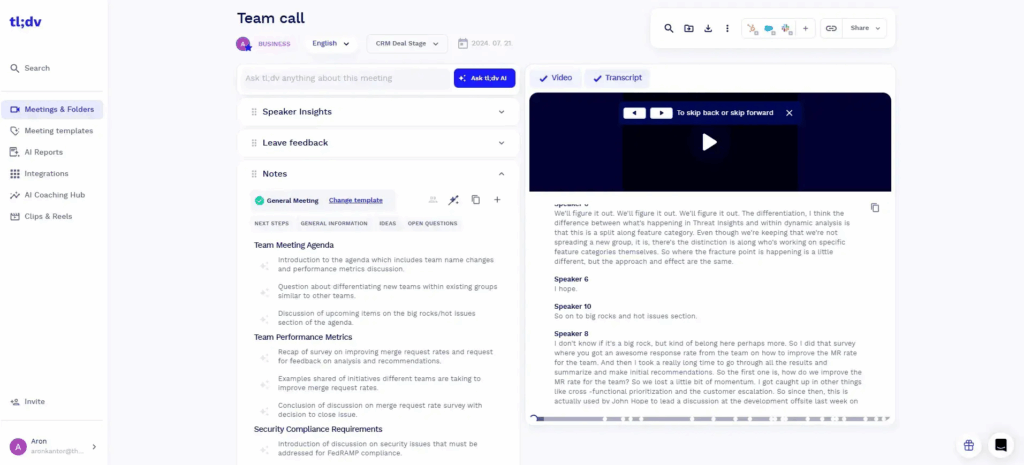
A video-first recorder can generate meeting notes in 30 languages. It focuses on moments rather than full transcripts, and it can handle general meeting tasks, such as drafting a follow-up email and an AI-generated summary. You will also get CRM follow-ups. Some of its unique features include clip reels that allow stitching together multiple clips to show “Voice of the Customer”. AI can identify emotions such as frustration or excitement, and one-click highlighting lets you mark important moments during the meeting.
Pros:
- Has a very generous free tier
- Great for visual and video-centric organizations
- Has asynchronous video sharing
Cons:
- No branding in public link generic sharing
- Not as accurate transcripts as Otter
💡 Read more posts on this topic:
4. Fathom – Best for Individual and Zoom Power Users on a Budget
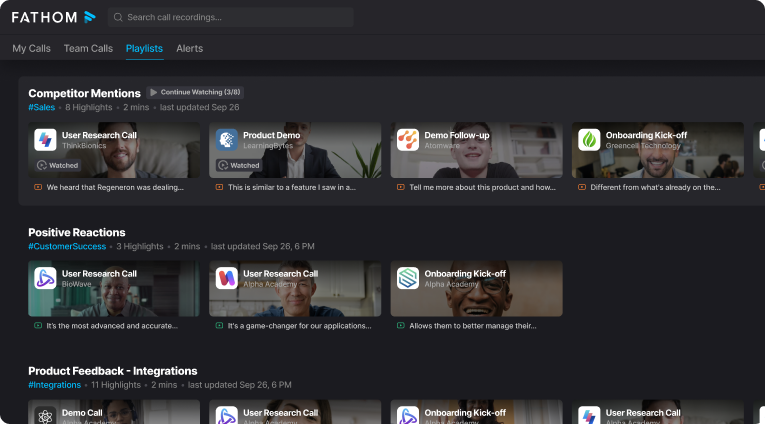
Fathom is a Zoom-centric recorder that stands out with its completely free personal tier. It’s best for individual power users who need a simple click-to-highlight interface. Aside from a generous free tier, it has instant sync with pushing notes to HubSpot and Salesforce with no lag. It also boosts simple UI with almost no distractions.
Pros:
- Great value for individuals
- Fast setup
- Reliable CRM sync with no lag
Cons:
- No team collaboration features in the free tier
- Limited AI summary options
- It is not a workspace, and acts more like a connector tool
5. Gong – Best for Enterprise Sales Leaders
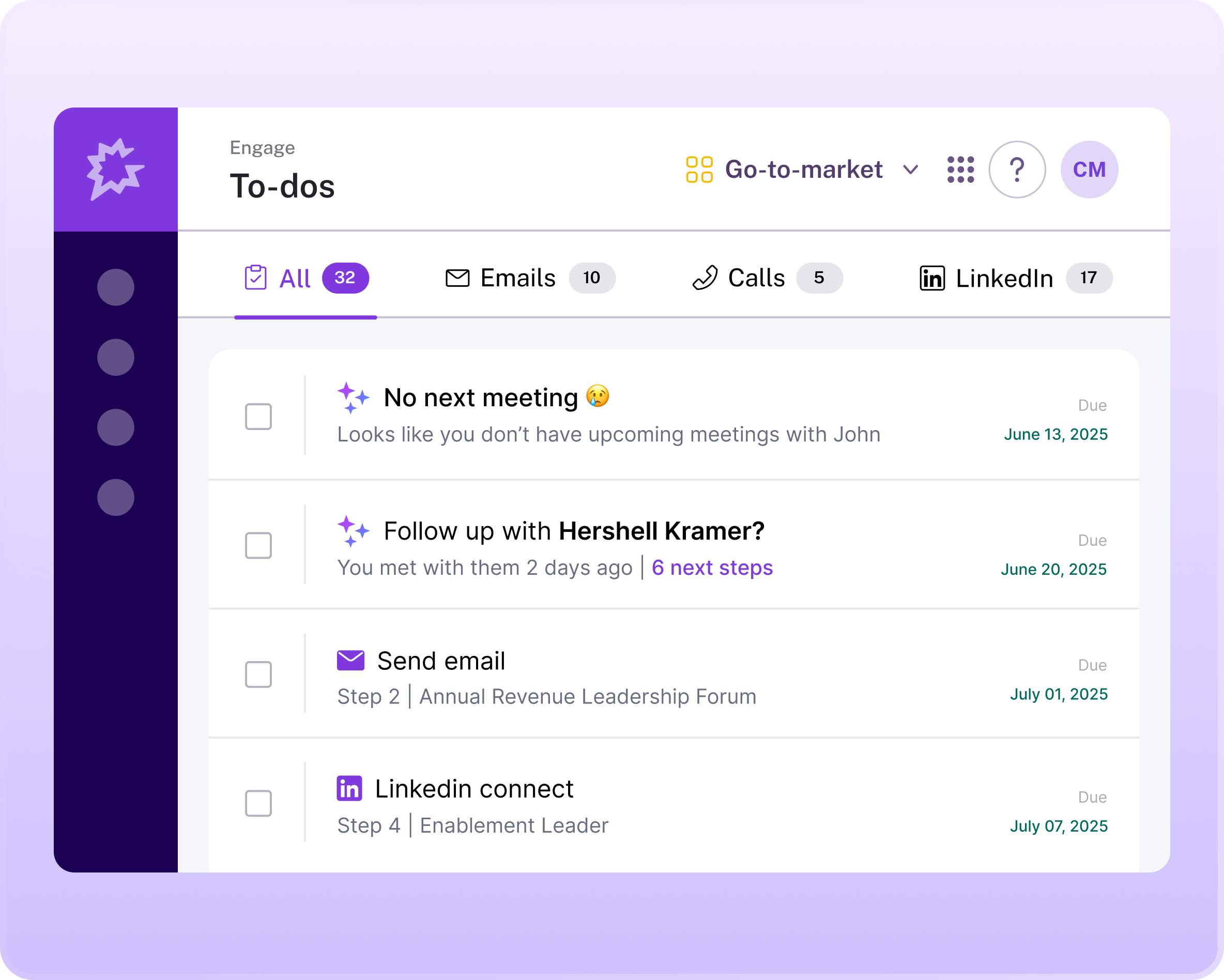
If you want to move from meeting assistant to revenue intelligence, Gong is among the market leaders. It brands itself as an AI OS for revenue teams, and backs that claim with several features. Gong recordings can analyze deal health, help VPs with forecasting revenue, and coach new sales reps. It flags deals at risk of stalling and predicts revenue from the conversation data. Gong also includes competitor tracking, which alerts you when prospects mention rivals.
Pros:
- Sales leaders can get unmatched data depth
- Comes with enterprise-grade security and governance standards
- Has proven ROI for large sales organizations
Cons:
- Incredibly expensive
- No options for external sharing
- Too complex for non-sales teams
6. Circleback – Best for RevOps and Sales Teams Who Hate Manual Data Entry
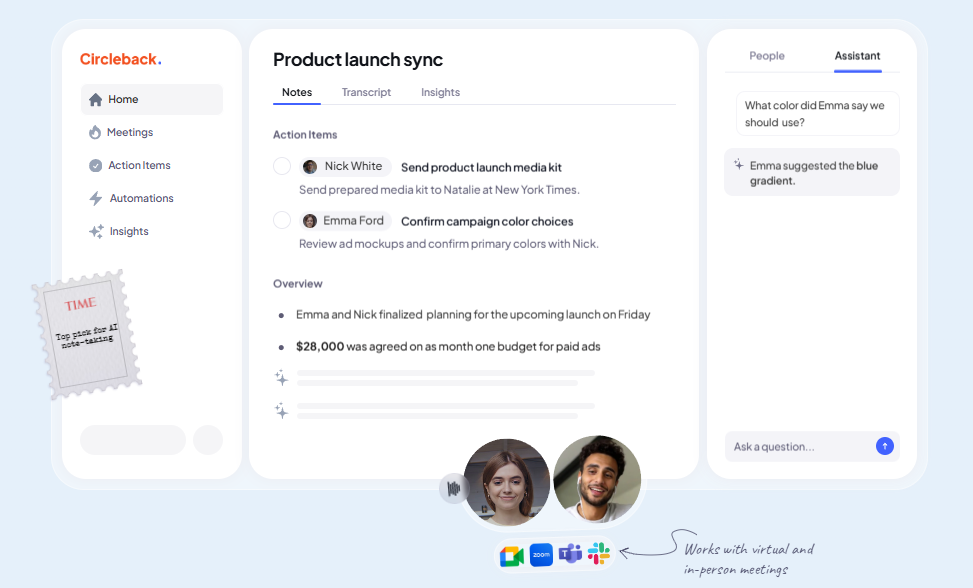
Circleback, like some other Otter competitors, has AI-powered notes, action items, and a search feature. It excels at reducing administrative time with its automatic data entry into the CRM, and there is broad support for third-party business apps. Aside from automatic Salesforce field filling, you can ask questions about the database. This AI meeting assistant is a productivity tool best suited for operations and sales teams.
Pros:
- Strong AI search that can find key moments from meetings and previous documents in the database
- Cuts back on administrative burden
- Can add entries into CRM automatically
Cons:
- Offers only generic text output
- Bots join the call
- No branded client presentation
7. Avoma – Best For Mid-Market Sales and Customer Success Teams
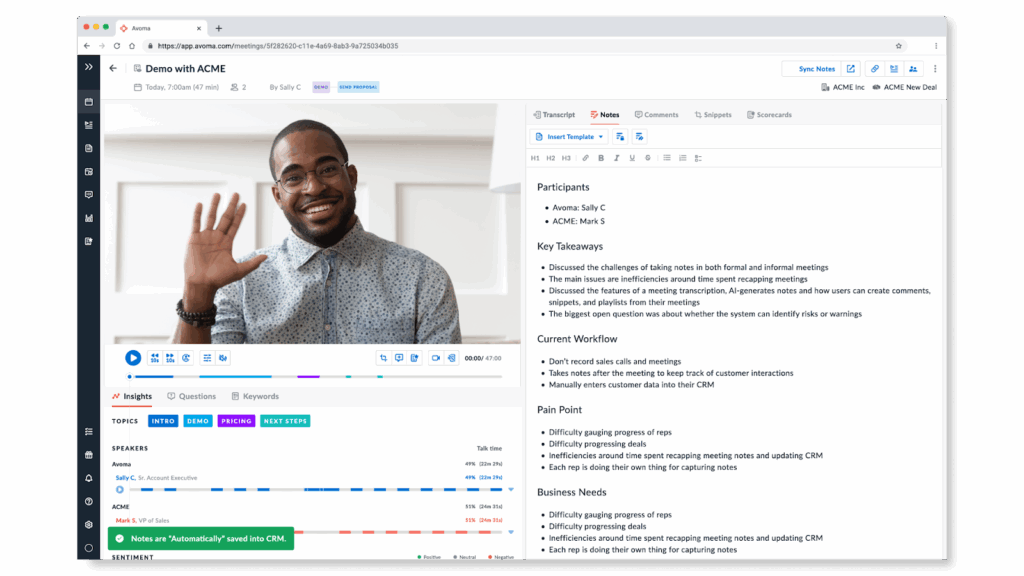
It might sound repetitive, but Avoma is another AI note-taking, scheduling, coaching, and forecasting tool with an AI meeting assistant, conversation, and revenue intelligence. You will get collaborative note-taking, and it tries to work for the Sales and Customer Success teams by bridging the lifecycle gap. Top features go beyond Collaborative Editor. Coaching scorecards can grade meetings on talk-ratio and patience, while scheduler integration links meetings to noes.
Pros:
- Strong collaborative features
- Conversation and revenue intelligence
- It has better post-sale handoff than Gong
Cons:
- Meetings are still not considered projects
- Not as many external sharing options
- Has some reliability issues with recording
8. MeetGeek – Best For HR, Coaches, and Improving Meeting Culture
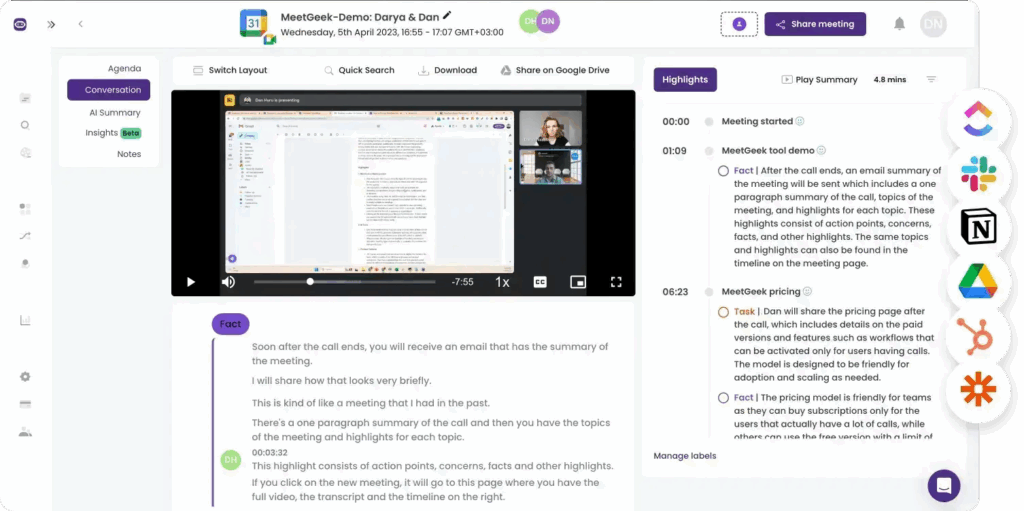
MeetGeek is a multiplatform solution available as a browser extension, a mobile app, and a desktop app. It offers an AI meeting agent that records, transcribes, and summarizes meetings. It focuses analytics on the meeting’s efficiency in terms of punctuality, engagement, and sentiment. Meeting health scores, grades for your team, keyword triggers with alerts for specific topics mentioned, and automatic workflow shares are top features of this solution.
Pros:
- Good choice for coaching and development
- Helps with the reduction of time-wasting meetings
- Great automation of internal distribution
Cons:
- Health score might come off as micromanagement
- Generic client summaries
- Not as user-friendly UI
Conclusion
In 2026, recording the meeting becomes a known commodity, and the true value is in what your solution does with the recording. If you’re an individual user, Fathom is a great alternative to Otter for free recording. Bigger sales teams can use Gong or Circleback and get forecasting based on recorded data.
FuseBase is the sole choice that can turn recordings into a branded Client OS, saving revenue and integrity through advanced AI features.
If you want an upgrade from “just recording” to “client delivery”, try FuseBase for free.
Found it useful? Share the article with your community
Subscribe to our blog!
Get weekly tips and insights on how to grow your business