
Skip to the content
FuseBase FuseBase
  • Solutions

    Solutions
    Solutions
    AI-powered Portals for teams, clients, partners

    One place to collaborate internally and externally

    CLIENT PORTALS
    DEAL ROOMS
    PARTNER PORTALS
    ONBOARDING PORTALS
    Build Professional Apps

    Production-ready apps in days

    AI CODING
    AI WORKFLOWS
    PERMISSIONS
    USER MGMT
    Solutions

    Recognized by leading product platforms

    Multiple awards for ease of use, customer satisfaction, and enterprise-grade security

    AI Agents (apps)

    User-friendly AI agents in minutes for every team

    AI Agents for Sales

    Sales President’s Club AI Agents

    AI Agents for Teams

    Secure Workspace & Agent Management for Modern Teams

    Client Portal

    Level up your collaboration with unified digital hubs

    Deal Rooms

    Close faster with smart, sleek spaces for every deal

    Knowledge Base

    Create one source of truth for clients & teams

    Partner & Vendor portals

    Maximize value from your external relationships

    Project Management

    Work on clients’ projects without extra hurdles

    Build Professional Apps
    Book a demo with our experts to build your custom workflow
  • Industries

    Industries
    Consulting Services

    Deliver exceptional client service

    Financial Services

    Automate compliance, approvals & collaboration

    Healthcare

    Secure, compliant portals for care and admin

    Marketing & Advertising

    Centralize campaigns and automate client requests

    Mid-Size companies

    Growing 50-1000+ employee companies

    Professional Services

    Get a one-stop-shop for collaboration

    Software & Technology

    Automate workflows with AI-powered portals

    See all industries

    Fusebase highlights

    Book a demo with our experts to build your custom workflow
    • Browser Extensions

      Browser Extensions
      FuseBase AI Assistant

      AI Chat and Agents everywhere

      FuseBase Clarity

      Capture Step-by-Step guides, SOP and tutorials

      FuseBase PRO AI

      Note taking, Files Sharing & Collaboration

      FuseBase Voice Assistant

      Voice typing everywhere in your browser

      Book a demo with our experts to build your custom workflow
      • Pricing
      • Resources

        Resources
        About us

        Meet FuseBase!     

        Blog

        Read the latest collaboration tips

        Case Studies

        Explore case studies and find tailored solutions

        Contact us

        Get growth advice from our experts

        Guides

        Answer your FuseBase questions

        Roadmap

        See what waits for you in the future

        Trust сenter

        HIPAA & SOC 2. Trusted standards, protected data

        Affiliate Program

        Would you turn down free money? 🤔

        Book a demo with our experts to build your custom workflow
        • Book a demo Get Started Free
        • Book a demo with our experts to build your custom workflow
        • Sign in
        • Book a demo
        • Get started for free
        Categories
        • All articles
        • AI Agents
        • Client & Customer Portals
        • Client Collaboration & Communication
        • Comparisons
        • Customer & Self-Service
        • Knowledge Management
        • Productivity
        • Sales & Deal Management
        • Team & Project Management
        • Updates and News
        TABLE OF CONTENTS

        • AI Apps (AI Coding)
        • Affiliate Program and Reseller Program
        • AI Coding Discord Community
        • Database Updates
        • Database Automation: Actions and Triggers
        • Users column in the database
        • Adding databases to Internal Pages
        • Duplication of databases and tables
        • Importing and exporting tables in a database
        • Sub-tables
        • Meeting Intelligence
        • Meeting Dashboard
        • Meeting Dashboard Tracker
        • Other
        • Adding clients without workspace
        • Conclusion
        • Home
        • Blog
        • Updates and News...
        • FuseBase Q1 2026 Highlights
        Updates and News

        FuseBase Q1 2026 Highlights

        • by Kuzma Safonov
        • April 2, 2026
        • 7 Min read
        TABLE OF CONTENTS

        • AI Apps (AI Coding)
        • Affiliate Program and Reseller Program
        • AI Coding Discord Community
        • Database Updates
        • Database Automation: Actions and Triggers
        • Users column in the database
        • Adding databases to Internal Pages
        • Duplication of databases and tables
        • Importing and exporting tables in a database
        • Sub-tables
        • Meeting Intelligence
        • Meeting Dashboard
        • Meeting Dashboard Tracker
        • Other
        • Adding clients without workspace
        • Conclusion

        Over the past few months, FuseBase has rolled out major updates across the platform to help you build faster, run meetings more efficiently, and get more value from your databases. If you missed our recent announcements on social media, don’t worry – this roundup brings everything together in one place, much like FuseBase itself.

        So, here’s what’s new:

        AI Apps (AI Coding)

        This is truly our biggest update this year. FuseBase AI Coding lets you build full production apps by describing what you need in plain language. Here’s what makes it different: 

        • Your AI codes the frontend. 
        • FuseBase provides the production backend. 
        • Database, authentication, and workflows are built in. 
        • Client portals and team collaboration included. 
        • Bring your own AI keys, any provider, no markup. 

        FuseBase gives you the AI coding speed everyone loves, but built on top of real production infrastructure. So no more building a demo that breaks under real users. No more 6 months of backend work after the prototype. From prompt to production. That’s FuseBase AI Apps.

        New deck Feb 2026 website deckDownload

        Soon, you’ll also be able to:

        • Create apps using data from other services via MCP support, including Notion, Figma, Asana, HubSpot, and more.
        • Integrate Stripe payments

        These features are coming in April 2026.

        Affiliate Program and Reseller Program

        We’ve launched the FuseBase Affiliate Program, giving you a simple way to earn 40% lifetime revenue for every reseller you refer.

        What’s in it for you?

        • Unlimited earning potential – no cap on referrals
        • Monthly payouts through your preferred payment method
        • Access to marketing materials and resources
        • A dedicated affiliate dashboard to track referrals and performance
        • Priority support for affiliate partners.

        Coming soon: Reseller Program

        Launching in the next 1–2 months, the FuseBase Reseller Program will let you build recurring revenue under your own pricing.
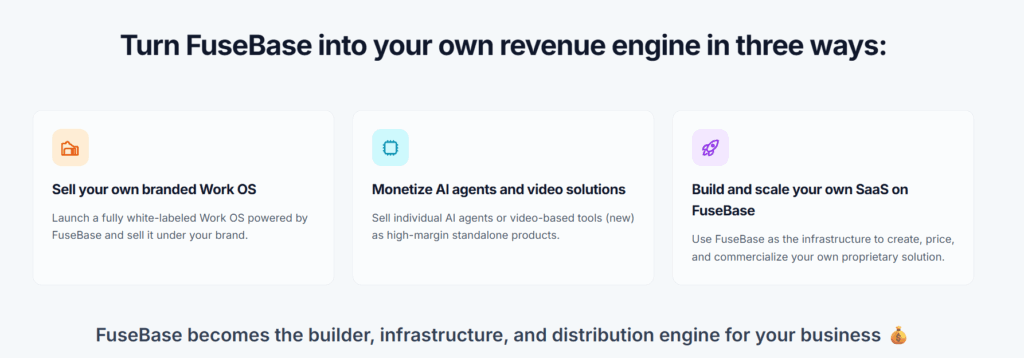
        You’ll be able to customize what you want to resell and stay fully in control of your pricing model. Charge clients however you choose — monthly, annually, or through custom plans.

        You’ll connect your own payment method, manage pricing, control client accounts, and bill customers directly.

        Early access is available for $99/month instead of $297/month. Sign up now so you don’t miss your chance!

        AI Coding Discord Community

        We’ve also launched a FuseBase AI Coding Discord Community. It’s a space where people building with FuseBase can connect, share what they’re working on, and help each other ship real apps. Our team is active there too – answering questions, sharing product updates, and offering support whenever it’s needed.

        Database Updates

        In our Fall release, we presented FuseBase Databases. Since then, they’ve become even more flexible, connected, and action-oriented. With new capabilities for automation, structure, and customization, teams can turn the information they manage every day into powerful workflows.

        Database Automation: Actions and Triggers

        Now you can fully automate the way you work with your databases in FuseBase.
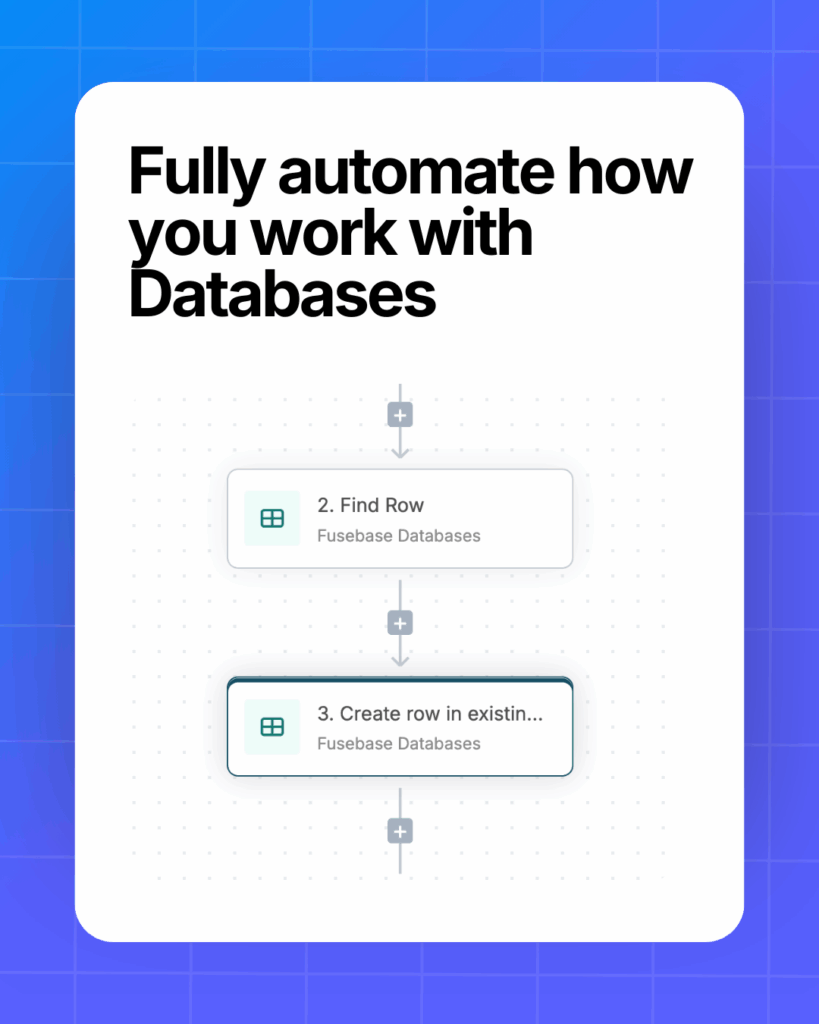
        • Set automation actions: from creating new databases to pulling data from specific rows
        • Connect with other tools: integrate databases via native integrations or webhooks
        • Streamline key workflows: simplify managing tasks, sales pipelines, vacancies, and more

        Trigger examples ↓

        • New row added – start a flow the moment a new row appears in the database
        • Row updated – trigger follow-up steps whenever a row is changed
        • Row matches conditions – launch a flow when a column meets specific criteria

        e.g. start automation when Status moves from “In Progress” to “Done”

        Coming Soon: AI Agents in Databases (April 2026)

        Connect AI Agents to FuseBase Databases, so they can interact with your data, support workflows, and help automate everyday tasks.

        Users column in the database

        Turn your tables into real workflow hubs – with owners, context, and accountability. With the new Users column, you can add organization members and clients directly to cells and connect every row to the right people.
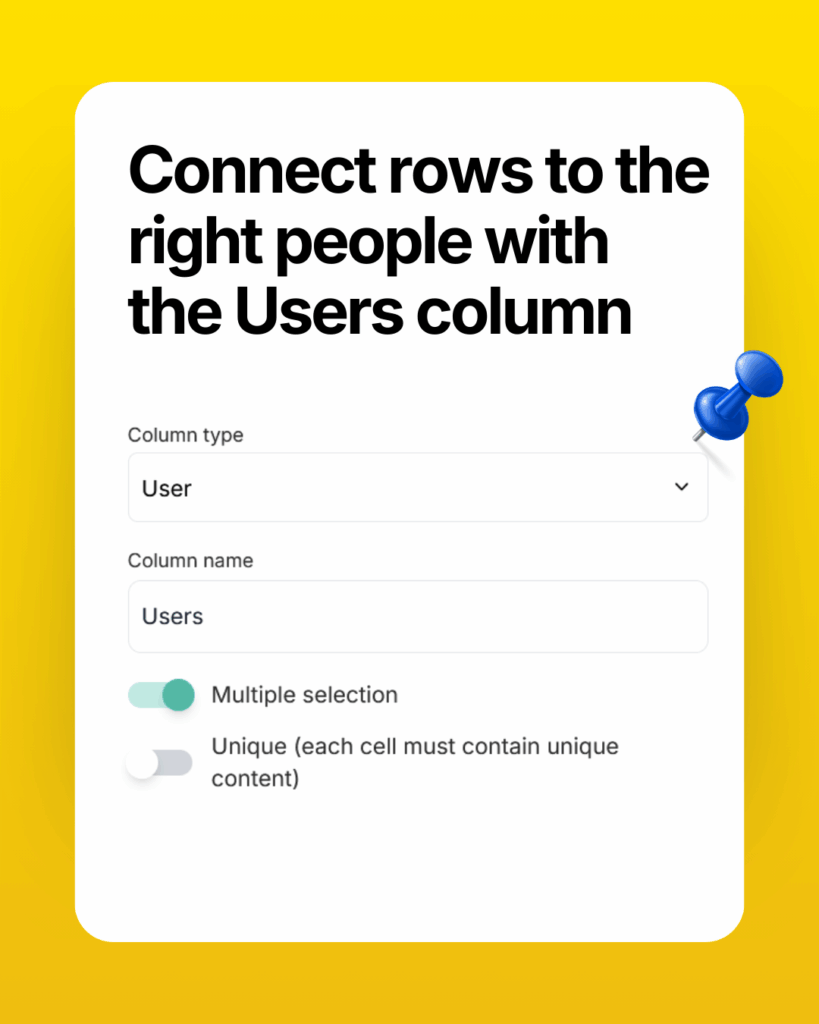
        Here are a few ways to use it:

        • Assign who’s responsible for completing a task
        • Notify a client or team member about info from the table (via automation)
        • Indicate meeting participants right inside the table
        • Specify department employees

        …and many more!

        Adding databases to Internal Pages

        Your databases are now everywhere! You can use databases not only in portals, but directly inside your internal workspace pages:
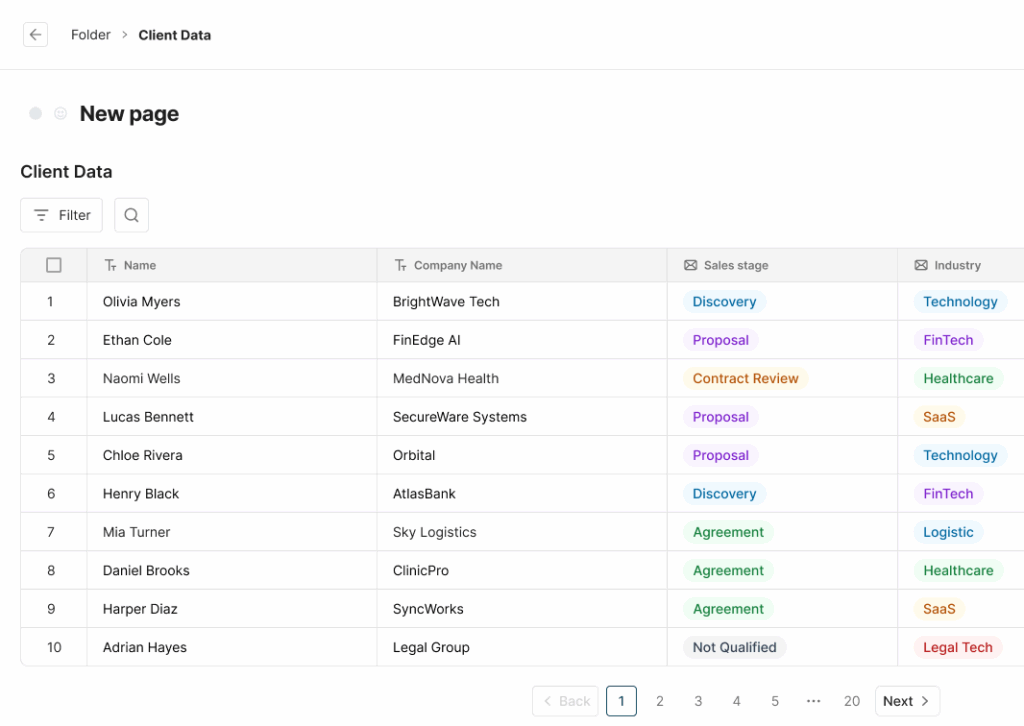
        • Drop a database or dashboard into any page and keep editing as usual
        • Make a database a standalone page when you need a dedicated space
        • Reuse existing databases or create new ones without leaving the editor
        • Choose exactly what to show – full database, specific view, or single table

        Duplication of databases and tables

        No more rebuilding the same tables from scratch. Duplicate any database or table in FuseBase in just a couple of clicks.
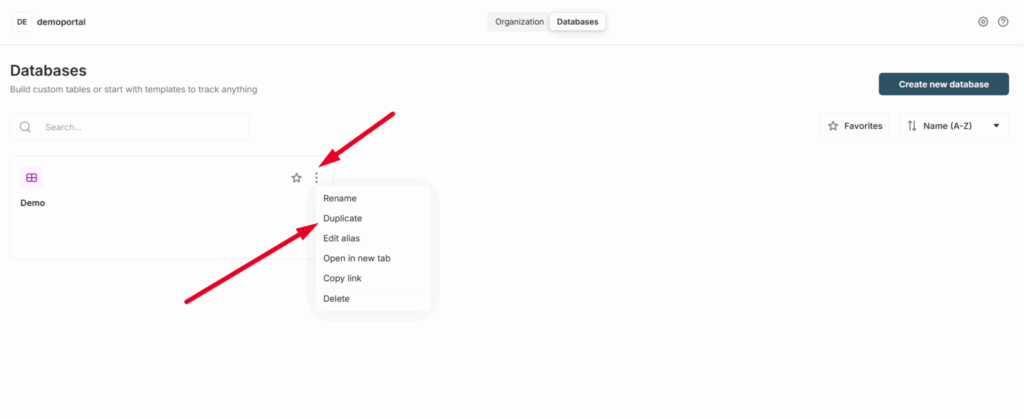
        • Duplicate structure only – copy columns and views to reuse the same layout
        • Or duplicate structure + data – clone everything, including row content
        • Perfect for templates – create one “master” database and reuse it across teams, projects, or clients

        Coming soon: duplication of individual rows.

        Importing and exporting tables in a database

        Have databases sitting in other tools? You can now easily import them into FuseBase via CSV!
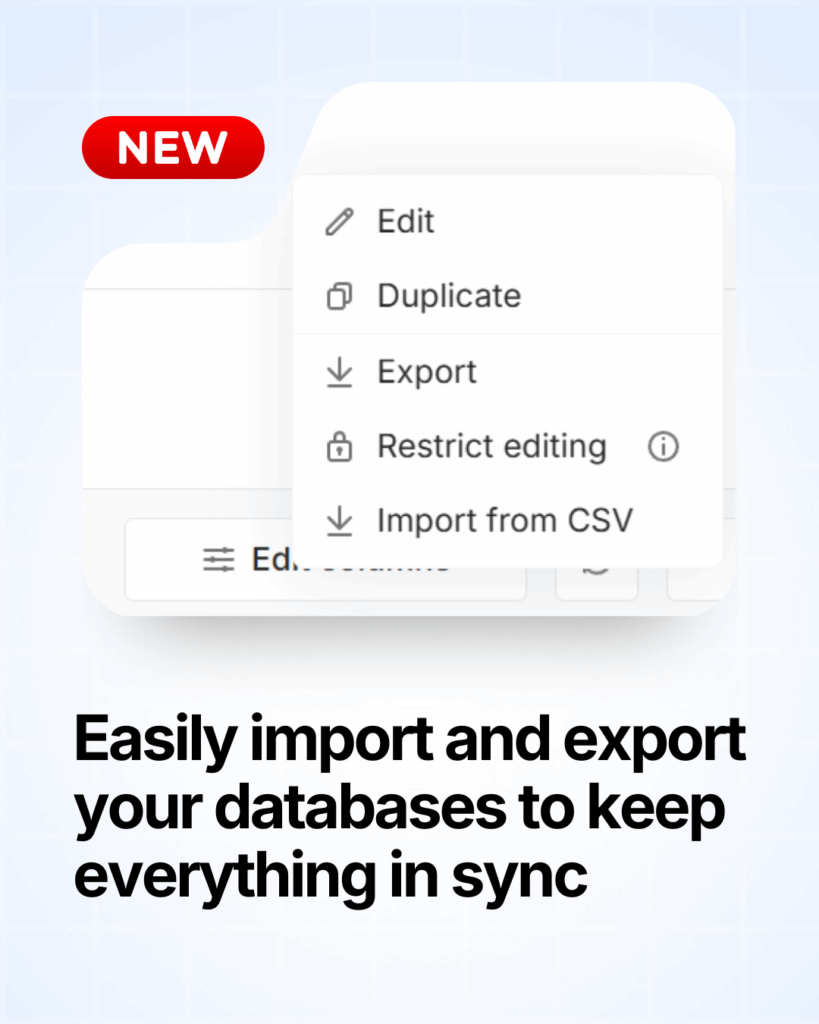
        • Skip manual setup – just import instead of recreating tables
        • Bring data from your current tools – import tables from Airtable, Notion, Coda, and more
        • Create local backups – export any FuseBase table as a CSV file

        Bring all your data into one place!

        💡 Read more posts on this topic:
        • Top Lovable Alternatives in 2026
        • FuseBase Fall 2025 Highlights

        Sub-tables

        What if your tables could behave like folders instead of flat lists? Now they can! With the new “Subtable” column, each row can open its own table.
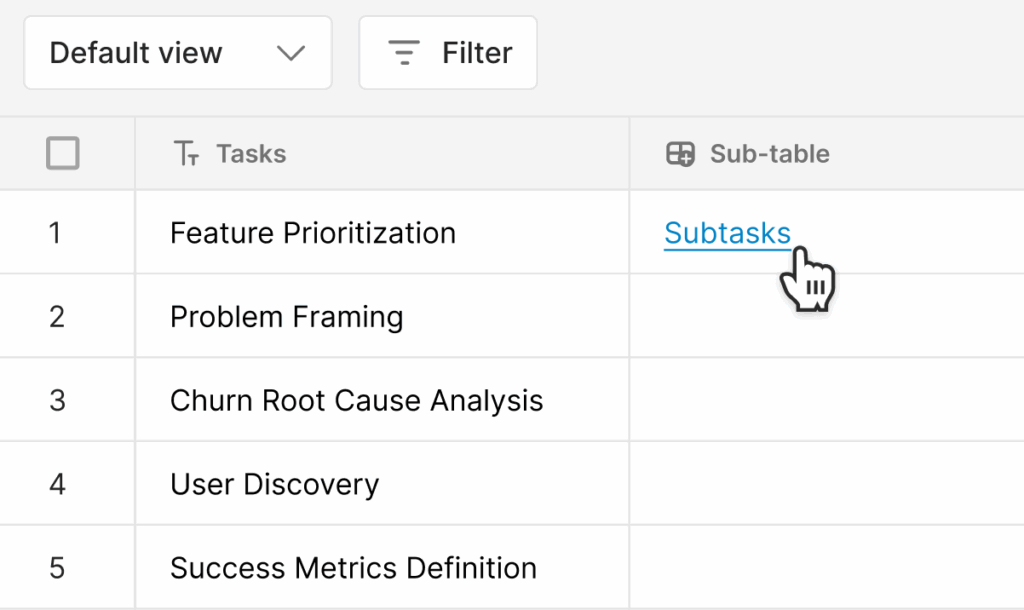
        Great for:

        • Task management – Use the main table for tasks, subtables for subtasks
        • Project management – Organize sprint tasks under each sprint
        • HR purposes – Store detailed employee info behind a simple employee list

        Meeting Intelligence

        Our team released Meeting Dashboards and Meeting Trackers to help you turn every call into a more structured and actionable workflow.

        With Meeting Dashboards, you can centralize all your meeting information, merge it with your CRM data, and include video and audio files with automatic transcription. From there, Smart Meeting Trackers help you extract the insights you need, measuring key patterns (pricing, competitors, next steps, etc.), and using that for analytics and sales team coaching.

        Meeting Dashboard

        Keeping up with meetings shouldn’t require five different pages. So we fixed that. Introducing the Meeting Dashboard – your central place for everything call-related.
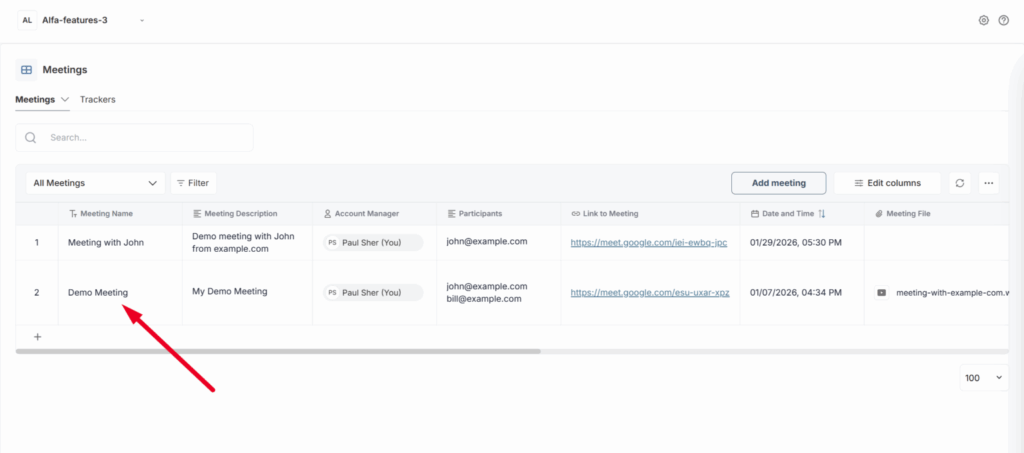
        • Keep all details together: description, attendees, date, time, and more
        • Easily manage and review past and upcoming meetings
        • Open the video and transcript of any call without hunting through links

        Meeting Dashboard Tracker

        Every meeting hides signals. FuseBase helps you catch them. You can now gain instant insights from calls and emails with our new Meeting Trackers.
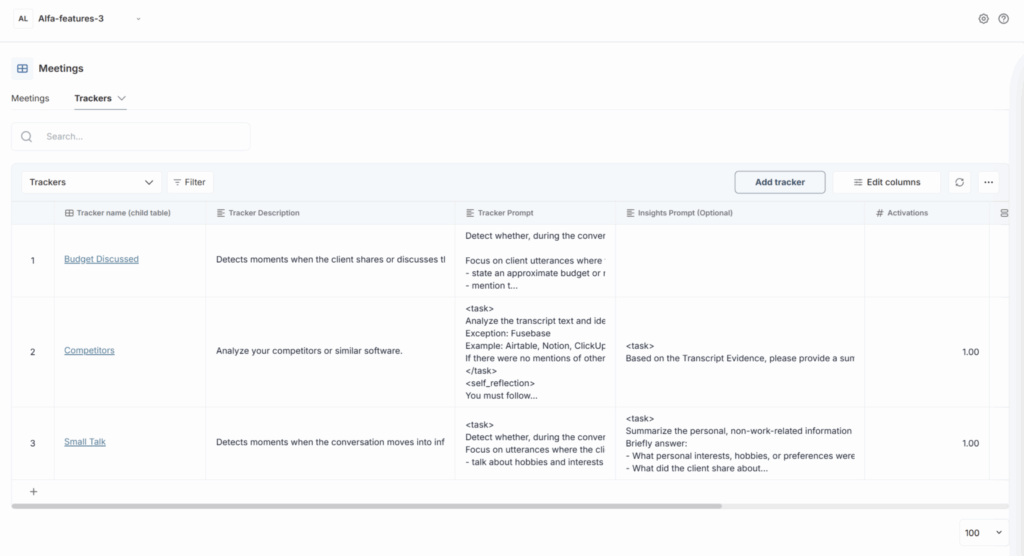
        • Monitor whether competitors were mentioned during calls or in customer emails.
        • Check if next steps were set to keep deals and projects moving
        • Choose from built-in system trackers or create custom trackers for your specific needs

        Other

        Adding clients without a workspace

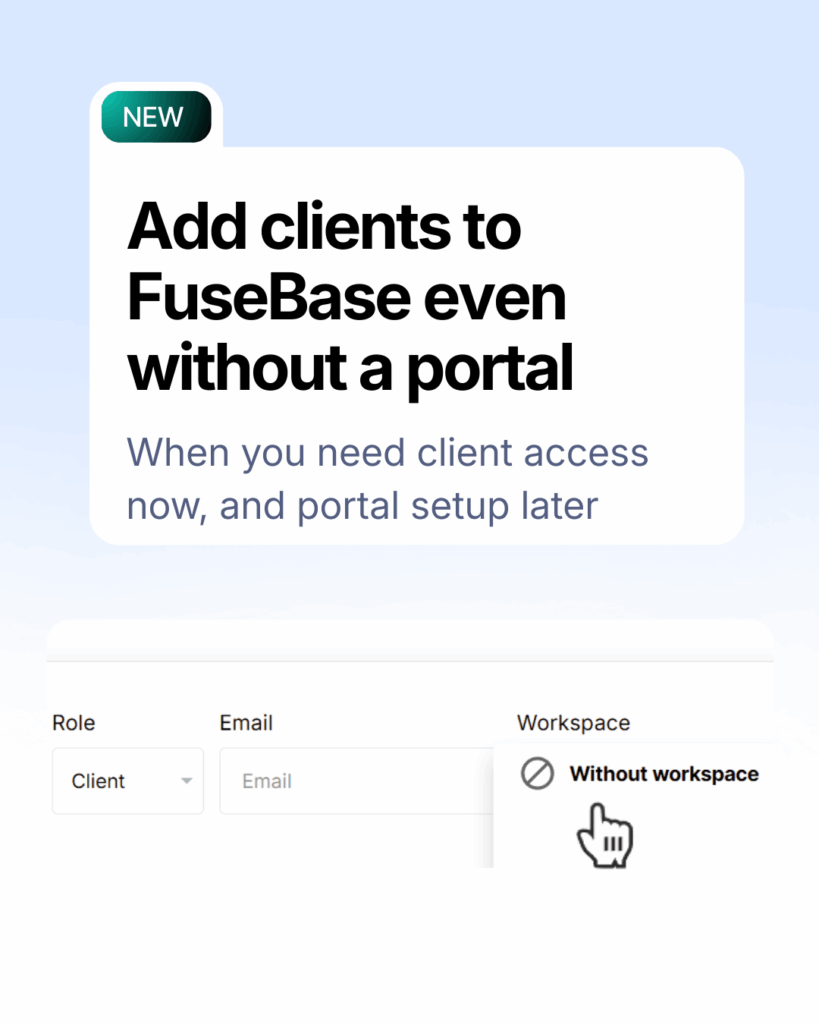
        Before: “Add client” = instantly invite to portal.

        Now: Add clients for internal prep first – invite to a portal later.
        That means you can:

        • Work with client data, calls, and context internally
        • Use it for pre-onboarding, discovery, and high-touch deal prep
        • Invite clients to a portal only when everything’s ready

        Just select “Without workspace” when adding the client.

        Conclusion

        That’s it for the Q1 2026 release! With AI Coding, you can build whatever you or your clients need; with improved Databases, you can speed up your workflow; and with new Meeting Dashboards, you can be sure that you’ll never lose important call details again. Together, these updates bring FuseBase closer to the flexible workflows teams need and the standout client experience they want to deliver. Want to explore new features for yourself? Start here.

        Author Image

        Kuzma Safonov

        CTO at FuseBase

        Kuzma Safonov, FuseBase's Co-Founder, is the driving force behind our product strategy and technology. He leads the development of tools that help businesses improve client collaboration. In his FuseBase blog articles, he shares insights on industry trends, product updates, and best practices for maximizing client satisfaction.

        Found it useful? Share the article with your community

        Related Articles

        FuseBase Updates (Feb–Mar 2024): Granular Permissions & More
        Updates and News

        FuseBase Updates (Feb–Mar 2024): Granular Permissions & More

        • by Kuzma Safonov
        • 5 Min read
        Level Up Your Client Portals with the Latest FuseBase Updates
        Updates and News

        Level Up Your Client Portals with the Latest FuseBase Updates

        • by Sabina Sher
        • 7 Min read
        Subscribe to our blog!

        Get weekly tips and insights on how to grow your business

        Our solutions
        • Mid-size companies
        • AI Agents (apps)
        • Client portal
        • Deal rooms
        • White label
        • Knowledge base
        Plans & Pricing
        • Pricing
        Enterprise Security
        • Trust Center
          (HIPAA & SOC 2)
        • Terms & Privacy
        • GDPR
        Company & Contacts
        • Templates
        • Guides
        • Roadmap
        • Privacy
        • About us
        • Reviews
        • Contact us
        Compare with
        • SharePoint
        • Moxo
        • Notion
        • Confluence
        • Asana
        • Airtable
        • Monday
        • See all
        Fusebase Logo
        • English
          • Deutsch (German)
        FuseBase - Client collaboration platform for professional services | Product Hunt
        • g2
        • sourceforce
        • g2
        2014-2026 FuseBase is a product of Nimbus Web Inc., a Delaware company