

Improving Service Delivery with Client Collaboration Software Tools & Portals
- 13 Min read
Have you ever lost your car key despite saying, “I always know where they are”. Well, before I started working on FuseBase, I calculated the hours spent on finding files and emails that “I knew” where they were, and those unproductive 10+ hours spent searching for lost WeTransfers and spam folder emails can’t be retrieved. Because many customer portals are just pretty ticket walls, as someone who handles numerous clients simultaneously, I understand that customer needs come first if you want revenue to keep coming. If you wonder how to promptly and effectively answer any customer query without incurring huge call center costs, while still providing viable answers, consider comprehensive customer portal software.
Before we dive into the ins and outs of what a customer support portal is, I must explain what the game-changer is for me. If we look at direct contact with an experienced agent as one possibility, and the usual pieces like a detailed knowledge base with elaborate FAQ as another way to find the information, there is a third way that dramatically improves the quality of the customer portal.
With a Custom AI Agent, you can get the required answer faster and more reliably than by looking for it yourself on a customer portal, no matter how well organized it is. However, there is no single solution that will address all customer needs, so different portals can have different approaches and options.
A self-service portal is your gateway to customers if you’re running a B2B business or dealing with classic B2C customers. Finding a solution that looks good, has the essential features, and will not empty your pockets might be challenging. To make things easier, we listed the 10 best customer experience portals.
TL;DR – Top Customer Portal Software
Don’t get confused:
The client portal and the customer portal are not the same thing. The purpose of the client portal is to provide a secure space for communication, file exchange, and other shared activities. The customer portal gives customers access to various tools to help them solve their problems without a customer agent.
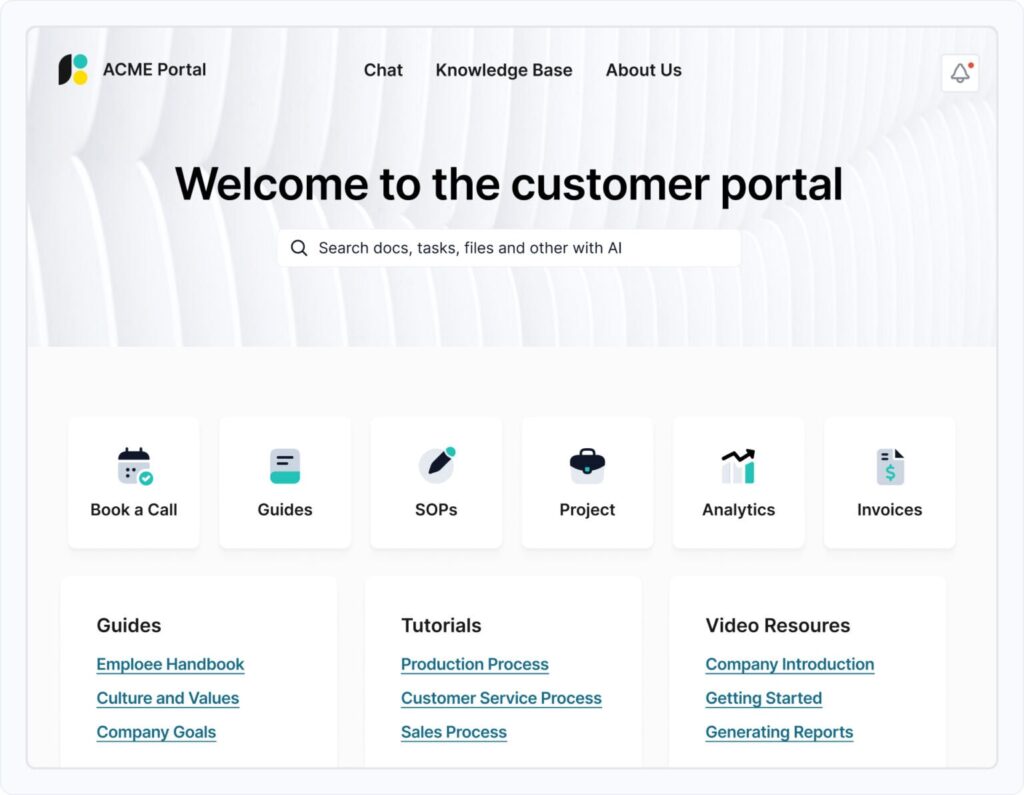
What would I like? That is the question I ask myself anytime I start working on a new solution. When I visit the self-service portal, I want to find the answer to my query within a few minutes, if not quicker.
If I lost my ticket, want to track my order, or find out why or how that one essential feature works, I need to get this information quickly.
A customer portal software or self-service portal provides just that, a secure interface for your business, where a visiting customer can find quick answers to issues instead of going to the call center. The customer portal can help you check the status of your requests, provide knowledge base videos and articles, a detailed, well-thought-out FAQ section, and AI Agents that complement the self-service model.
The customer support portal has palpable benefits for both customers and businesses. Here are some of the things I look for in a quality self-service portal.
Customer portals should ideally reduce wait times, helping customers resolve most issues in one place. It leads to twofold benefits: a better customer experience, which is the main reason for the customer portal in the first place, and cost savings due to a reduced need for qualified customer service agents.
When it comes to software solutions, I’m always on the prowl, looking for that one more feature that can knock the ball out of the park. Finding the proper balance between fancy features and great looks, while maintaining focus on what is essential, played a key role in developing FuseBase. Here are some of the top features any self-service portal should have.
If you want a customer to leave sensitive data, robust security measures are required. All documents, messages, and personal data must remain secure and accessible. Layers’ self-service portals I’d like to see include data encryption, secure authentication such as multi-factor login, access control, and compliance with data protection industry standards such as HIPAA and GDPR.
A knowledge base is a single searchable source of information for customers embedded in your portal. It can include a structured library of helpful videos, articles, FAQs, documentation, and other sources. AI Agents are one step above a typical knowledge base, as they learn from failed or unanswered questions, suggest content gaps, and summarize long documents with links to specific paragraphs and citations.
A system that turns customer questions or issues into organized and trackable items instead of scattered messages and emails. Tickets are the next step if customers can’t find what they need in the self-service portal. An AI Agent can optimize this process so that each ticket takes less time and is better structured. The ticketing system with the Agent can validate intake before submission, route the issue to the right team based on priority and account context, and summarize threads, setting up flags for sentiment and risk, while reminding owners before SLA can slip.
If you’re building a customer portal for your business connections, they can get a fully branded experience with a custom domain, logo, colors, and terminology per account. With a role-based view, executives see outcomes and operators see the details. A template can auto-assemble portals from CRM fields in minutes. Branding leads to higher customer engagement and retention.
Hundreds of customer portal solutions are available, and most of them have some merit. However, I’ve created a list of the top ten products that can fit most molds, and you can browse these solutions to find the perfect one for your company.
| Solution | Pricing | Trial | Features | Best for |
| FuseBase | starts at $32/month | Free trial is available | AI front door, Unified client workspace, No-code builder and templates, knowledge base, ticketing inside the portal, branding | Best for SMBs and Growing Support Teams |
| Zendesk | starts at $19/month (per agent) | Free trial is available | Branded help center, self-service portal with AI Bot, ticket submission and tracking, community forums, omnichannel handoff | Best for Omnichannel Support Teams at Scale |
| Freshdesk | starts at $15/month (per agent) | Free trial is available | Freddy AI agent, self-service, tickets submissions and tracking, branded help center, marketplace integration with third-party apps | Best for Fast, Omnichannel Support for SMBs and Mid-Market |
| Planhat | Pricing on request | Demo available on request | Executive facing dashboards, integrations, and data continuity, branded portal experience, and success plan collaboration | Best for Customer Success Teams Chasing Renewals and Expansion |
| SupportBee | starts at $20/month | Free trial is available | Knowledge base, branded customer portal, ticket submission and tracking, shared inbox, analytics | Best for Simple, Collaborative, and Basic Customer Portal |
| Zoho Desk | starts at $8/month | Free trial is available | Knowledge base and self-service, branded help center, ticket submission and tracking, analytics, robust integrations, and apps | Best for Affordable Omnichannel Support and CRM Integration |
| HappyFox | starts at $21/month (per agent) | Demo available on request | Branded self-service portal, knowledge base, ticket submission and tracking, AI and Chat, automation and SLAs, analytics, apps, and integrations | Best for a Streamlined Help Desk and Self-Service with Automation |
| GrooveHQ | starts at $24/month | Free trial is available | Shared inbox, reporting, integrations, branded help center, ticket submission, and tracking | Best for SMBs Wanting a Simple, Shared Inbox Support |
| Intercom | starts at $29/month | Free trial is available | AI Agent (Fin), Messenger and chat, branded help center, analytics, ticketing | Best for Real-Time Chat and Conversational Support |
| Hiver | starts at $25/month (per user) | Free trial is available for the Elite plan | Google Workspace native integration, branded help center, ticket submission and tracking in Gmail, shared inbox workflows | Best for Gmail- Centric Teams That Need Help Desk |
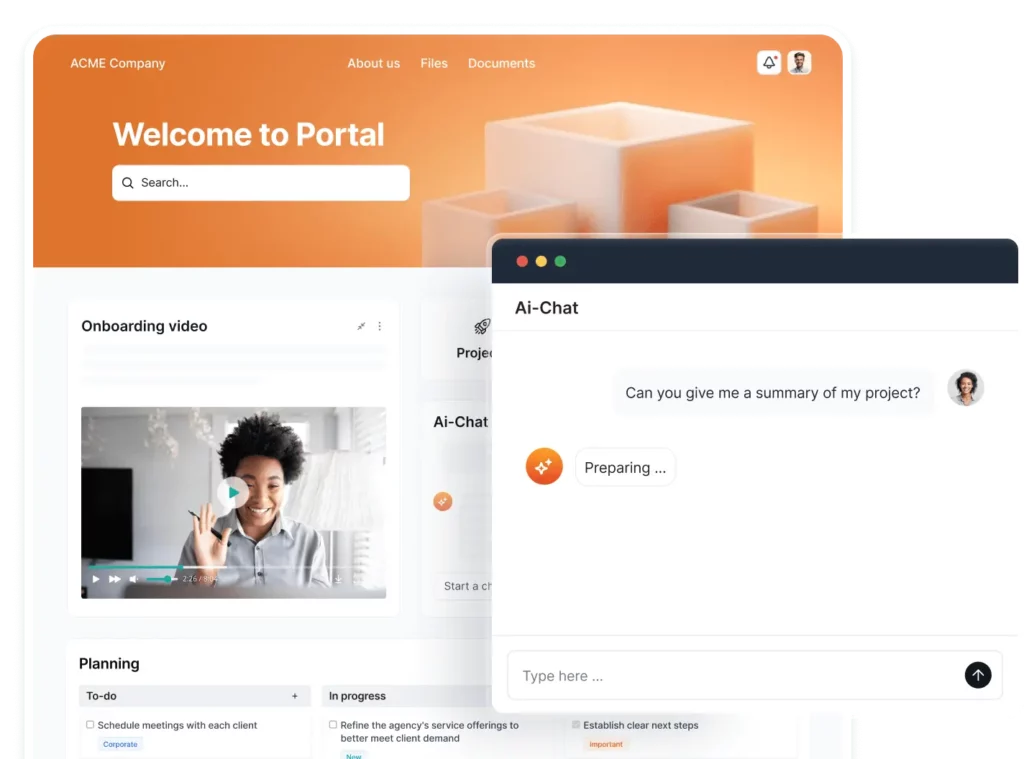
FuseBase is a tool we built because others didn’t do what we needed. Yes, this is our tool, and we created it because Zendesk was too complex, and others seemed too messy. Our solution can elevate customer self-service portals, focusing on clarity, scalability, and strong support automation. It has a no-code interface that brings together in a unified workspace everything a customer needs, such as secure access to information, a robust knowledge base, and streamlined ticket handling. When we built FuseBase, we also focused on customizable branding and a modern design. FuseBase gives the company a secure, branded portal with an AI front door where Agents actively answer with approved KB with citations, validate and route tickets, and watch engagement for risk and upsell signals.
Security-first architecture ensures the protection of sensitive data, and integrated search and analytics can help identify what customers are looking for and proactively optimize content. FuseBase ensures fast, organized, and effortless interaction in all instances, whether customers are browsing help articles, submitting support requests, or utilizing AI Agents.
Pros:
Cons:
Pricing: starts at $32/month
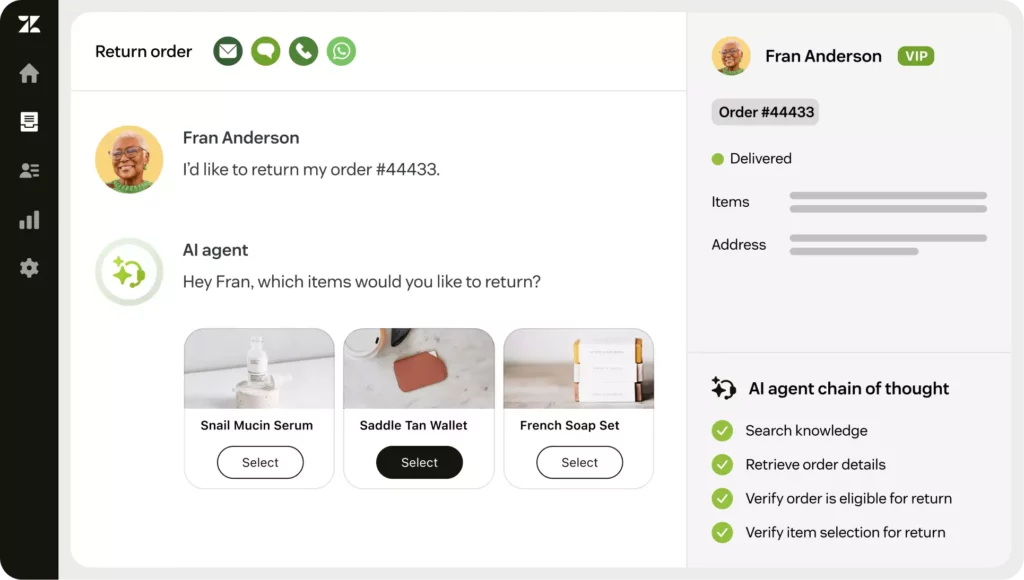
A familiar player in the customer portal space offers an enterprise-grade support platform for high-volume, omnichannel ticketing. It has a help center in Zendesk Guide and AI chatbots (Answer Bot). Zendesk uses workflow automation to route, prioritize, and resolve customer requests across various channels. It has no-code tools for creating portal design and structure. The solution prides itself on security, compliance, and analytics.
Pros:
Cons:
Pricing: starts at $19/month (per agent)
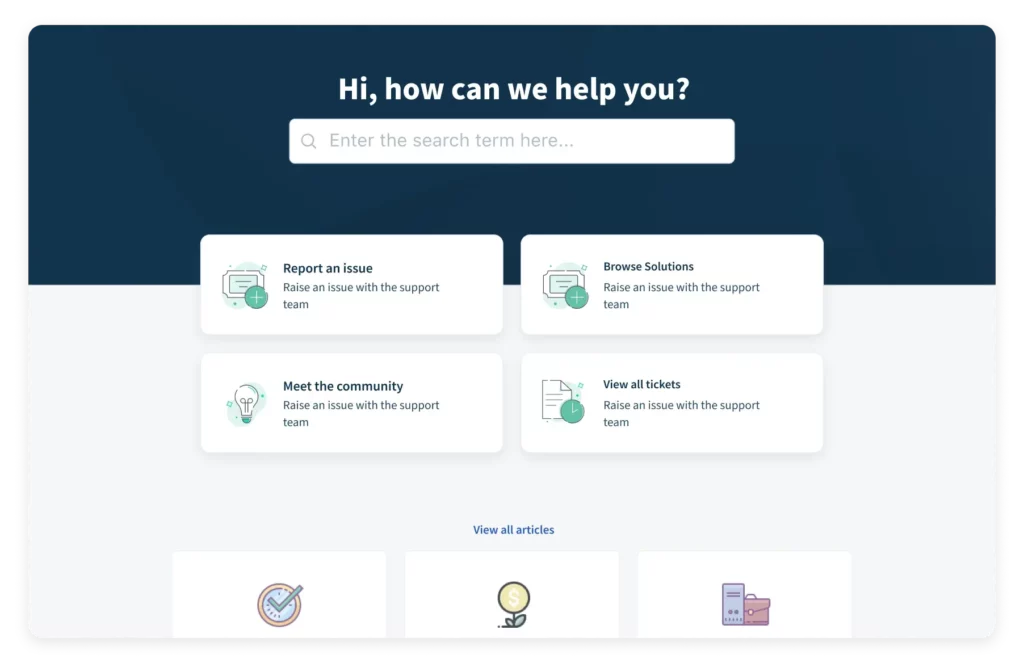
Freshdesk offers a clean, intuitive customer portal design for small and midsize teams, featuring powerful ticketing, a branded knowledge base, and AI-assisted automation. Teams will get a no-code portal builder and setup for various channels (email, chat, social, phone) with SLAs and routing. There’s Freddy AI that deflects repeated questions, suggests responses, and surfaces insights. Pricing starts relatively affordably, but most advanced features are not available in the lowest tier.
Pros:
Cons:
Pricing: starts at $15/month (per agent)
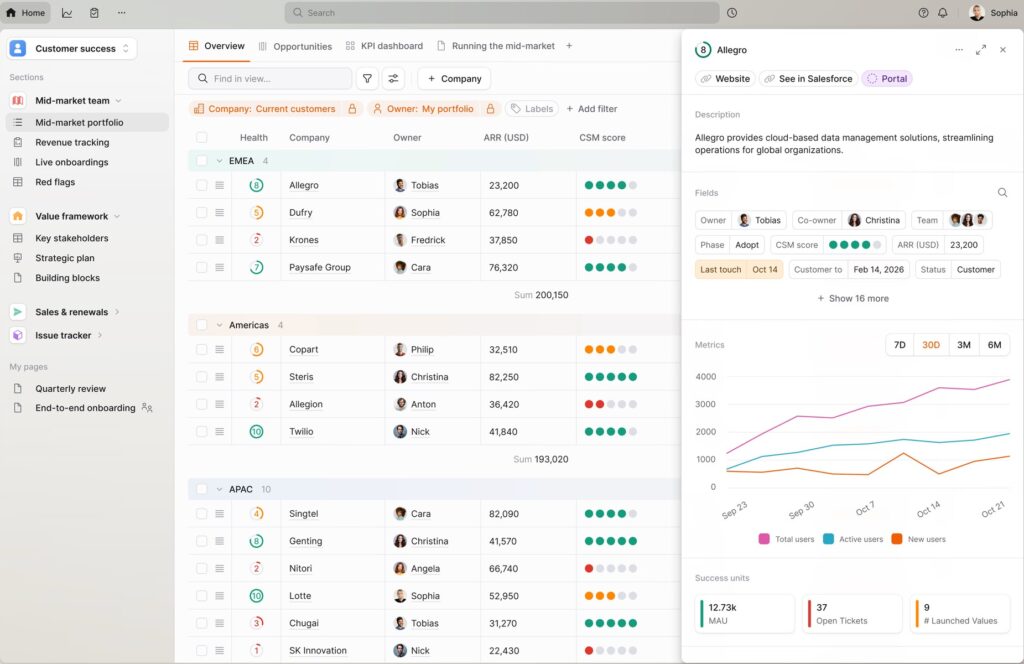
A comprehensive customer success platform created to centralize account health, product usage, renewals, and expansion workflows. It’s aimed at teams that want to share success plans, renewal timelines, and QBR materials with customers. Planhat combines customer data, automation, and portals to provide support and, for teams, a unified workspace for advanced tracking and opportunities. It has robust analytics, but the platform could be overkill for smaller teams.
Pros:
Cons:
Pricing: custom pricing
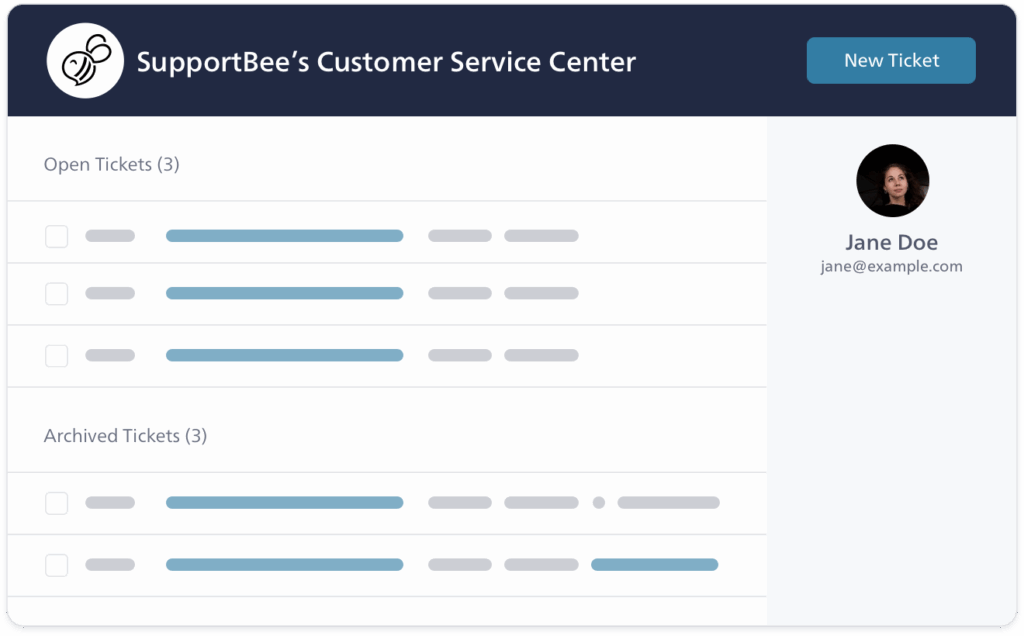
A lightweight, no-frills shared inbox help desk for teams needing to manage support email collaboratively and publish a simple customer portal. Along with the no-code setup and a branded knowledge base, it offers a minimal portal for customers to submit and track requests. It has straightforward roles and security, with basic reporting features.
Pros:
Cons:
Pricing: starts at $20/month
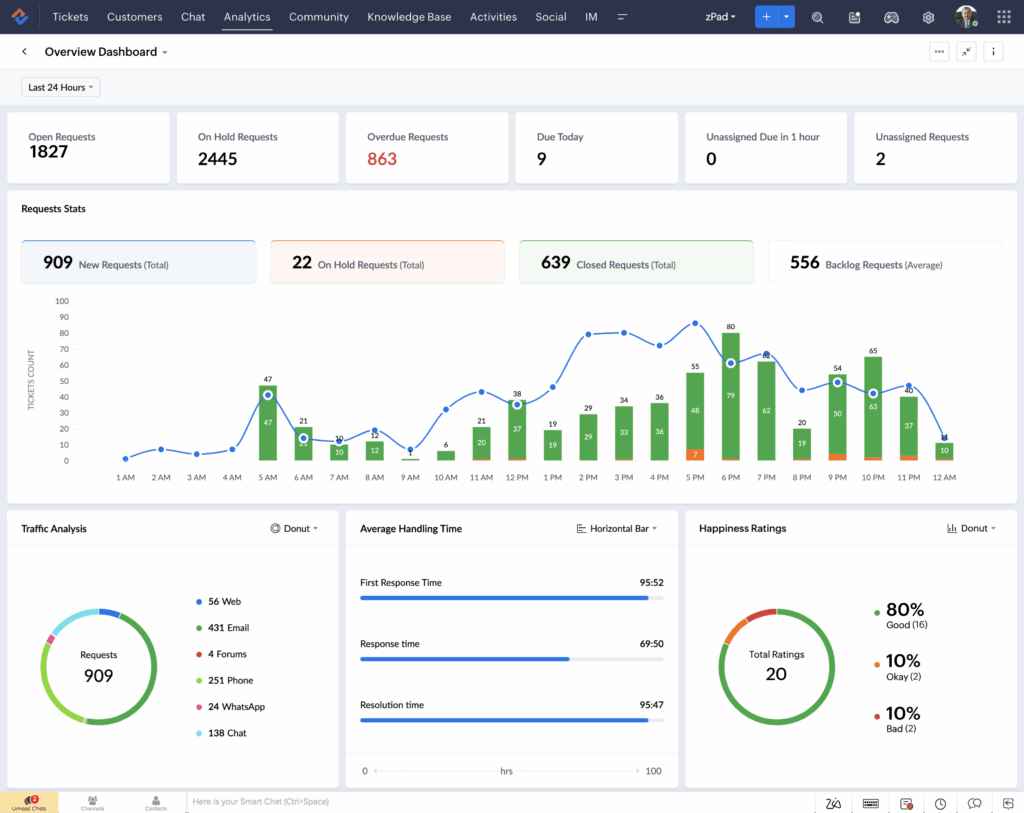
Zoho Desk is a flexible help desk and customer portal designed for SMBs and mid-market that combines omnichannel ticketing, a branded Help Center, and workflow automation. Its AI Zia assistant will help with deflection, response suggestions, and intent detection. Zoho Desk has a no-code setup, customizable branding, and one of its core strengths is integration across the Zoho suite (CRM, Analytics, Books…).
Pros:
Cons:
Pricing: starts at $8/month
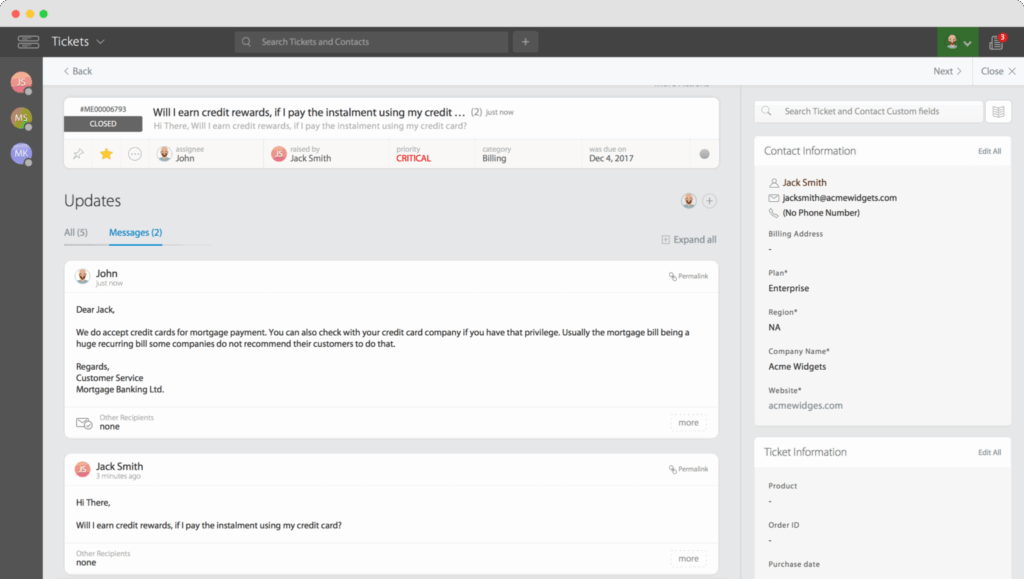
HappyFox Help Desk is a modern platform that has omnichannel ticketing, a branded self-service portal, and AI-powered automation. Teams will get a no-code setup for the usual channels (email, chat, web forms, social, and voice) along with SLAs, workflows, and various optional modules, including Assist AI and a chatbot. It works well for companies of all sizes.
Pros:
Cons:
Pricing: starts at $21/month (per agent)
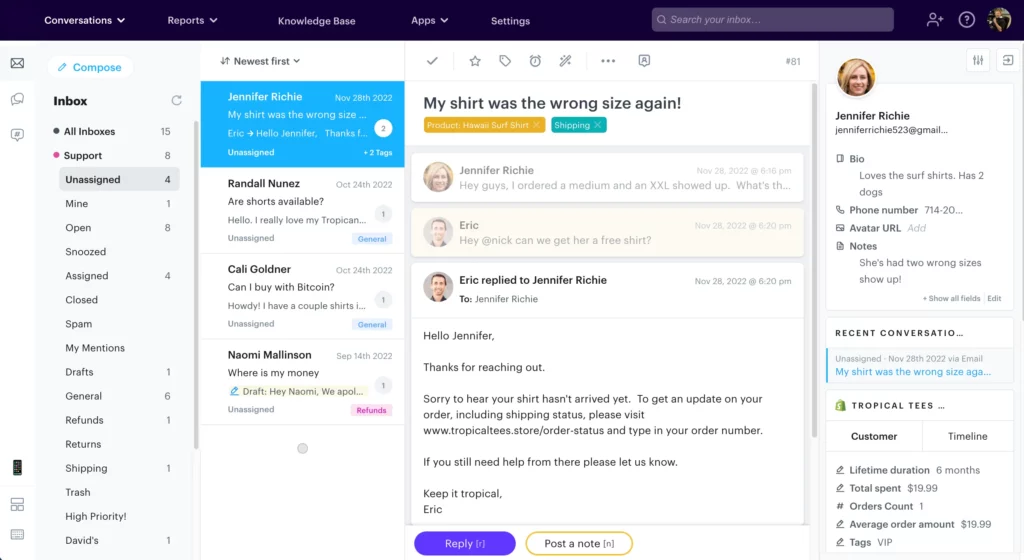
GrooveHQ is a streamlined help desk solution focused on shared inbox, a basic self-service portal, and a simplified knowledge base. It’s ideal for SMB teams that want to expand a single support mailbox and introduce assignments, collision detection, and simple atuomations. No-code setup lets you create a customer portal fast, and allows users to browse articles, submit tickets, and track status in a branded space.
Pros:
Cons:
Pricing: starts at $24/month
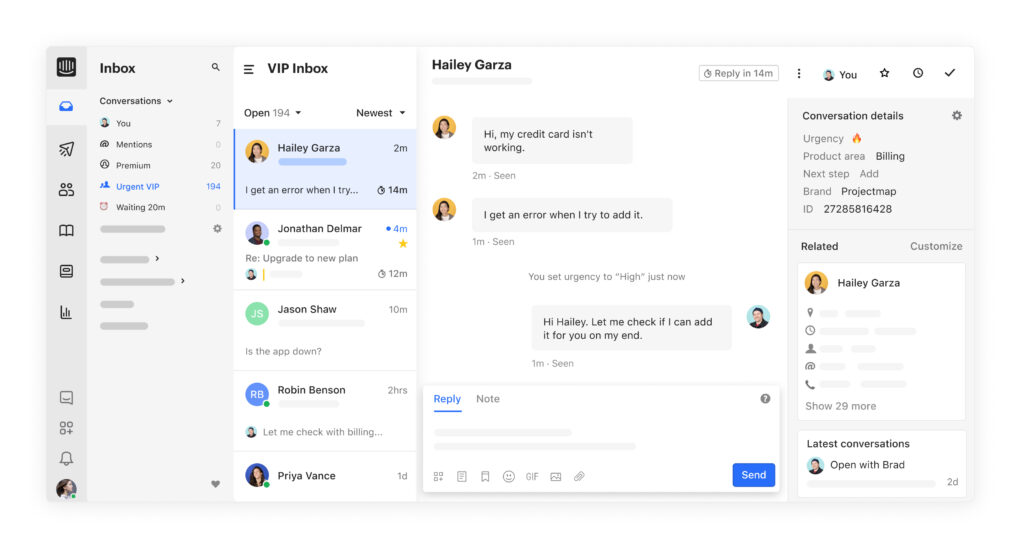
Intercom is a conversational support platform created for real-time messaging with an AI Agent and a modern help center. One of its strengths is a powerful team inbox, and Intercom excels at proactive engagement and instant answers from your knowledge base. It is for businesses that want fast, conversational support, real-time customer interactions, and seamless handoffs to human agents.
Pros:
Cons:
Pricing: starts at $29/month
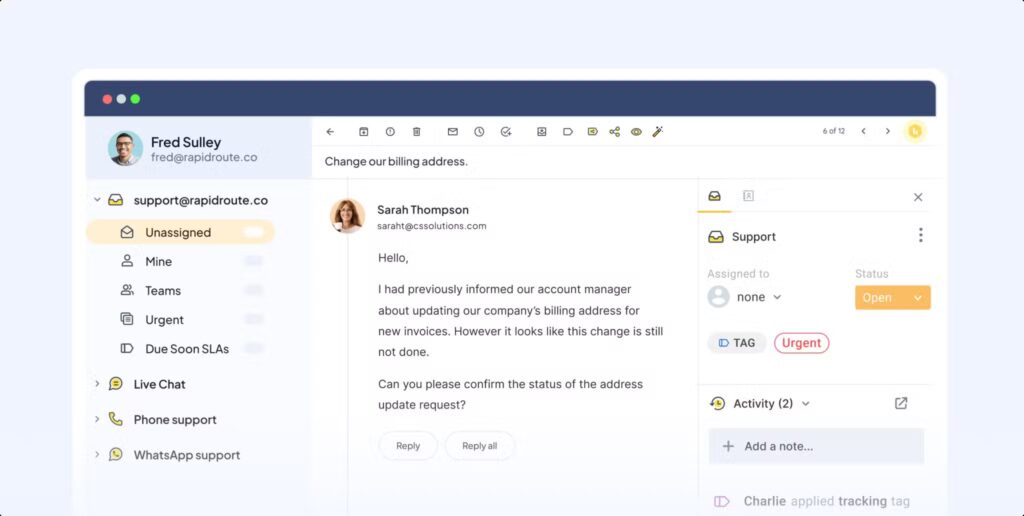
Hiver is a unique solution that turns Gmail into a collaborative help desk, with features such as shared inboxes, assignments, SLAs, and light automation. On the company side, teams work in Gmails, while customers get a simple branded help center with a knowledge base for self-service and ticket submissions.
Pros:
Cons:
Pricing: starts at $25/month
Choosing the right provider is challenging, and the best way to tackle this is to use a checklist. Things like core features, user experience, customization, and scalability are self-explanatory, just like security. However, all these categories might be vague without asking the right questions.
Will launch be in days or months, and setup in hours or minutes? Check the ticket deflection and SLA reliability. Choose a solution with a unified experience, one login for files, the knowledge base, tickets, and updates. The customer portal needs to be fully branded.
Because AI features are increasingly important today, check whether an AI Agent cites exact KB sources, can validate intake fields, and track negative sentiment. In terms of experience, customers should be able to access files, KBs, tickets, and other options with a single login.
Some of the red flags you can easily detect include AI without citations, separate surfaces for KB, tickets, and files, limited branding, and no intake validation.
If you have narrowed down your choices and your solution includes quality ticketing, a knowledge base, AI Agents that actually help, and a branded portal, create a more elaborate checklist and use the trial period wisely.
I still like exploring various customer portal software solutions, and you should choose the tool that fits your needs. If you’re aiming for a fully branded solution that has an advanced AI Agent, a robust knowledge base, and an omnichannel ticketing solution, you should give FuseBase a try.
The feature list includes an AI front door, a unified workspace, a no-code builder, various templates, a knowledge base, lifecycle continuity, and analytics and insights.
Get started with FuseBase for free.
Found it useful? Share the article with your community

Get weekly tips and insights on how to grow your business