
Skip to the content
FuseBase FuseBase
  • Solutions

    Solutions
    AI Agents (apps)

    User-friendly AI agents in minutes for every team

    AI Agents for Sales

    Sales President’s Club AI Agents

    AI Agents for Teams

    Secure Workspace & Agent Management for Modern Teams

    Client Portal

    Level up your collaboration with unified digital hubs

    Deal Rooms

    Close faster with smart, sleek spaces for every deal

    Knowledge Base

    Create one source of truth for clients & teams

    Partner & Vendor portals

    Maximize value from your external relationships

    Project Management

    Work on clients’ projects without extra hurdles

    Book a demo with our experts to build your custom workflow
    • Industries

      Industries
      Consulting Services

      Deliver exceptional client service

      Financial Services

      Automate compliance, approvals & collaboration

      Healthcare

      Secure, compliant portals for care and admin

      Marketing & Advertising

      Centralize campaigns and automate client requests

      Mid-Size companies

      Growing 50-1000+ employee companies

      Professional Services

      Get a one-stop-shop for collaboration

      Software & Technology

      Automate workflows with AI-powered portals

      See all industries

      Fusebase highlights

      Book a demo with our experts to build your custom workflow
      • Browser Extensions

        Browser Extensions
        FuseBase AI Assistant

        AI Chat and Agents everywhere

        FuseBase Clarity

        Capture Step-by-Step guides, SOP and tutorials

        FuseBase PRO AI

        Note taking, Files Sharing & Collaboration

        Book a demo with our experts to build your custom workflow
        • Pricing
        • Resources

          Resources
          About us

          Meet FuseBase!     

          Blog

          Read the latest collaboration tips

          Case Studies

          Explore case studies and find tailored solutions

          Contact us

          Get growth advice from our experts

          Guides

          Answer your FuseBase questions

          Roadmap

          See what waits for you in the future

          Trust сenter

          HIPAA & SOC 2. Trusted standards, protected data

          Book a demo with our experts to build your custom workflow
          • Book a demo Get Started Free
          • Book a demo with our experts to build your custom workflow
          • Sign in
          • Book a demo
          • Get started for free
          Categories
          • All articles
          • AI Agents
          • Client & Customer Portals
          • Client Collaboration & Communication
          • Comparisons
          • Customer & Self-Service
          • Knowledge Management
          • Productivity
          • Sales & Deal Management
          • Team & Project Management
          • Updates and News
          • Home
          • Blog
          • Updates and News...
          • New Nimbus Note for iPhone – colored labels for folders and notes, saving in PDF format and a lot more
          Updates and News

          New Nimbus Note for iPhone – colored labels for folders and notes, saving in PDF format and a lot more

          • by Kuzma Safonov
          • June 16, 2016
          • 3 Min read

          In the post regarding a new version for iPhone we mentioned another major update. We never talk idly, so here comes Nimbus Note 3.2
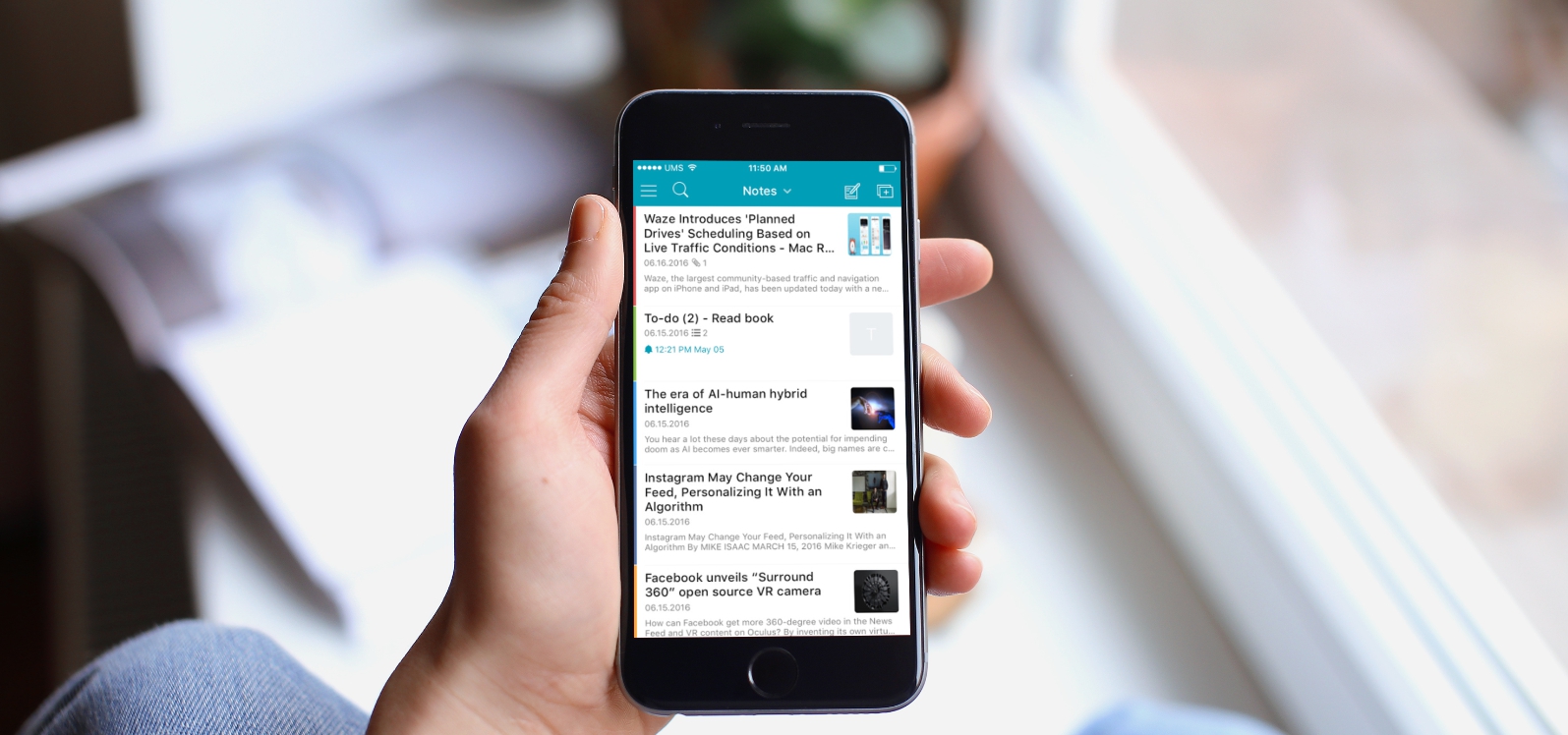
          New features:

          Default home screen

          In the new version you can determine which screen layout you prefer when the app is launched:

          – All notes (default);
          – Folder list;
          – Specific folder;
          – List of tags.

          You can change home screen layout in settings (Default Actions).
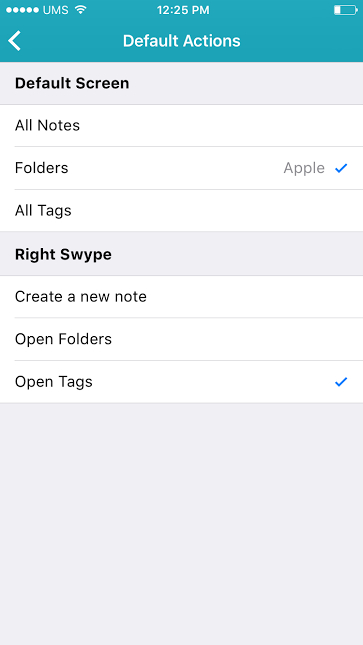
          Right swipe on the note list

          We already mentioned having added the possibility to create notes using the right swipe on the note list. In the new version you will have a chance to decide for yourself what to do with the right swipe:

          – Create a new note (default);
          – Open folder list;
          – Open tag list.

          You can change right swipe action in settings (Default Actions).

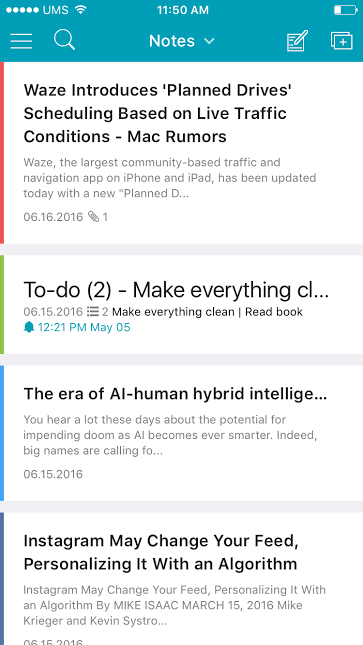
          Color labels for notes and folders

          In the new version of Nimbus Note you can color-code specific notes and folders. This boosts their visibility and helps you quickly locate required information on the list.  To mark a folder with a specific color, you just need to swipe on it on the list and select a variant from the palette. You can also change color through the menu panel in the note editor.

          To change folder color, make a swipe on its title and press More, then select Folder color. Obviously, you can also sort by color and view only notes marked with a certain color.
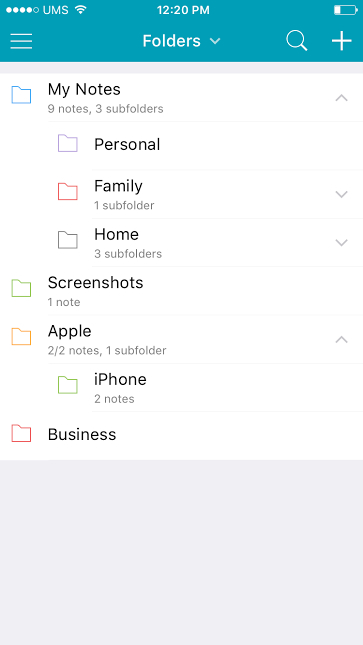
           

          Saving notes in PDF and sending them to e-mail address.

          Possibility to share a note by e-mail is one  of the most often requested features. Well, you asked for it – we made it happen. Now you can save a note with all its contents (text + images) in PDF and send it to any e-mail address. Just press on Share Note on the menu panel and select Mail.

          Widget

          An essential thing when you need to quickly create a note without opening the app. Now you just need to open the top panel of iPhone and select the type of note you need to create.

          3D touch

          In the new version we finally added 3D touch support. Now you can quickly create a new note or open a list of folders/tags.

          Remembering where you stopped reading a clip note

          It’s no big secret that many users use Nimbus Note for reading articles, recipes, lectures and other long notes. It often happens that while reading one note, you need to exit the app or open another note. Before you would have to start reading from the beginning, but now there is no need for it! The app remembers the place where you stopped reading, so when you open the note next time, you will be able to pick up from where you left off.

          E-mail to send notes

          Nimbus Note allows creating notes not only by using apps, but also by sending messages to a special e-mail address. You can find it in your account settings. You can read in more detail about it here – https://everhelper.desk.com/customer/en/portal/articles/1984035-how-do-i-send-email-to-nimbus-note-

          If you noticed any app issues, please be sure to mention those in your comments or write to our e-mail address.

          Author Image

          Kuzma Safonov

          CTO at FuseBase

          Kuzma Safonov, FuseBase's CTO, is the driving force behind our product strategy and technology. He leads the development of tools that help businesses improve client collaboration. In his FuseBase blog articles, he shares insights on industry trends, product updates, and best practices for maximizing client satisfaction.

          Found it useful? Share the article with your community

          Related Articles

          2023 Recap: FuseBase Growth, Goals and Plans for the Future
          Updates and News

          2023 Recap: FuseBase Growth, Goals and Plans for the Future

          • by Sabina Sher
          • 7 Min read
          FuseBase Updates (Feb–Mar 2024): Granular Permissions & More
          Updates and News

          FuseBase Updates (Feb–Mar 2024): Granular Permissions & More

          • by Kuzma Safonov
          • 5 Min read
          Subscribe to our blog!

          Get weekly tips and insights on how to grow your business

          Our solutions
          • Mid-size companies
          • AI Agents (apps)
          • Client portal
          • Deal rooms
          • White label
          • Knowledge base
          Plans & Pricing
          • Pricing
          Enterprise Security
          • Trust Center
            (HIPAA & SOC 2)
          • Terms & Privacy
          • GDPR
          Company & Contacts
          • Templates
          • Guides
          • Roadmap
          • Privacy
          • About us
          • Reviews
          • Contact us
          Compare with
          • SharePoint
          • Moxo
          • Notion
          • Confluence
          • Asana
          • Airtable
          • Monday
          • See all
          Fusebase Logo
          • English
          FuseBase - Client collaboration platform for professional services | Product Hunt
          • g2
          • sourceforce
          • g2
          Copyright © 2025 FuseBase is a product of Nimbus Web Inc., a Delaware company