
Skip to the content
FuseBase FuseBase
  • Solutions

    Solutions
    AI Agents (apps)

    User-friendly AI agents in minutes for every team

    AI Agents for Sales

    Sales President’s Club AI Agents

    AI Agents for Teams

    Secure Workspace & Agent Management for Modern Teams

    Client Portal

    Level up your collaboration with unified digital hubs

    Deal Rooms

    Close faster with smart, sleek spaces for every deal

    Knowledge Base

    Create one source of truth for clients & teams

    Partner & Vendor portals

    Maximize value from your external relationships

    Project Management

    Work on clients’ projects without extra hurdles

    Book a demo with our experts to build your custom workflow
    • Industries

      Industries
      Consulting Services

      Deliver exceptional client service

      Financial Services

      Automate compliance, approvals & collaboration

      Healthcare

      Secure, compliant portals for care and admin

      Marketing & Advertising

      Centralize campaigns and automate client requests

      Mid-Size companies

      Growing 50-1000+ employee companies

      Professional Services

      Get a one-stop-shop for collaboration

      Software & Technology

      Automate workflows with AI-powered portals

      See all industries

      Fusebase highlights

      Book a demo with our experts to build your custom workflow
      • Browser Extensions

        Browser Extensions
        FuseBase AI Assistant

        AI Chat and Agents everywhere

        FuseBase Clarity

        Capture Step-by-Step guides, SOP and tutorials

        FuseBase PRO AI

        Note taking, Files Sharing & Collaboration

        Book a demo with our experts to build your custom workflow
        • Pricing
        • Resources

          Resources
          About us

          Meet FuseBase!     

          Blog

          Read the latest collaboration tips

          Case Studies

          Explore case studies and find tailored solutions

          Contact us

          Get growth advice from our experts

          Guides

          Answer your FuseBase questions

          Roadmap

          See what waits for you in the future

          Trust сenter

          HIPAA & SOC 2. Trusted standards, protected data

          Book a demo with our experts to build your custom workflow
          • Book a demo Get Started Free
          • Book a demo with our experts to build your custom workflow
          • Sign in
          • Book a demo
          • Get started for free
          Categories
          • All articles
          • AI Agents
          • Client & Customer Portals
          • Client Collaboration & Communication
          • Comparisons
          • Customer & Self-Service
          • Knowledge Management
          • Productivity
          • Sales & Deal Management
          • Team & Project Management
          • Updates and News
          TABLE OF CONTENTS

          • What is Krisp?
          • Which features to expect from Krisp alternatives in 2026?
          • Top Krisp alternatives in 2026
          • 1. FuseBase - Best for Professional Services, Agencies, and Client Success Teams
          • 2. Granola - Best for Individual Consultants and Designers Who Need Human-Like Notes
          • 3. MeetJamie - Best for Executives and Privacy-Focused Managers
          • 4. Bluedot - Best for Remote Teams Using Google Meet
          • 5. Tactiq - Best for Government or Enterprise Users That Have Blocked Audio Recordings
          • 6. NVIDIA Broadcast - Best for Gamers, Streamers, and PC Power Users
          • 7. Utterly - Best For Mac Users Needing Lightweight Privacy
          • 8. Otter.ai - Best for Students and Journalists Needing a Transcript
          • 9. Circleback - Best for Sales Teams Who Hate Manual Data Entry
          • 10. Zoom AI Companion - Best for Organizations That Use Zoom Exclusively
          • Conclusion
          • Home
          • Blog
          • Comparisons...
          • Top 10 Krisp Alternatives to Explore in 2026
          Comparisons

          Top 10 Krisp Alternatives to Explore in 2026

          • by Pavel Sher
          • December 29, 2025
          • 14 Min read
          TABLE OF CONTENTS

          • What is Krisp?
          • Which features to expect from Krisp alternatives in 2026?
          • Top Krisp alternatives in 2026
          • 1. FuseBase - Best for Professional Services, Agencies, and Client Success Teams
          • 2. Granola - Best for Individual Consultants and Designers Who Need Human-Like Notes
          • 3. MeetJamie - Best for Executives and Privacy-Focused Managers
          • 4. Bluedot - Best for Remote Teams Using Google Meet
          • 5. Tactiq - Best for Government or Enterprise Users That Have Blocked Audio Recordings
          • 6. NVIDIA Broadcast - Best for Gamers, Streamers, and PC Power Users
          • 7. Utterly - Best For Mac Users Needing Lightweight Privacy
          • 8. Otter.ai - Best for Students and Journalists Needing a Transcript
          • 9. Circleback - Best for Sales Teams Who Hate Manual Data Entry
          • 10. Zoom AI Companion - Best for Organizations That Use Zoom Exclusively
          • Conclusion

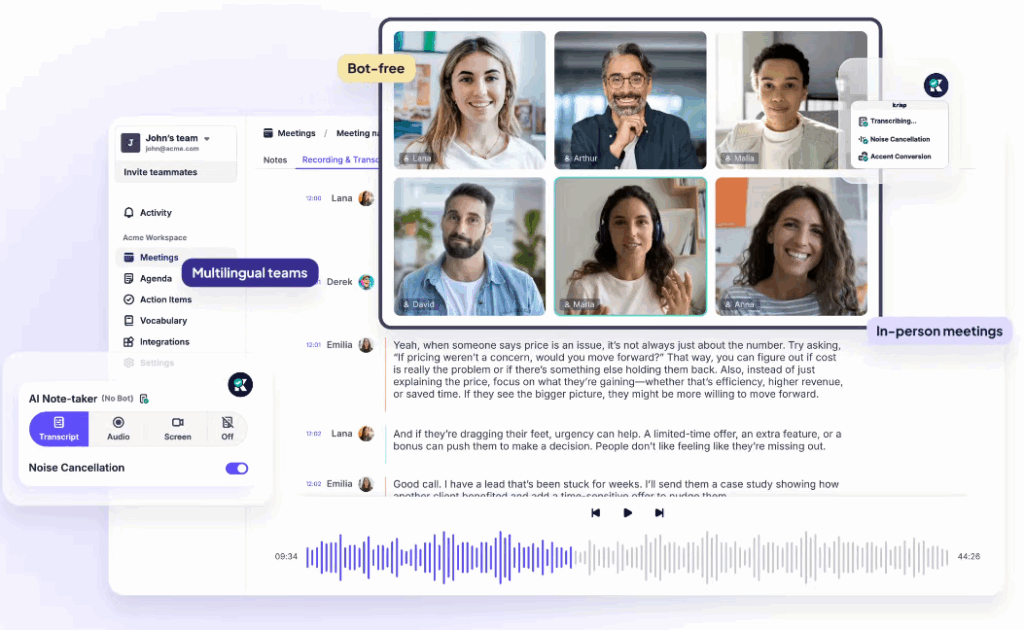
          Krisp is an AI meeting assistant that made its name with noise cancellation. The company started in 2017 as an AI noise-cancellation solution that operates on software, and they gradually transitioned into the meeting assistant market. Another important feature Krisp offers to its users is bot-free transcriptions. While these two options are highly sought after, are they enough in 2026?

          One of the issues I had in mind when I worked on creating the FuseBase Client OS Portal was automatic transcriptions that leaked internal comments to the client. Some of the sales reps shared internal confidential takes on the arrangement after the client left the call, and it was all in the summary. So, while AI note-taking and meeting assistants that can create automatic summaries and action points are great, there is room for improvement.

          Noise cancelling is still valuable, but not a killer feature as AI handles so much these days in terms of transcripts. We’ll go through the top 10 Krisp alternatives for 2026.

          TL;DR – Top Krisp Alternatives
          • Best for professional services, agencies, and client success teams – FuseBase
          • Best for individual consultants and designers who need human-like notes – Granola
          • Best for executives and privacy-focused managers – MeetJamie
          • Best for remote teams using Google Meet – Bluedot
          • Best for government or enterprise users who have blocked audio recordings – Tactiq

          What is Krisp?

          As we said, Krisp started as an audio enhancement tool and has since transformed into an AI meeting assistant. The solution uses AI to remove background noise and voices from the system microphone. A conference app that integrates with all communication software, including Zoom, Teams, and Meet, also offers automatic transcriptions, meeting notes, and summaries. One of the advanced features is accent smoothing, which makes voices clearer. 

          Users like Krisp for its local audio processing, and the package also includes an AI assistant that can write follow-up emails and other messages. 

          Most of these features are available with numerous competitors, so what do we actually need in 2026?

          Which features to expect from Krisp alternatives in 2026?

          An unfortunate thing for Krisp is that noise cancellation is becoming a standard feature on most video meeting platforms, so the need for audio hygiene as a standalone software is increasingly less important. A significant market shift is moving from signal processing to semantics, which translates to fixing the business outcome.

          Smart partition

          It’s still important to have clear audio from your meeting, but with transcripts and a summary, the focus is now on blocking informational noise rather than actual noise. Smart partition removes the pieces of content where your team is discussing the sensitive margins or internal information, and the outside stakeholders will get the filtered version of the summary. AI can automatically generate two distinct outputs, one for the client and a raw version for the team.

          Bot-free experience

          Silent guests at meetings is something many users or participants in calls hate. Krisp does that right by processing audio on the system, and it doesn’t appear in meetings. Next step: private, local processing of full AI Agent intelligence, where invisible AI doesn’t join the call but still creates summaries and insights.

          Clean data

          Building on top of a clear audio file, the new feature should have a clearer project board. AI can filter action items and deliver them into project management tools like Asana or ClickUp, so you don’t have to act on them. This will remove “glue work”, and AI can create tasks, assign users, and set deadlines.

          Scope creep detection

          Frequent meetings can be overwhelming for sales reps, and information like can you just add this from a client can pile up undetected by managers. An AI meeting assistant can identify these flags and protect revenue from unexpected expenses that reps miss or just want to close the deal.

          Top Krisp alternatives in 2026

          SolutionPricingTrialTop featuresBest for
          FuseBaseValue-Based / Contact SalesA free trial is availableSmart partition can separate internal risks (scope creep) from content for clients, and offers branded deal rooms instead of a naked link. An AI agent can detect missing steps and create tasks in a project management toolBest for professional services, agencies, and client success teams
          GranolaStarts at $14/ monthFree tierBot-free local recording, offers customizable writing style templates, and works on most platforms. AI helps with post-meeting actionsBest for individual consultants and designers who need human-like notes
          Jamiestarts at 47 euros/monthFree tierOffline recording mode, business-grade language support for 15+ languages, executive assistant sidebarBest for executives and privacy-focused managers
          Bluedotstarts at $14/monthFree tierChrome extension with browser capture and no need for the desktop app, creates video snippets, Notion and Slack integration, and an Ask AI assistantBest for remote teams using Google Meet
          Tactiqstarts at $8/monthFree tierNo audio recording, offers text-only capture and real-time translations, action items, and summaries, Ask AIBest for government or enterprise users who have blocked audio recordings
          NVIDIA BroadcastFreeFreeAI noise removal, video cleanup, virtual background, auto-frameBest for gamers, streamers, and PC power users
          Utterlystarts at $5/monthFree tierLocal audio processing, static noise removal, support for all video conferencing platformsBest for Mac users who need a lightweight privacy 
          Otter.aistarts at $8.33/monthFree tierLive transcripts with words appearing in real-time, slide capture for auto-inserting slides into notes, and Otter Pilot AI assistantBest for students and journalists who need a transcript
          Circleackstarts at $25monthNoAction item engine with accurate task detection, advanced CRM sync with HubSpot and Salesforce, agentic search Best for sales teams who hate manual data entry
          Zoom AI CompanionFree (with paid Zoom license) FreeAsk Meeting for users who are late to the meeting, Smart chapters, and email drafts.Best for organizations that use Zoom exclusively

          1. FuseBase – Best for Professional Services, Agencies, and Client Success Teams

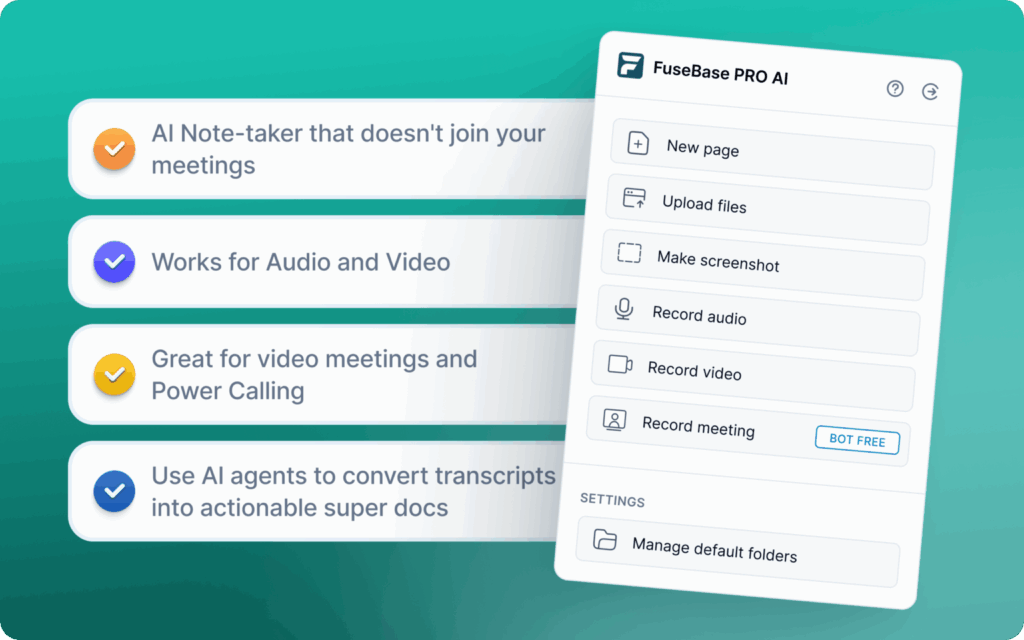
          FuseBase has a much broader approach than a typical AI meeting intelligence app. It matches Krisp’s privacy-first approach, offering a browser extension to record meetings without inviting bots. On top of these basic features, FuseBase can turn your collected data into a Client Portal. When we built FuseBase, the vision was to go beyond smart AI summaries and note-taking to a tool that can use AI Agents to separate internal risks like scope creep from external client recap, provide a branded Client Portal, and other advanced options. 

          Pros: 

          • Bot-free option records via browser extension, so you don’t get the “Silent Guest” issue
          • AI Agents create follow-ups, notes, can detect scope creep, and create automated tasks in a project management tool
          • The smart partition feature can automatically separate internal risks from external client recaps
          • Raw recordings are turned into a professional “Deal Room” that has files, next steps, and widgets

          Cons:

          • It can be overkill for personal use, and users who need simple notes
          • Learning curve goes from sending a link to managing a client portal
          • Not primarily a noise-cancelling tool

          2. Granola – Best for Individual Consultants and Designers Who Need Human-Like Notes

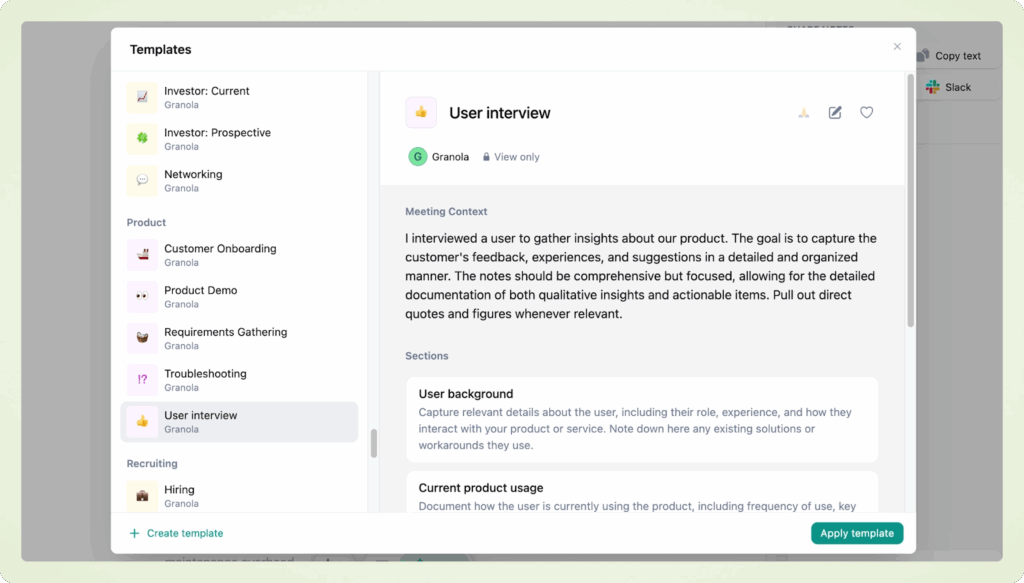
          Granola is widely regarded as a top-tier AI meeting assistant. The Mac native app sits on your system and transforms your rough bullets, audio, meetings, and other sources into polished notes. It runs locally, offers bot-free recording, provides AI summaries, and offers searchable meeting knowledge. It also lacks some of the more team collaboration-oriented features. It’s best for individual consultants and creative professionals who need complete control over the output in notes.

          Pros: 

          • Feels like a writing partner as it turns your raw bullets or audio into a consistent, beautiful summary
          • No bots in a meeting. It records locally on your Mac, respecting client privacy
          • Quality search through past meetings, AI summaries, and insights
          • Customizable templates for advanced control over the output

          Cons:

          • Limited availability for Windows systems
          • Notes are stored locally, and not in a team database
          • More advanced insights require a steeper learning curve

          3. MeetJamie – Best for Executives and Privacy-Focused Managers

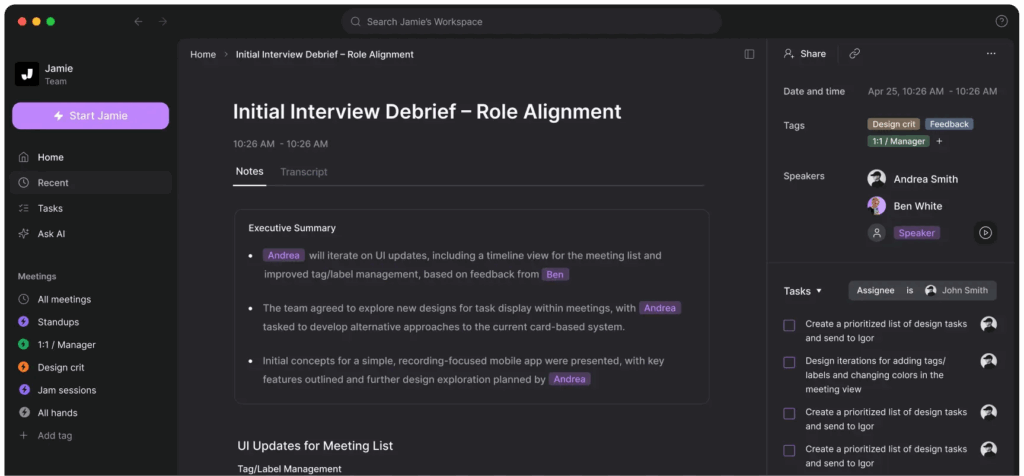
          Jamie is another Mac-native app in the menu bar that can record system audio. It works offline and supports more than 15 languages, so it’s a great option for travel. This app has an intuitive, eye-catching interface with no learning curve. You can work with popular platforms like Zoom and Meet to get AI-generated meeting summaries and key points. 

          Pros: 

          • Offline mode allows MeetJamie to work without an internet connection
          • No-bot recording – Jamie is integrated in the menu bar and records system audio 
          • Supports 15+ languages with business-grade accuracy

          Cons:

          • Relatively high price compared to competitors
          • No deal room or client portal, so you’ll have to share the meeting summary manually

          4. Bluedot – Best for Remote Teams Using Google Meet

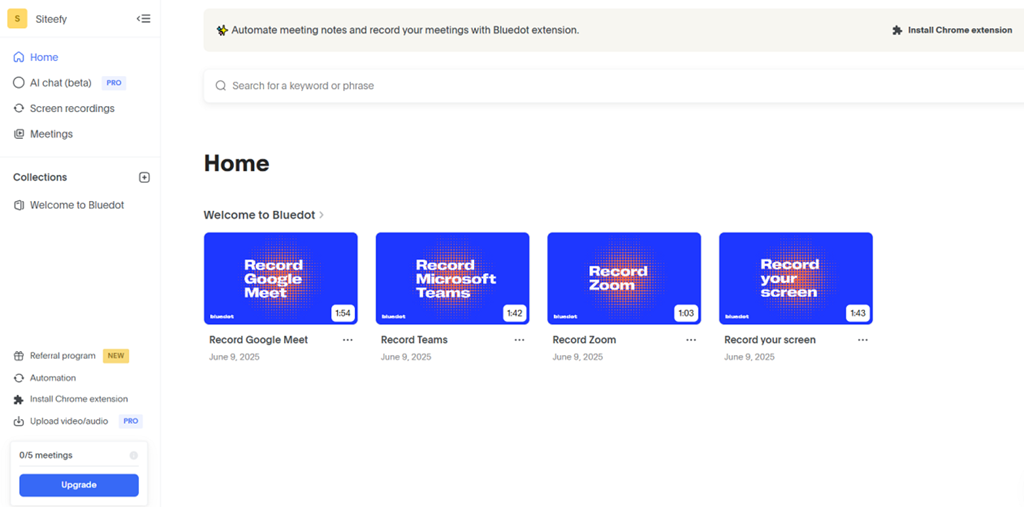
          Bluedot is a unique Chrome extension created for Google Meet users. This AI-powered meeting assistant records locally in the browser tab and can transcribe, summarize, and extract action items from meetings. While you don’t need a desktop app, if your client prefers other meeting apps, you will be limited. What I liked most was a natural-language chat with Ask AI. You can ask things like “What did Jack say about pricing?” It also has a deep integration with Notion and Slack.

          Pros: 

          • Lightweight Chrome extension so that you won’t need a desktop app
          • The video clips feature allows you to create and share short video snippets
          • Deep integration with Notion and Slack

          Cons:

          • Primarily designed for Google Meet, so it’s not as effective if you switch to Zoom or Teams apps.
          • Dependent on the Chrome browser
          💡 Read more posts on this topic:
          • 10 Best Gong Alternatives and Competitors in 2026
          • Beyond the Notepads: The Top 10 Granola AI Alternatives to Explore in 2026

          5. Tactiq – Best for Government or Enterprise Users That Have Blocked Audio Recordings

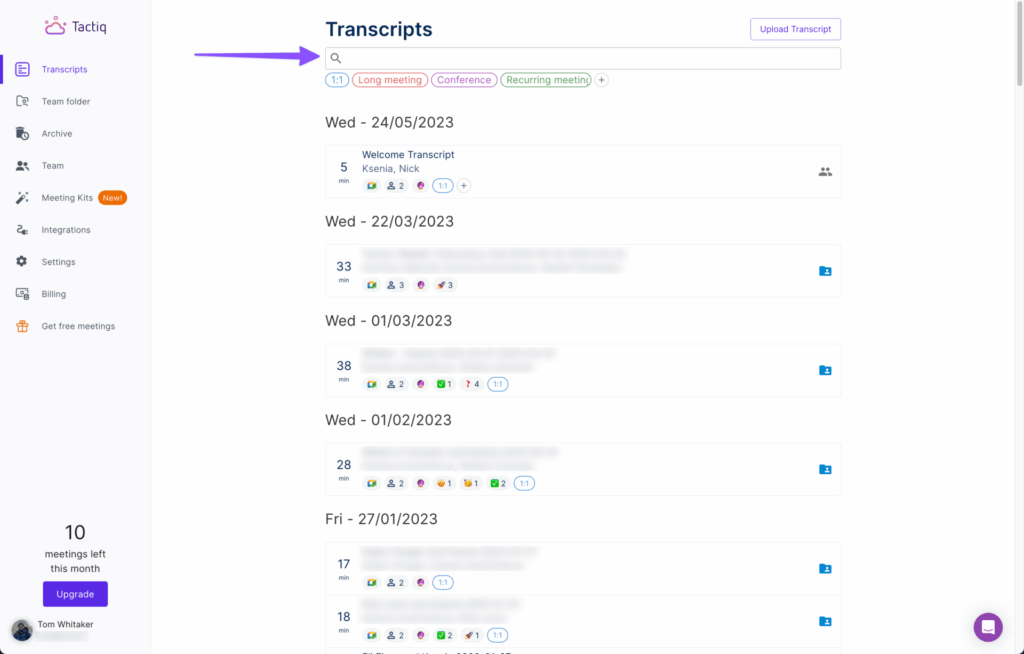
          Unlike a typical meeting assistant that records audio, Tactiq captures the closed captions text stream from the meeting platform. It still delivers transcripts and summaries and can extract key insights from meetings. You can use it as a Chrome extension or an app, and Tactiq works with Zoom, Meet, Teams, and other popular platforms. It’s best suited for users who have blocked audio recordings. 

          Pros:

          • With its text-only capture, you can bypass wiretapping laws
          • Compliance-friendly nature, with no audio file recorded, makes it suitable for strict IT departments
          • Comes with a generous free tier, and it works well with Zoom, Teams, Slack, and other tools

          Cons:

          • With no audio backup, if the AI misses a word, you can’t listen back and verify
          • It relies on the quality of the meeting platform’s built-in transcription
          • More focused on transcripts than summaries and deep insights

          6. NVIDIA Broadcast – Best for Gamers, Streamers, and PC Power Users

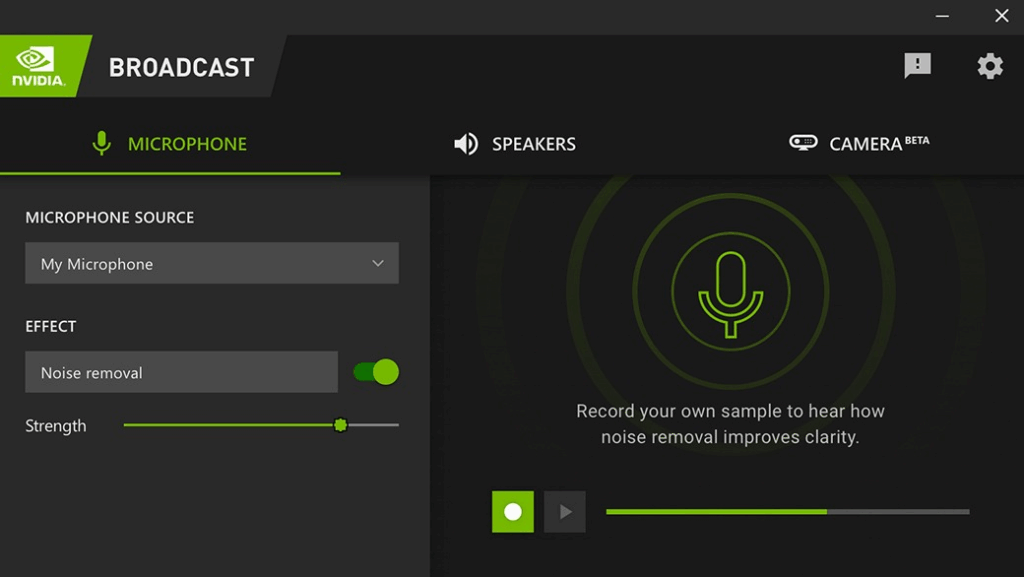
          If we focus on the noise-cancelling part of Krisp, NVIDIA Broadcast is a viable alternative. The robust app uses Tensor Cores in NVIDIA RTX graphics cards to remove noise without using the system CPU. It can clean up your audio and video, add effects, or replace your background while simultaneously auto-framing your face. This free app will significantly improve audio quality, but it lacks meeting features and isn’t as applicable in a business environment.

          Pros:

          • Completely free app with unmatched quality if you have the required hardware
          • Hardware accelerated with  RTX GPU tensor cores provides zero-latency noise removal
          • Advanced video features like auto-framing, eye contact correction, and virtual backgrounds

          Cons:

          • Requires an expensive NVIDIA GPU, and works only on Windows systems
          • It only cleans audio (and video) without transcribing, summaries, or note-taking

          7. Utterly – Best For Mac Users Needing Lightweight Privacy

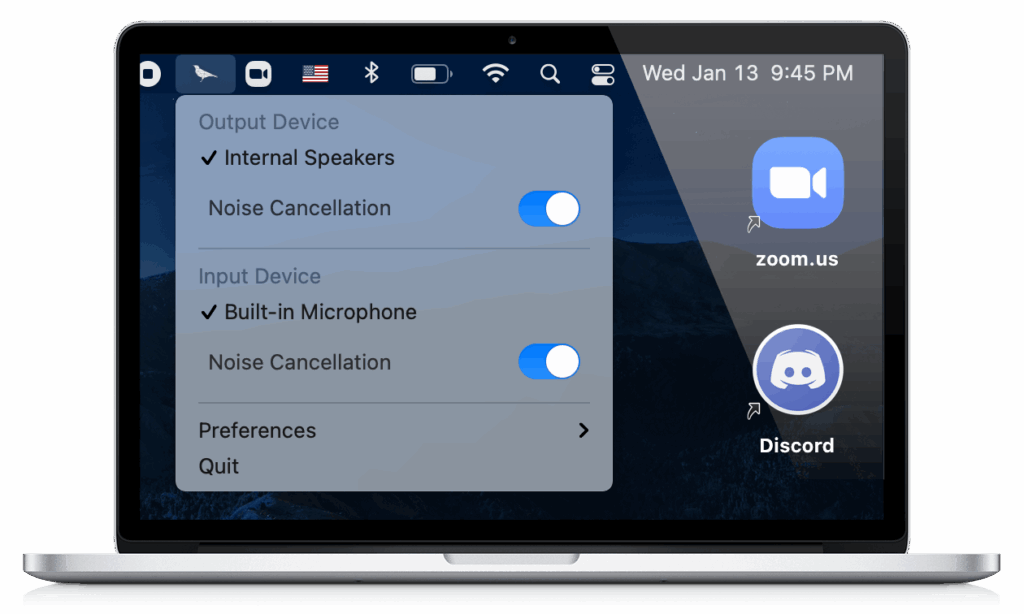
          Krisp started as a noise-cancelling app, and Utterly is still a real-time noise-cancelling plugin for Mac users. All processing is local, so no audio leaves your computer. Its AI audio filtering reduces background noise during Zoom, Teams, Meet, Discord, or other calls. Utterly is battery efficient and can remove static noise. You can use it for business meetings and for live streams or webinars.

          Pros: 

          • All AI noise-cancelling is on the device, with no audio leaving the computer
          • Works with all major conferencing platforms
          • Excellent at filtering out constant static noise like fans or AC units

          Cons:

          • It’s for Mac only and doesn’t provide Windows support
          • Features stagnation with updates coming slowly compared to VC-backed competitors like Krisp

          8. Otter.ai – Best for Students and Journalists Needing a Transcript

          Otter doesn’t have a noise-cancelling feature, but it’s still among the more popular AI note-taking tools. Its killer feature is the live transcript, which shows words as they appear in real time. Slide capture automatically inserts slides into notes, and Otter Assistant automatically joins meetings on supported platforms like Zoom, Meet, Teams, and others. Otter arguably has the best mobile app among competitors, and I like the option to search through old conversations.

          Pros: 

          • Appealing visual interface for reading in real-time with live scrolling transcripts
          • Polished mobile app with superior features to most competitors for recording on the go
          • Slide capture feature automatically grabs screenshots of shared slides and inserts them into the meeting transcript

          Cons:

          • It doesn’t remove the silent guest issue, as it activates the bot to record meetings
          • Industries with strict data policies might have issues with the data usage model
          • Sharing doesn’t look professional when using a generic link instead of the Client Portal.

          9. Circleback – Best for Sales Teams Who Hate Manual Data Entry

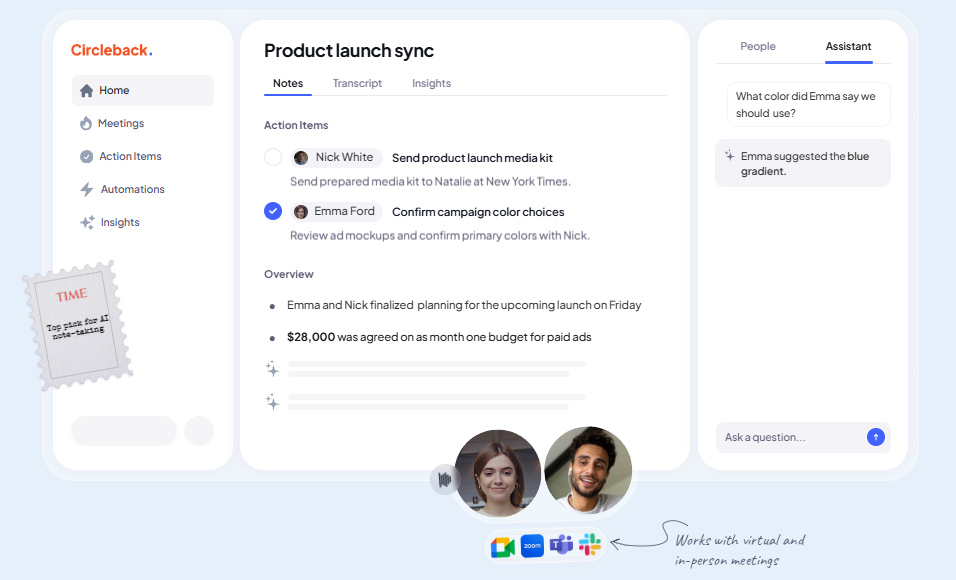
          Circleback is another AI meeting assistant alternative to Krisp. It’s a heavy-duty productivity tool for operations and sales teams that don’t like manual data entry. Aside from automatic recording, transcribing, and summarizing, Circleback will give you actionable suggestions. One of its top features is CRM sync, which ensures accurate data entry in HubSpot, Salesforce, and other tools. An AI assistant can help you with search queries through the meeting history by topic or question. 

          Pros:

          • Excellent engine for action item detection, and assigning tasks automatically to owners
          • CRM sync provides deep integration with HubSpot and Salesforce to keep deal records updated automatically
          • Advanced agentic search

          Cons:

          • Provides generic output lacking the deal room presentation
          • Some users complained about the bot failing to join the meeting

          10. Zoom AI Companion – Best for Organizations That Use Zoom Exclusively

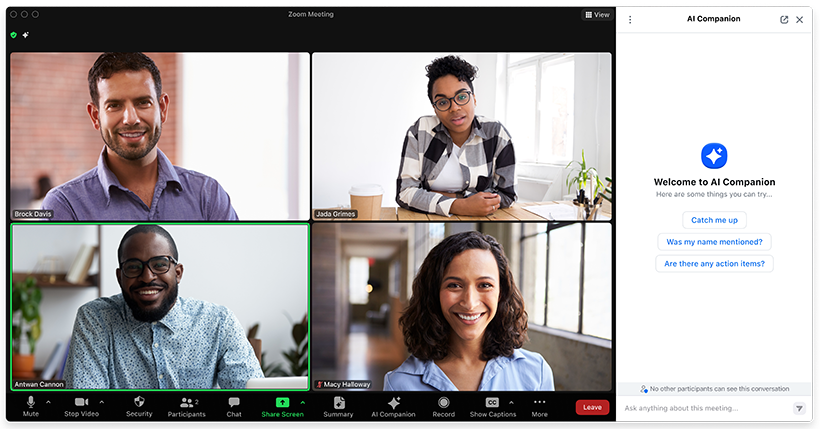
          Most AI meeting assistants work with video conferencing platforms like Zoom. Simultaneously, these platforms develop their own advanced features like this AI productivity tool and AI assistant. You can get it for free with the paid Zoom license. It has smart recording, meeting summaries, virtual background generation, and perhaps the most notable option: in-meeting questions that help you catch up on what you missed without interrupting the call. You can also get smart chapters and email/chat drafts. It is a feature-rich addition to Zoom, but it’s also limited to that specific platform. 

          Pros: 

          • No extra cost if you have a paid Zoom licence
          • It doesn’t require installation, as it’s part of the Zoom interface
          • In-meeting questions allow you to ask the AI, “What did I miss?” if you joined the meeting late

          Cons:

          • It won’t be of much help if a client sends you a Teams meeting link
          • Doesn’t provide coaching, revenue intelligence, or portal features outside of basic note-taking
          • No separation between internal chat and external summaries

          Conclusion

          Depending on your needs, you can replace Krisp with NVIDIA Broadcast if the goal is ultimate audio quality. However, advanced intelligence and meeting assistant features might lead you to one of our other alternatives. In 2026, even those transcript and summary capabilities may feel outdated, as you need a comprehensive overview and advanced presentation of a Deal Room or branded Client Portal OS.

          While Krisp does have a quality noise-cancelling feature that can clean up your audio files, an enterprise solution has to worry about the delivery that saves the revenue by separating what the client can hear. 

          If you need a Client OS for professional services, try FuseBase for free.

          Author Image

          Pavel Sher

          Founder and CEO of FuseBase

          Pavel Sher is on a mission to give teams their time back by replacing busywork with AI agents that handle the repetitive tasks no one has time for. As the CEO of FuseBase (product of Nimbus Web Inc), he has turned years of customer insights and productive teams experience into a cutting-edge collaborative portal platform. By introducing deal rooms, onboarding solutions, and knowledge-sharing features, Pavel is helping agencies and sales teams work smarter, close deals faster, and deliver exceptional client experiences. FuseBase AI Agents act as Dream Team of executive assistants that work 24/7.

          Found it useful? Share the article with your community


          Related Articles

          Top Alternatives to Notion Client Portals
          Comparisons

          Top Alternatives to Notion Client Portals

          • by Sabina Sher
          • 7 Min read
          Subscribe to our blog!

          Get weekly tips and insights on how to grow your business

          Our solutions
          • Mid-size companies
          • AI Agents (apps)
          • Client portal
          • Deal rooms
          • White label
          • Knowledge base
          Plans & Pricing
          • Pricing
          Enterprise Security
          • Trust Center
            (HIPAA & SOC 2)
          • Terms & Privacy
          • GDPR
          Company & Contacts
          • Templates
          • Guides
          • Roadmap
          • Privacy
          • About us
          • Reviews
          • Contact us
          Compare with
          • SharePoint
          • Moxo
          • Notion
          • Confluence
          • Asana
          • Airtable
          • Monday
          • See all
          Fusebase Logo
          • English
            • Deutsch (German)
          FuseBase - Client collaboration platform for professional services | Product Hunt
          • g2
          • sourceforce
          • g2
          2026 FuseBase is a product of Nimbus Web Inc., a Delaware company