
Skip to the content
FuseBase FuseBase
  • Solutions

    Solutions
    AI Agents (apps)

    User-friendly AI agents in minutes for every team

    AI Agents for Sales

    Sales President’s Club AI Agents

    AI Agents for Teams

    Secure Workspace & Agent Management for Modern Teams

    Client Portal

    Level up your collaboration with unified digital hubs

    Deal Rooms

    Close faster with smart, sleek spaces for every deal

    Knowledge Base

    Create one source of truth for clients & teams

    Partner & Vendor portals

    Maximize value from your external relationships

    Project Management

    Work on clients’ projects without extra hurdles

    Book a demo with our experts to build your custom workflow
    • Industries

      Industries
      Consulting Services

      Deliver exceptional client service

      Financial Services

      Automate compliance, approvals & collaboration

      Healthcare

      Secure, compliant portals for care and admin

      Marketing & Advertising

      Centralize campaigns and automate client requests

      Mid-Size companies

      Growing 50-1000+ employee companies

      Professional Services

      Get a one-stop-shop for collaboration

      Software & Technology

      Automate workflows with AI-powered portals

      See all industries

      Fusebase highlights

      Book a demo with our experts to build your custom workflow
      • Browser Extensions

        Browser Extensions
        FuseBase AI Assistant

        AI Chat and Agents everywhere

        FuseBase Clarity

        Capture Step-by-Step guides, SOP and tutorials

        FuseBase PRO AI

        Note taking, Files Sharing & Collaboration

        Book a demo with our experts to build your custom workflow
        • Pricing
        • Resources

          Resources
          About us

          Meet FuseBase!     

          Blog

          Read the latest collaboration tips

          Case Studies

          Explore case studies and find tailored solutions

          Contact us

          Get growth advice from our experts

          Guides

          Answer your FuseBase questions

          Roadmap

          See what waits for you in the future

          Trust сenter

          HIPAA & SOC 2. Trusted standards, protected data

          Book a demo with our experts to build your custom workflow
          • Book a demo Get Started Free
          • Book a demo with our experts to build your custom workflow
          • Sign in
          • Book a demo
          • Get started for free
          Categories
          • All articles
          • AI Agents
          • Client & Customer Portals
          • Client Collaboration & Communication
          • Comparisons
          • Customer & Self-Service
          • Knowledge Management
          • Productivity
          • Sales & Deal Management
          • Team & Project Management
          • Updates and News
          TABLE OF CONTENTS

          • Quick Summary (TL;DR) of Top 15 Client Portal Software
          • What is a Client Portal?
          • Do You Need It?
          • Top 7 Benefits
          • Top 15 Tools
          • Choosing the Right Software
          • Creating Client Portal with FuseBase
          • Frequently Asked Questions
          • Home
          • Blog
          • Client & Customer Portals...
          • Top 15 Client Portal Software
          Client & Customer Portals

          Top 15 Client Portal Software

          • by Pavel Sher
          • December 16, 2025
          • 13 Min read
          TABLE OF CONTENTS

          • Quick Summary (TL;DR) of Top 15 Client Portal Software
          • What is a Client Portal?
          • Do You Need It?
          • Top 7 Benefits
          • Top 15 Tools
          • Choosing the Right Software
          • Creating Client Portal with FuseBase
          • Frequently Asked Questions

          When I built FuseBase, it wasn’t because the world needed another client portal software. It was because every portal I tried was either frustratingly basic (basically a fancy Google Drive with a login) or so bloated with features that using it felt like onboarding to a second job.

          I needed something powerful and simple, something that actually makes client collaboration easier instead of adding another layer of chaos.

          If you’ve ever tried finding the right client portal, you know the struggle. Some look slick but lack the essentials. Others check all the feature boxes but feel like they were designed by someone who’s never actually worked with clients. And then there are the ones that technically work but require 27 clicks just to share a doc.

          After testing everything out there (and building what I believe is the best), I put together this list of the top 15 client portal software options, who they’re for, where they shine, and where they fall flat.

          TL;DR – Top Client Portal Software

          • Best for professional services that need no-code AI client portals – FuseBase
          • Best for WordPress users – Client-portal.io (WordPress plugin)
          • Best for all-in-one business management – SuiteDash
          • Best for marketing and agency collaboration – Clinked
          • Best for client-facing projects – SuperOkay

          +10 more that I will describe below.

          Get Started With FuseBase For Free

          What is a Client Portal?

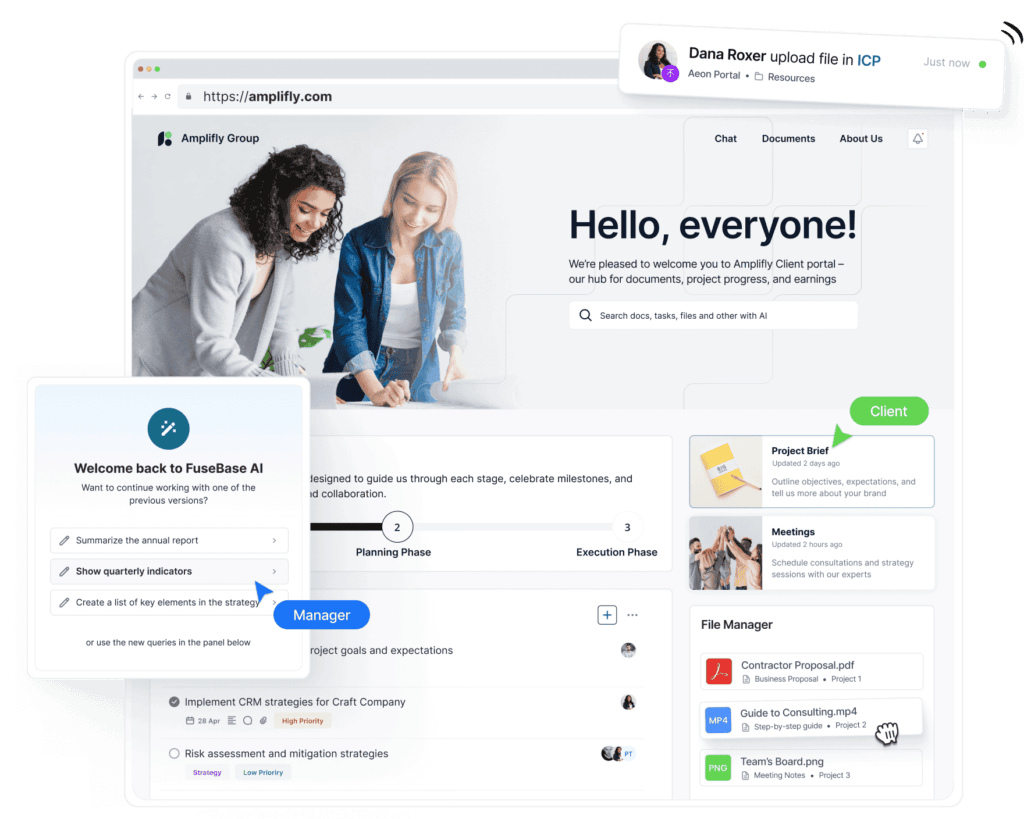
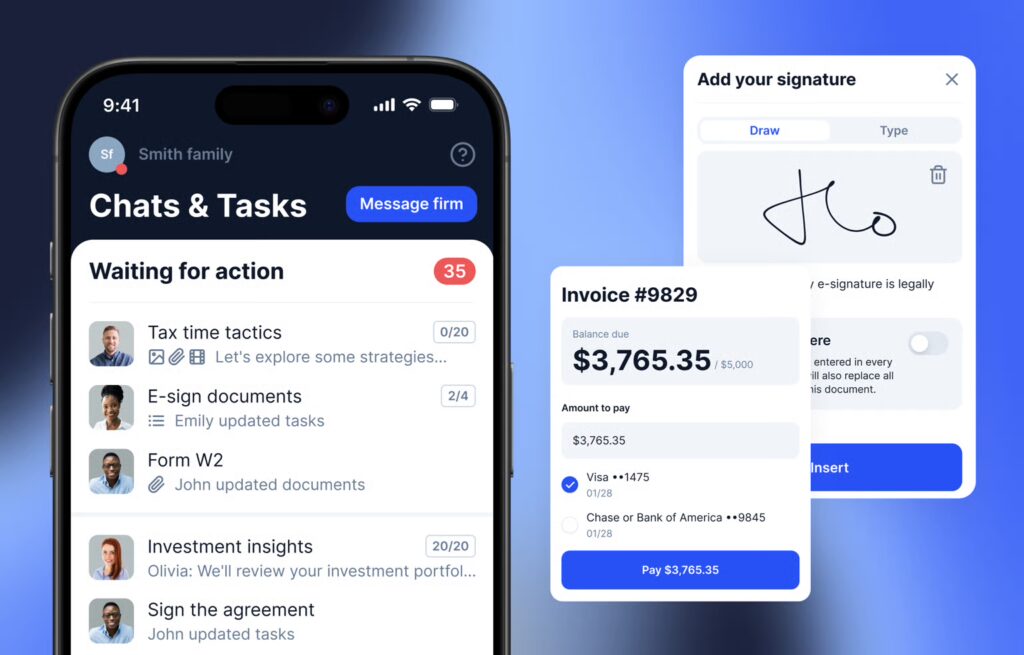
          Client Portal. Image powered by FuseBase.

          A client portal is a secure website or mobile app designed to enable organized collaboration with clients. You can access essential information, share files, and communicate with clients without chaos or lost data.

          Here is a quick backstory to better explain what I mean. On my first day working with clients, it was easy to keep things organized. Then I faced the harsh reality. Emails kept piling up, files were lost and nowhere to be found, and clients were as tired as I was. It was clear to me that without a centralized place to communicate with customers, it would quickly turn into exhausting chaos.

          That’s what a client portal is for, as it gives clients a secure space to access information, share all types of files, and communicate clearly without noise. With a functional client portal, you will forget about digging through inboxes or chasing down updates. 

          It’s about making life easier. Therefore, it’s easier to provide a professional experience that builds trust and keeps projects moving.

          If you have ever worked with businesses that still rely on scattered emails and shared drives, you’d probably noticed they are inefficient and look outdated. Clients expect a modern, self-serve experience, and the right portal delivers precisely that. Most portals run through a website or mobile app, giving clients a secure, organized way to collaborate. But the best ones not only store information, but they also transform how businesses interact with their clients.

          💡 My Tip: Make sure your portal has features like real-time updates and easy-to-navigate dashboards. The more intuitive and accessible the portal, the less time you’ll spend chasing down information

          Do You Need a Client Portal?

          If you’ve ever lost a deal because a client couldn’t find the right file or a project stalled due to miscommunication, then yes, you need a client portal. I’ve seen businesses waste hours chasing down email threads, resending documents, and answering the same questions over and over.

          It’s not just frustrating. It’s expensive.

          Before I built FuseBase, I worked with teams that thought email and shared drives were good enough. But then deadlines slipped, clients got frustrated, and deals went cold because there was no clear way to track progress. One missing document can mean a lost contract. One miscommunication can mean months of delays. I’ve seen it happen.

          A client portal changes that by giving clients a single place to access everything they need. Files, updates, messages. All without waiting on you. It’s about providing clients a seamless, professional experience that builds trust and keeps business moving.

          If your competitors are making it easier to work with them and you’re still stuck in email chaos, you’re already behind.

          Top 7 Benefits of Client Portals

          Client portal software offers numerous benefits, and here are some essential pros:
          • Improved customer engagement and satisfaction;
          • Reduced workload for customer service teams;
          • Increased support staff efficiency;
          • Improved collaboration with customers;
          • Valuable insights into customer behavior and preferences;
          • Improved communication with other team members and customers;
          • Increased security and privacy for sensitive customer information.
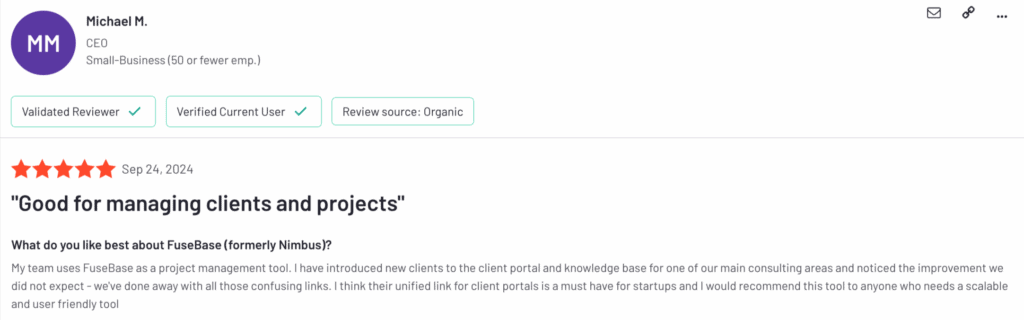
          G2 FuseBase Review. Image powered by FuseBase.

          Top 15 Client Portal Software

          SolutionStarting priceTrialCore featuresBest for
          FuseBaseStarts at $32 monthFree trial is availableAffordable, built-in chats, project management features, easy data collection, fully branded portals, integrated with FuseBase products, and a dedicated sales deal room.Small- and medium-sized businesses seeking an affordable solution with comprehensive features.
          Client Portal (WordPress)Starts at $199/yearNot specifiedFlexibility, WordPress-based, clean UI, easy setup.Businesses that are looking for an easy-to-use WordPress plugin to create dedicated client portals.
          SuiteDashStarts at $19/monthFree trial is availableAll-in-one customer and project management solution, template library, and comprehensive documentation.Companies that require an integrated solution for customer relations, project management, and more.
          ClinkedStarts at $95/monthNot specifiedEasy-to-use private cloud for secure file management and task management features.Teams and businesses that are looking for secure collaboration with features like file storage and task management.
          SuperOkayStarts at $9/monthFree trial is availableNeat UI, easy setup, integrations with major apps like Airtable, Miro, or Figma.Digital agencies, software studios, and freela/ncers that are aiming to manage client interactions better.
          Zoho CRMStarts at $12/monthFree trial is availableIntegrates well with other Zoho products and e-commerce features.Businesses looking for CRM software that also serves as a client portal, primarily focused on sales and customer management.
          MyDocSafeStarts at $25/monthFree trial is availableCustomizable portals, secure cloud for file storage, and efficient document management.Companies that require a secure and customizable tool for document management and e-signatures.
          MoxoCustom priceNot specifiedAccelerated workflows, collaborative project workspaces, and diverse industry applicability.Businesses engaged in external projects involving customers, vendors, and partners seek streamlined collaboration.
          KnackStarts at $59/monthFree trial is availableA no-code database for project management, a user-friendly interface, an automated workflow, and easy-to-build custom apps.Businesses that need to keep a lot of data.
          Ideagen HuddleCustom priceNot specifiedSecure document sharing, version control, compliance management tools, centralized workspaces, audit trails, and real-time collaboration with external partners.Enterprises in regulated industries that need to collaborate securely, maintain compliance, and manage complex documentation.
          PlutioStarts at $19/monthNot specifiedAll-in-one business management platform, project management tools, invoicing, self-service payment options, team collaboration features, and easy-to-use interface.Freelancers and small businesses seeking an affordable, customizable solution to manage projects, clients, and payments without technical expertise.
          ManyRequestsStarts at $19/monthFree trial is availableAll-in-one OS for agencies with client portal, time-tracking, projects, billing, CRM integration, and reportingBest for creative agencies looking for one place to manage clients, projects, and billing
          TrumpetStarts at $38/monthFree trial is availableA digital sales room with a buyer journey from cold outreach to invoicing. It includes templates, a drag-and-drop editor, and custom domains.Best for sales and marketing teams seeking a one-stop solution for the sales funnel
          TaxDomeStarts at $800/yearNot specifiedEnd-to-end practice management software for tax and accounting companies that includes AI reporting, client management, and workflow automationNiche solution for accounting, tax prep, and bookkeeping companies
          DubsadoStarts at $35/monthFree trial is availableCRM solution with a client portal option that allows you to view proposals, contracts, invoices, and messages in a centralized placeDusbado is for service businesses seeking an all-in-one client management solution.

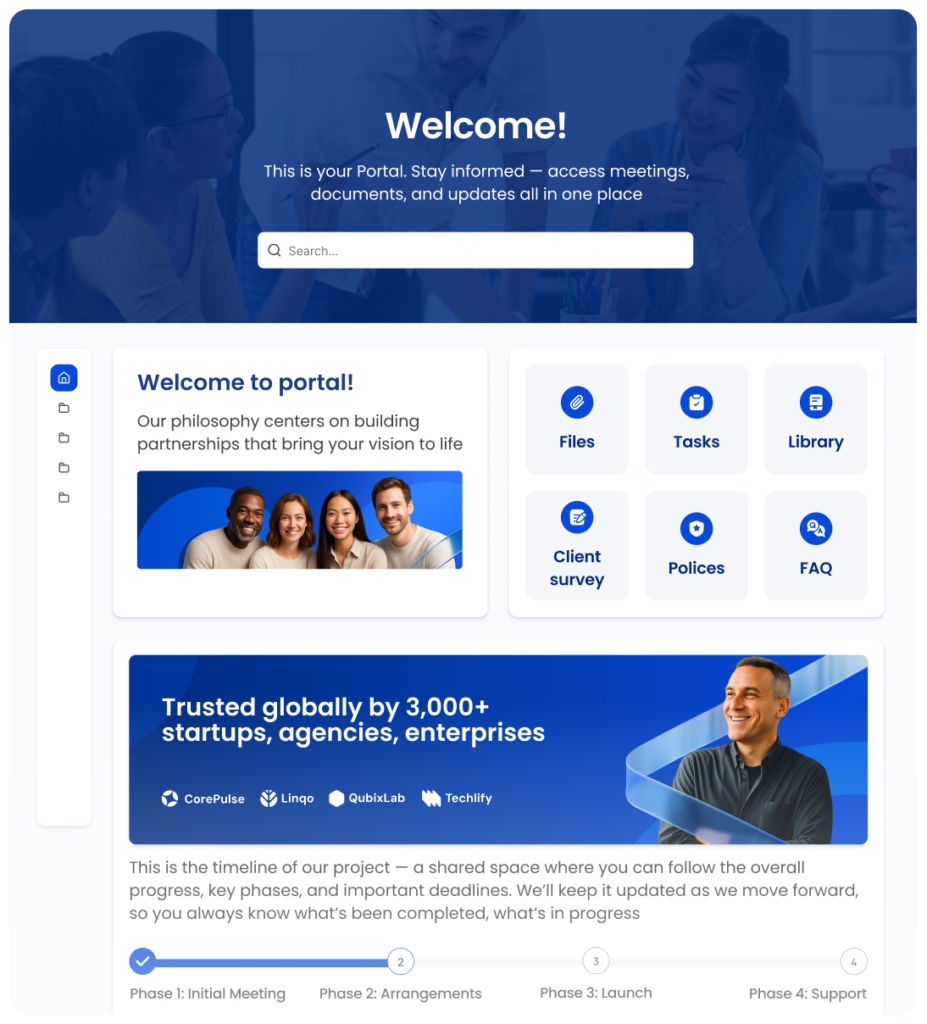
          1. FuseBase – Best for SMBs and Professional Services

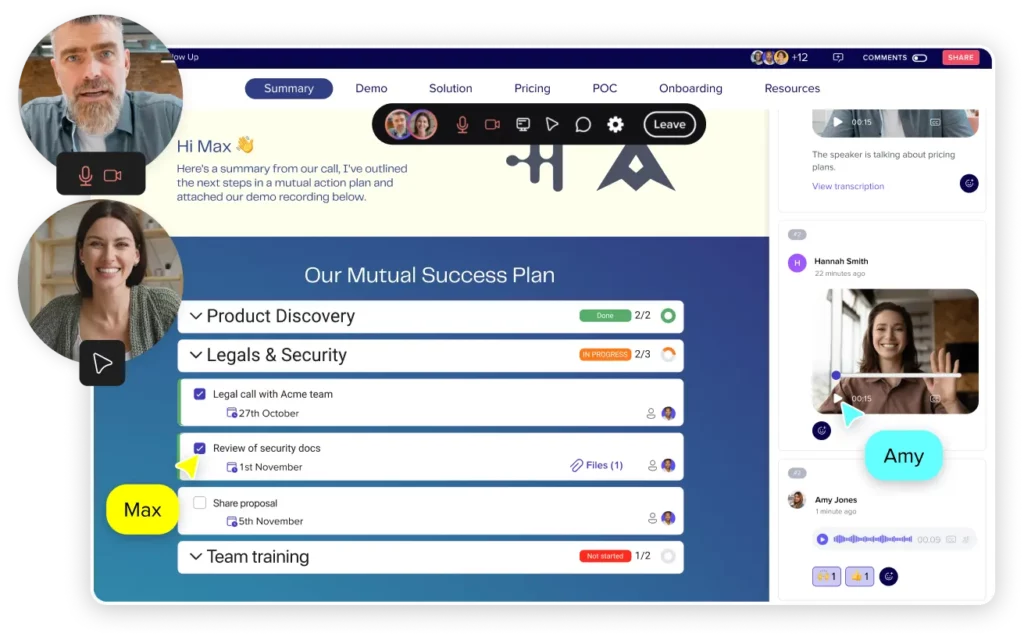
          FuseBase is One of the Top of 15 Client Portal Software. Image powered by FuseBase.


          FuseBase transforms client portals, prioritizing simplicity, efficiency, and security. With a code-free interface, it seamlessly integrates essential tools, enhances collaboration, and ensures data protection. The platform’s White-Label solutions offer a professional look, and by leveraging Search Analytics, it anticipates clients’ needs, shapes strategies, and fosters trust. From communication to task management, FuseBase Portals is a concise, innovative solution for businesses.

          • Capterra rating: 4.6 (172 reviews)
          • G2 rating: 4.7 (102 reviews)

          Pros:

          • Affordable customer portal solution
          • Built-in chats to streamline communication
          • Project management features
          • Easy data collection and feedback processing
          • Fully branded portals (logo, colors, content, etc.)
          • Connect your business’s custom domain
          • Clients can upload invoices and other documents
          • Easy to create knowledge base articles
          • Document collaboration features

          Cons: 

          • Cannot share files directly on chat 
          • Only possible to delete a portal by contacting support

          Pricing: from $32/month per team

          2. Client Portal (WordPress) – Best for WordPress Users

          Client Portal (WordPress). Image powered by FuseBase.

          Client-portal.io is an intuitive, easy-to-use WordPress plugin that helps you create a dedicated client portal on your website. It offers a range of features to create a secure dashboard where your clients can access whatever you choose: purchase details and downloads, customer data, customer requests, self-service resources, brand assets, payment details and invoices, etc. As it is WordPress-based, it is a highly flexible and customizable solution for creating customer portals.

          • Capterra rating: –
          • G2 rating: 3.7 (11 reviews)

          Pros: 

          • Flexibility in terms of modules you can add
          • WordPress-based (if that’s what you’re looking for!)
          • Clean and simple UI
          • Easy to set up

          Cons:

          • Need to maintain and update regularly, as it is a WordPress plugin
          • Not cheap, considering the lowest tier works only on one site
          • Little customization available
          • No native integrations
          • No project management features
          • Limited to client portal features, nothing else

          Pricing: Starts at $199/year

          3. SuiteDash – Best for All-in-One Business Management

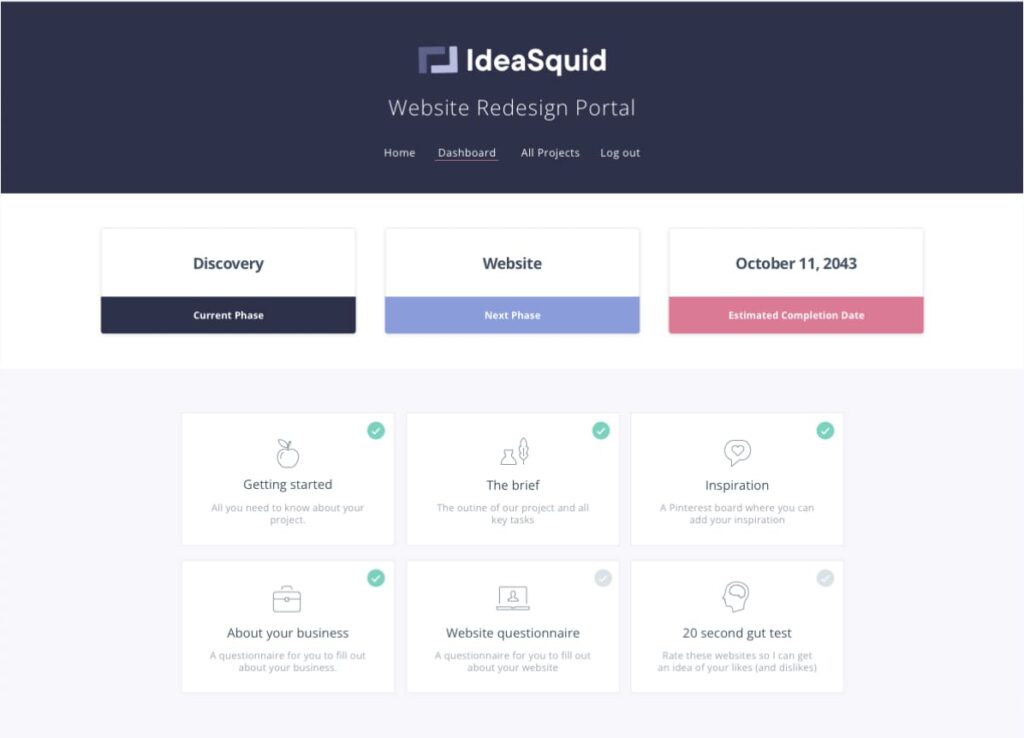
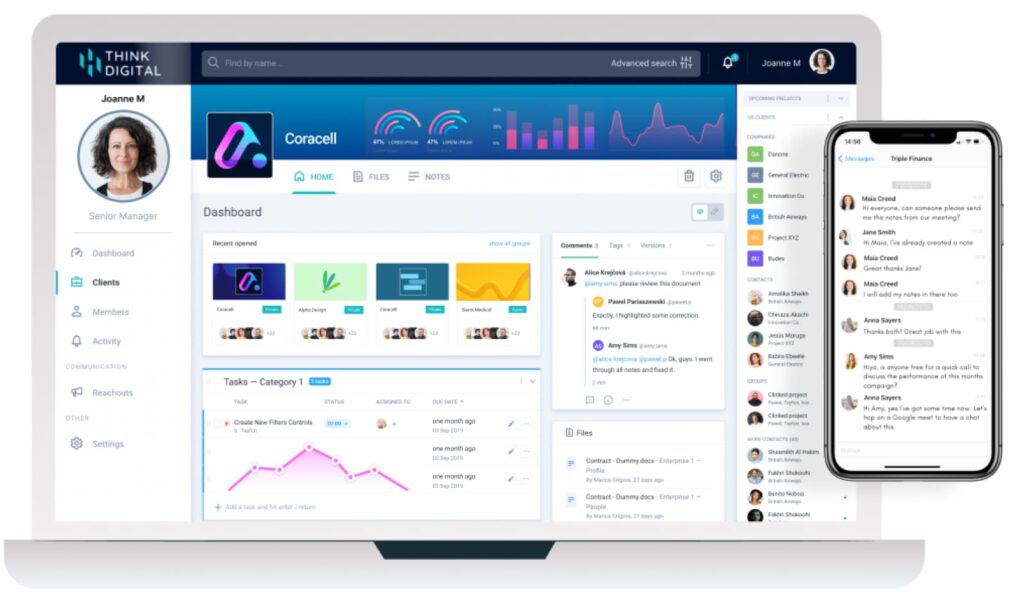
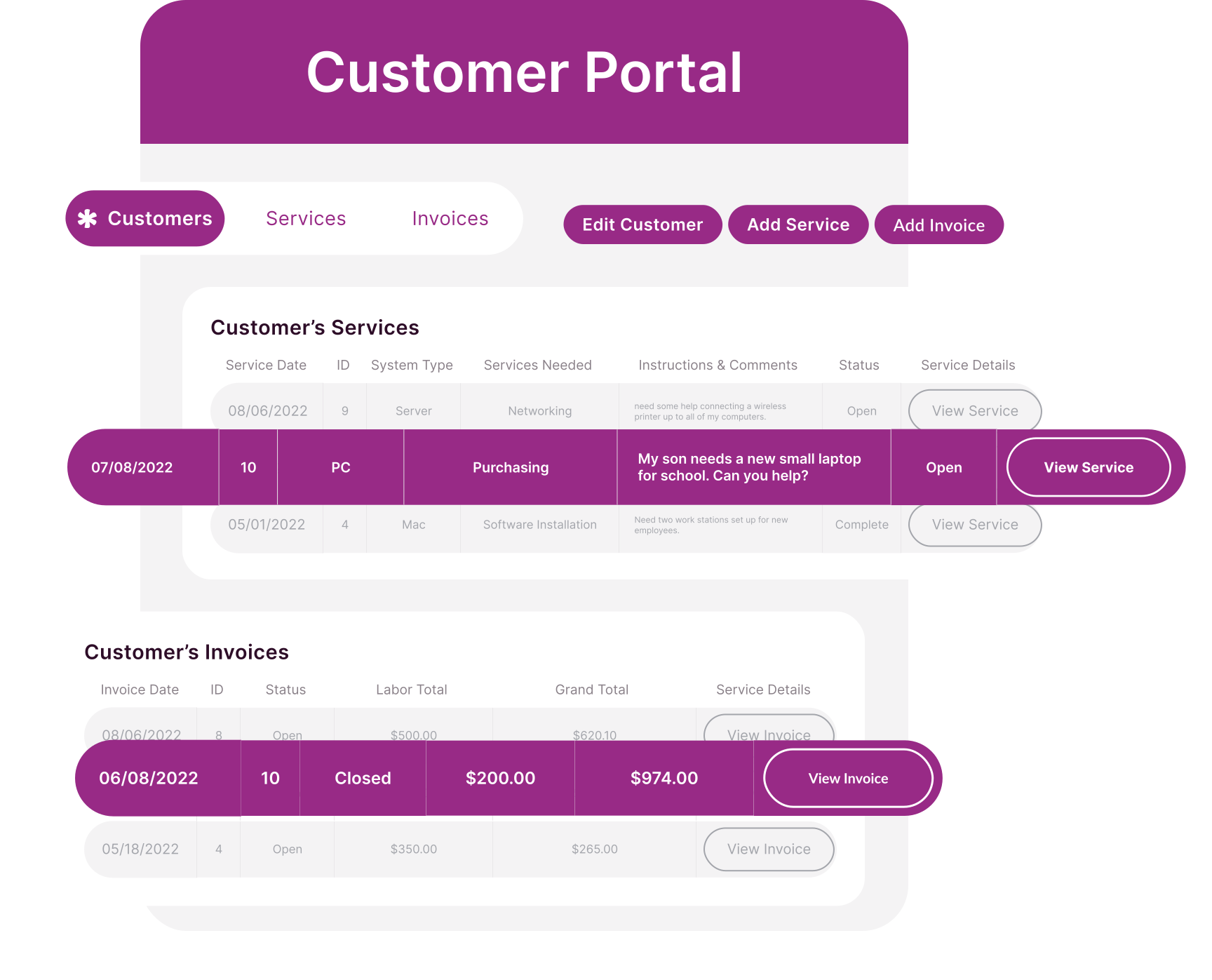
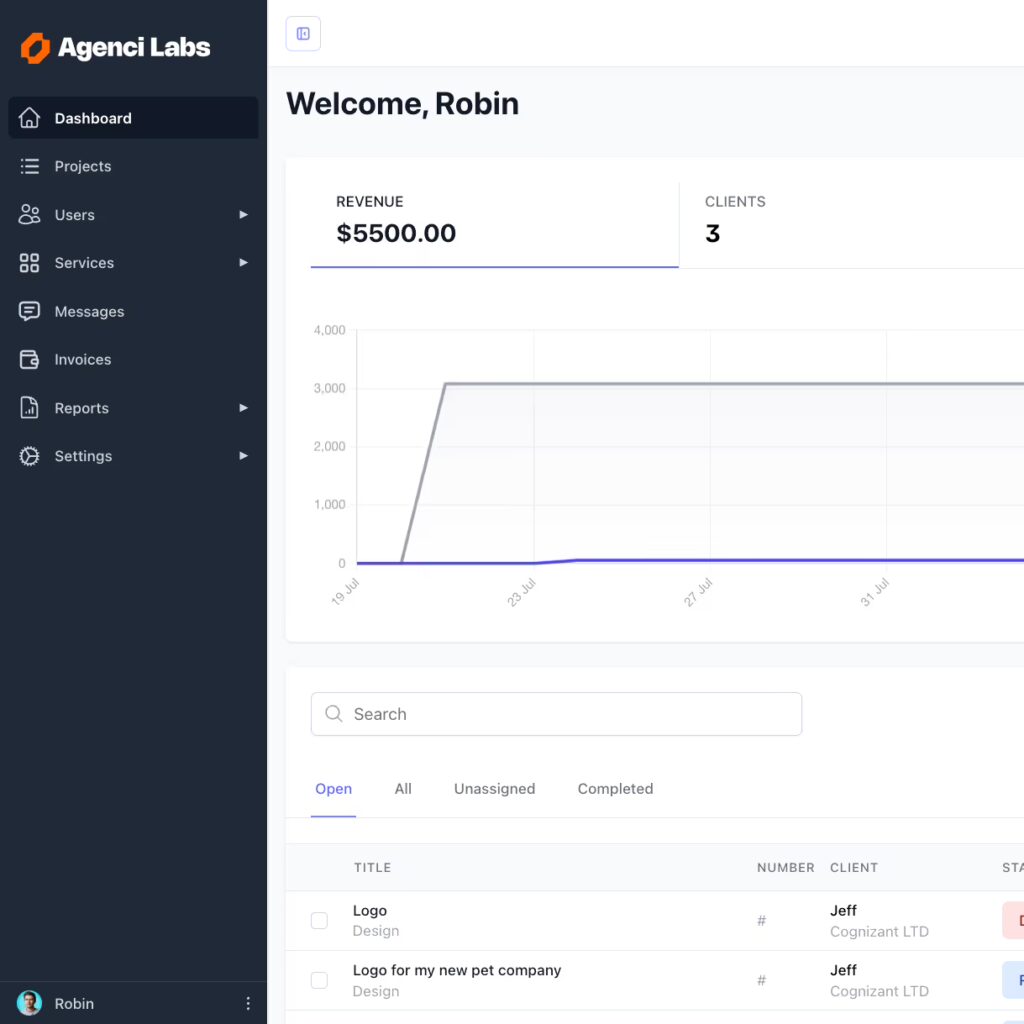
          SuiteDash. Image powered by FuseBase.

          SuiteDash is an all-in-one solution for businesses that need to manage their customer relations, client communications, project management, and invoicing. It lets you customize the look and feel of your customer interactions to match your or your customer’s brand. SuiteDash has transparent reporting and tracking systems that allow users to restrict customer access, delegate responsibilities, and monitor progress.

          • Capterra rating: 4.8 (597 reviews)
          • G2 rating: 4.8 (589 reviews)

          Pros:

          • All-in-one customer and project management solution 
          • Affordable solution, considering how much it offers
          • Client portal template library
          • Comprehensive documentation 
          • Document collaboration 

          Cons:

          • Steep learning curve
          • So many features make it overwhelming
          • Unappealing UI 
          • Some of the integrations are too limited
          • Lack of public API

          Pricing: Starts at $19/month

          4. Clinked – Best for Marketing and Agency Collaboration

          Clinked. Image powered by FuseBase.

          Clinked is a cloud-based all-in-one collaboration platform that’s designed to help teams, project groups, and business clients work more productively. The software offers secure file storage and sharing, customizable branding, powerful search, mobile access, messaging, and task management features. Its self-service options help teams resolve customer queries more effectively. Users say Clinked is easy to set up and ideal for businesses of all sizes.

          • Capterra rating: 4.9 (103 reviews)
          • G2 rating: 4.8 (147 reviews)

          Pros:

          • Easy to use and set up
          • Private cloud for secure file management
          • Simple file management 
          • Multiple collaboration tools for clients and staff
          • White label mobile app (with an extra fee!)
          • Task management features

          Cons:

          • Pricey starting point
          • No native integrations (only possible through Zapier)
          • Dated UI

          Pricing: Starts at $95/month

          5. SuperOkay – Best for Client-Facing Projects

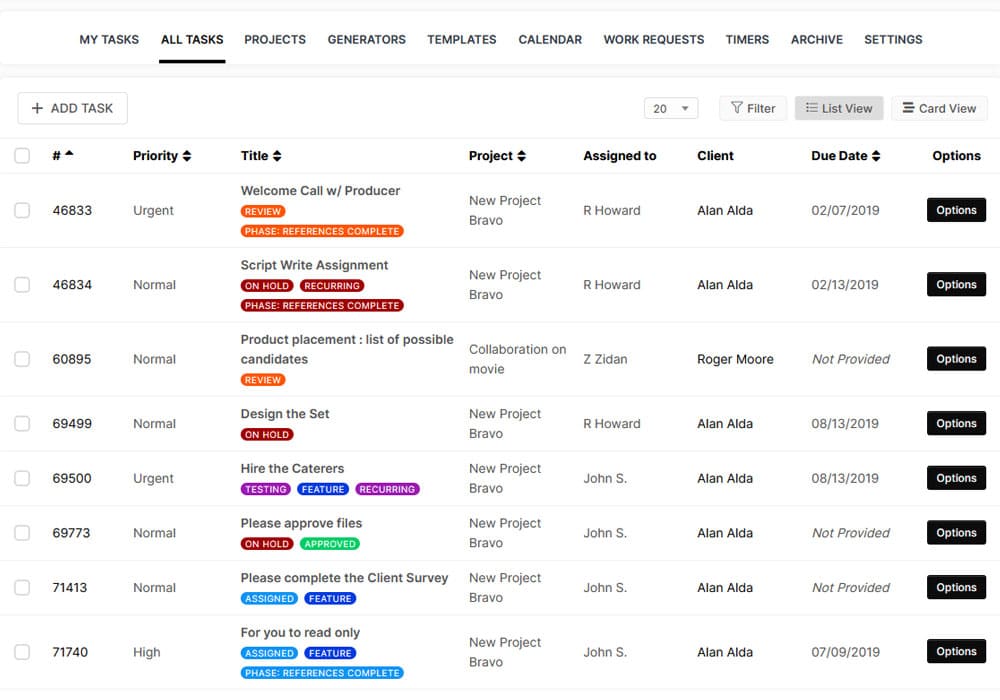
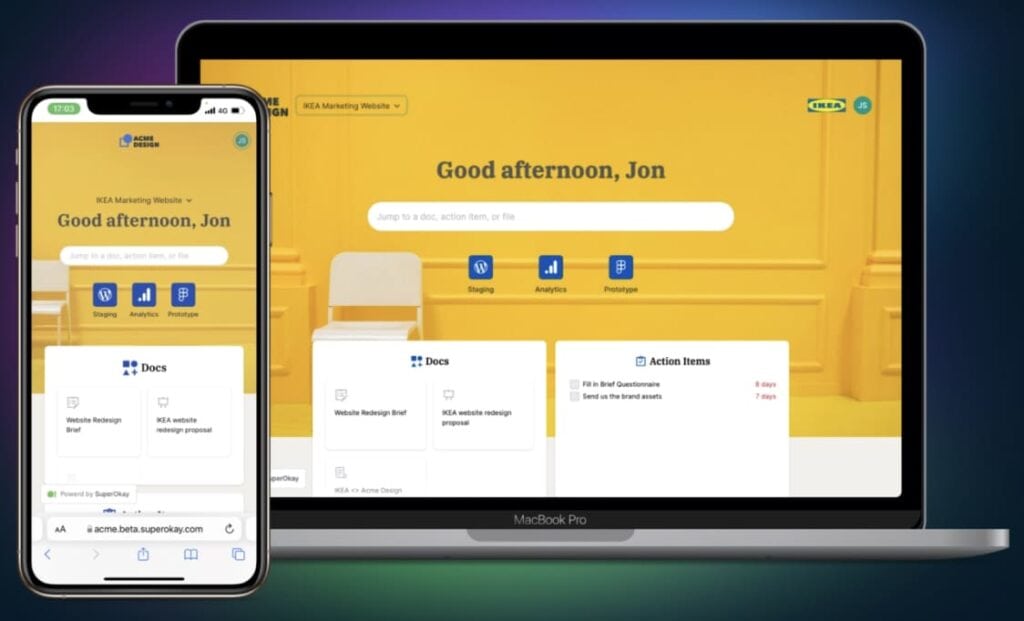
          SuperOkay. Image powered by FuseBase.

          SuperOkay is a relatively new platform that helps digital agencies, software studios, and freelancers manage their clients efficiently. It offers a customizable client portal interface that allows internal users to share project links, assets, connected apps, and more. The platform also helps users to increase their efficiency by providing a unified client portal experience.

          • Capterra rating: 4.8 (9 reviews)
          • G2 rating: 4.7 (42 reviews)

          Pros:

          • Neat UI
          • Easy to set up and use
          • Template library
          • Integrations with major apps like Airtable, Miro or Figma

          Cons:

          • Limited functionalities and customization
          • Lack of 2FA
          • Pricey if you need white-label, as it requires a higher plan

          Pricing: Starts at $9/month

          6. Zoho CRM – Best for Sales Teams

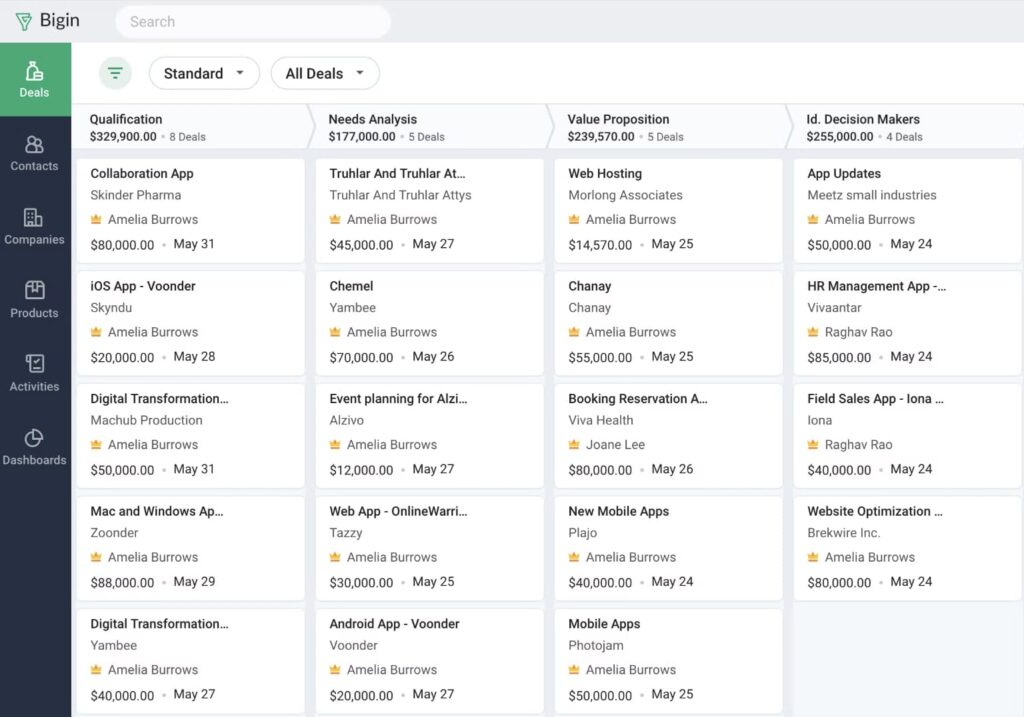
          Zoho CRM. Image powered by FuseBase.

          Zoho CRM is an online Sales CRM software that helps businesses of all sizes build excellent customer relationships and manage their sales, marketing, and support in one single repository. This CRM also serves as client portal software, allowing you to create client portals (primarily for client and sales management). Due to its feature set, Zoho CRM can be a great tool for teams looking to increase sales and maximize customer relationships. However, this may not be the best option for you if you’re simply looking for a portal.

          • Capterra rating: 4.3 (6, 929 reviews)
          • G2 rating: 4.1 (2, 738 reviews)

          Pros:

          • Integrates well with other Zoho products
          • E-commerce features (e-catalogs from CRM data)
          • Customize portals to match your brand

          Cons:

          • Confusing to set up and use
          • Overwhelming set of features
          • Limited integrations with external, non-Zoho services
          • Some users complain about poor customer support 

          Pricing: Starts at $12/month

          7. MyDocSafe – Best for Secure Document Management

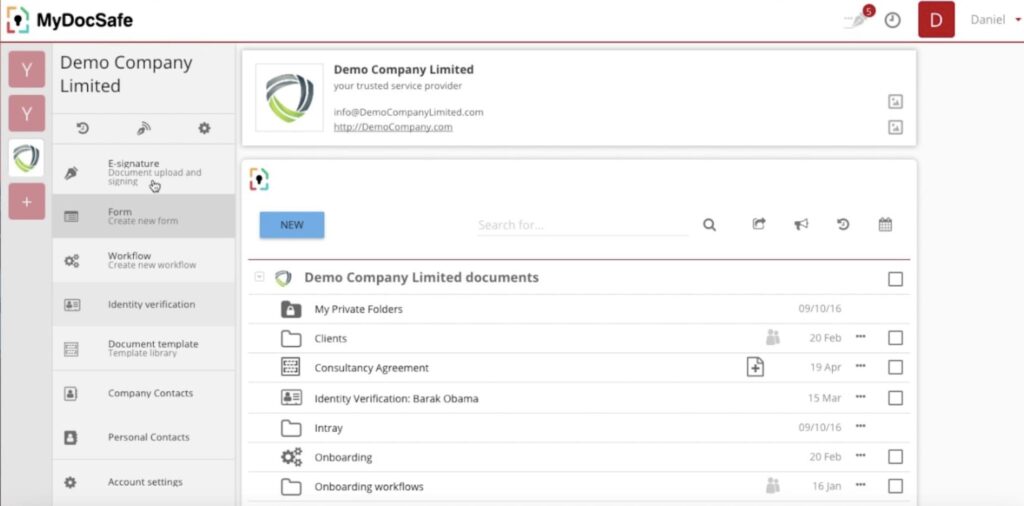
          MyDocSafe is One of the Top of 15 Customer & Client Portal Software. Image powered by FuseBase.

          MyDocSafe is a secure and comprehensive digital document security and e-signature platform designed for businesses of all sizes. It enables companies to design and deploy their own client onboarding processes, virtual data rooms, automated forms, file requests, etc. This client portal solution helps businesses to quickly onboard customers with a personalized experience, focusing on security measures, e-signature, and approval processes.

          • Capterra rating: 3.8 (26 reviews)
          • G2 rating: 3.9 (15 reviews)

          Pros:

          • Customizable portals (including domain)
          • Secure cloud for storing files
          • Efficient document management
          • Collect data and files from clients
          • Privacy focused with a range of security features
          • Secure access for clients
          • Contract signing

          Cons:

          • Poor customer service, according to some users
          • Limited integrations 
          • They have a history of betraying early users

          Pricing: Starts at $25/month

          💡 Read more posts on this topic:
          • Top 10 Partner Portals in 2025: Tried, Tested, and Ready for Your Team
          • Top 10 Vendor Portals in 2025: My Expert Picks

          8. Moxo – Best for Client Onboarding & Workflows

          Moxo. Image powered by FuseBase.

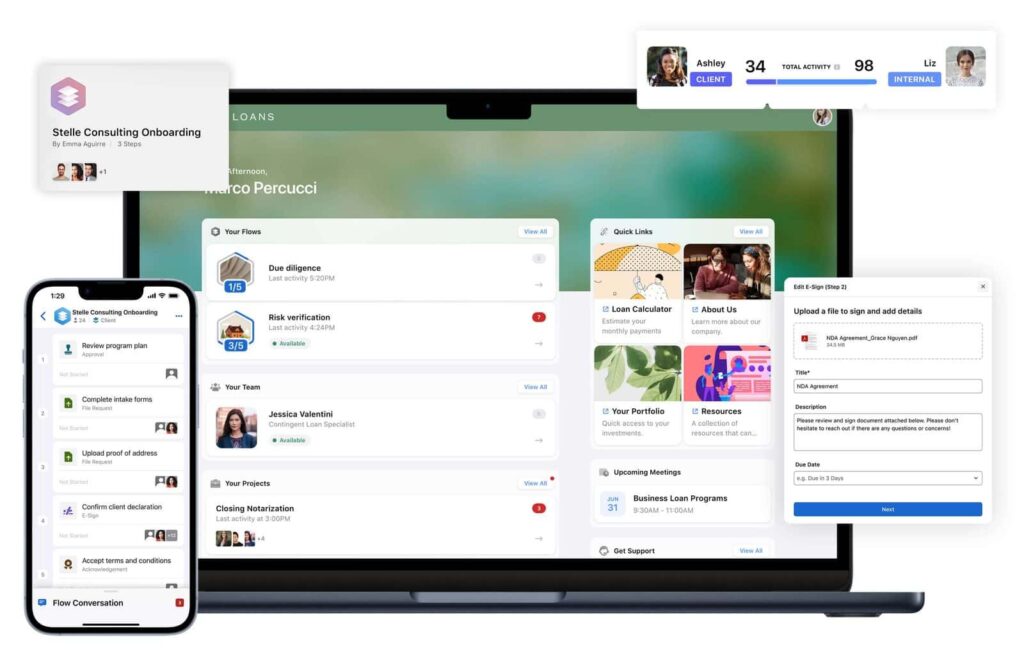
          Moxo is a versatile platform for streamlining external projects that involve customers, vendors, and partners. It accelerates workflows, starting from account setup and onboarding to ongoing servicing. With Moxo, users can efficiently coordinate with external stakeholders to achieve shared goals, monitor progress, exchange documents, and get approvals without the unnecessary hassle.

          • Capterra rating: 4.0 (22 reviews)
          • G2 rating: 4.5 (165 reviews)

          Pros:

          • Accelerated Workflows
          • Collaborative Project Workspaces
          • Diverse Industry Applicability
          • Notable Clientele

          Cons:

          • Customization Complexity

          Pricing: Moxo offers a custom price

          9. Knack – Best for Custom Database-Driven Portals

          Knack. Image powered by FuseBase.

          Knack is a platform for building databases and customized apps. With simple tools, users can create a cloud-based client portal. Businesses use Knack to manage data and automate workflows without in-depth programming knowledge. So don’t worry if you have minimal tech experience. Knack allows you to build customer portals without writing any code. Additionally, clients can manage payments and billing via self-service payment portals.

          • Capterra rating: 4.4 (84 reviews)
          • G2 rating: 4.3 (102 reviews)

          Pros:

          • Pricing is based on database limits and file storage.
          • Unlimited users.
          • Payment features.
          • A lot of templates.
          • Client and admin dashboards.
          • Sharing data with customers and allowing them to update or add their data.

          Cons:

          • Some of the features are unusable on a mobile device.
          • Not many workflow tools are built into the product.
          • Some users complain about the UI look.
          • No object grouping.
          • Slower load time.

          Pricing: Starts at $59/month

          10. Ideagen Huddle – Best for Enterprise Collaboration & Compliance

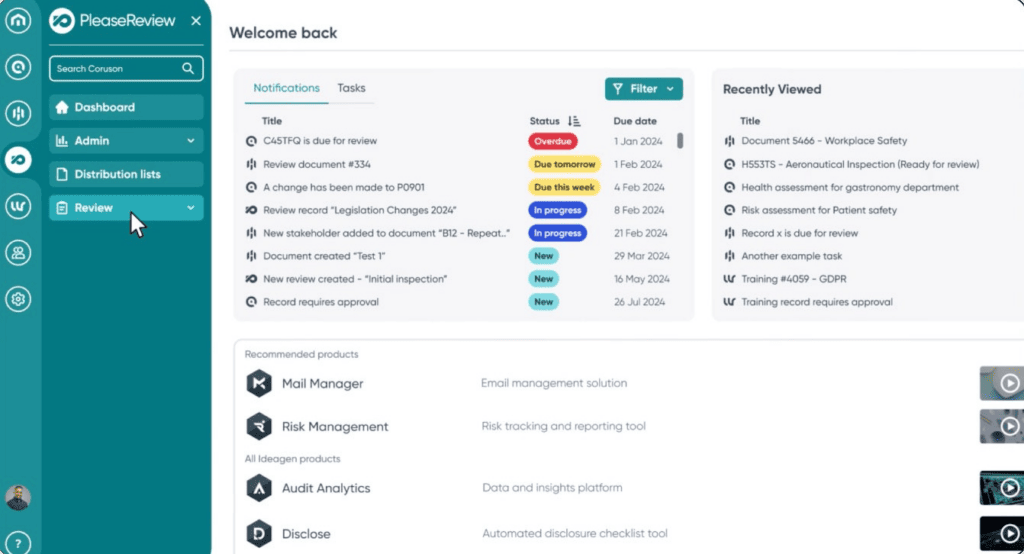
          Ideagen Huddle. Image powered by FuseBase.

          Ideagen Huddle is a secure online collaboration and content management platform. It’s excellent for large organizations that need centralized spaces to share, review, and manage documents with external clients and partners. Huddle ensures that your team and clients stay aligned on projects and meet strict compliance standards. The platform simplifies many processes (such as managing complex workflows and tracking revisions) and helps ensure that sensitive information is handled securely.

          • Capterra rating: 4.5 (67 reviews)
          • G2 rating: 4.2 (132 reviews)

          Pros:

          • Strong compliance and security features.
          • Centralized document sharing and collaboration.
          • Version control and audit trails for document management.
          • Supports regulatory compliance for industries like healthcare, finance, and government.
          • Easy file sharing with external clients and partners.

          Cons:

          • Pricing can be high for smaller organizations.
          • Interface can be overwhelming for new users.
          • Limited integration options compared to other tools.
          • Some users report a steep learning curve.
          • Mobile app functionality could be improved.

          Pricing: Contact for a quote

          11. Plutio – Best for Freelancers & Small Businesses

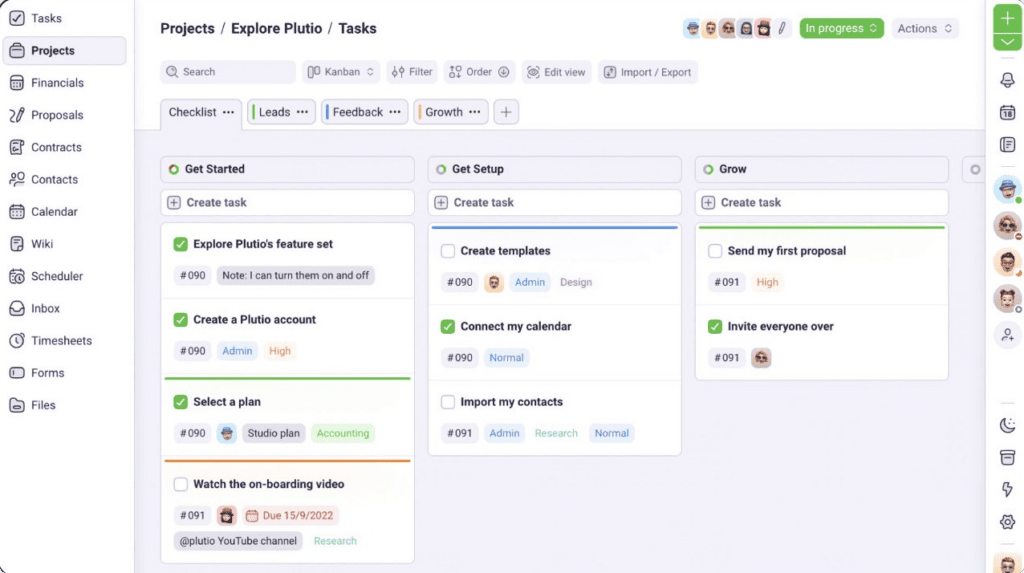
          Plutio. Image powered by FuseBase.

          Plutio is a software that helps to simplify the management of various business operations. This business management platform combines portals, project management, invoicing, and task tracking into a single interface. There, you can create a fully branded client portal that centralizes communication, documents, and payment management. Plutio is ideal for small teams who need a flexible, customizable solution.

          • Capterra rating: 4.6 (161 reviews)
          • G2 rating: 4.3 (56 reviews)

          Pros:

          • All-in-one solution for managing projects, clients, and invoices.
          • Customizable and with your branding.
          • Affordable pricing with a free plan available.
          • Simple and intuitive interface, no tech experience required.
          • Allows you to manage multiple clients in one place.

          Cons:

          • Limited integrations with third-party tools.
          • Some advanced features are only available on higher-tier plans.
          • Mobile app lacks some features found on the desktop version.
          • Reporting and analytics could be more detailed.
          • Customization options are somewhat limited compared to larger platforms.

          Pricing: Starts at $19/month

          12. ManyRequests – Best for Agencies

          ManyRequests combines a robust client portal with billing, time tracking, and CRM capabilities. Aimed at agencies, this solution allows self-sign-up and quick onboarding and integrates tools like Calendly, Loom, and Airtable. The client area includes messaging, file sharing, task queues, and some automation features. ManyRequests is ideal for video, marketing, or design agencies that need a one-stop place for communication, requests, and orders. 

          • Capterra rating: –
          • G2 rating: 4.5 (1 rating)

          Pros:

          • Branded client portal with time tracking and automation for agencies
          • Designed specifically for creative requests
          • Built-in Stripe integration for seamless payments
          • Has centralized files, messages, and requests which reduces lost items and saves time

          Cons:

          • Aimed at a narrow creative agency niche
          • Limited capabilities for complex internal task management
          • Lack of in-depth reporting and third-party integration

          Pricing: Starts at $19/month

          13. Trumpet – Best for Sales Teams

          Trumpet is a unique product with some essential features of a client portal. It focuses on creating digital sales rooms, a personalized microsite that leads prospects from cold outreach through to onboarding. These rooms or pods are easy to build by using drag-and-drop widgets with various features. Trumpet also comes with 35+ integrated tools, including Salesforce, Pipedrive, and more. The software is best for sales funnel, including cold outreach, proposals, deal rooms, and demos.

          Capterra rating: 5.0 (1 review)

          G2 rating: 4.8 (949 reviews)

          Pros:

          • Offers single, branded digital sales rooms with all the files and materials for different sales stages
          • Easy-to-use drag-and-drop interface and customization options for quick setup
          • Offers more than 35 third-party CRM or sales tools integration

          Cons:

          • It is not a complete client portal and lacks ticketing, a KB with citations, and other features.
          • While it offers a free plan, the first viable paid option is rather costly
          • No deeper automation options
          • It can have a steep learning curve to take advantage of advanced features

          Pricing: Starts at $38/month

          14. TaxDome – Best for Bookkeeping and Accounting Firms

          TaxDome is a niche solution for accounting, tax prep, and bookkeeping companies. The client portal and practice management platform encompasses a branded portal with document management, secure messaging, eSign options, tasks, client management, and billing. TaxDome offers automated workflows, AI-based reports, and team chats. It is best for accounting and companies in a similar niche.

          Capterra rating: 4.7 (3555 reviews)

          G2 rating: 4.7 (673 reviews)

          Pros:

          • Its narrow focus results in a robust set of accounting features, including organizers, eSign, KBA/identity checks, and document workflows
          • Combines client portal features like messaging, file exchange, tasks with pipelines, invoicing, and payments
          • Automation features and AI reporting

          Cons:

          • Hefty pricing tiers
          • Not ideal for ongoing project updates
          • Suitable for narrow accounting and tax niches

          Pricing: Starts at $800/year

          15. Dubsado – Best for Creative Service Businesses

          Dubsado is a CRM solution and workflow tool that lets you create a somewhat limited client portal. As a portal, Dubsado allows clients to view proposals, access contracts, invoices, forms, and messages. It also includes workflows and templates, e-signature features, and payment options. Dubsado is best for service businesses that need an all-in-one client management solution. 

          • Capterra rating: 4.2 (59 reviews)
          • G2 rating: 4.3 (72 reviews)

          Pros:

          • Seamless communication tracking through the central client portal
          • Integrates everything from proposals, contracts, to invoicing and scheduling
          • Offers automation workflows with triggers, reminders, and templates

          Cons:

          • Doesn’t have all client portal features
          • Can have a steep learning curve
          • A mobile application is not on the level of desktop software

          Pricing: Starts at $35/month

          How to Choose the Right Client Portal Software

          When it comes to choosing a portal software, there are several factors to consider, especially the following:

          FeatureWhy it’s important 
          User experience and designA well-designed portal and good user experience can dramatically increase engagement and satisfaction. The platform should be eye-catching and intuitive for your customers.
          Security and privacy measuresLook for features like encryption, access controls, and data backup to protect sensitive data and customer information.
          Knowledge base managementAn easy-to-use knowledge base will help customers find the information they need and eliminate the workload for your support team.
          Sales Deal RoomsSales rooms are particularly useful for high-stakes deals. They ensure that your clients have easy access to all relevant materials while you can manage and monitor the progress of each deal.
          Customization optionsA client portal needs to fit your specific needs and showcase brand identity. Look for software that allows you to tailor the look and feel of the portal’s appearance and add (or remove) features whenever you need.
          Available languagesDo you have customers who speak different languages? Look for a platform that supports multiple localizations. This will personalize the experience for them and increase customer satisfaction.
          Reporting and analytics capabilitiesTo make informed business decisions, it is crucial to understand your customers. Select a portal software that provides detailed reporting and analytics capabilities to help you better understand customer behavior and preferences.
          Customer support and resources by the providerThis can include tutorials, forums, and dedicated support agents to help you get the most out of the software.
          Pricing and budgetAs mentioned earlier, it’s essential to invest in a high-quality portal. Still, it’s important to find software that fits within your budget. Look for a platform with flexible pricing and consider the long-term value.

          Create Your Client Portal with FuseBase Today

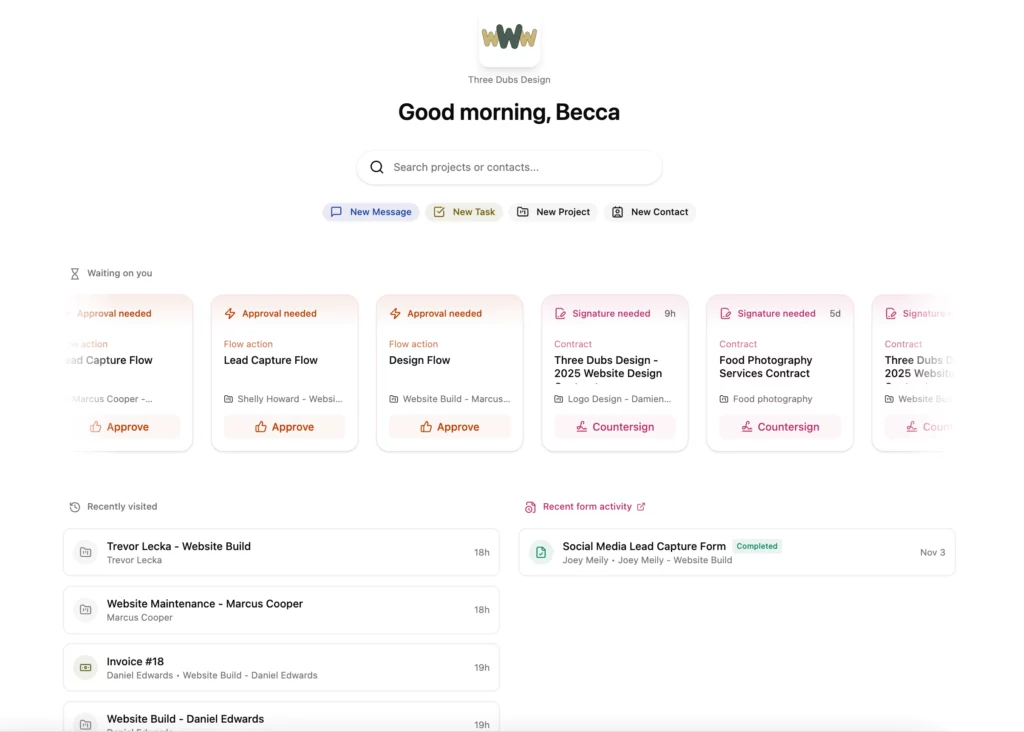
          Image powered by FuseBase.

          I’m confident that one of the client portals in this article will fit your business needs, but if you’re looking for a fully branded solution that goes beyond file sharing, FuseBase is worth considering.

          It offers client portals on your own domain, with secure file storage, knowledge bases, task management, real-time chat, and seamless client collaboration. It allows you to tailor everything (branding, embedded widgets, user permissions) to create an efficient experience for both your team and your clients.

          Get started with FuseBase for free.

          Frequently Asked Questions

          What is client portal software?
          A client portal is a private, secure website where you can interact with each of your customers individually, share and exchange data, and track updates.

          What is the difference between a website and a client portal?
          Websites are designed for visitors to consume content rather than interact with it. Client portals allow users to actively engage with your business.

          Who needs a client portal?
          Businesses or individuals in ongoing, service-based relationships. These include consultants, law firms, accounting agencies, or design agencies.

          What is the purpose of a client portal?
          The main goal of a client portal is to improve the customer experience and build trust..

          Author Image

          Pavel Sher

          Founder and CEO of FuseBase

          Pavel Sher is on a mission to give teams their time back by replacing busywork with AI agents that handle the repetitive tasks no one has time for. As the CEO of FuseBase (product of Nimbus Web Inc), he has turned years of customer insights and productive teams experience into a cutting-edge collaborative portal platform. By introducing deal rooms, onboarding solutions, and knowledge-sharing features, Pavel is helping agencies and sales teams work smarter, close deals faster, and deliver exceptional client experiences. FuseBase AI Agents act as Dream Team of executive assistants that work 24/7.

          Found it useful? Share the article with your community


          Related Articles

          Why a Client Portal is Essential for Your Business Success
          Client & Customer Portals

          Why a Client Portal is Essential for Your Business Success

          • by Neel Raman
          • 1 Min read
          Top 10 Vendor Portals in 2025: My Expert Picks
          Client & Customer Portals

          Top 10 Vendor Portals in 2025: My Expert Picks

          • by Pavel Sher
          • 9 Min read
          Subscribe to our blog!

          Get weekly tips and insights on how to grow your business

          Our solutions
          • Mid-size companies
          • AI Agents (apps)
          • Client portal
          • Deal rooms
          • White label
          • Knowledge base
          Plans & Pricing
          • Pricing
          Enterprise Security
          • Trust Center
            (HIPAA & SOC 2)
          • Terms & Privacy
          • GDPR
          Company & Contacts
          • Templates
          • Guides
          • Roadmap
          • Privacy
          • About us
          • Reviews
          • Contact us
          Compare with
          • SharePoint
          • Moxo
          • Notion
          • Confluence
          • Asana
          • Airtable
          • Monday
          • See all
          Fusebase Logo
          • English
            • Deutsch (German)
            • Türkçe (Turkish)
            • Français (French)
            • Nederlands (Dutch)
            • Italiano (Italian)
            • Polski (Polish)
            • Português (Portuguese (Portugal))
            • Español (Spanish)
          FuseBase - Client collaboration platform for professional services | Product Hunt
          • g2
          • sourceforce
          • g2
          Copyright © 2025 FuseBase is a product of Nimbus Web Inc., a Delaware company