

Building a Knowledge Base: Comprehensive Guide
- 13 Min read
As a business owner, I know that knowledge is power. And even if you don’t own a business, you must have heard that phrase before, right? Very few things empower a business and its team more than a concise pool of organized and well-structured information. This, when online, is typically called a knowledge base – a tool that allows your team or your customers to easily fetch the information they need, exactly when they need it.
If you’ve ever wondered what knowledge base software is and how your org can benefit from it, you’ll discover it all below. Plus, a list of the best knowledge base systems available.
And seven others you’ll read about next.
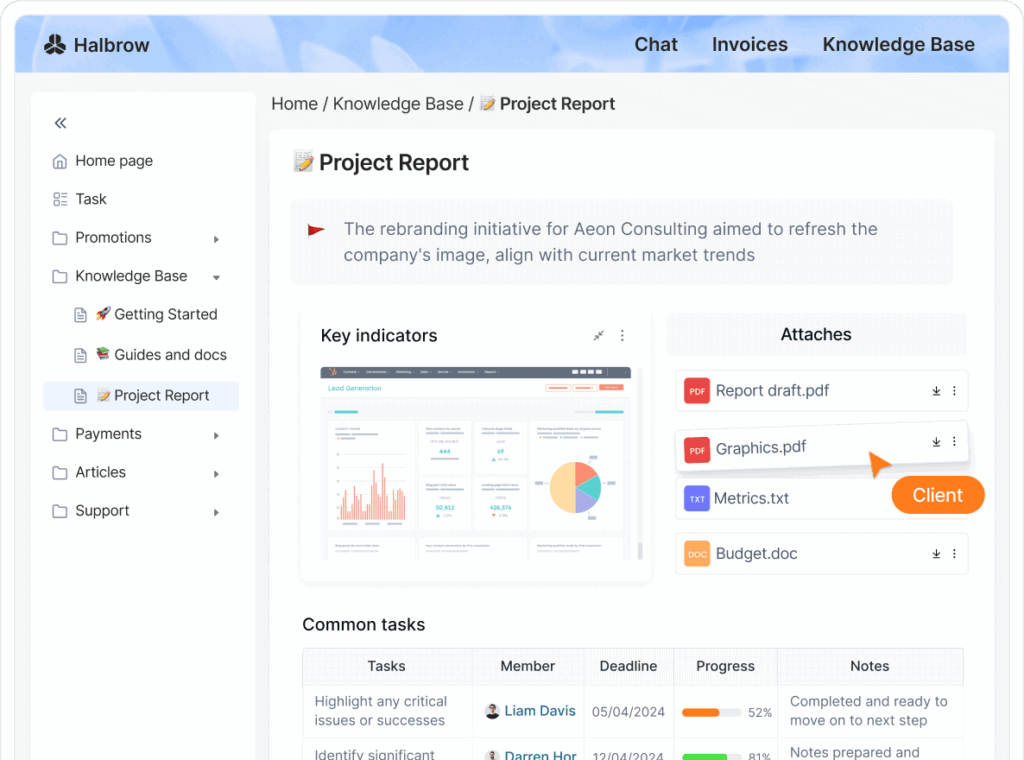
Knowledge Base Software is your digital librarian, the gatekeeper of your company’s intelligence. Imagine a tool that not only stores but also organizes and optimally disseminates your vast sea of information across various channels. That’s exactly what a Knowledge Base Software does.
It’s your go-to solution for capturing, curating, and sharing knowledge effectively within your organization, putting an end to the hunt for scattered data. Regardless of your business size, it helps in transforming raw information into beneficial insights, so decision-making is as breezy as a walk in the park.
Jokes aside, with customer support software becoming increasingly important among online businesses, companies can now manage and store their knowledge and information in a variety of ways, making it versatile and accessible to users. For example, businesses create both private knowledge bases for internal use and public knowledge bases for customer-facing support. It offers business owners and team members a number of key advantages over traditional ways of storing information. And that’s precisely why knowledge management software has become so popular in recent years.
We can talk about different types of knowledge base software depending on how we use and implement them. There are help centers, corporate wikis, information hubs, second brains, SOP repositories, internal knowledge bases, external knowledge bases – the list is quite lengthy. However, when talking about knowledge base tools for companies, team members and customers, the most common way to categorize them is into internal and external knowledge management systems.
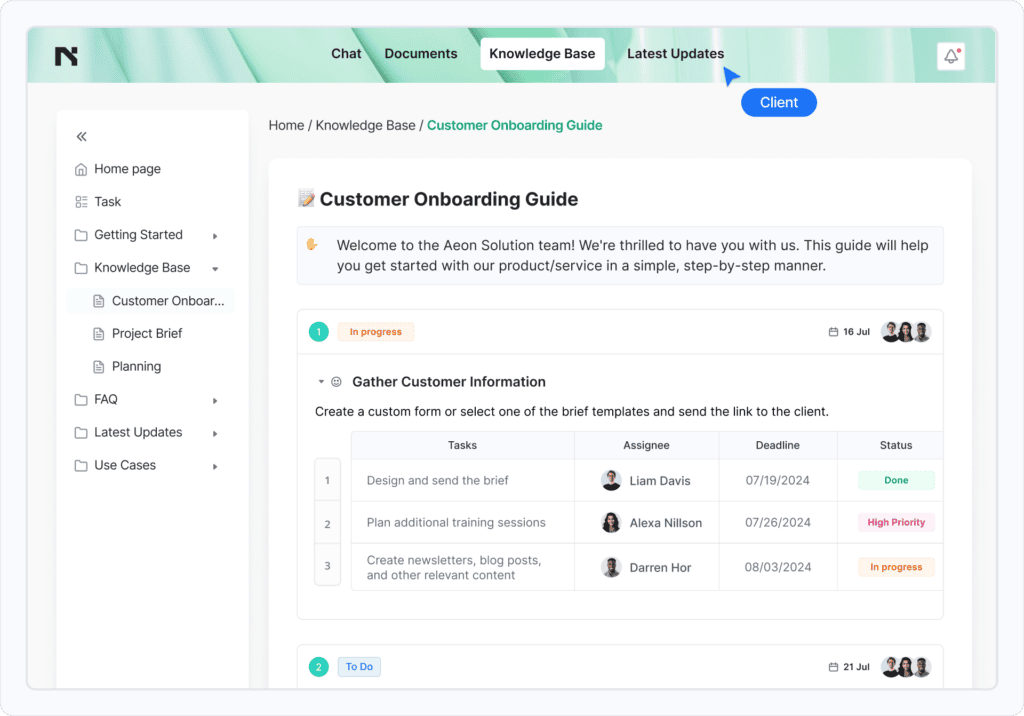
An external or public company information hub, also called a self-service knowledge center, is a platform created by a business and available publicly to their customers, users or potential clients.
As you can guess from the name, this type of platform is set up so that customers or users can easily find the up-to-date information they need in order to solve a particular problem or query they have, without the need to contact the customer support team directly. This helps reduce unnecessary customer service emails and calls, and can improve customer satisfaction quite effectively.
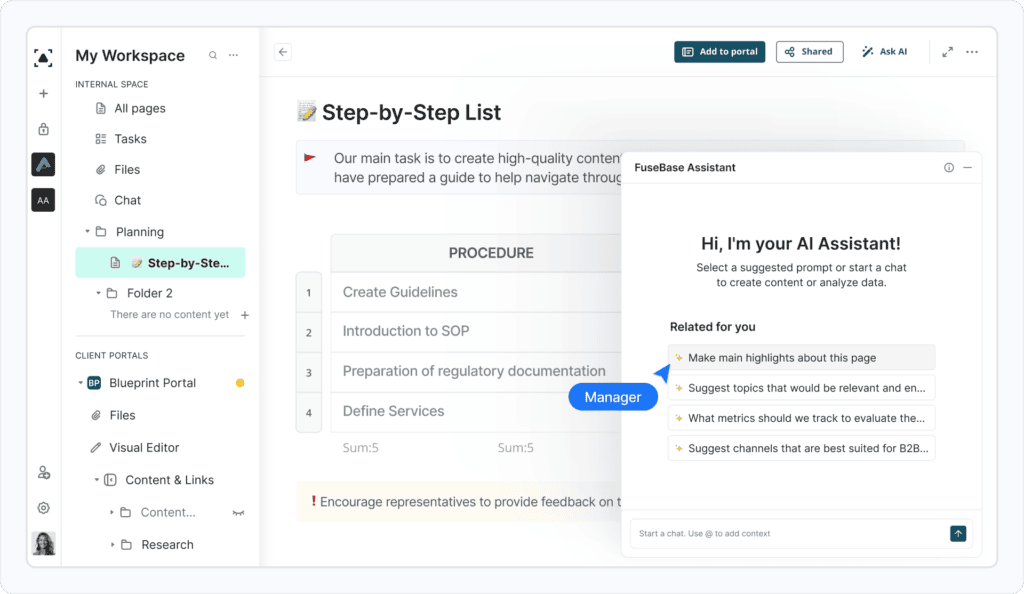
An internal knowledge base is a compound of structured information which is only available to a company’s staff, that is, internally, sometimes as part of a corporate intranet. The reasons for creating an internal KB can be quite varied: improving employee onboarding, centralizing SOPs for business processes, solving customer queries more quickly and keeping track of updates. A knowledge base can also help team coordination within a company as various departments can share best practices or learn from each other’s experience.
The importance of those is difficult to overestimate, and internal knowledge base software is becoming extremely popular today as it provides organizations with a centralized repository of up-to-date information and expertise to improve employee productivity, streamline processes, and support effective decision-making.
Are you a business owner and still wondering why you might need a knowledge management system? Here are my top reasons why you should definitely start using a knowledge base in your business:
Isn’t that more than enough to start using knowledge management software, like, right now?
| Feature | Examples |
|---|---|
| Rich customization options | Ability to brand the knowledge base with a company logo or color scheme, choose from different templates or themes, and customize the layout and design of the knowledge base. |
| Content creation and management | Options for adding images, videos, and other multimedia to articles; editing; organizing articles into categories and subcategories. |
| Search functionality | Searching for specific articles or keywords; filtering and sorting results. |
| User management and access control | Setting user permissions and access levels, so sensitive information is only visible to authorized users. |
| Analytics and reporting | Tracking usage and performance metrics, such as the number of views or searches on specific articles. This information often helps create more relevant articles to better cater to your customers’ queries. |
| Integration options | Integration with other tools or software, such as customer relationship management (CRM) software, chatbots, or help desk software. |
| Customer support | Email support, live chat, documentation and resources (user manuals or tutorials) helps users to get started. |
There are many solutions to choose from, and it can be difficult to decide which one is right for you, your team and your business. So here’s a little help from me: the key factors you need to consider when choosing a knowledge base software.
How easy or difficult the software is to use will determine your success. You don’t want to spend hundreds of dollars on an internal knowledge base only to find that your team is still using Word documents and PDFs because of the steep learning curve of the newly adopted knowledge base. I’ve seen it happen… Also, imagine triggering customers’ frustration simply because they can’t navigate your documentation easily. That would be a mess. Intuitive knowledge base software is an essential tool for any organization looking to streamline support processes, reduce customer effort, and improve overall customer experience.
An effective knowledge base nowadays allows you to do a lot more than simply creating and managing information hubs. So you need to determine the following things first:
AI and machine learning are two buzzwords, which can sometimes be devoid of real meaning. However, when it comes to knowledge, machine learning and AI-powered knowledge bases can help your business provide better customer experience and streamline some of your business processes.
Flexibility in any software you decide to implement is important because you never know how your business is going to grow or change over time. You might start out with a small team of employees, but as your business grows, you might need to add more users or change the way your knowledge base is organized. A flexible knowledge management system will be able to accommodate those changes without any problems.
If you’re creating a self-service knowledge base, you probably want to use it to grow your organic traffic. Why not take advantage of your content to attract more visitors organically? If this point is important to you, choose a knowledge base solution that offers at least basic SEO settings which will make it easy for your knowledge base articles to start ranking in search engines.
“It all depends on the amount of knowledge that needs safeguarding, how many people need to access it, and how sensitive that information is. The needs would vary wildly for an international team of hundreds of people that happen to be handling customers’ financial information, than for a small team that publishes a blog and just keeps a spreadsheet with the contact info of their sources or freelance writers.
As you get more complex, you’re better off using knowledge base software or developing a tool in-house and hosting it on your own servers, if that’s possible. Based on my research, most companies would buy a tool that has some sort of security certification like SOC.
Any sort of data repository is better than having to ask colleagues time and time again for certain info or documents.“

Businesses of all types can benefit from intuitive knowledge base software tools. They make it easy to create, manage and find information you or your customers need. Here are a few examples of who’s in the winning circle when it comes to using knowledge management software.
I’ve already talked about the benefits of knowledge base software and the things you need to consider to choose the right software to build one. So now it’s time to dive into this carefully curated list of the best knowledge base software platforms.
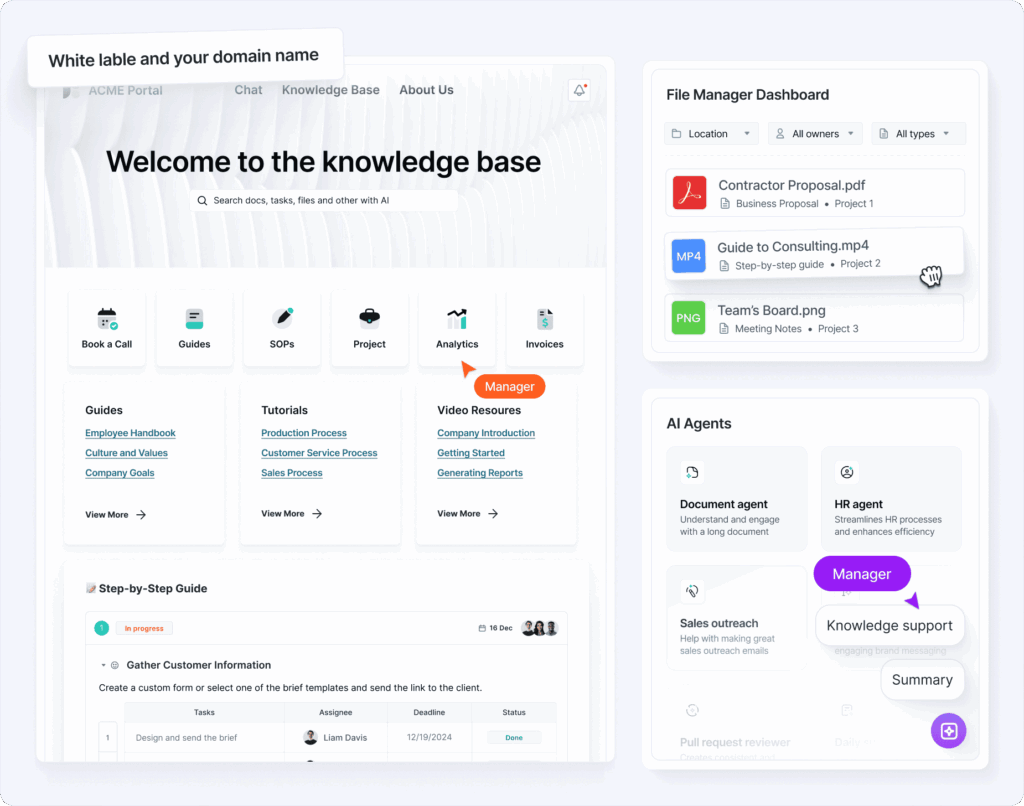
Best for: Internal documentation, content creation and sharing, team and client collaboration
Price: from $32 per month
FuseBase provides users with a powerful solution for knowledge sharing and creating an information hub for your team, which can be used to create a self-service portal. Be it your information, external or internal KB, projects or tasks, FuseBase aims to bring everything under its roof saving your time. It also offers an efficient collaborative environment for remote teams of all sizes. And its embedded AI Agents help to actually use it. They summarize and translate big docs, perform search and even upkeep the content. So if a doc gets stale (like a PDF with an outdated policy), the agent flags it or even drafts an update.
You can see an example of a customer-facing knowledge base and help center articles here.
Pros
Cons


Best for: Internal documentation and team collaboration
Starting price: $10/month/user
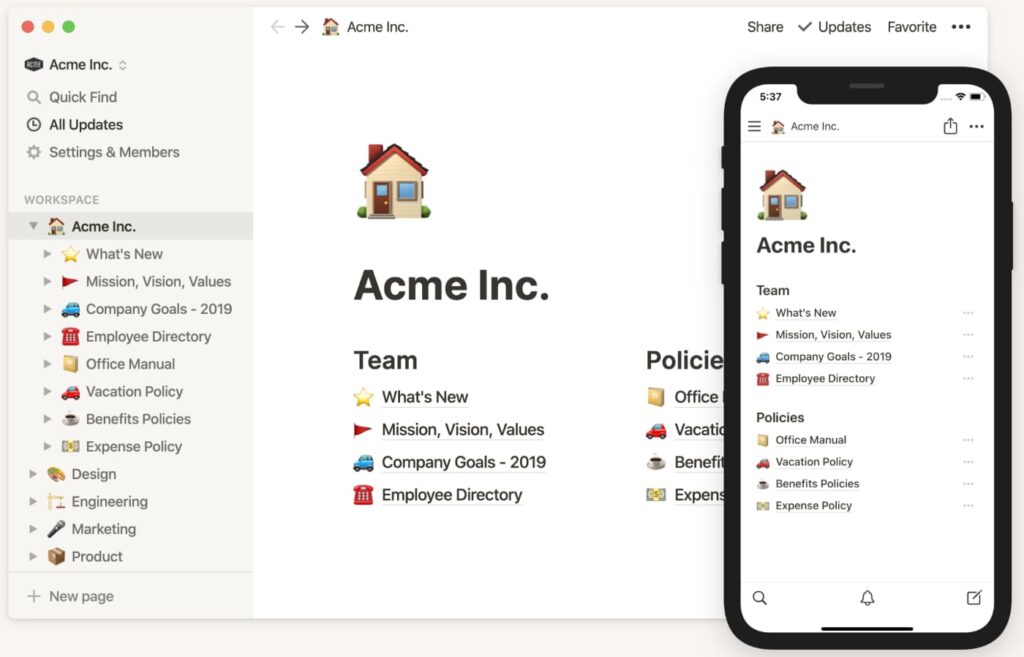
Notion is a really adaptable piece of knowledge base software that can serve as the knowledge hub for your entire business. The next-generation documents that this knowledge management system offers are excellent for ensuring effective collaboration and a simple content management process. The additional benefit of AI that Notion provides to the workplace opens up a world of virtually endless possibilities. Its powerful databases and flexible content organization make it a good tool to build a knowledge base.
Pros
Cons

Best for: External documentation, knowledge base, and customer support
Starting price: $50/month/user
HelpScout is a customer support system, or in other words, desk software, with three core features: knowledge base tool, shared email inbox and beacon widget. It gives business owners the tools to provide support to their customers both by email and through a live chat widget that can be placed on any website. With the knowledge base feature, which has an in-built search box, you can create informative knowledge base articles to reduce support tickets and provide users with the answers to their most common burning questions.
Additionally, HelpScout offers a range of collaboration tools, such as comments, drafts, approval workflows, and integration with other collaboration tools, that enable teams to work together effectively on content management in the knowledge base.
Pros
Cons
Best for: External & internal knowledge bases with advanced analytics and white-labeling
Starting price: $120/month (up to 4 users)
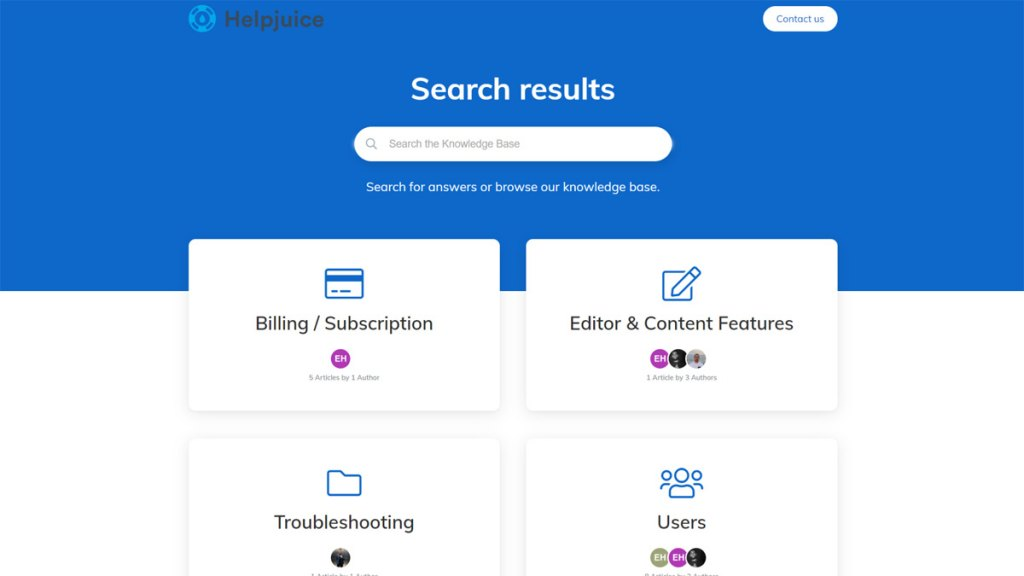
Helpjuice is a dedicated knowledge base platform built to deflect support tickets and deliver instant answers for customers and teams. It offers deep customization (branding/white-label), powerful search, article analytics, workflows, and multi-language with fast, hands-on support and free expert customization to ship a polished KB quickly.
Pros
Cons
Best for: External help center, customer support and sales
Starting price: $55/user/month
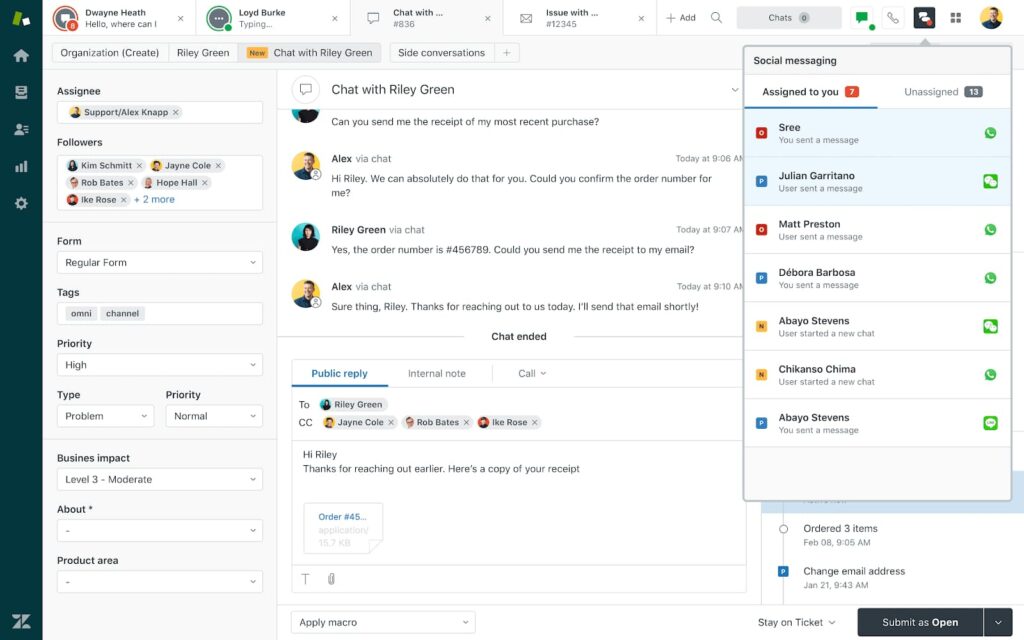
Zendesk is an established support platform with all the tools a medium or large business might need to assist its customers and website visitors.
It is a leading SaaS knowledge base software that enables businesses to create and manage a centralized repository of knowledge for both customers and employees, with features such as customizable templates, version control, and a powerful search engine. One of the most commonly reported benefits of Zendesk is its community forums feature that allows businesses to create a space for their customers to engage with each other and share information.
Being primarily customer service software, Zendesk boasts multiple features, among which we can highlight its powerful knowledge base functionality. It is one of the most popular support solutions on the market, but if you mainly need a knowledge base solution, Zendesk might be both pricey and overwhelming. If that’s your use case, consider these Zendesk alternatives.
However, a big plus is that it is an all-in-one solution that allows you to create both external and internal knowledge bases.
Pros
Cons
Best for: External and internal content management
Starting price:$6.67/month/user
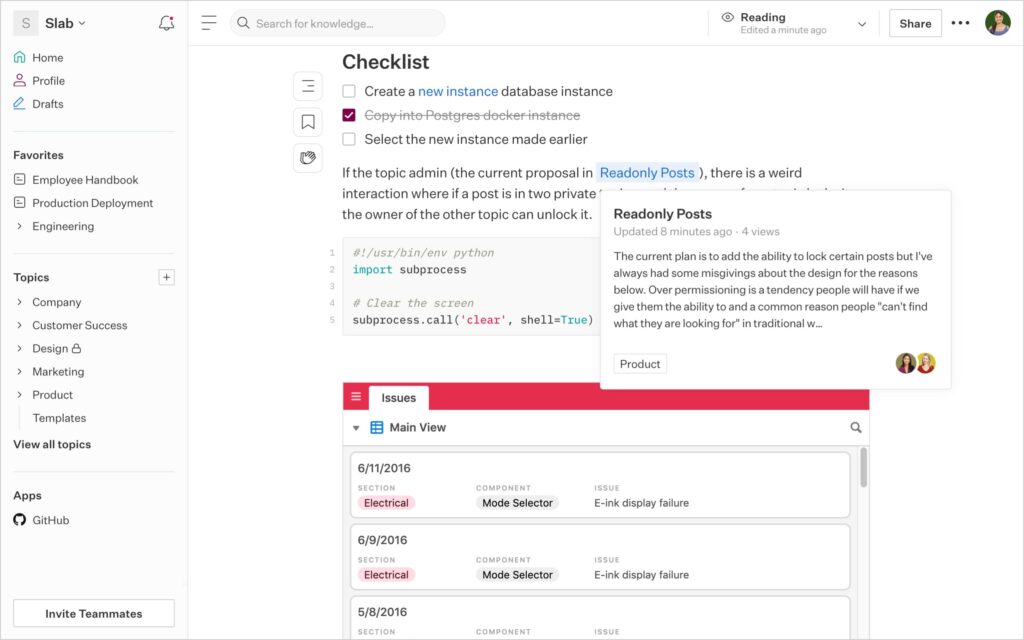
Slab is a content creation and management platform that lets you create and organize knowledge for your entire organization. It is a simple solution for any organization to create a nice-looking knowledge base with a simple sidebar where different sections are accessible.
Pros
Cons
Best for: External and internal knowledge management and collaboration
Starting price: $50/month
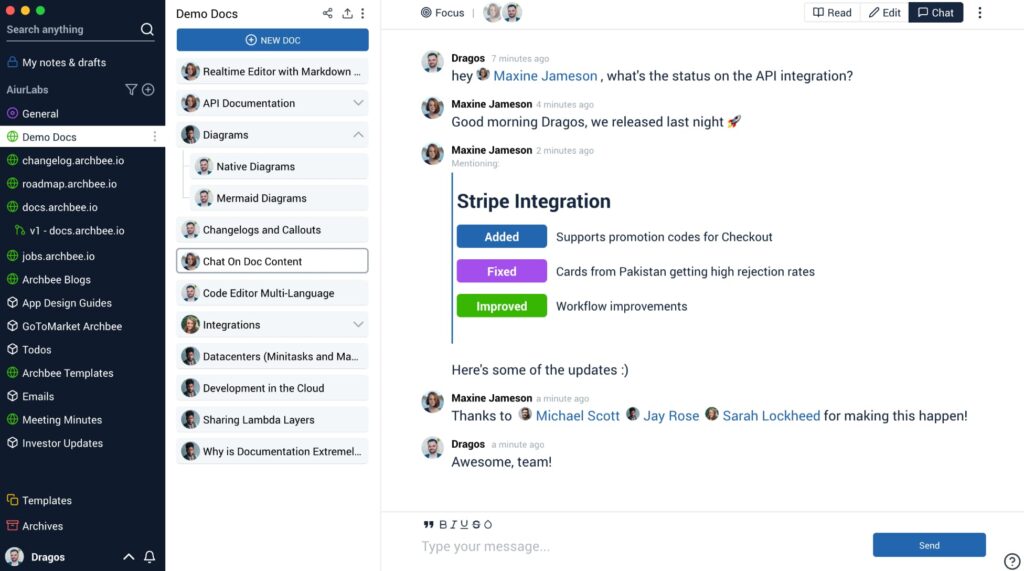
Archbee is a documentation and knowledge management tool best suited to gather and present software knowledge. With Archbee, you can break up your documentation into separate spaces (public or private). Each space can contain whatever your team or your customers need: user guides, public or private portals, API docs, in-app contextual documentation, etc. You can create a comprehensive internal knowledge base with it.
Pros
Cons
Best for: Internal and external software documentation and collaboration
Starting price: $65/month/site
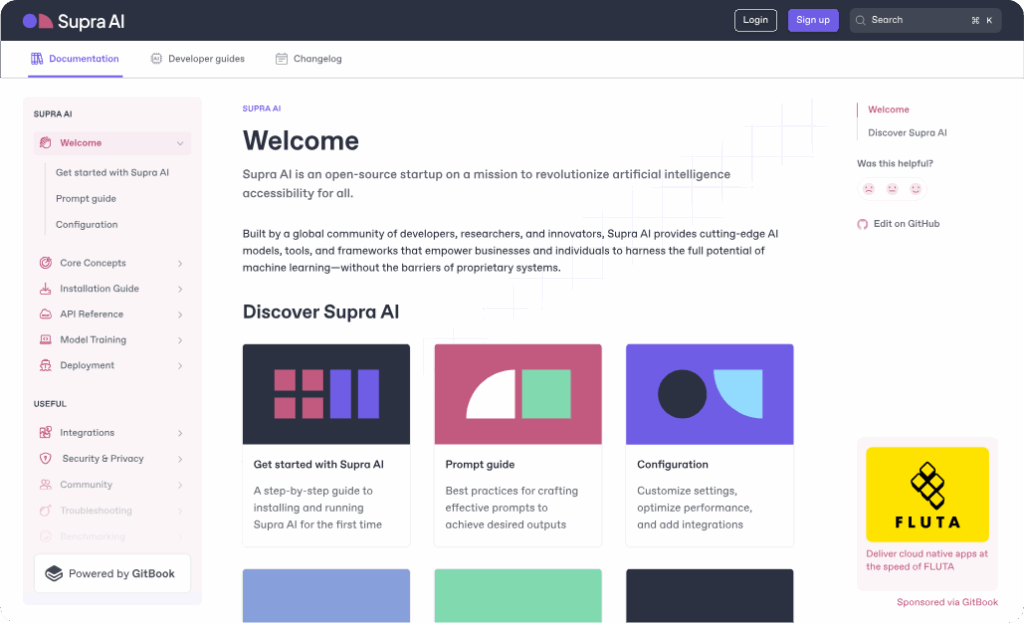
GitBook is an easy-to-use documentation tool that allows teams to describe anything from products to APIs and internal articles. Its mission is to make it easy to plan, centralize and share technical knowledge both internally (between team members) and externally (with users and customers). GitBook can also be used to create a robust knowledge base.
Pros
Cons
Best for: Customer support, help articles and documentation
Starting price: $29/month/seat
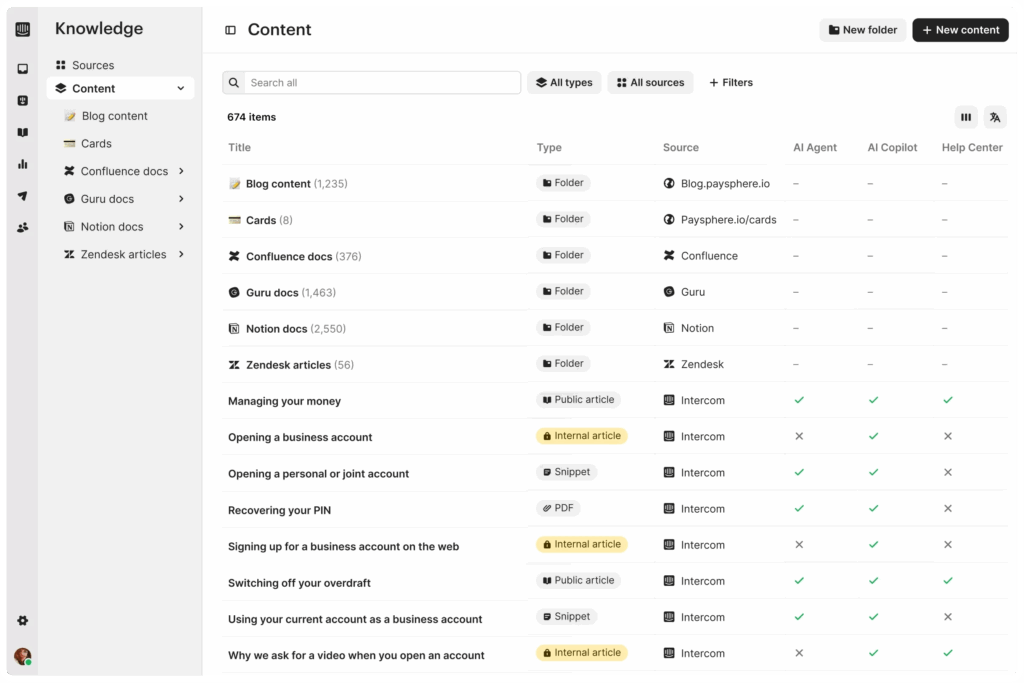
Intercom is an all-round customer support platform with support features across the board. With its live chat, ticketing solution, support articles and other core features, Intercom is the holy grail of customer support platforms. Intercom desk software allows creating a self-service portal that enables customers to access information and support resources without having to contact a support agent.
Pros
Cons
Best for: Customer support and external help articles
Starting price: $12/month/user
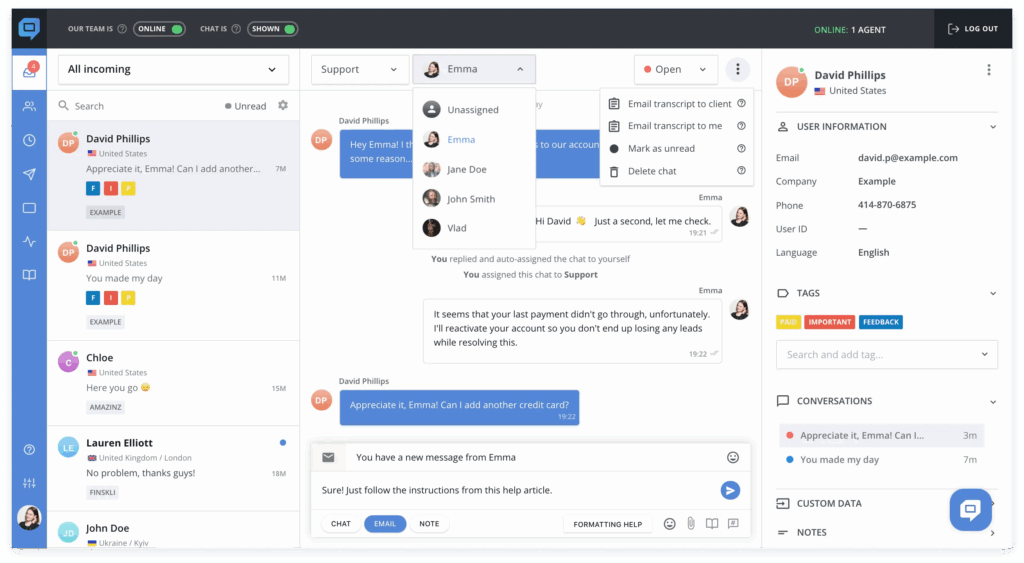
As one of the most renowned customer support systems on the market, HelpCrunch offers a powerful knowledge base to reduce customer service requests and costs. It allows you to host your company documentation and customer related data on their platform, significantly enhancing customer experience and reducing repetitive queries. From a true WYSIWYG editor making article creation smooth and simple, to using custom CSS and JavaScript for complete brand customization, HelpCrunch offers it all in one neat package.
Pros
Cons
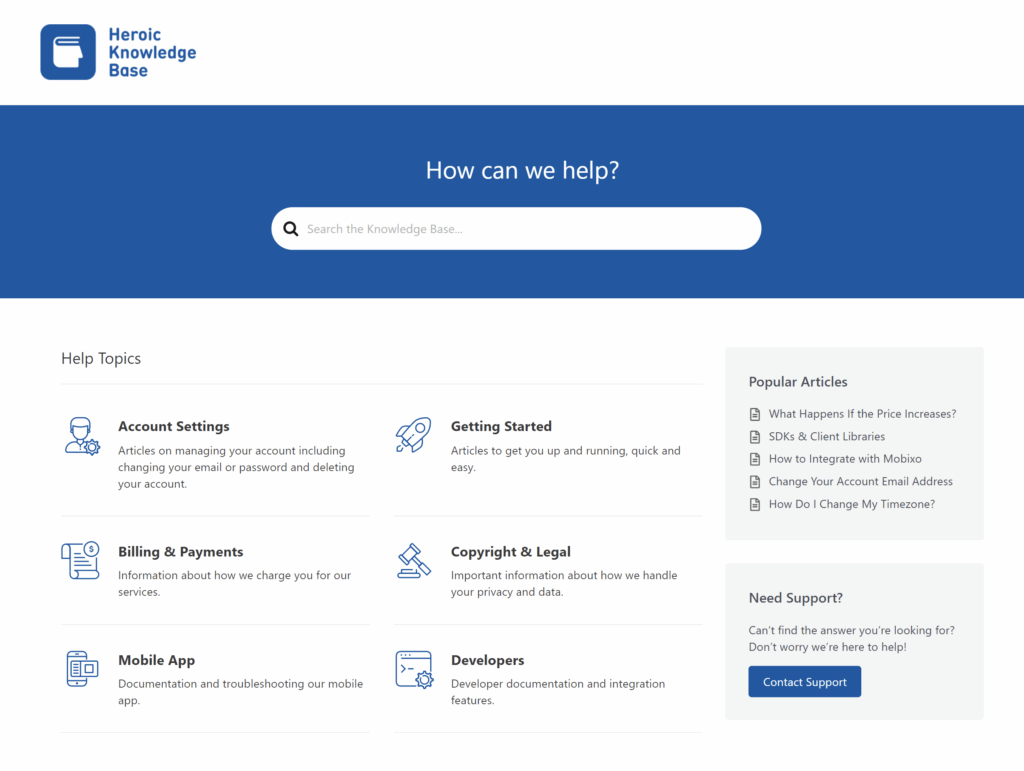
Best for: External content management
Starting price: $129/year/user
Heroic Knowledge Base solution is a powerful WordPress plugin that allows you to create a full-fledged self-hosted knowledge center. With instant search, article analytics, user feedback, email reports and more, Heroic Knowledge Base provides a curated knowledge base experience for your site visitors.
Pros
Cons
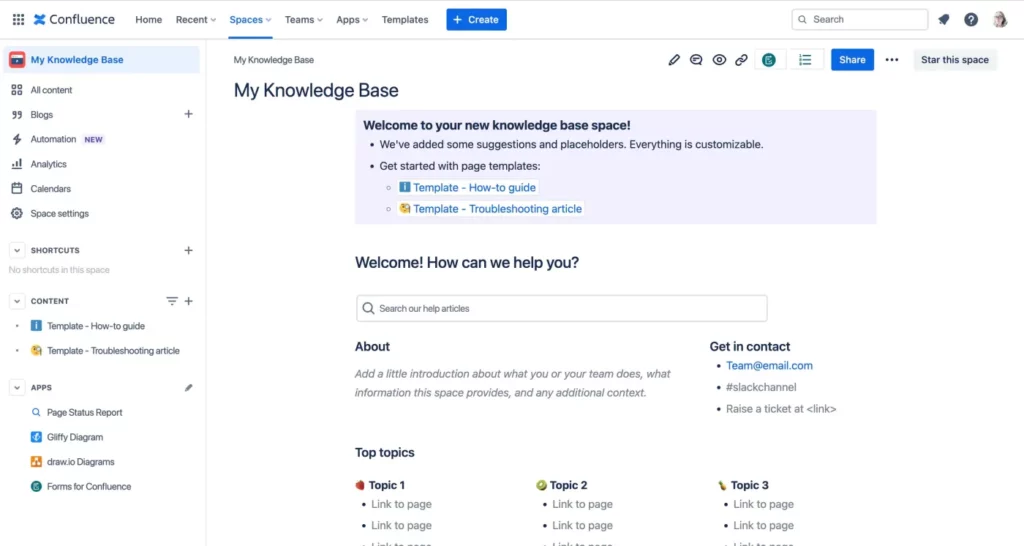
Best for: Sharing knowledge, organizing content, and document collaboration.
Starting price: $5.16/user/month
Confluence is an online wiki-style collaboration workspace that helps users improve teamwork and productivity. It’s also a part of the Atlassian ecosystem. This software allows teams to create dynamic pages with all kinds of content, like Whiteboards, Databases, and videos. Confluence’s knowledge management features simplify the process of creating, organizing, and sharing information.
Pros:
Cons:
”Okay, now I know a lot about knowledge base software and how to choose the best one for my needs, but how can I implement a knowledge base for my organization?”, you might ask. Let’s look at how to launch a knowledge base.
Now you know how essential it is to have a knowledge base. With the right knowledge base software, you can store all of your company’s valuable information, whether internally or externally, in one place and make it easy for team members and users to access it whenever they need.
This article will help you pick the best knowledge base options on the market. If you’re after a one-stop, branded solution with some strong AI features, I’d say FuseBase is the place to start.
Create your perfect Knowledge Base Software with our experts
Learn how FuseBase can help you build a perfect knowledge base here.
What do you mean by knowledge base?
In short, it’s a centralized place for storing, sharing, and managing knowledge of your organization in a digital format. This includes guides, FAQs, product documentation, and more.
What is a Knowledge Base used for?
It’s used for helping teams, clients, and users easily find the relevant information they need. For example, clients can instantly access guides and solve issues on their own. And teams can use KBS to find the information required for projects or for employee onboarding.
What’s the difference between a Database and a Knowledge Base?
Databases usually contain raw data (like customer records, inventory lists) that is organized in tables for easy retrieval and analysis. A knowledge base can contain text, images, videos, and files; information in KBs is used to solve problems or answer questions.
Can AI be used to improve knowledge bases?
Yes, AI can generate summaries, instantly answer questions based on the KB info, and provide personalized assistance. Besides that, AI can automatically keep your Knowledge Base up to date.
Found it useful? Share the article with your community
Get weekly tips and insights on how to grow your business